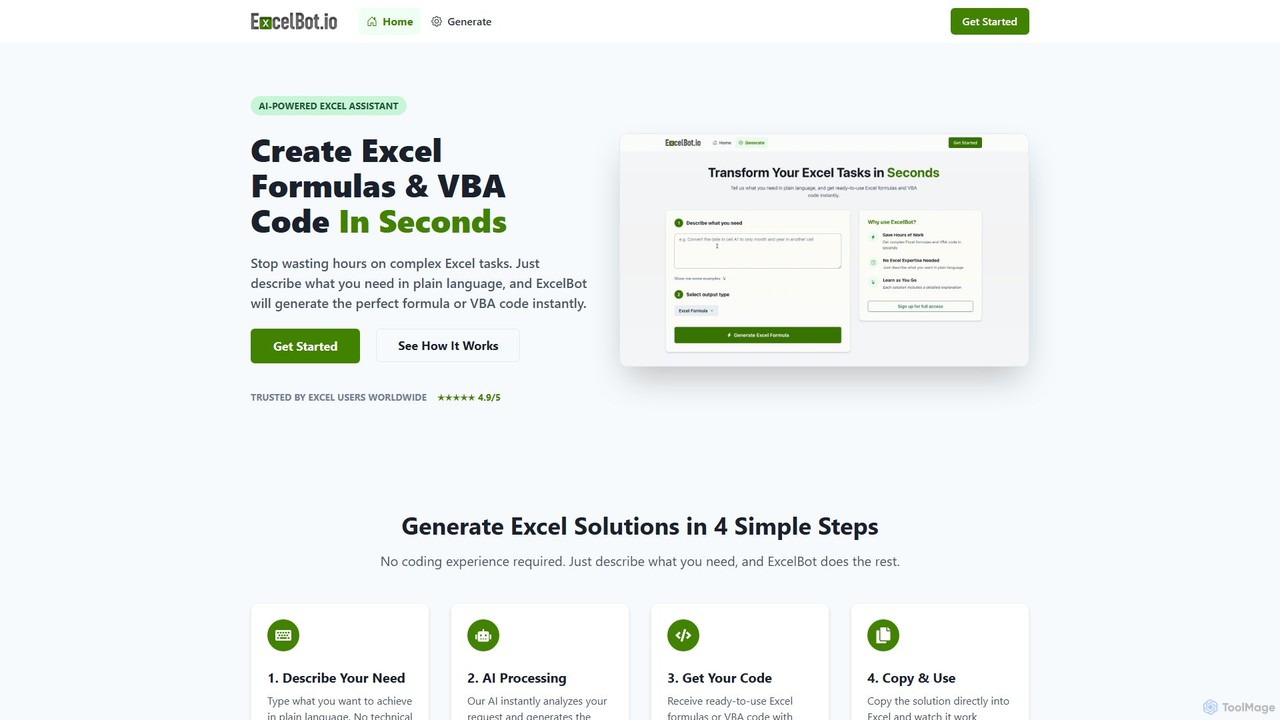
ExcelBot ist ein KI-gestützter Assistent, der aus einfachen englischen Beschreibungen sofort komplexe Excel-Formeln und VBA-Code generiert. Er wurde für Benutzer aller Kenntnisstufen entwickelt, von Anfängern bis zu Datenanalysten, spart Stunden manueller Arbeit, steigert die Produktivität und hilft Benutzern durch detaillierte Erklärungen für jede Lösung beim Lernen. Beschreiben Sie einfach Ihre Aufgabe, und ExcelBot liefert den sofort einsatzbereiten Code in Sekunden.
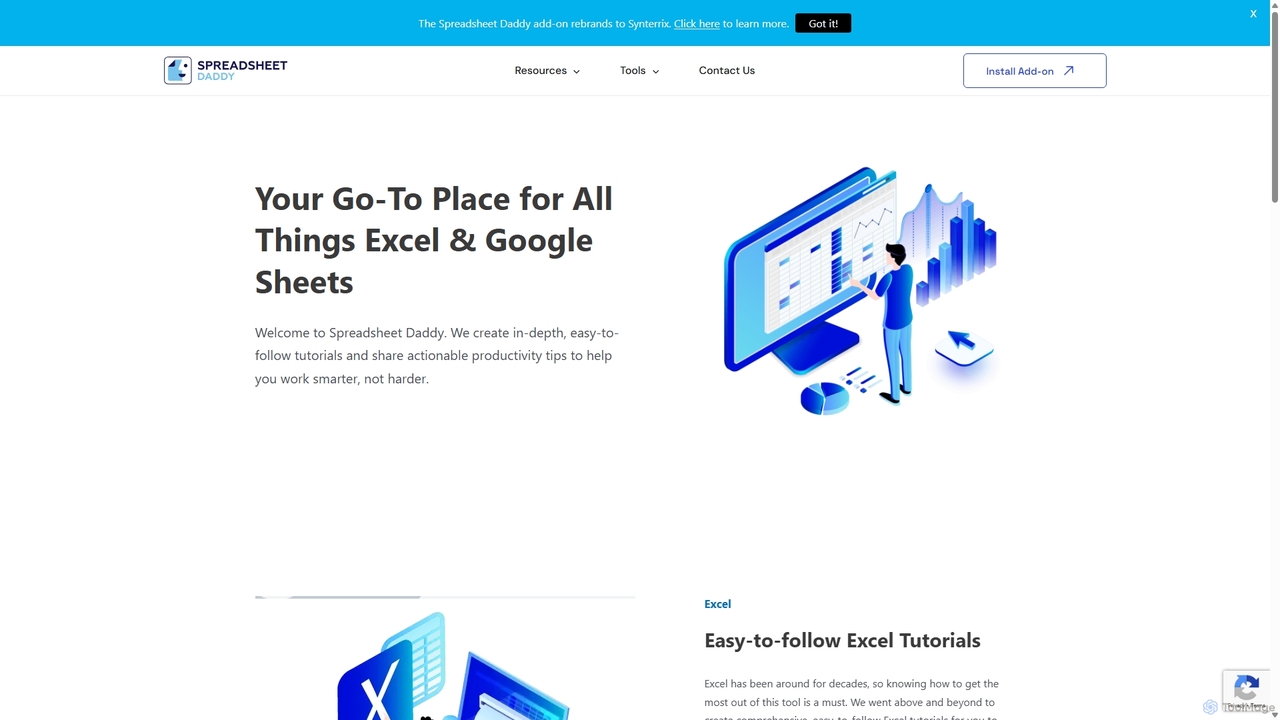
Spreadsheet Daddy ist ein fortschrittliches KI-gesteuertes Add-on für Google Sheets, das komplexe Aufgaben automatisiert. Es ermöglicht Benutzern, Formeln, Apps Script und reguläre Ausdrücke aus einfachen Textaufforderungen zu generieren. Das Tool zeichnet sich auch durch die Massenerstellung von Inhalten, Datenanalyse und sogar die Erstellung benutzerdefinierter KI-Modelle aus, wodurch Ihr Spreadsheet zu einem leistungsstarken Produktivitätszentrum wird.
Produktübersicht
ExcelBot Produktübersicht
ExcelBot ist ein KI-gestützter Assistent, der aus einfachen englischen Beschreibungen sofort komplexe Excel-Formeln und VBA-Code generiert. Er wurde für Benutzer aller Kenntnisstufen entwickelt, von Anfängern bis zu Datenanalysten, spart Stunden manueller Arbeit, steigert die Produktivität und hilft Benutzern durch detaillierte Erklärungen für jede Lösung beim Lernen. Beschreiben Sie einfach Ihre Aufgabe, und ExcelBot liefert den sofort einsatzbereiten Code in Sekunden.
Spreadsheet Daddy Produktübersicht
Spreadsheet Daddy ist ein fortschrittliches KI-gesteuertes Add-on für Google Sheets, das komplexe Aufgaben automatisiert. Es ermöglicht Benutzern, Formeln, Apps Script und reguläre Ausdrücke aus einfachen Textaufforderungen zu generieren. Das Tool zeichnet sich auch durch die Massenerstellung von Inhalten, Datenanalyse und sogar die Erstellung benutzerdefinierter KI-Modelle aus, wodurch Ihr Spreadsheet zu einem leistungsstarken Produktivitätszentrum wird.
Detailed feature comparison
| Feature | ExcelBot | Spreadsheet Daddy |
|---|---|---|
| Hauptkategorie | Datenautomatisierung | Low-Code No-Code |
| Hinzugefügt | 2025-08-09 | 2025-09-10 |
| Preismodell | Kostenpflichtig | Nicht verifiziert |
| Offizielle Website | excelbot.io | spreadsheetdaddy.com |
| Produkttyp | Website | Browser-Erweiterung |
| Performance data | ||
| Nutzerbewertung | Nicht verifiziert | Nicht verifiziert |
| Kommentare | 0 | 0 |
| Monatliche Besuche | 491 | 18.3K |
| Monatliches Wachstum | 25.9% | -18% |
| Favoriten | 101 | 98 |
| Details | Details ansehen | Details ansehen |
ExcelBot vs Spreadsheet Daddy monthly traffic
Compare ExcelBot and Spreadsheet Daddy by monthly reach, traffic trend, visit depth, top regions, and acquisition sources.
How to interpret the traffic data
In the ExcelBot vs Spreadsheet Daddy monthly traffic comparison, ExcelBot currently shows 491 visits and Spreadsheet Daddy shows 18.3K; Spreadsheet Daddy has about 37.3 times the visible traffic of ExcelBot, an absolute difference of about 17.8K visits. This reflects visible reach, not feature quality or paid users.
Both tools provide verified traffic details, so monthly trends, visit depth, regions, and acquisition sources can be compared on the same basis.
ExcelBot monthly traffic:
Latest traffic
Monthly traffic trend
- 2025/9: 2K Monatliche Besuche
- 2026/1: 963 Monatliche Besuche
- 2026/2: 1.6K Monatliche Besuche
- 2026/3: 1.5K Monatliche Besuche
- 2026/4: 390 Monatliche Besuche
- 2026/5: 491 Monatliche Besuche
Top-Regionen
Top 5 countries/regions
| Country/region | Percentage | Traffic |
|---|---|---|
| 🇲🇽Mexico | 100% | 491 |
Suchbegriffe
Spreadsheet Daddy monthly traffic:
Latest traffic
Monthly traffic trend
- 2025/9: 30.2K Monatliche Besuche
- 2026/1: 35.1K Monatliche Besuche
- 2026/2: 27.9K Monatliche Besuche
- 2026/3: 27.6K Monatliche Besuche
- 2026/4: 22.3K Monatliche Besuche
- 2026/5: 18.3K Monatliche Besuche
Top-Regionen
Top 5 countries/regions
| Country/region | Percentage | Traffic |
|---|---|---|
| 🇺🇸United States | 75.48% | 13.8K |
| 🇮🇳India | 8.94% | 1.6K |
| 🇵🇭Philippines | 8.33% | 1.5K |
| 🇻🇳Vietnam | 4.88% | 893 |
| 🇲🇽Mexico | 2.37% | 434 |
Traffic-Quellen
| Source type | Percentage | Traffic |
|---|---|---|
| Direkt | 67.19% | 12.3K |
| Verweis | 32.81% | 6K |
Suchbegriffe
Usage comparison
Compare the core capabilities of ExcelBot and Spreadsheet Daddy
ExcelBot Core features
Spreadsheet Daddy Core features
Use cases
ExcelBot Use cases
Spreadsheet Daddy Use cases
Best suited roles
ExcelBot Best suited roles
Spreadsheet Daddy Best suited roles
ExcelBot vs Spreadsheet Daddy:In-depth comparison and selection guidance
First decide whether the products solve the same kind of need
This in-depth ExcelBot vs Spreadsheet Daddy comparison uses only the product records, taxonomy, audience, traffic, and community signals available on this page. ExcelBot is primarily listed under “Datenautomatisierung”, while Spreadsheet Daddy is primarily listed under “Low-Code No-Code”, so the first decision is whether your actual task matches their recorded scope.
The structured fields currently show these decision-relevant differences: Primary category (ExcelBot: Datenautomatisierung; Spreadsheet Daddy: Low-Code No-Code); Product type (ExcelBot: Website; Spreadsheet Daddy: Browser extension); Pricing (ExcelBot: Paid; Spreadsheet Daddy: Not disclosed); Monthly visits (ExcelBot: 491; Spreadsheet Daddy: 18.3K); Monthly growth (ExcelBot: 25.9%; Spreadsheet Daddy: -18%). These facts are more useful for selection than brand visibility alone.
What market visibility and monthly traffic mean
In the ExcelBot vs Spreadsheet Daddy monthly traffic comparison, ExcelBot currently shows 491 visits and Spreadsheet Daddy shows 18.3K; Spreadsheet Daddy has about 37.3 times the visible traffic of ExcelBot, an absolute difference of about 17.8K visits. This reflects visible reach, not feature quality or paid users.
Both tools provide verified traffic details, so monthly trends, visit depth, regions, and acquisition sources can be compared on the same basis.
If public market visibility is an important first-pass criterion, investigate Spreadsheet Daddy first. The final choice should still follow taxonomy, use case, and a real trial because higher traffic does not prove broader capabilities or better workflow fit.
Product positioning, use cases, and roles
ExcelBot and Spreadsheet Daddy currently overlap in shared categories: Low-Code No-Code und Tabellenkalkulationen; shared tags: Datenanalyse, Formel-Generator, No-Code und Produktivität. This can place both on the same shortlist, but it does not prove equal implementation, depth, or cost.
ExcelBot's unique categories/tags are Datenautomatisierung, Automatisierung, Code-Generator, Excel, Microsoft Excel, Tabellenkalkulation und VBA; Spreadsheet Daddy's are Inhaltserstellung, KI-Assistent, Apps Script, Google Tabellen, OpenAI und Tabellenkalkulationsautomatisierung. These unique fields are the strongest differentiators: validate the product whose recorded scope matches the task instead of following traffic alone.
What ratings, comments, and favorites can tell you
ExcelBot has no verified rating, 0 comments, 101 favorites, and 102 likes;Spreadsheet Daddy has no verified rating, 0 comments, 98 favorites, and 110 likes。
Neither product has enough rating or comment samples for a credible reputation ranking.
Selection guidance by actual need
When to evaluate ExcelBot first
Put ExcelBot on the priority trial list when the task aligns with “Datenautomatisierung” and especially Datenautomatisierung, Automatisierung, Code-Generator, Excel, Microsoft Excel und Tabellenkalkulation. This follows recorded positioning and does not imply unlisted capabilities are absent.
ExcelBot also currently records: pricing is paid, product type is website, 491 verified monthly visits, no verified user rating. Verify any hard requirement around price, platform, or reach before trial, and do not let sparse review data substitute for testing.
When to evaluate Spreadsheet Daddy first
Put Spreadsheet Daddy on the priority trial list when the task aligns with “Low-Code No-Code” and especially Inhaltserstellung, KI-Assistent, Apps Script, Google Tabellen, OpenAI und Tabellenkalkulationsautomatisierung, or the users include Geschäftsinhaber, Content Creator, Datenanalyst und Marketing Manager. This follows recorded positioning and does not imply unlisted capabilities are absent.
Spreadsheet Daddy also currently records: pricing is not verified, product type is browser extension, 18.3K verified monthly visits, no verified user rating. Verify any hard requirement around price, platform, or reach before trial, and do not let sparse review data substitute for testing.
How to validate the recommendation before deciding
The available data describes positioning, public visibility, and community signals, but it cannot prove output quality, speed, integration effort, privacy, or long-term cost in your workflow. Before deciding, run the same representative tasks in ExcelBot and Spreadsheet Daddy, then record completion time, accuracy, manual corrections, and the real paid threshold. A like-for-like trial turns this comparison into a defensible adoption decision.