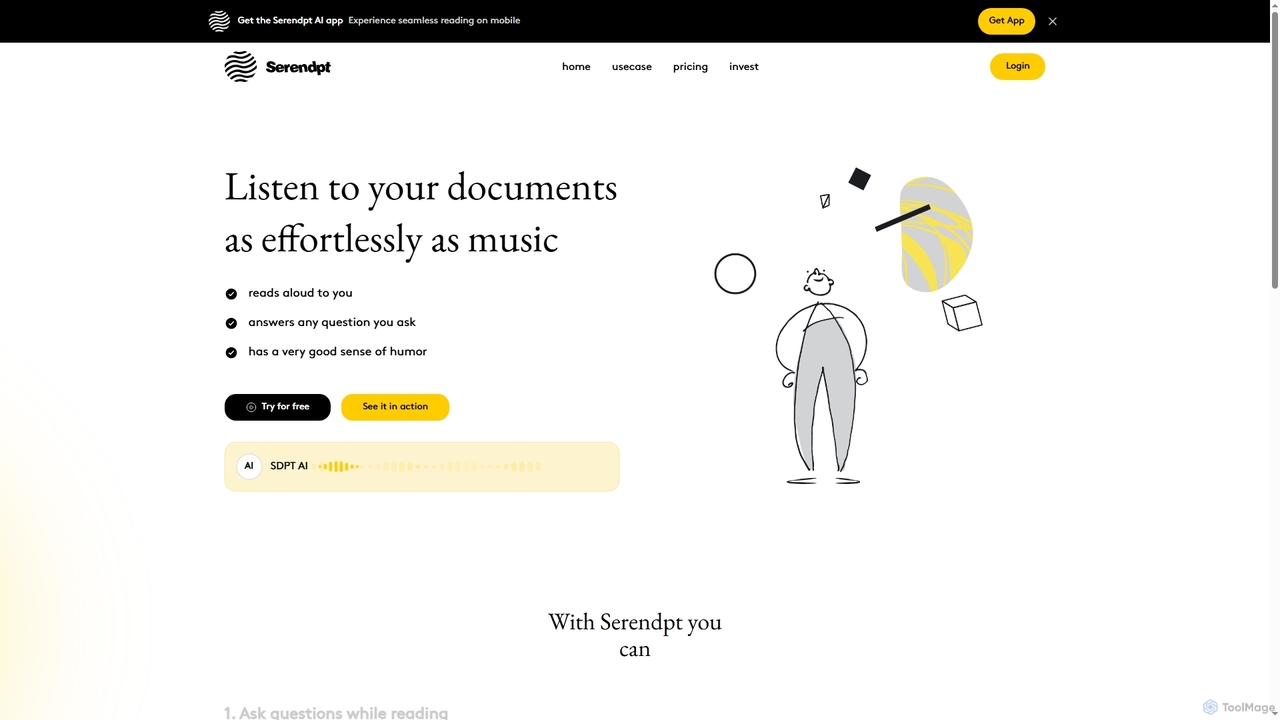
Serendpt AI
Serendpt AI is an intelligent reading companion that transforms documents and books into interactive experiences. It reads content …
Serendpt AI is an intelligent reading companion that transforms documents and books into interactive experiences. It reads content aloud, answers questions instantly, and offers a personalized tutor mode, all accessible via a mobile app.
Opera
Opera is an innovative, multi-platform web browser supercharged with Aria, a native AI assistant. It offers a faster, …
Opera is an innovative, multi-platform web browser supercharged with Aria, a native AI assistant. It offers a faster, safer, and smarter browsing experience with a free built-in VPN, ad blocker, and specialized versions like Opera GX for gamers. Aria provides real-time web information, image generation, and advanced productivity features, all integrated seamlessly.
About Ai Chatbot
AI Chatbots are conversational AI tools designed to simulate human-like conversations with users through text or voice. Powered by Natural Language Processing (NLP) and machine learning, they can understand user intent, context, and sentiment beyond simple keywords. They are widely used to automate customer support, generate leads, and provide personalized user experiences 24/7. Unlike rule-based bots, AI Chatbots can handle complex queries and learn from interactions to continuously improve their performance.
Core Features
- Natural Language Understanding (NLU): Accurately interprets user intent, entities, and sentiment from unstructured text.
- Contextual Memory: Maintains conversation history to provide relevant and coherent responses throughout a dialogue.
- Omnichannel Integration: Deploys seamlessly across websites, mobile apps, social media, and messaging platforms.
- Backend System Connectivity: Connects with CRM, ERP, and other databases to perform actions and retrieve user-specific data.
- Sentiment Analysis: Gauges user emotions (e.g., frustration, satisfaction) to adapt the conversation flow or escalate to a human agent.
Use Cases
AI Chatbots are integral in sectors like e-commerce for product recommendations, finance for account inquiries, and healthcare for appointment scheduling. They also serve as internal virtual assistants, handling IT support requests or HR policy questions, which frees up human agents for more complex, high-value tasks.
How to Choose
When selecting an AI Chatbot, evaluate its NLP capabilities and language support. Consider its integration options with your existing systems like CRM or helpdesks. Assess the ease of training and customization, as well as the quality of analytics provided to measure performance and gather insights. Finally, compare pricing models based on features and expected conversation volume.
Ai ChatbotUse Cases
Automate 24/7 Customer Support
An e-commerce support manager uses an AI Chatbot to handle the high volume of repetitive queries like 'Where is my order?' or 'What is your return policy?' that occur outside business hours. By integrating the chatbot with the order management system, it provides instant, accurate order status updates and policy information. This resolves over 70% of common inquiries automatically, significantly reducing customer wait times and freeing up human agents to focus on complex, high-priority cases during their shifts.
Qualify Sales Leads on a Website
A B2B marketing specialist implements a proactive AI Chatbot on their company's website. The chatbot engages visitors by asking targeted questions about their needs, company size, and role. Based on the responses, it qualifies them as potential leads and, for high-value prospects, automatically schedules a demo with the sales team by integrating with their calendars. This process increases the lead capture rate by 30% and ensures the sales team spends their time on pre-qualified, engaged prospects.
Streamline Internal IT Helpdesk
An IT support lead in a large corporation integrates an AI Chatbot into internal communication platforms like Slack or Microsoft Teams. Employees can now interact with the chatbot for common issues like password resets, software access requests, or basic troubleshooting. The chatbot guides them through self-service solutions or automatically creates a support ticket with all necessary information if the issue is complex. This reduces the number of Tier-1 support tickets by 50% and provides employees with instant assistance.
Provide Personalized Banking Assistance
A digital product manager at a bank launches a secure AI Chatbot within the mobile banking app. Customers can ask for their account balance, review recent transactions, or get information on loan products. The chatbot authenticates the user and retrieves real-time, personalized financial data from the bank's core systems. It can also analyze spending habits to offer relevant savings tips or product recommendations, enhancing customer engagement and providing a valuable self-service channel.
Facilitate Restaurant Bookings and Orders
A restaurant owner deploys an AI Chatbot on their website and social media pages. The chatbot handles table reservations by checking real-time availability and confirming bookings. It also allows customers to browse the menu and place take-out orders directly through the chat interface, integrating with the point-of-sale (POS) system. This automates routine tasks, reduces phone calls during peak hours, and prevents booking errors, allowing staff to focus on providing excellent service to in-person guests.
Onboard New Software Users
A SaaS product manager embeds an interactive AI Chatbot within their application to improve user onboarding. When a new user signs up, the chatbot proactively initiates a guided tour, explaining key features and prompting the user to complete initial setup steps. It can answer context-specific questions like 'How do I create a new project?' directly within the interface. This interactive guidance helps users understand the product's value faster, leading to higher activation rates and reduced early-stage customer churn.