Edit in PPT Alternatives

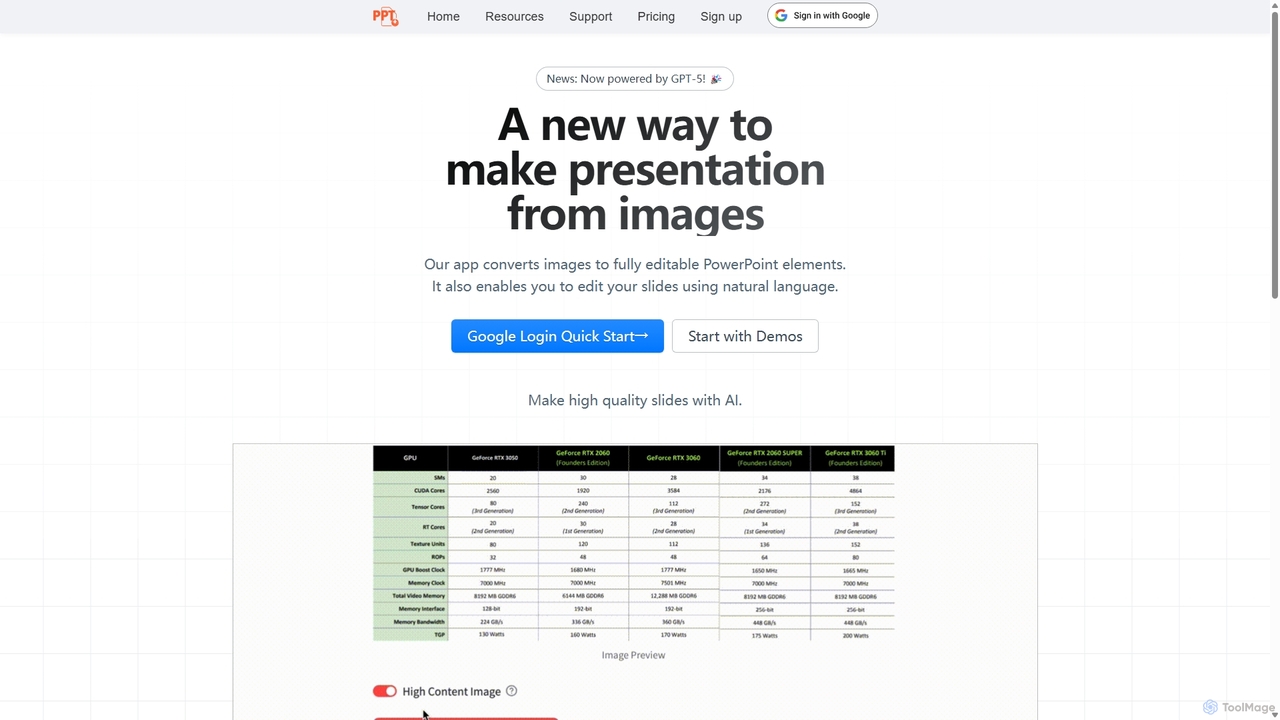
Instantly convert images, screenshots, and PDFs into fully editable PowerPoint slides with Edit in PPT. Save hours of manual work with our advanced AI. Try it for free!

Edit in PPT is a Freemium Presentations AI Tool The recommendations below are sorted based on shared categories, tags, applicable professions, community interactions, and traffic signals to help you choose alternative tools based on real usage scenarios.

Rating
5
Saved on
Likes
Monthly Visits
3.6K
Growth
-5.7%

Edit in PPT Alternative selection guide

Alternatives to Edit in PPT should not only be considered within the same category; you also need to compare Presentations、Automation、Graphics、Assistant, pricing models, product formats, access popularity, and user feedback. The current list prioritizes tools that share a clear category, tag, or applicable profession with Edit in PPT, such as VoxDeck、Beautiful.ai、Revent、Instant, and explains the similarities and key differences for each recommendation.

First, confirm the alternative scenario

Prioritize tools that match both Presentations and key tags, avoiding recommendations based solely on belonging to the same broad category.

Then, compare delivery formats

Websites, apps, browser extensions, and freemium models directly impact trial barriers, team procurement, and long-term usage costs.

Finally, look at quality signals

Use traffic, bookmarks, likes, or comment data as supplementary judgment; tools lacking data are not directly excluded, but greater emphasis should be placed on functional fit explanations.

Quick decision

Select the most worthwhile alternatives to try first based on common purchasing and usage scenarios.

Best Overall Alternative
VoxDeck
Comprehensive Match

VoxDeck and Edit in PPT both cover Presentations、Graphics and jointly match AI presentation、slide generator and similar needs, for users who want to prioritize comparing similar use cases.

Differences between VoxDeck and Edit in PPT mainly show in product experience, feature depth, and workflow design around AI presentation.

Match score: 30 Monthly Visits: 13.6K

Best Free Alternative
Sheet Copilot
Free

Sheet Copilot and Edit in PPT both cover Automation and jointly match productivity、automation and similar needs, for users who want to prioritize comparing similar use cases.

What sets Sheet Copilot apart from Edit in PPT: Pricing model is Free;Primary format is Browser Extension;Primary scenario leans toward Spreadsheets.

Match score: 20 Monthly Visits: 9.1K
Best fit for productivity
Revent
productivity

Revent and Edit in PPT both cover Presentations and jointly match productivity、AI presentation、slide generator and similar needs, for users who want to prioritize comparing similar use cases.

Differences between Revent and Edit in PPT mainly show in product experience, feature depth, and workflow design around productivity.

Match score: 28 Monthly Visits: 6.0K
Best fit for automation
MultiLLM
automation

MultiLLM and Edit in PPT both cover Automation and jointly match productivity、automation and similar needs, for users who want to prioritize comparing similar use cases.

What sets MultiLLM apart from Edit in PPT: Pricing model is Unknown;Primary scenario leans toward Ai Assistant.

Match score: 22 Monthly Visits: 2.8K
Best fit for data visualization
Beautiful.ai
data visualization

Beautiful.ai and Edit in PPT both cover Presentations、Graphics and jointly match data visualization、slide design and similar needs, for users who want to prioritize comparing similar use cases.

Differences between Beautiful.ai and Edit in PPT mainly show in product experience, feature depth, and workflow design around data visualization.

Match score: 28 Monthly Visits: 1.4M

Edit in PPT vs Top 5 alternatives

Compare pricing, form, reasons for matching, and key differences to reduce the cost of opening each page individually.

Tools Pricing Type Why similar Key differences
VoxDeck
Match score: 30
Freemium Website VoxDeck and Edit in PPT both cover Presentations、Graphics and jointly match AI presentation、slide generator and similar needs, for users who want to prioritize comparing similar use cases. Differences between VoxDeck and Edit in PPT mainly show in product experience, feature depth, and workflow design around AI presentation.
Beautiful.ai
Match score: 28
Freemium Website Beautiful.ai and Edit in PPT both cover Presentations、Graphics and jointly match data visualization、slide design and similar needs, for users who want to prioritize comparing similar use cases. Differences between Beautiful.ai and Edit in PPT mainly show in product experience, feature depth, and workflow design around data visualization.
Revent
Match score: 28
Freemium Website Revent and Edit in PPT both cover Presentations and jointly match productivity、AI presentation、slide generator and similar needs, for users who want to prioritize comparing similar use cases. Differences between Revent and Edit in PPT mainly show in product experience, feature depth, and workflow design around productivity.
Instant
Match score: 26
Freemium Browser Extension Instant and Edit in PPT both cover Presentations and jointly match productivity、data visualization、AI presentation and similar needs, for users who want to prioritize comparing similar use cases. What sets Instant apart from Edit in PPT: Primary format is Browser Extension.
Pitch
Match score: 24
Freemium Website Pitch and Edit in PPT both cover Presentations、Graphics and jointly match data visualization、slide design and similar needs, for users who want to prioritize comparing similar use cases. Differences between Pitch and Edit in PPT mainly show in product experience, feature depth, and workflow design around data visualization.

Alternative FAQ

What are the most worthwhile alternatives to Edit in PPT to look at first?

VoxDeck、Beautiful.ai、Revent are the most recommended tools for priority comparison on this page. They share a clear category, tag, or applicable profession with Edit in PPT, but may differ in price, format, and feature depth.

Why aren't these recommendations sorted solely by traffic?

Traffic only indicates attention, not scenario fit. The page sorting first requires candidate tools to have a category, tag, or professional overlap with Edit in PPT, and then sorts based on traffic, interaction data, and result diversity.

Will a tool be affected in recommendations if it has no traffic or review data?

It will not be directly excluded. When traffic or reviews are lacking, the system relies more on Presentations, tags, professional matches, and the tool's own information to avoid misinterpreting missing data as low quality.

Reset

Edit in PPT the best 50 Alternatives

Sorted based on shared categories, tags, professional matching, and community quality signals.

VoxDeck is an AI-powered presentation maker that transforms simple text prompts into visually stunning, cinematic presentations. It leverages 3D elements, dynamic visuals, and presentable avatars to create engaging and professional slides, leading a new revolution in visual storytelling and communication.

Why similar

VoxDeck and Edit in PPT both cover Presentations、Graphics and jointly match AI presentation、slide generator and similar needs, for users who want to prioritize comparing similar use cases.

Key differences

Differences between VoxDeck and Edit in PPT mainly show in product experience, feature depth, and workflow design around AI presentation.

VoxDeckis an AI tool designed forMarketing Manager.Content Creator.Product Manager.Student.Sales Representative.Graphic Designer.Educator.Startup Founder.Business Consultant.Public SpeakerAI tool designed Create stunning, cinematic presentations in minutes with VoxDeck. Our AI-powered tool transforms your text prompts into engaging slides with 3D elements and avatars. Revolutionize your visual communication. VoxDeckApplicable toGraphics.Sales.Presentationsand other fields.

Rating
5.0
Saved on
Likes
Monthly Visits
13.6K
Beautiful.ai is an AI-powered presentation maker that automates design, enabling users to create stunning, professional presentations 10x faster. It offers smart templates, real-time slide adaptation, and robust team collaboration features to ensure brand consistency and boost productivity for businesses and individuals.

Why similar

Beautiful.ai and Edit in PPT both cover Presentations、Graphics and jointly match data visualization、slide design and similar needs, for users who want to prioritize comparing similar use cases.

Key differences

Differences between Beautiful.ai and Edit in PPT mainly show in product experience, feature depth, and workflow design around data visualization.

Beautiful.aiis an AI tool designed forMarketing Manager.Content Creator.Product Manager.Student.Sales Representative.HR Manager.Educator.Consultant.Startup Founder.Business ExecutiveAI tool designed Discover Beautiful.ai, the leading AI presentation software that helps you create professional, on-brand presentations 10x faster. Automate your design and collaborate with your team seamlessly. Beautiful.aiApplicable toGraphics.Sales.Presentationsand other fields.

Rating
5.0
Saved on
Likes
Monthly Visits
1.4M

Revent is an AI-powered presentation design tool that instantly transforms documents like PDFs, Word files, and plain text into professionally designed, branded presentations. It automates slide creation, ensures brand consistency by mirroring your website's design, and offers a vast library of smart templates to streamline your workflow and produce stunning decks in minutes.

Why similar

Revent and Edit in PPT both cover Presentations and jointly match productivity、AI presentation、slide generator and similar needs, for users who want to prioritize comparing similar use cases.

Key differences

Differences between Revent and Edit in PPT mainly show in product experience, feature depth, and workflow design around productivity.

Reventis an AI tool designed forMarketing Manager.Content Creator.Product Manager.Student.Sales Representative.HR Manager.Educator.Project Manager.Business ConsultantAI tool designed Instantly transform your PDFs, Word docs, and text into stunning, branded presentations with Revent's AI. Save hours on slide design, ensure brand consistency, and create professional decks with one click. Try it for free! ReventApplicable toDocument Management.Content Creation.Presentationsand other fields.

Rating
5.0
Saved on
Likes
Monthly Visits
6.0K

Instant is an AI-powered presentation generator designed as a Google Slides extension. It enables users to create visually stunning, fully-editable presentations directly within their familiar workflow. By combining advanced AI with a library of over 100 expert-designed templates, Instant excels at generating engaging slides with infographics, diagrams, and flowcharts, moving beyond simple text and bullet points. It automates content creation, outline generation, and layout design, saving time and effort while producing professional-grade results.

Why similar

Instant and Edit in PPT both cover Presentations and jointly match productivity、data visualization、AI presentation and similar needs, for users who want to prioritize comparing similar use cases.

Key differences

What sets Instant apart from Edit in PPT: Primary format is Browser Extension.

Instantis an AI tool designed forMarketing Manager.Content Creator.Product Manager.Student.Sales Representative.Educator.Startup Founder.Business ConsultantAI tool designed Generate stunning, professional presentations with AI directly in Google Slides. Instant uses expert templates to create visual slides with infographics and charts, saving you time and effort. Try it free! InstantApplicable toLearning.Sales.Presentationsand other fields.

Rating
5.0
Saved on
Likes
Monthly Visits
2.8K

Pitch is a collaborative presentation software designed for modern teams. It combines smart design features, AI-powered generation, real-time collaboration, and powerful analytics to help users create, share, and track stunning presentations. With over 100 expert-designed templates and seamless integrations, Pitch streamlines the entire workflow from creation to delivery, enabling teams to close deals, win clients, and communicate ideas effectively.

Why similar

Pitch and Edit in PPT both cover Presentations、Graphics and jointly match data visualization、slide design and similar needs, for users who want to prioritize comparing similar use cases.

Key differences

Differences between Pitch and Edit in PPT mainly show in product experience, feature depth, and workflow design around data visualization.

Pitchis an AI tool designed forMarketing Manager.Content Creator.Product Manager.Sales Representative.Graphic Designer.Business Owner.Consultant.Startup Founder.Team Lead.Account ExecutiveAI tool designed Discover Pitch, the all-in-one presentation platform that helps teams create, collaborate on, and analyze stunning decks. Use AI, templates, and real-time editing to win deals and impress clients. PitchApplicable toSales.Graphics.Content Creation.Presentationsand other fields.

Rating
5.0
Saved on
Likes
Monthly Visits
1.3M

PoweredTemplate AI Presentation Maker is a free, AI-powered tool that transforms your ideas and text into stunning, professional presentations 10x faster. Instantly generate high-quality slides with unique content and captivating visuals for business, education, and marketing. It supports export to PowerPoint, Google Slides, and PDF, offering extensive customization through a vast library of templates and stock media.

Why similar

PoweredTemplate AI Presentation Maker and Edit in PPT both cover Presentations and jointly match AI presentation、slide generator and similar needs, for users who want to prioritize comparing similar use cases.

Key differences

Differences between PoweredTemplate AI Presentation Maker and Edit in PPT mainly show in product experience, feature depth, and workflow design around AI presentation.

PoweredTemplate AI Presentation Makeris an AI tool designed forMarketing Manager.Content Creator.Product Manager.Student.Sales Representative.HR Manager.Educator.Startup Founder.Business ConsultantAI tool designed Create stunning presentations 10x faster with PoweredTemplate's free AI Presentation Maker. Generate professional slides from text for PowerPoint and Google Slides instantly. Try it now! PoweredTemplate AI Presentation MakerApplicable toProposals.Teaching.Content Creation.Presentationsand other fields.

Rating
5.0
Saved on
Likes
Monthly Visits
22.6K

MultiLLM is a web-based platform designed to provide users with a personal AI assistant experience. It offers a centralized hub to access and manage various AI models, potentially integrating plugins and knowledge bases for enhanced productivity and personalized interactions. Users can sign in via email or Google to leverage its capabilities.

Why similar

MultiLLM and Edit in PPT both cover Automation and jointly match productivity、automation and similar needs, for users who want to prioritize comparing similar use cases.

Key differences

What sets MultiLLM apart from Edit in PPT: Pricing model is Unknown;Primary scenario leans toward Ai Assistant.

MultiLLMis an AI tool designed forMarketing Manager.Content Creator.Software Developer.Student.Researcher.Data Analyst.Educator.Project Manager.ConsultantAI tool designed Access MultiLLM, a powerful personal AI assistant. Manage models, plugins, and knowledge for streamlined tasks and improved efficiency. Sign in securely via email or Google. MultiLLMApplicable toAutomation.Information Retrieval.Ai Assistantand other fields.

Rating
5.0
Saved on
Likes
Monthly Visits
2.8K

Baidu Wenku AI is an all-in-one intelligent document productivity platform powered by Baidu's ERNIE LLM. It transforms the traditional document library into a dynamic creation suite, enabling users to instantly generate PPTs, write articles, summarize complex documents, conduct AI-powered web searches, and chat with their files for quick insights. It's designed to streamline workflows for students, professionals, and researchers.

Why similar

Baidu Wenku AI and Edit in PPT share tags such as productivity, so they are better compared from specific feature needs than from broad categories alone.

Key differences

What sets Baidu Wenku AI apart from Edit in PPT: Primary scenario leans toward Document Creation.

Baidu Wenku AIis an AI tool designed forMarketing Manager.Content Creator.Product Manager.Student.Sales Representative.HR Manager.Researcher.Data Analyst.Educator.Business ConsultantAI tool designed Discover Baidu Wenku AI, an all-in-one platform to generate PPTs, write articles, summarize documents, and chat with your files. Powered by Baidu's ERNIE, it boosts your productivity and creativity. Baidu Wenku AIApplicable toPresentation.Research Assistant.Content Generation.Document Creationand other fields.

Rating
5.0
Saved on
Likes
Monthly Visits
14.6M

Workppt is an AI-powered presentation generator that creates professional PowerPoint slides, websites, and summaries in seconds. Simply provide a title or upload a document, and the AI will generate a complete presentation with relevant content and design, saving you hours of manual work.

Why similar

Workppt and Edit in PPT both cover Presentations and jointly match slide generator and similar needs, for users who want to prioritize comparing similar use cases.

Key differences

Differences between Workppt and Edit in PPT mainly show in product experience, feature depth, and workflow design around slide generator.

Workpptis an AI tool designed forMarketing Manager.Content Creator.Product Manager.Student.Sales Representative.HR Manager.Entrepreneur.Educator.Project Manager.Business ConsultantAI tool designed Discover Workppt, the leading AI presentation generator. Create stunning PowerPoint slides from text or documents in seconds. Features AI summarizer, online editor, and multiple export options. Try it for free! WorkpptApplicable toMarketing.Learning.Presentationsand other fields.

Rating
5.0
Saved on
Likes
Monthly Visits
13.7K

SlidesAI is an AI-powered presentation maker that integrates directly into Google Slides and PowerPoint. It instantly transforms your text, documents, or ideas into professionally designed, ready-to-present slides. Save hours of manual work by automatically generating outlines, content, and visuals. It's perfect for educators, professionals, and students who need to create compelling presentations quickly and efficiently, with support for over 100 languages.

Why similar

SlidesAI and Edit in PPT both cover Presentations、Automation and jointly match productivity、AI presentation、slide generator and similar needs, for users who want to prioritize comparing similar use cases.

Key differences

What sets SlidesAI apart from Edit in PPT: Primary format is Browser Extension.

Effortlessly create professional presentations with SlidesAI, the leading AI slide generator. Convert text to stunning slides in seconds, directly within Google Slides and PowerPoint. Try it free! SlidesAIApplicable toAutomation.Teaching.Content Creation.Presentationsand other fields.

Rating
5.0
Saved on
Likes
Monthly Visits
352.0K

Toolin is a curated AI tool navigation and discovery platform designed for millions of AI enthusiasts and creators. It helps users find, organize, and share powerful AI tools for various applications, from productivity and content creation to programming and design. The platform also features 'AI Skill Packs,' which are expert-curated collections of tools for specific workflows, fostering a community of knowledge sharing.

Why similar

Toolin and Edit in PPT both cover Graphics and jointly match productivity and similar needs, for users who want to prioritize comparing similar use cases.

Key differences

What sets Toolin apart from Edit in PPT: Primary scenario leans toward Tools Discovery.

Toolinis an AI tool designed forMarketing Manager.Content Creator.Product Manager.Software Developer.Student.Graphic Designer.Researcher.Entrepreneur.Educator.Business Owner.Digital Marketer.AI EnthusiastAI tool designed Discover the best AI tools for productivity, content, design, and coding with Toolin. Explore expert-curated AI Skill Packs and optimize your workflow. ToolinApplicable toKnowledge Sharing.Writing.Graphics.Programming.Learning.Digital Marketing.Tools Discovery.Academic Toolsand other fields.

Rating
5.0
Saved on
Likes
Monthly Visits
73.0K

Sheet Copilot is an AI-powered assistant that automates tasks and answers questions directly within Google Sheets. By using natural language commands, you can clean data, generate formulas, create summaries, and analyze information without writing complex functions. It's currently free in beta and operates using your own OpenAI API key for enhanced privacy and security.

Why similar

Sheet Copilot and Edit in PPT both cover Automation and jointly match productivity、automation and similar needs, for users who want to prioritize comparing similar use cases.

Key differences

What sets Sheet Copilot apart from Edit in PPT: Pricing model is Free;Primary format is Browser Extension;Primary scenario leans toward Spreadsheets.

Sheet Copilotis an AI tool designed forMarketing Manager.Student.Sales Representative.HR Manager.Researcher.Data Analyst.Project Manager.Business Owner.Operations Manager.Financial AnalystAI tool designed Boost your productivity with Sheet Copilot, the AI-powered Google Sheets add-on. Automate tasks, generate formulas, and analyze data using natural language. Free in beta. Sheet CopilotApplicable toAutomation.Data Analysis.Spreadsheetsand other fields.

Rating
5.0
Saved on
Likes
Monthly Visits
9.1K

Presenton is an open-source AI presentation generator designed for developers and teams. It allows for self-hosting, API integration, and creating pixel-perfect, on-brand presentations from custom templates, ensuring complete control, privacy, and no vendor lock-in.

Why similar

Presenton and Edit in PPT both cover Presentations、Automation and jointly match AI presentation and similar needs, for users who want to prioritize comparing similar use cases.

Key differences

Differences between Presenton and Edit in PPT mainly show in product experience, feature depth, and workflow design around AI presentation.

Presentonis an AI tool designed forMarketing Manager.Product Manager.Software Developer.Sales Representative.Data Analyst.Business Owner.Financial AnalystAI tool designed Generate pixel-perfect, on-brand presentations with Presenton, the open-source AI engine. Self-host for full control and privacy or integrate via our clean API. PresentonApplicable toAutomation.Api.Presentations.Open Sourceand other fields.

Rating
5.0
Saved on
Likes
Monthly Visits
48.8K

Typeless is an intelligent AI voice dictation tool that transforms natural speech into polished, formatted text in real-time. It enhances productivity by automatically removing filler words, repetitions, and auto-correcting mid-sentence changes, making communication up to 4x faster than traditional typing.

Why similar

The core intersection of Typeless and Edit in PPT lies in Automation, making it a suitable direct replacement in similar scenarios.

Key differences

What sets Typeless apart from Edit in PPT: Primary format is App;Primary scenario leans toward Voice Assistant.

Typelessis an AI tool designed forMarketing Manager.Content Creator.Software Developer.Student.Sales Representative.Researcher.Educator.Project Manager.Customer Support.Writer.Journalist.Legal Professional.Business Professional.Executive Assistant.Medical ProfessionalAI tool designed Transform your speech into polished text with Typeless, the intelligent AI voice dictation app. Dictate emails, documents, and messages 4x faster, with auto-editing, filler word removal, and 100+ language support. Boost productivity and creativity. TypelessApplicable toAutomation.Transcription.Productivity.Voice Assistant.Dictationand other fields.

Rating
5.0
Saved on
Likes
Monthly Visits
1.1M

Presentia AI is an advanced AI presentation maker that automatically generates professional PowerPoint slides from text prompts or documents. Simply input your topic or upload a PDF/Word file, and the AI will create a complete, visually appealing presentation with text and images in seconds, supporting multiple languages and custom styling.

Why similar

Presentia AI and Edit in PPT both cover Presentations and jointly match AI presentation and similar needs, for users who want to prioritize comparing similar use cases.

Key differences

What sets Presentia AI apart from Edit in PPT: Pricing model is Is Paid.

Presentia AIis an AI tool designed forMarketing Manager.Content Creator.Product Manager.Student.Sales Representative.Researcher.Educator.Consultant.Founder.Business ProfessionalAI tool designed Effortlessly create stunning PowerPoint presentations in seconds with Presentia AI. Generate slides from text or documents (PDF/Word), with AI-generated images and multilingual support. Try the best AI presentation maker today! Presentia AIApplicable toStudent Tools.Content Creation.Presentationsand other fields.

Rating
5.0
Saved on
Likes
Monthly Visits
3.1K

GPT Workspace integrates AI-powered features directly into Google Workspace applications like Docs, Sheets, Slides, and Gmail. It enhances productivity by automating content creation, data analysis, email drafting, and document editing, allowing users to leverage the power of models like GPT-4o seamlessly within their existing workflow.

Why similar

GPT Workspace and Edit in PPT share tags such as productivity、automation, so they are better compared from specific feature needs than from broad categories alone.

Key differences

What sets GPT Workspace apart from Edit in PPT: Primary format is Browser Extension;Primary scenario leans toward Writing.

GPT Workspaceis an AI tool designed forMarketing Manager.Content Creator.Product Manager.Software Developer.Student.Sales Representative.HR Manager.Researcher.Data Analyst.Customer SupportAI tool designed Boost your productivity with GPT Workspace, the ultimate AI assistant for Google Workspace. Seamlessly integrate ChatGPT into Google Docs, Sheets, Slides, and Gmail to write faster, analyze data, and automate emails. GPT WorkspaceApplicable toDocument Management.Email Assistant.Spreadsheets.Writingand other fields.

Rating
5.0
Saved on
Likes
Monthly Visits
286.1K

Tella is an AI-powered screen recorder and video editor for Mac & Windows that simplifies video creation. It automatically removes silences and filler words, offers transcript-based editing, and provides professional customization options like backgrounds, layouts, and zooms. Ideal for creating tutorials, product demos, and online courses in minutes, not hours.

Why similar

Tella and Edit in PPT both cover Presentations and jointly match presentation and similar needs, for users who want to prioritize comparing similar use cases.

Key differences

What sets Tella apart from Edit in PPT: Primary scenario leans toward Screen Recording.

Tellais an AI tool designed forMarketing Manager.Content Creator.Product Manager.Sales Representative.HR Manager.Entrepreneur.Educator.Customer Support.Freelancer.Online Course CreatorAI tool designed Discover Tella, the all-in-one screen recorder that uses AI to edit your videos automatically. Create professional tutorials, demos, and courses in minutes. Try it free! TellaApplicable toE Learning.Content Creation.Presentations.Screen Recordingand other fields.

Rating
5.0
Saved on
Likes
Monthly Visits
330.6K

Graphy is an AI-powered data visualization tool that transforms raw data into beautiful, interactive charts and graphs in seconds. It simplifies data storytelling by automatically identifying key insights, allowing users to chat with their data, and offering extensive customization. Ideal for marketers, analysts, and teams who need to create compelling visual reports and presentations without complex software.

Why similar

Graphy and Edit in PPT both cover Presentations and jointly match data visualization and similar needs, for users who want to prioritize comparing similar use cases.

Key differences

What sets Graphy apart from Edit in PPT: Primary scenario leans toward 3D.

Graphyis an AI tool designed forMarketing Manager.Content Creator.Product Manager.Social Media Manager.Sales Representative.Data Analyst.Business Owner.Consultant.Founder.Finance ManagerAI tool designed Transform messy data into stunning, interactive graphs with Graphy's AI. Connect Google Sheets, upload CSVs, or chat with your data to create compelling visual stories for reports, presentations, and social media. Start for free. GraphyApplicable to3D.Business Intelligence.Reporting.Presentationsand other fields.

Rating
5.0
Saved on
Likes
Monthly Visits
203.0K

Xmind AI is an advanced AI-powered mind mapping and brainstorming tool designed to enhance creativity and productivity. It helps users visualize thoughts, organize complex information, and collaborate with teams in real-time. With features like AI-driven idea generation, content summarization, and automated to-do lists, Xmind AI transforms abstract concepts into structured, actionable plans.

Why similar

Xmind AI and Edit in PPT share tags such as productivity、data visualization、presentation, so they are better compared from specific feature needs than from broad categories alone.

Key differences

What sets Xmind AI apart from Edit in PPT: Primary scenario leans toward Mind Mapping.

Xmind AIis an AI tool designed forMarketing Manager.Content Creator.Product Manager.Software Developer.Student.Researcher.Educator.Project Manager.Business Analyst.Team LeadAI tool designed Discover Xmind AI, the ultimate AI-powered mind mapping tool. Brainstorm ideas, generate to-do lists, summarize content, and collaborate in real-time. Transform your thoughts into structured plans effortlessly. Try it for free! Xmind AIApplicable toTeamwork.Study Tools.Brainstorming.Mind Mappingand other fields.

Rating
5.0
Saved on
Likes
Monthly Visits
119.0K

SlideModel is a leading provider of professional presentation templates, offering a massive library of over 50,000+ 100% editable slides. It empowers users to create high-impact presentations for PowerPoint, Google Slides, and Keynote quickly, without needing advanced design skills. The platform is trusted by businesses and professionals worldwide to enhance their communication and save valuable time.

Why similar

SlideModel and Edit in PPT both cover Presentations and jointly match slide design and similar needs, for users who want to prioritize comparing similar use cases.

Key differences

Differences between SlideModel and Edit in PPT mainly show in product experience, feature depth, and workflow design around slide design.

SlideModelis an AI tool designed forMarketing Manager.Product Manager.Student.Sales Representative.HR Manager.Entrepreneur.Educator.Project Manager.Business Consultant.C-level ExecutiveAI tool designed Boost your presentations with SlideModel. Access over 50,000+ professional, 100% editable PowerPoint templates, diagrams, and slides. Compatible with Google Slides & Keynote. Save time and impress your audience. SlideModelApplicable toMarketing.Templates.Presentationsand other fields.

Rating
5.0
Saved on
Likes
Monthly Visits
934.0K

Sheetplus is an AI-powered toolkit designed to supercharge your spreadsheet experience in Google Sheets and Excel. By leveraging natural language, it allows users to generate complex formulas, clean and analyze data, automate tasks, and extract insights without writing code. It acts as an intelligent assistant, making data management faster, more intuitive, and accessible to everyone, regardless of their technical expertise.

Why similar

Sheetplus and Edit in PPT both cover Automation and jointly match productivity、automation and similar needs, for users who want to prioritize comparing similar use cases.

Key differences

What sets Sheetplus apart from Edit in PPT: Primary scenario leans toward Spreadsheets.

Sheetplusis an AI tool designed forMarketing Manager.Student.Sales Representative.Researcher.Data Analyst.Project Manager.Business Owner.Operations Manager.Financial Analyst.AccountantAI tool designed Supercharge your spreadsheets with Sheetplus. Use AI to generate complex formulas, clean data, automate tasks, and get instant insights in Google Sheets and Excel. Try it for free! SheetplusApplicable toAutomation.No Code.Spreadsheetsand other fields.

Rating
5.0
Saved on
Likes
Monthly Visits
3.6K
22
Pi
Pi

Pi (Presentation Intelligence) is an AI-native platform that transforms content creation. It uses advanced multi-modal AI and design engineering to automatically generate stunning presentations and documents from simple prompts, PDFs, websites, or data. Pi intelligently structures content, designs layouts, visualizes information, and ensures a seamless, fluid experience on any device, making professional design accessible to everyone.

Why similar

Pi and Edit in PPT both cover Presentations and jointly match slide design and similar needs, for users who want to prioritize comparing similar use cases.

Key differences

Differences between Pi and Edit in PPT mainly show in product experience, feature depth, and workflow design around slide design.

Piis an AI tool designed forMarketing Manager.Content Creator.Product Manager.Student.Sales Representative.HR Manager.Educator.Consultant.Startup FounderAI tool designed Discover Pi, the AI-powered presentation platform. Instantly create professional presentations from text, PDFs, or data. Features AI design, fluid layouts, and multimodal content integration. PiApplicable toGenerative Art.Content Creation.Presentationsand other fields.

Rating
5.0
Saved on
Likes
Monthly Visits
399.9K

Charm was an AI-powered assistant integrated directly into Google Sheets as an add-on. It was designed to automate complex text-based tasks, such as cleaning messy data, generating content, summarizing text, and classifying information, without requiring traditional formulas or coding. Please note: Charm was officially shut down on September 15, 2023.

Why similar

Charm and Edit in PPT both cover Automation and jointly match automation and similar needs, for users who want to prioritize comparing similar use cases.

Key differences

What sets Charm apart from Edit in PPT: Pricing model is Is Paid;Primary format is Browser Extension;Primary scenario leans toward Spreadsheets.

Charmis an AI tool designed forMarketing Manager.Content Creator.Product Manager.Sales Representative.Data Analyst.E-commerce Manager.SEO SpecialistAI tool designed Learn about Charm, the former AI-powered Google Sheets add-on for automating data cleaning, content generation, and text analysis. Note: This tool was shut down on Sep 15, 2023. CharmApplicable toAutomation.Data Cleaning.Content Generation.Spreadsheetsand other fields.

Rating
5.0
Saved on
Likes
Monthly Visits
4.6K

Tight Studio is an AI-powered screen recording and video editing application for Mac, designed to create professional product demos and tutorials in minutes. It features smart zoom, automatic captions, AI narration, and an intuitive editor, enabling users without editing skills to produce high-quality, engaging videos effortlessly.

Why similar

The core intersection of Tight Studio and Edit in PPT lies in Presentations, making it a suitable direct replacement in similar scenarios.

Key differences

What sets Tight Studio apart from Edit in PPT: Primary format is App;Primary scenario leans toward Screen Recording.

Tight Studiois an AI tool designed forMarketing Manager.Content Creator.Product Manager.Software Developer.Sales Representative.Data Analyst.Educator.Customer Support.Growth HackerAI tool designed Create stunning product demos and tutorials in minutes with Tight Studio. This AI-powered Mac app offers smart zoom, automatic captions, and crystal-clear AI narration. Try it for free. Tight StudioApplicable toTutorials.Product Marketing.Presentations.Screen Recordingand other fields.

Rating
5.0
Saved on
Likes
Monthly Visits
3.1K

Prezo is an AI-powered platform that enables users to effortlessly create professional presentations, documents, and websites. By simply providing a text prompt or an idea, Prezo's AI generates a complete, well-structured, and visually appealing draft in seconds. It's designed to streamline content creation for professionals, educators, and individuals, eliminating the need for design skills and saving valuable time.

Why similar

Prezo and Edit in PPT both cover Presentations and jointly match slide generator and similar needs, for users who want to prioritize comparing similar use cases.

Key differences

Differences between Prezo and Edit in PPT mainly show in product experience, feature depth, and workflow design around slide generator.

Prezois an AI tool designed forMarketing Manager.Content Creator.Product Manager.Student.Sales Representative.HR Manager.Entrepreneur.Educator.Consultant.FreelancerAI tool designed Instantly create stunning presentations, professional documents, and personal websites with Prezo's powerful AI. Go from a simple prompt to a finished product in minutes. Try it for free! PrezoApplicable toWebsite Builder.Presentations.Document Generationand other fields.

Rating
5.0
Saved on
Likes
Monthly Visits
16.4K

Viewon is an all-in-one AI LLM Hub that integrates multiple advanced AI models into a single platform. It empowers users to generate text, create images, automate business processes, conduct research, and more, all while prioritizing user privacy and GDPR compliance.

Why similar

Viewon and Edit in PPT both cover Automation and jointly match productivity and similar needs, for users who want to prioritize comparing similar use cases.

Key differences

What sets Viewon apart from Edit in PPT: Primary scenario leans toward All In One.

Viewonis an AI tool designed forMarketing Manager.Content Creator.Social Media Manager.Software Developer.Student.Researcher.Educator.Business Owner.Blogger.SEO SpecialistAI tool designed Discover Viewon, the ultimate AI platform integrating multiple LLMs for content creation, image generation, research, and business automation. Boost your productivity with one secure, privacy-first tool. ViewonApplicable toAutomation.Image Generation.All In One.Content Creationand other fields.

Rating
5.0
Saved on
Likes
Monthly Visits
2.7K

Plus AI is an advanced AI presentation maker designed for professionals. It integrates directly into Google Slides and PowerPoint, allowing you to generate, edit, and reformat slides seamlessly within your existing workflow. Convert documents like PDFs and Word files into stunning, fully-editable presentations, or create them from a simple text prompt. It's built for high-quality, branded content with enterprise-grade security.

Why similar

Plus AI and Edit in PPT both cover Presentations、Assistant and jointly match productivity、slide generator、powerpoint and similar needs, for users who want to prioritize comparing similar use cases.

Key differences

What sets Plus AI apart from Edit in PPT: Primary format is Browser Extension.

Discover Plus AI, the leading AI presentation maker that integrates directly into Google Slides and PowerPoint. Generate, edit, and reformat professional slides from text or documents instantly. Try it free. Plus AIApplicable toMarketing.Assistant.Presentationsand other fields.

Rating
5.0
Saved on
Likes
Monthly Visits
432.6K

CapCut is a powerful, all-in-one AI video editor and creative suite. It simplifies content creation with intuitive tools for video editing, graphic design, and team collaboration. It offers a wide range of AI features like auto-captions, script-to-video, background removal, and video upscaling, making professional-quality content accessible to everyone, from beginners to pros, across web, desktop, and mobile platforms.

Why similar

The core intersection of CapCut and Edit in PPT lies in Graphics, making it a suitable direct replacement in similar scenarios.

Key differences

What sets CapCut apart from Edit in PPT: Primary scenario leans toward Editing.

CapCutis an AI tool designed forMarketing Manager.Content Creator.Product Manager.Social Media Manager.Sales Representative.Graphic Designer.Small Business Owner.Educator.VloggerAI tool designed Discover CapCut, the ultimate AI-powered video editor and design tool. Create stunning videos with auto-captions, script-to-video, and more. Available on all devices. Try for free! CapCutApplicable toGraphics.Marketing.Content Creation.Editingand other fields.

Rating
5.0
Saved on
Likes
Monthly Visits
51.2M

HeyGen is a cutting-edge AI video generation platform that enables users to create professional, studio-quality videos with realistic AI avatars and voices. Effortlessly convert text into engaging spokesperson videos for marketing, training, and communication without the need for cameras, actors, or complex editing software. It's designed to scale video production quickly and affordably.

Why similar

The core intersection of HeyGen and Edit in PPT lies in Presentations, making it a suitable direct replacement in similar scenarios.

Key differences

What sets HeyGen apart from Edit in PPT: Primary scenario leans toward Generative Video.

HeyGenis an AI tool designed forMarketing Manager.Content Creator.Product Manager.Social Media Manager.Sales Representative.HR Manager.Educator.Corporate TrainerAI tool designed Create professional studio-quality videos in minutes with HeyGen's AI avatars. Perfect for marketing, training, and sales. Features text-to-speech, voice cloning, and video translation. HeyGenApplicable toE Learning.Advertising.Presentations.Generative Videoand other fields.

Rating
5.0
Saved on
Likes
Monthly Visits
8.3M

Felo is an all-in-one AI platform that transforms search into a comprehensive creation and analysis engine. It utilizes intelligent agents to automate research, generate insightful reports, create stunning presentations, and build interactive web pages from a simple query or uploaded files, significantly boosting productivity for professionals.

Why similar

Felo and Edit in PPT share tags such as productivity, so they are better compared from specific feature needs than from broad categories alone.

Key differences

What sets Felo apart from Edit in PPT: Primary scenario leans toward Research.

Felois an AI tool designed forMarketing Manager.Content Creator.Product Manager.Student.Sales Representative.Researcher.Educator.Business Analyst.ConsultantAI tool designed Discover Felo, the all-in-one AI platform that transforms search into creation. Automate research, generate stunning presentations, reports, and web pages with intelligent agents. Boost your productivity now. FeloApplicable toPresentations.Content Creation.Research.Document Generationand other fields.

Rating
5.0
Saved on
Likes
Monthly Visits
1.2M

Piktochart is an all-in-one visual communication tool, now enhanced with AI, for creating professional infographics, presentations, reports, and social media graphics. It simplifies data visualization and design, enabling users to transform text and data into compelling visuals effortlessly, with features for brand consistency and team collaboration.

Why similar

Piktochart and Edit in PPT both cover Graphics、Presentations and jointly match data visualization、presentation and similar needs, for users who want to prioritize comparing similar use cases.

Key differences

What sets Piktochart apart from Edit in PPT: Primary scenario leans toward Graphics.

Create stunning infographics, presentations, and reports in minutes with Piktochart's AI-powered design tool. Perfect for marketing, HR, and education. Try it free! PiktochartApplicable toData Visualization.Graphics.Social Media.Presentationsand other fields.

Rating
5.0
Saved on
Likes
Monthly Visits
881.1K

VisionStory is a powerful AI video creation platform that transforms static images into dynamic talking videos. Generate lifelike avatars with rich facial expressions, customizable emotions, and lip-synced audio in over 30 languages. Ideal for marketers, creators, and educators, it also offers features like AI presentations, video podcasts, and voice cloning to create captivating content effortlessly.

Why similar

VisionStory and Edit in PPT both cover Presentations and jointly match AI presentation and similar needs, for users who want to prioritize comparing similar use cases.

Key differences

What sets VisionStory apart from Edit in PPT: Primary scenario leans toward Video Generation.

VisionStoryis an AI tool designed forMarketing Manager.Content Creator.Social Media Manager.Sales Representative.HR Manager.Educator.Podcaster.YouTuber.Corporate Trainer.Agency ProfessionalAI tool designed Create lifelike AI talking videos from a single image with VisionStory. Features emotion control, voice cloning, 30+ languages, and AI presentations. Perfect for marketing, education, and content creation. VisionStoryApplicable toVideo Marketing.Presentations.Video Generationand other fields.

Rating
5.0
Saved on
Likes
Monthly Visits
109.2K

Side Space is a powerful AI assistant that integrates seamlessly into your desktop workflow. It operates from a convenient sidebar, providing instant access to AI-powered tools for writing, coding, and general productivity without ever leaving your current application. Enhance your efficiency with contextual actions on selected text and customizable commands.

Why similar

Side Space and Edit in PPT share tags such as productivity, so they are better compared from specific feature needs than from broad categories alone.

Key differences

What sets Side Space apart from Edit in PPT: Pricing model is Is Paid;Primary format is App;Primary scenario leans toward Assistant.

Side Spaceis an AI tool designed forMarketing Manager.Content Creator.Product Manager.Social Media Manager.Software Developer.Student.Sales Representative.Graphic Designer.HR Manager.Researcher.Data Analyst.Customer SupportAI tool designed Discover Side Space, the desktop AI assistant that lives in your sidebar. Get instant AI help for writing, coding, and more without switching apps. Boost your workflow with a one-time lifetime deal. Side SpaceApplicable toCode Assistant.Desktop Enhancement.Assistant.Writing Assistantand other fields.

Rating
5.0
Saved on
Likes
Monthly Visits
2.7K

Raycast is a blazingly fast, extensible launcher for macOS that supercharges your productivity. It acts as a central command bar to control your tools, with integrated AI, an extensive extension store, and powerful built-in features like window management and clipboard history. It's designed to reduce context switching and keep you in the flow.

Why similar

Raycast and Edit in PPT share tags such as productivity、automation, so they are better compared from specific feature needs than from broad categories alone.

Key differences

What sets Raycast apart from Edit in PPT: Primary format is App;Primary scenario leans toward Launcher.

Raycastis an AI tool designed forMarketing Manager.Content Creator.Product Manager.Software Developer.Sales Representative.Graphic Designer.Researcher.Data Analyst.Project Manager.System AdministratorAI tool designed Discover Raycast, the ultimate productivity tool for macOS. A supercharged launcher with an extensive extension store, integrated AI, window management, and more. Replace Spotlight and streamline your workflow. RaycastApplicable toPersonal Assistant.Workflow Automation.Launcherand other fields.

Rating
5.0
Saved on
Likes
Monthly Visits
25.3K

An AI-powered copilot for PowerPoint that accelerates presentation creation and formatting by 10x. It's a free Windows desktop app that integrates directly with PowerPoint, allowing users to generate entire slides from prompts, access vast libraries of images, logos, and icons, and apply brand-consistent layouts instantly.

Why similar

typeUp and Edit in PPT both cover Presentations、Graphics and jointly match productivity、presentation、powerpoint and similar needs, for users who want to prioritize comparing similar use cases.

Key differences

What sets typeUp apart from Edit in PPT: Pricing model is Free;Primary format is App.

Boost your productivity with typeUp, the free AI copilot for PowerPoint. Generate content, format slides, and create professional presentations 10x faster. Works on Windows. typeUpApplicable toProductivity Tools.Graphics.Presentationsand other fields.

Rating
5.0
Saved on
Likes
Monthly Visits
2.8K

Summie is an AI-powered mobile meeting assistant designed to capture, transcribe, and summarize your conversations. Simply record with your phone, and Summie delivers accurate summaries, key takeaways, and actionable items in over 90 languages. It features smart transcription, speaker detection, and an interactive AI to query your meeting data, all within a secure, GDPR-compliant framework.

Why similar

Summie and Edit in PPT both cover Automation and jointly match productivity and similar needs, for users who want to prioritize comparing similar use cases.

Key differences

What sets Summie apart from Edit in PPT: Primary format is App;Primary scenario leans toward Meeting Assistant.

Summieis an AI tool designed forMarketing Manager.Product Manager.Sales Representative.HR Manager.Researcher.Project Manager.Team Lead.Executive Assistant.Business Coach.IT ConsultantAI tool designed Summie is your AI mobile meeting assistant. Record conversations on your phone and get accurate summaries, transcripts, key takeaways, and action items in 90+ languages. GDPR compliant. SummieApplicable toTranscription.Automation.Meeting Assistantand other fields.

Rating
5.0
Saved on
Likes
Monthly Visits
2.7K

Wave is an AI-powered note-taker and transcription app for iOS and Android. It effortlessly records audio from meetings, calls, and lectures, providing highly accurate transcriptions and concise, customizable summaries. With features like phone call recording, multi-language support, and cross-device sync, Wave helps you capture and understand crucial information anywhere, anytime, without the hassle of manual note-taking.

Why similar

Wave and Edit in PPT share tags such as productivity, so they are better compared from specific feature needs than from broad categories alone.

Key differences

What sets Wave apart from Edit in PPT: Primary format is App;Primary scenario leans toward Transcription.

Waveis an AI tool designed forMarketing Manager.Content Creator.Product Manager.Student.Sales Representative.HR Manager.Researcher.Consultant.Journalist.TherapistAI tool designed Wave is the ultimate AI note-taker app that records audio, provides fast and accurate transcriptions, and generates concise summaries. Perfect for meetings, lectures, and calls. Try it free! WaveApplicable toMeeting Assistant.Note Taking.Transcriptionand other fields.

Rating
5.0
Saved on
Likes
Monthly Visits
195.0K

Amurex is an open-source AI invisible companion that works silently in the background to streamline your workflow. It integrates with your existing apps like Notion, Google Drive, and Obsidian to create a searchable knowledge base, automates meeting transcriptions and summaries, and intelligently categorizes your inbox.

Why similar

Amurex and Edit in PPT share tags such as productivity、automation, so they are better compared from specific feature needs than from broad categories alone.

Key differences

What sets Amurex apart from Edit in PPT: Pricing model is Free;Primary scenario leans toward Automation.

Amurexis an AI tool designed forMarketing Manager.Content Creator.Product Manager.Software Developer.Student.Sales Representative.HR Manager.Researcher.Consultant.Team LeadAI tool designed Discover Amurex, the open-source AI companion that automates tasks, unifies your knowledge across Notion and Google Drive, summarizes meetings, and organizes your inbox—all silently in the background. AmurexApplicable toAutomation.Email Assistant.Knowledge Management.Meeting Assistantand other fields.

Rating
5.0
Saved on
Likes
Monthly Visits
6.7K

SlideFlow is an AI-powered presentation maker that transforms your text and ideas into professional PowerPoint slides in seconds. It features a Magic Writer for content refinement, a vast library of background images, and supports over 85 languages. Ideal for students, professionals, and anyone looking to save hours on presentation design.

Why similar

SlideFlow and Edit in PPT both cover Presentations and jointly match slide generator and similar needs, for users who want to prioritize comparing similar use cases.

Key differences

Differences between SlideFlow and Edit in PPT mainly show in product experience, feature depth, and workflow design around slide generator.

SlideFlowis an AI tool designed forMarketing Manager.Content Creator.Product Manager.Student.Sales Representative.Educator.Consultant.Startup Founder.Business ProfessionalAI tool designed Effortlessly create stunning PowerPoint presentations with SlideFlow's AI. Turn your ideas into professional slides instantly. Features Magic Writer, custom backgrounds, and supports 85+ languages. Try it for free! SlideFlowApplicable toMarketing.Student Tools.Presentationsand other fields.

Rating
5.0
Saved on
Likes
Monthly Visits
3.7K

Antispace is the world's first AI Operating System (AIOS) designed to eliminate boring work. It provides users with customizable AI sidekicks, each with a unique personality, to proactively manage emails, calendars, notes, and tasks. By predicting and executing the best actions, Antispace saves users over 10 hours per week and reduces decision fatigue.

Why similar

Antispace and Edit in PPT share tags such as productivity、automation, so they are better compared from specific feature needs than from broad categories alone.

Key differences

What sets Antispace apart from Edit in PPT: Pricing model is Free;Primary scenario leans toward Assistant.

Antispaceis an AI tool designed forMarketing Manager.Content Creator.Product Manager.Software Developer.Student.Sales Representative.HR Manager.Researcher.Entrepreneur.Executive AssistantAI tool designed Meet Antispace, the world's first AIOS. Choose a unique AI sidekick to automate your email, calendar, and notes, saving you 10+ hours weekly. Try it free. AntispaceApplicable toScheduling.Email Assistant.Assistant.Automationand other fields.

Rating
5.0
Saved on
Likes
Monthly Visits
4.8K

Infografix is an AI-powered infographic generator that transforms simple text prompts into professional-quality visuals. Create stunning charts, diagrams, mind maps, and timelines in seconds without any design skills. Available on web and mobile, it's perfect for marketers, students, and professionals who need to visualize data quickly and effectively.

Why similar

Infografix and Edit in PPT share tags such as data visualization, so they are better compared from specific feature needs than from broad categories alone.

Key differences

What sets Infografix apart from Edit in PPT: Primary scenario leans toward Infographics.

Infografixis an AI tool designed forMarketing Manager.Content Creator.Product Manager.Social Media Manager.Student.Data Analyst.Educator.Blogger.Business ConsultantAI tool designed Instantly create stunning infographics, charts, and diagrams with Infografix, the AI-powered design tool. Just use simple text prompts to generate professional visuals. Try it free! InfografixApplicable toInfographics.Content Creation.Data Visualizationand other fields.

Rating
5.0
Saved on
Likes
Monthly Visits
43.1K

Letterly is an AI-powered mobile and desktop app that transforms your spoken words into clear, well-written text. It's more than just transcription; it uses AI to structure, rewrite, and format your voice notes into ready-to-use emails, social media posts, journal entries, to-do lists, and more, supporting over 90 languages.

Why similar

Letterly and Edit in PPT share tags such as productivity, so they are better compared from specific feature needs than from broad categories alone.

Key differences

What sets Letterly apart from Edit in PPT: Primary format is App;Primary scenario leans toward Note Taking.

Letterlyis an AI tool designed forMarketing Manager.Content Creator.Product Manager.Student.Sales Representative.Researcher.Entrepreneur.Writer.Journalist.Executive AssistantAI tool designed Transform your voice into polished, well-written text with Letterly. The AI-powered app for effortless note-taking, content creation, email drafting, and journaling. Supports 90+ languages and syncs across all devices. LetterlyApplicable toTranscription.Note Taking.Writing Assistantand other fields.

Rating
5.0
Saved on
Likes
Monthly Visits
144.9K

WebFill is an AI-powered browser extension designed to automate daily digital tasks. It excels at automatically filling forms, completing surveys, handling data entry, and solving multiple-choice questions. It also features an AI assistant for generating and responding to emails, and a unique 'Vision' tool for instant answers from screen captures.

Why similar

WebFill and Edit in PPT both cover Assistant and jointly match productivity、automation and similar needs, for users who want to prioritize comparing similar use cases.

Key differences

What sets WebFill apart from Edit in PPT: Primary format is Browser Extension;Primary scenario leans toward Automation.

WebFillis an AI tool designed forMarketing Manager.Student.Sales Representative.HR Manager.Project Manager.Customer Support.Freelancer.Research Analyst.Data Entry Clerk.IT SpecialistAI tool designed Boost your productivity with WebFill, the ultimate AI browser extension for automatic form filling, email generation, data entry, and solving MCQs. Try it free! WebFillApplicable toAssistant.Automation.Writingand other fields.

Rating
5.0
Saved on
Likes
Monthly Visits
6.9K

Slideoo is an AI-powered platform that revolutionizes the creation of presentations and documents. It transforms content from text, PDFs, websites, or YouTube into stunning visuals 4x faster. Featuring an AI chatbot, real-time collaboration, and engagement analytics, Slideoo helps professionals, marketers, and students create, present, and pitch with unparalleled speed and quality.

Why similar

The core intersection of Slideoo and Edit in PPT lies in Presentations, making it a suitable direct replacement in similar scenarios.

Key differences

The main differences between Slideoo and Edit in PPT lie in product experience, workflow, and feature depth, requiring actual trial to evaluate.

Slideoois an AI tool designed forMarketing Manager.Content Creator.Product Manager.Student.Sales Representative.Educator.Project Manager.Business ConsultantAI tool designed Create stunning presentations and documents 4x faster with Slideoo AI. Import from text, PDF, or YouTube, collaborate in real-time, and track engagement with analytics. Try for free! SlideooApplicable toDocument Creation.Sales.Presentationsand other fields.

Rating
5.0
Saved on
Likes
Monthly Visits
3.4K

FunBlocks is an all-in-one AI workspace designed to revolutionize thinking and boost productivity. It seamlessly integrates AI-powered tools for mind mapping (AIFlow), document creation (AI Docs), slide generation (AI Slides), and web research (Browser Extension). From brainstorming complex ideas visually to producing polished documents and presentations with a single click, FunBlocks supports the entire knowledge workflow, enhancing creativity and critical thinking for students, professionals, and teams.

Why similar

FunBlocks and Edit in PPT share tags such as productivity, so they are better compared from specific feature needs than from broad categories alone.

Key differences

What sets FunBlocks apart from Edit in PPT: Primary scenario leans toward Mind Mapping.

FunBlocksis an AI tool designed forMarketing Manager.Content Creator.Product Manager.Student.Researcher.Educator.Project Manager.Writer.Business Consultant.StrategistAI tool designed Boost your productivity with FunBlocks, the integrated AI platform for visual thinking. Generate ideas with AI mind maps, write with a critical thinking assistant, and create presentations in one click. FunBlocksApplicable toPresentations.Learning.Mind Mapping.Writingand other fields.

Rating
5.0
Saved on
Likes
Monthly Visits
48.6K

Yack is a lightweight, fast, and private open-source native macOS application that provides instant access to ChatGPT directly from your menu bar. Built with Rust, it's designed for efficiency with a keyboard-first approach, ensuring you can interact with AI without disrupting your workflow.

Why similar

Yack and Edit in PPT share tags such as productivity, so they are better compared from specific feature needs than from broad categories alone.

Key differences

What sets Yack apart from Edit in PPT: Pricing model is Free;Primary format is App;Primary scenario leans toward Desktop Enhancement.

Yackis an AI tool designed forMarketing Manager.Content Creator.Product Manager.Software Developer.Student.Researcher.Data Analyst.WriterAI tool designed Discover Yack, a fast, lightweight, and private native macOS app for ChatGPT. Access AI instantly from your menu bar. Built with Rust, open-source, and keyboard-first. YackApplicable toApi Client.Desktop Enhancement.Ai Assistantand other fields.

Rating
5.0
Saved on
Likes
Monthly Visits
5.9K

PopAi is an all-in-one AI-powered productivity platform designed to streamline your workflow. It excels at creating professional presentations from prompts, documents, or URLs. It also features AI chat, document analysis (ChatPDF), AI writing, and paraphrasing tools, making it ideal for students, educators, and professionals.

Why similar

PopAi and Edit in PPT both cover Presentations、Assistant and jointly match productivity、AI presentation、slide generator and similar needs, for users who want to prioritize comparing similar use cases.

Key differences

Differences between PopAi and Edit in PPT mainly show in product experience, feature depth, and workflow design around productivity.

Boost your productivity with PopAi, the AI-powered platform. Instantly create stunning presentations, chat with PDFs, write content, and more. Perfect for students, educators, and professionals. PopAiApplicable toAssistant.Document Analysis.Presentations.Writingand other fields.

Rating
5.0
Saved on
Likes
Monthly Visits
752.5K

WhisperWizard is a powerful macOS application that transforms your speech into text with AI-powered enhancements. Leveraging ChatGPT, it not only transcribes your voice with high accuracy but also refines the output into well-structured emails, documents, and more. Create custom templates and shortcuts to streamline your writing workflow, making it faster and more efficient than ever to capture and perfect your ideas.

Why similar

WhisperWizard and Edit in PPT share tags such as productivity, so they are better compared from specific feature needs than from broad categories alone.

Key differences

What sets WhisperWizard apart from Edit in PPT: Pricing model is Is Paid;Primary format is App;Primary scenario leans toward Transcription.

WhisperWizardis an AI tool designed forMarketing Manager.Content Creator.Product Manager.Software Developer.Student.Sales Representative.Researcher.Blogger.Journalist.Author.Executive AssistantAI tool designed Boost your productivity on macOS with WhisperWizard. Use your voice to type and let ChatGPT intelligently refine your words into perfect emails, documents, and more. Features custom templates, one-click recording, and a lifetime license. WhisperWizardApplicable toSpeech To Text.Transcription.Writing Assistantand other fields.

Rating
5.0
Saved on
Likes
Monthly Visits
3.0K

ParallelChat is a desktop application for Windows and macOS that allows users to query multiple AI models simultaneously and compare their responses side-by-side. It integrates popular AIs like ChatGPT, Claude, and DeepSeek, offering diverse perspectives to boost efficiency and find better answers faster.

Why similar

ParallelChat and Edit in PPT share tags such as productivity, so they are better compared from specific feature needs than from broad categories alone.

Key differences

What sets ParallelChat apart from Edit in PPT: Pricing model is Free;Primary format is App;Primary scenario leans toward Ai Assistant.

ParallelChatis an AI tool designed forMarketing Manager.Content Creator.Product Manager.Student.Researcher.Data Analyst.Consultant.Writer.DeveloperAI tool designed Boost productivity with ParallelChat, a free desktop app for Windows/macOS. Query ChatGPT, Claude & more simultaneously, compare responses, and find insights faster. ParallelChatApplicable toWriting Assistant.Ai Assistant.Information Retrievaland other fields.

Rating
5.0
Saved on
Likes
Monthly Visits
2.8K

PromptBlaze is a browser extension that simplifies AI task automation. It allows users to store, manage, and chain prompts for platforms like ChatGPT, Claude, and Gemini without coding. Execute multi-step workflows directly from any webpage with a right-click, enhancing productivity and ensuring 100% data privacy with local storage.

Why similar

PromptBlaze and Edit in PPT share tags such as productivity, so they are better compared from specific feature needs than from broad categories alone.

Key differences

What sets PromptBlaze apart from Edit in PPT: Pricing model is Is Paid;Primary format is Browser Extension;Primary scenario leans toward Automation.

PromptBlazeis an AI tool designed forMarketing Manager.Content Creator.Social Media Manager.Student.Sales Representative.Researcher.Data Analyst.Entrepreneur.Writer.DeveloperAI tool designed Discover PromptBlaze, the browser extension that simplifies AI automation. Chain prompts, manage workflows, and execute tasks on ChatGPT, Claude, and more with a right-click. No coding needed. One-time payment for lifetime access. PromptBlazeApplicable toPrompt Engineering.Content Creation.Automationand other fields.

Rating
5.0
Saved on
Likes
Monthly Visits
2.8K