CapCut
그래픽 · 53M 월 방문
CapCut은 강력한 올인원 AI 비디오 편집기 및 크리에이티브 스위트입니다. 직관적인 비디오 편집, 그래픽 디자인 및 팀 협업 도구로 콘텐츠 제작을 간소화합니다. 자동 캡션, 스크립트-비디오 변환, 배경 제거 및 비디오 업스케일링과 같은 광범위한 AI 기능을 제공하여 초보자부터 전문가까지 누구나 웹, 데스크톱 및 모바일 플랫폼에서 전문가 수준의 콘텐츠를 제작할 수 있도록 지원합니다.
CapCut은 강력한 올인원 AI 비디오 편집기 및 크리에이티브 스위트입니다. 직관적인 비디오 편집, 그래픽 디자인 및 팀 협업 도구로 콘텐츠 제작을 간소화합니다. 자동 캡션, 스크립트-비디오 변환, 배경 제거 및 비디오 업스케일링과 같은 광범위한 AI 기능을 제공하여 초보자부터 전문가까지 누구나 웹, 데스크톱 및 모바일 플랫폼에서 전문가 수준의 콘텐츠를 제작할 수 있도록 지원합니다.
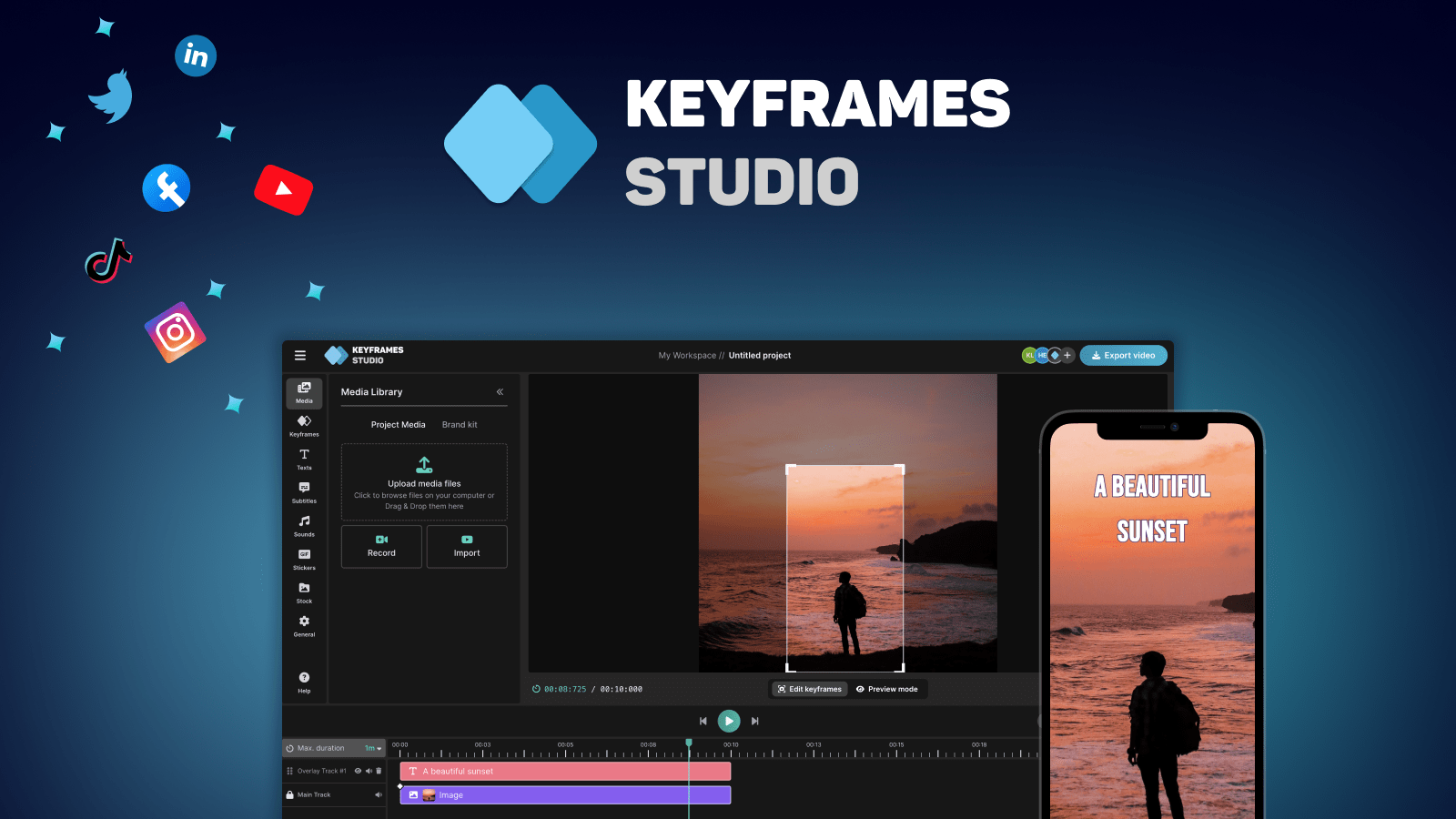
Keyframes Studio는 AI 기반의 올인원 온라인 비디오 편집기로, 소셜 미디어용 비디오 제작, 편집 및 용도 변경을 단순화하도록 설계되었습니다. AI를 사용하여 키프레임과 자막을 자동으로 생성하여 경험에 관계없이 누구나 전문적인 비디오를 제작할 수 있도록 지원합니다.
CapCut은 강력한 올인원 AI 비디오 편집기 및 크리에이티브 스위트입니다. 직관적인 비디오 편집, 그래픽 디자인 및 팀 협업 도구로 콘텐츠 제작을 간소화합니다. 자동 캡션, 스크립트-비디오 변환, 배경 제거 및 비디오 업스케일링과 같은 광범위한 AI 기능을 제공하여 초보자부터 전문가까지 누구나 웹, 데스크톱 및 모바일 플랫폼에서 전문가 수준의 콘텐츠를 제작할 수 있도록 지원합니다.
Keyframes Studio는 AI 기반의 올인원 온라인 비디오 편집기로, 소셜 미디어용 비디오 제작, 편집 및 용도 변경을 단순화하도록 설계되었습니다. AI를 사용하여 키프레임과 자막을 자동으로 생성하여 경험에 관계없이 누구나 전문적인 비디오를 제작할 수 있도록 지원합니다.
| Feature | CapCut | Keyframes Studio |
|---|---|---|
| 주요 카테고리 | 그래픽 | 마케팅 |
| 등록일 | 2025-09-11 | 2025-08-14 |
| 가격 | 프리미엄 | 프리미엄 |
| 공식 사이트 | www.capcut.com | keyframes.studio |
| 제품 유형 | 웹사이트 | 웹사이트 |
| Performance data | ||
| 사용자 평점 | 확인되지 않음 | 확인되지 않음 |
| 댓글 | 0 | 0 |
| 월 방문 | 53M | 5.1K |
| 월 성장률 | 3.5% | 39.5% |
| 즐겨찾기 | 109 | 125 |
| Details | 상세 보기 | 상세 보기 |
Compare CapCut and Keyframes Studio by monthly reach, traffic trend, visit depth, top regions, and acquisition sources.
In the CapCut vs Keyframes Studio monthly traffic comparison, CapCut currently shows 53M visits and Keyframes Studio shows 5.1K; CapCut has about 10,322 times the visible traffic of Keyframes Studio, an absolute difference of about 53M visits. This reflects visible reach, not feature quality or paid users.
Both tools provide verified traffic details, so monthly trends, visit depth, regions, and acquisition sources can be compared on the same basis.
| Country/region | Percentage | Traffic |
|---|---|---|
| 🇺🇸United States | 30.53% | 16.2M |
| 🇧🇷Brazil | 23.02% | 12.2M |
| 🇮🇩Indonesia | 19.84% | 10.5M |
| 🇻🇳Vietnam | 17.98% | 9.5M |
| 🇮🇳India | 8.63% | 4.6M |
| Source type | Percentage | Traffic |
|---|---|---|
| 직접 | 83.52% | 44.3M |
| 리퍼럴 | 14.76% | 7.8M |
| 이메일 | 1.72% | 911.8K |
| Country/region | Percentage | Traffic |
|---|---|---|
| 🇺🇸United States | 41.97% | 2.2K |
| 🇮🇳India | 25.41% | 1.3K |
| 🇫🇷France | 21.14% | 1.1K |
| 🇮🇩Indonesia | 10.02% | 515 |
| 🇬🇧United Kingdom | 1.46% | 75 |
This in-depth CapCut vs Keyframes Studio comparison uses only the product records, taxonomy, audience, traffic, and community signals available on this page. CapCut is primarily listed under “그래픽”, while Keyframes Studio is primarily listed under “마케팅”, so the first decision is whether your actual task matches their recorded scope.
The structured fields currently show these decision-relevant differences: Primary category (CapCut: 그래픽; Keyframes Studio: 마케팅); Monthly visits (CapCut: 53M; Keyframes Studio: 5.1K); Monthly growth (CapCut: 3.5%; Keyframes Studio: 39.5%); Favorites (CapCut: 109; Keyframes Studio: 125); Website (CapCut: www.capcut.com; Keyframes Studio: keyframes.studio). These facts are more useful for selection than brand visibility alone.
In the CapCut vs Keyframes Studio monthly traffic comparison, CapCut currently shows 53M visits and Keyframes Studio shows 5.1K; CapCut has about 10,322 times the visible traffic of Keyframes Studio, an absolute difference of about 53M visits. This reflects visible reach, not feature quality or paid users.
Both tools provide verified traffic details, so monthly trends, visit depth, regions, and acquisition sources can be compared on the same basis.
If public market visibility is an important first-pass criterion, investigate CapCut first. The final choice should still follow taxonomy, use case, and a real trial because higher traffic does not prove broader capabilities or better workflow fit.
CapCut and Keyframes Studio currently overlap in shared categories: 마케팅, 콘텐츠 제작 및 편집; shared tags: AI 비디오 및 비디오 편집기. This can place both on the same shortlist, but it does not prove equal implementation, depth, or cost.
CapCut's unique categories/tags are 그래픽, 자동 캡션, 배경 제거, 콘텐츠 제작, 그래픽 디자인, 모바일 동영상 편집, 스크립트 비디오 및 소셜 미디어; Keyframes Studio's are 자동 자막, 콘텐츠 재활용, 키프레임 애니메이션, 마케팅 비디오, 온라인 비디오 편집기, 소셜 미디어 비디오 및 세로 동영상. These unique fields are the strongest differentiators: validate the product whose recorded scope matches the task instead of following traffic alone.
CapCut has no verified rating, 0 comments, 109 favorites, and 115 likes;Keyframes Studio has no verified rating, 0 comments, 125 favorites, and 110 likes。
Neither product has enough rating or comment samples for a credible reputation ranking.
Put CapCut on the priority trial list when the task aligns with “그래픽” and especially 그래픽, 자동 캡션, 배경 제거, 콘텐츠 제작, 그래픽 디자인 및 모바일 동영상 편집, or the users include 콘텐츠 크리에이터, 교육자, 그래픽 디자이너 및 마케팅 매니저. This follows recorded positioning and does not imply unlisted capabilities are absent.
CapCut also currently records: pricing is freemium, product type is website, 53M verified monthly visits, no verified user rating. Verify any hard requirement around price, platform, or reach before trial, and do not let sparse review data substitute for testing.
Put Keyframes Studio on the priority trial list when the task aligns with “마케팅” and especially 자동 자막, 콘텐츠 재활용, 키프레임 애니메이션, 마케팅 비디오, 온라인 비디오 편집기 및 소셜 미디어 비디오. This follows recorded positioning and does not imply unlisted capabilities are absent.
Keyframes Studio also currently records: pricing is freemium, product type is website, 5.1K verified monthly visits, no verified user rating. Verify any hard requirement around price, platform, or reach before trial, and do not let sparse review data substitute for testing.
The available data describes positioning, public visibility, and community signals, but it cannot prove output quality, speed, integration effort, privacy, or long-term cost in your workflow. Before deciding, run the same representative tasks in CapCut and Keyframes Studio, then record completion time, accuracy, manual corrections, and the real paid threshold. A like-for-like trial turns this comparison into a defensible adoption decision.
Discover more tools in the same category.