ToolMage
Sign in

Best 1 Multimedia Editor AI tools for Desktop Software

Popular Multimedia Editor AI tools in Desktop Software include Lyric Video Studio, helping you work more efficiently.

Lyric Video Studio
Freemium

Lyric Video Studio

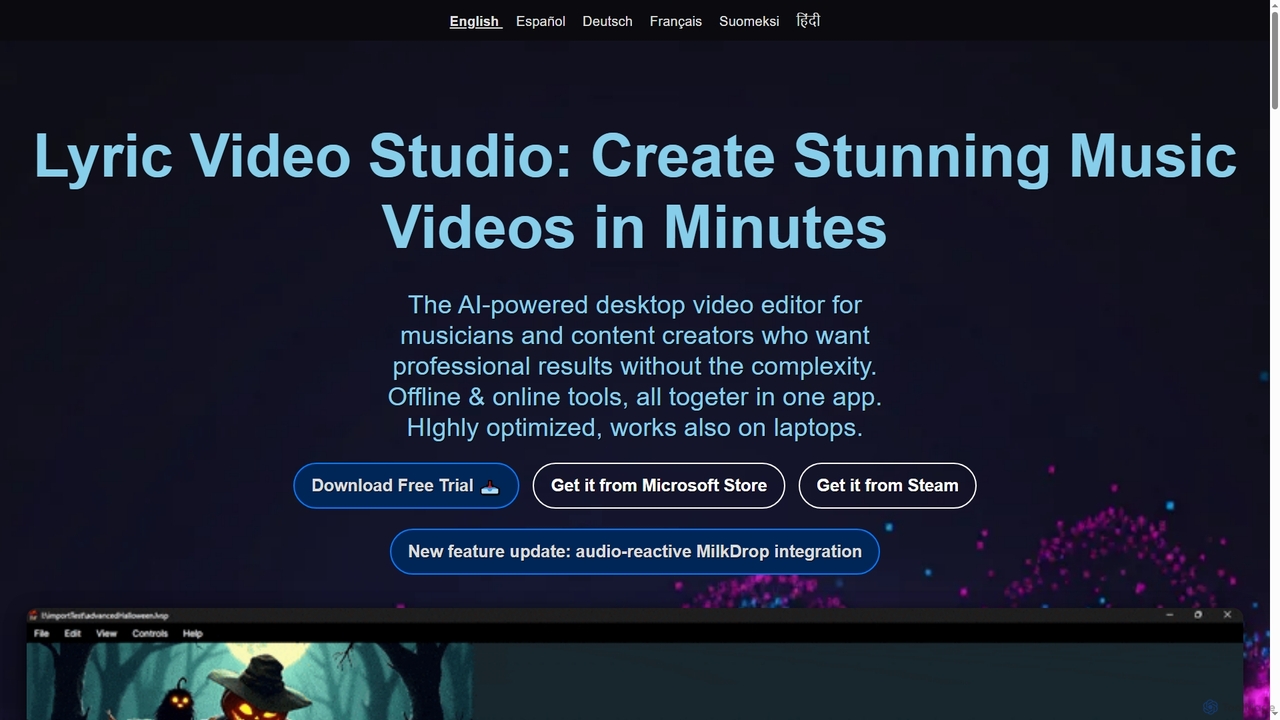
Lyric Video Studio is an AI-powered desktop video editor for musicians and content creators to produce stunning music videos and lyric videos quickly. It offers effortless editing, AI-driven visual generation, automatic subtitle creation, and 4K export, combining offline and online tools for professional results without complexity.

3D
Visits 18.4KFavorites 126Likes 135

About Multimedia Editor

Multimedia Editor tools are AI-powered desktop applications designed for creating, editing, and enhancing various forms of digital media, including images, audio, and video. These tools leverage advanced artificial intelligence algorithms to automate complex tasks, streamline workflows, and unlock new creative possibilities directly on your computer. They offer robust performance and offline capabilities, making them ideal for professionals and enthusiasts seeking powerful, locally-run media production solutions.

Core Features

  • AI-driven Content Generation: Automatically generate image elements, video segments, or background music based on prompts or existing media.
  • Intelligent Editing & Enhancement: Perform tasks like object removal, noise reduction, color correction, and upscaling with AI precision and speed.
  • Automated Workflow & Transcription: Transcribe audio to text, generate subtitles, detect scenes, or apply consistent styles across multiple assets automatically.
  • Cross-media Integration: Seamlessly combine and transform different media types, such as converting text to speech or images to video clips.
  • Real-time Collaboration: Facilitate team projects with features for shared editing, version control, and instant feedback within the desktop environment.

Use Cases

These editors are indispensable for content creators producing engaging social media videos, professional video editors streamlining post-production, and podcasters enhancing audio quality. They also serve graphic designers needing batch image processing and marketers creating dynamic promotional materials.

How to Choose

When selecting a Multimedia Editor, consider the specific AI features you need (e.g., generative AI, enhancement tools), the types of media it supports (image, audio, video, 3D), and its performance requirements. Evaluate its integration capabilities with your existing software ecosystem, the pricing model, and the learning curve associated with its advanced functionalities.

Multimedia Editor use cases

1

Automated Video Editing for Social Media

Content creators can rapidly produce engaging short videos for platforms like TikTok or Instagram. By uploading raw footage, AI automatically identifies highlights, removes filler words, adds background music, and applies trending effects, significantly reducing manual editing time and accelerating content output for daily posts.

2

Professional Audio Enhancement for Podcasts

Podcasters and audio engineers utilize AI to clean up recordings. The tools automatically remove background noise, echo, and hum, equalize speaker volumes, and master the final track to broadcast standards, ensuring crystal-clear audio quality for listeners without extensive manual sound engineering.

3

Batch Image Editing and Upscaling for E-commerce

E-commerce businesses or graphic designers can process hundreds of product images efficiently. AI automatically removes backgrounds, applies consistent lighting and color correction, sharpens details, and upscales low-resolution images for high-quality online catalogs, saving hours of repetitive work.

4

AI-Assisted Storyboarding and Pre-visualization

Filmmakers, animators, or game developers leverage AI to quickly generate visual concepts from script descriptions. By inputting text prompts, the editor can create rough storyboards, character designs, or scene layouts, allowing for rapid iteration and visualization during the pre-production phase.

5

Multilingual Subtitle Generation and Translation

Video producers can expand their global reach by automatically generating accurate subtitles. AI transcribes spoken dialogue, translates it into multiple languages, and precisely syncs the text with the video timeline, making content accessible to a wider international audience with minimal effort.

6

Interactive Content Creation for E-learning

Educators and corporate trainers use AI multimedia editors to develop dynamic and interactive learning modules. The tools can generate engaging visuals from text, create voiceovers, and integrate interactive elements like quizzes or simulations, making educational content more captivating and effective for learners.

Multimedia Editor FAQ

What are AI Multimedia Editors?

AI Multimedia Editors are desktop software applications that integrate artificial intelligence to automate and enhance the creation, editing, and production of various digital media formats, including images, audio, and video. They go beyond traditional editors by offering features like intelligent content generation, automated enhancements, and streamlined workflows, all running locally on your computer for robust performance.

How do AI Multimedia Editors differ from traditional editors?

The primary difference lies in automation and intelligence. Traditional editors require extensive manual input for tasks like object removal, color grading, or noise reduction. AI Multimedia Editors, however, use AI algorithms to perform these tasks automatically or with minimal user guidance, significantly speeding up the process, reducing complexity, and often achieving results that would be difficult for human editors.

What types of media can AI Multimedia Editors handle?

These editors are designed to handle a broad spectrum of media types. This typically includes still images (photos, graphics), audio files (music, voiceovers, podcasts), and video footage (short clips, documentaries, animations). Many also offer capabilities for text-to-image, text-to-speech, or even basic 3D asset manipulation, enabling cross-media content creation.

Who benefits most from using AI Multimedia Editors?

A wide range of users can benefit. Content creators (YouTubers, social media managers) can rapidly produce high-quality content. Marketing professionals can quickly generate engaging promotional materials. Professional video editors and graphic designers can automate repetitive tasks and focus on creative aspects. Educators can create interactive e-learning content, and small businesses can produce their own marketing assets efficiently.

What should I consider when choosing an AI Multimedia Editor?

Key considerations include the specific AI features you need (e.g., generative AI, specific enhancement tools), the types of media you primarily work with, and your operating system compatibility. Also, evaluate the software's performance requirements, its integration with other tools in your workflow, the pricing model (one-time purchase vs. subscription), and the learning curve to master its advanced AI functionalities.