ToolMage
Sign in

Best 1 Vector Graphics AI tools for Graphics

Popular Vector Graphics AI tools in Graphics include SVGs, helping you work more efficiently.

SVGs
Freemium

SVGs

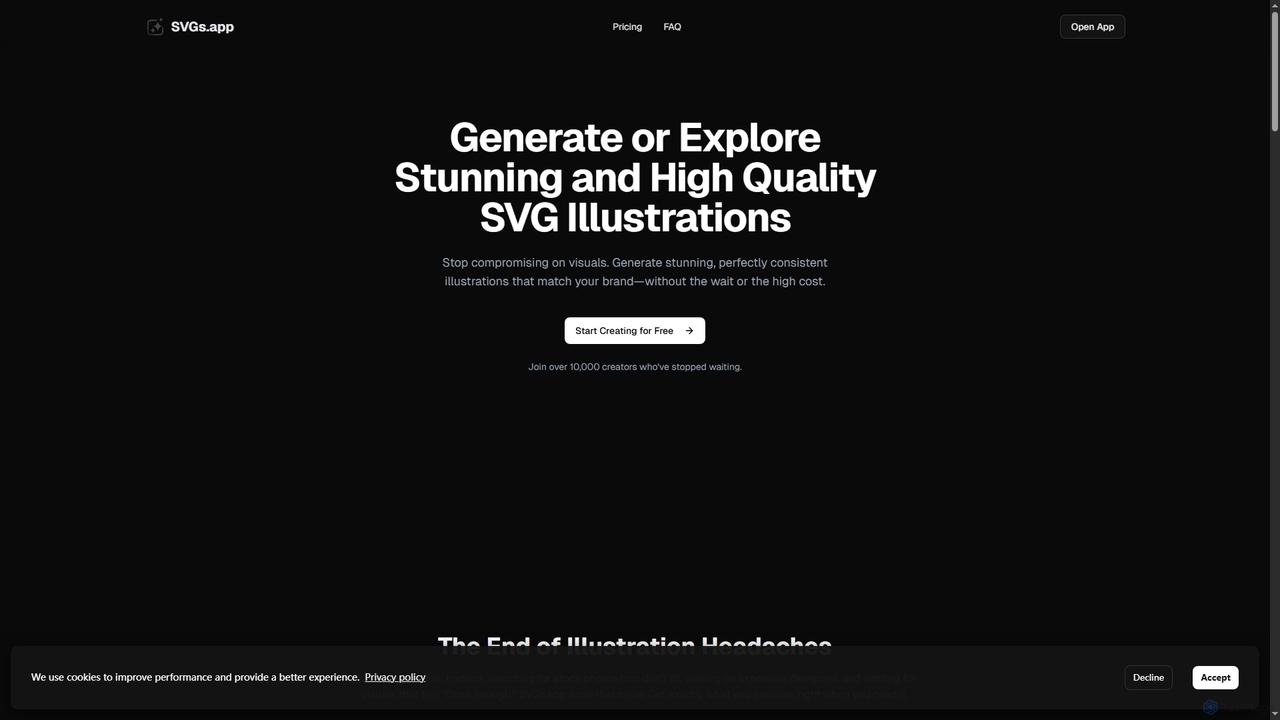
SVGs is an AI-powered platform designed to generate high-quality, consistent SVG illustrations rapidly. It empowers individuals and teams to create stunning, on-brand visuals for various applications, from websites and apps to marketing materials, without requiring extensive design expertise or significant time and cost investments.

Illustration Generation
Visits 13.6KFavorites 132Likes 144

About Vector Graphics

AI Vector Graphics tools are a class of software that uses artificial intelligence to generate and edit scalable images defined by mathematical paths. Unlike pixel-based raster graphics, these tools create visuals that can be resized infinitely without any loss of quality. This makes them ideal for creating crisp, clean graphics for logos, icons, and illustrations. AI accelerates the design process by translating text prompts or existing images into editable vector formats like SVG or EPS.

Core Features

  • Text-to-Vector Generation: Creates unique vector illustrations, icons, and logos directly from simple text descriptions.
  • Image-to-Vector Conversion: Automatically traces and converts raster images (JPEG, PNG) into clean, scalable vector graphics.
  • Style and Palette Control: Applies consistent artistic styles and color schemes across multiple generated assets.
  • Path Simplification & Cleanup: Uses AI to refine and optimize complex or messy vector paths for better performance and editability.

Use Cases

These tools are primarily used by graphic designers, marketers, and brand managers. They are essential for creating brand identity assets like logos and icons, developing scalable graphics for websites and applications, and producing high-resolution illustrations for print and digital media.

How to Choose

When selecting an AI Vector Graphics tool, consider the quality of its generation engine, the range of supported output formats (e.g., SVG, AI, PDF), and its integration capabilities with standard design software like Adobe Illustrator or Figma. Also, evaluate the fine-tuning controls available for adjusting paths, colors, and styles post-generation.

Featured tool rankings

Vector Graphics use cases

1

Generate Logos and Icons from Text

A startup founder needs a professional logo but lacks design skills. Using an AI Vector Graphics tool, they enter a prompt like 'a minimalist geometric fox head icon for a tech company, blue and orange'. The AI generates dozens of unique, editable SVG logo concepts in seconds. The founder can then select the best option, make minor tweaks to the colors or paths, and export it for use on their website, business cards, and social media, ensuring a consistent and high-quality brand image from day one.

2

Convert Low-Resolution Images to Scalable Vectors

A marketing team has an old company logo saved only as a low-resolution JPEG file. They need to print it on a large banner for an event, but the JPEG becomes pixelated when enlarged. By using an AI image-to-vector converter, they can upload the JPEG, and the AI automatically traces it into a clean, scalable SVG file. This new vector logo can be resized to any dimension without losing clarity, making it perfect for large-format printing, embroidery, and high-resolution digital displays.

3

Create Custom Illustrations for Web Content

A content creator needs unique illustrations for a blog post about sustainable energy. Instead of using generic stock photos, they use an AI vector tool with the prompt 'a flat design illustration of a wind turbine and solar panels in a green field'. The tool generates a stylish, on-brand vector illustration. Because it's a vector, they can easily change the colors to match their website's palette and export different sizes for the blog header, social media posts, and newsletter, maintaining a cohesive visual identity.

4

Design Scalable UI/UX Icons for Apps

A UI/UX designer is developing a new mobile application and needs a set of 20 unique icons that share a consistent visual style. They use an AI vector generator to create the set by providing a base prompt like 'line art icon for user profile, minimal style' and then iterating for other elements (settings, home, messages). The AI maintains the 'line art' and 'minimal' style across all icons. The resulting SVG files are lightweight and perfectly scalable, ensuring they look sharp on any screen size, from a small phone to a large tablet.

5

Generate Seamless Patterns for Products

A textile designer wants to create a unique, seamless pattern for a new fabric collection. They use an AI vector tool and describe the desired motif: 'a seamless pattern of tropical leaves and hibiscus flowers, art deco style'. The AI generates a tileable vector pattern that can be repeated infinitely without visible seams. The designer can then export this pattern, apply it to mockups of clothing or home decor, and send the final vector file to the manufacturer for printing, ensuring a high-quality, crisp result on the final product.

6

Automate Creation of Infographic Elements

A data analyst needs to create a compelling infographic to present their findings. To make it visually engaging, they need various vector icons and illustrations related to their data (e.g., charts, graphs, people icons). Using an AI vector tool, they can quickly generate all these elements with prompts like 'a simple icon of a bar chart' or 'a diverse group of people icons, flat style'. This saves significant time compared to searching for or manually creating each element, allowing the analyst to assemble a professional and visually consistent infographic much faster.

Vector Graphics FAQ

What are AI Vector Graphics tools?

AI Vector Graphics tools are applications that use artificial intelligence to create and manipulate vector images. Unlike raster graphics (like JPEGs) which are made of pixels, vector graphics are composed of mathematical paths, lines, and curves. This allows them to be scaled to any size without losing quality. AI tools automate this process, enabling users to generate complex vector illustrations from text prompts or convert pixel-based images into clean, editable vector formats.

Vector Graphics vs. Raster Graphics: What's the difference?

The key difference lies in how images are constructed. Raster graphics (e.g., JPEG, PNG, GIF) are made of a grid of pixels, so they lose quality and become blurry when enlarged. They are best for photographs and complex digital paintings. Vector graphics (e.g., SVG, AI, EPS) are defined by mathematical equations for points, lines, and curves. This makes them infinitely scalable without any quality loss, which is ideal for logos, icons, and illustrations that need to be used in various sizes.

How to choose the right AI Vector Graphics tool?

When selecting a tool, consider these factors:

  • Input Method: Does it generate from text (text-to-vector), convert from images (image-to-vector), or both? Choose based on your primary need.
  • Output Quality & Formats: Ensure the tool produces clean, well-structured vector paths and supports essential formats like SVG, EPS, or AI for compatibility with your design workflow.
  • Editing Capabilities: Check if the tool allows for post-generation adjustments to colors, shapes, and paths directly within the application.
  • Ease of Use: A good tool should have an intuitive interface that allows both designers and non-designers to achieve high-quality results quickly.
Who should use AI Vector Graphics tools?

These tools are valuable for a wide range of users. Graphic designers can use them to rapidly prototype ideas and create assets. Marketers and small business owners can generate professional-quality logos, icons, and social media graphics without extensive design training. UI/UX designers can quickly create scalable icon sets for applications. Content creators can produce unique illustrations for their blogs or videos, enhancing their visual storytelling.

Can I edit the graphics created by these AI tools?

Yes, absolutely. One of the primary advantages of AI Vector Graphics tools is that they output files in standard vector formats like SVG, AI, or EPS. These files can be opened and fully edited in professional design software such as Adobe Illustrator, Affinity Designer, Inkscape, or Figma. This allows you to use AI for initial concept generation and then manually refine every detail—adjusting paths, changing colors, and combining elements—to achieve a perfect final result.