
ToolMage
Sign in

Best 1 Q&A AI tools for Knowledge Base

Popular Q&A AI tools in Knowledge Base include How2Solutions, helping you work more efficiently.

How2Solutions

How2Solutions

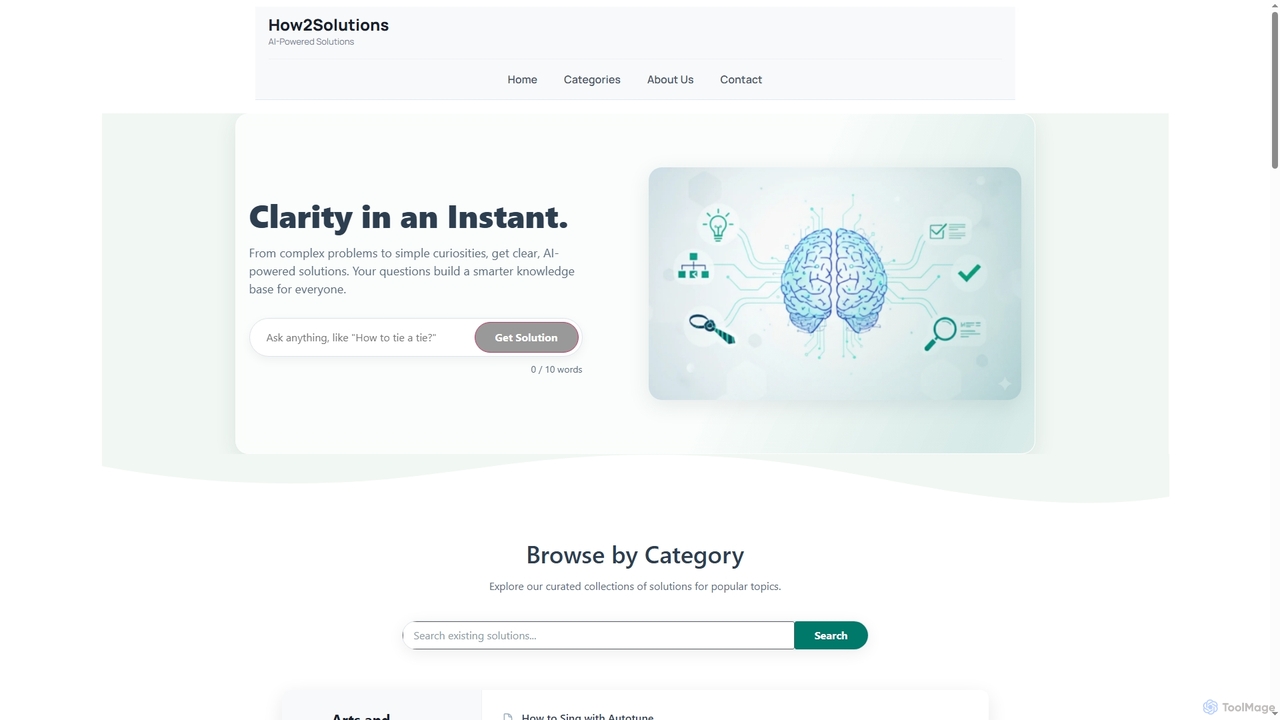
How2Solutions is an AI-powered platform designed to provide instant, clear, and concise answers to a wide range of questions. From complex problems to simple curiosities, it leverages state-of-the-art artificial intelligence to generate easy-to-understand solutions 24/7. Every query contributes to a growing, human-curated knowledge base, making valuable information accessible to everyone.

Learning
Visits 4KFavorites 145Likes 159

About Q&A

AI Q&A tools are systems that provide direct, precise answers to user questions by analyzing a specific set of documents or data. They utilize Natural Language Processing (NLP) and semantic search to understand the context and intent behind a query, rather than simply matching keywords. This enables them to extract or generate accurate information from large knowledge bases, technical manuals, or internal wikis. Unlike traditional search functions that return a list of links, AI Q&A tools deliver concise answers, significantly speeding up information retrieval and decision-making.

Core Features

  • Semantic Search: Understands the meaning and intent behind questions to find the most relevant information, not just keyword matches.
  • Document Ingestion: Supports various file formats (PDF, DOCX, TXT) and web content for building the knowledge source.
  • Answer Generation & Citation: Generates human-like answers and provides source links to the original documents for verification.
  • API Integration: Allows embedding the Q&A functionality into existing applications, websites, or chatbots.
  • User Feedback Loop: Collects user ratings on answer quality to continuously improve the system's accuracy.

Use Cases

These tools are ideal for organizations looking to enhance information accessibility. Common applications include creating intelligent chatbots for customer support websites, building internal knowledge bots for employees to quickly find company policies or technical data, and powering interactive help sections for complex software products. They serve roles like support agents, HR managers, and developers who need instant access to accurate information.

How to Choose

When selecting an AI Q&A tool, consider the range of supported document types and data sources. Evaluate the accuracy of its semantic search and answer generation capabilities with your own content. Assess the ease of integration via APIs or widgets into your existing platforms. Finally, review the pricing model, especially how it scales with the volume of documents or the number of queries.

Featured tool rankings

Q&A use cases

1

Build an Internal Knowledge Bot for Employees

An HR manager needs to provide employees with instant access to company policies, benefits information, and IT procedures. Instead of manually answering repetitive questions, they use an AI Q&A tool to create an internal knowledge bot. They upload all relevant documents like employee handbooks, policy PDFs, and IT guides. Now, when an employee asks the bot, 'What is the policy for parental leave?', the system instantly provides a direct answer with a link to the specific section in the handbook. This reduces the HR team's workload and empowers employees with self-service access to information 24/7.

2

Enhance Customer Support on a Website

A SaaS company wants to reduce the number of support tickets for common questions about their product. Their support team integrates an AI Q&A widget into their website's help center. They feed it with their entire knowledge base, including setup guides, troubleshooting articles, and API documentation. When a customer types 'How do I integrate with Slack?', the widget doesn't just link to an article. It provides a step-by-step summary directly in the chat interface, extracted from the relevant guide. This provides immediate answers, improves customer satisfaction, and frees up support agents to handle more complex issues.

3

Streamline Technical Documentation Search

A software developer is working with a complex API and needs to find specific information about an endpoint's parameters. Instead of manually searching through hundreds of pages of documentation, they use an AI Q&A interface built on top of the developer portal. They ask a natural language question like, 'What are the required authentication headers for the /users endpoint?'. The tool scans the API documentation, understands the query, and returns the exact header information, along with a code snippet example. This accelerates the development process by providing precise, context-aware answers instantly, eliminating time wasted on manual searches.

4

Accelerate Academic or Market Research

A market analyst is researching trends in the renewable energy sector and has gathered dozens of industry reports, white papers, and academic articles. To quickly synthesize this information, they upload all documents into an AI Q&A tool. They can then ask specific questions like, 'What was the projected market growth for solar panels in Europe for 2023?' or 'Compare the main challenges cited for wind vs. solar energy adoption.' The tool extracts and consolidates answers from multiple sources, providing citations for each piece of information. This transforms the research process from days of reading into a focused, interactive query session.

5

Create Interactive Training and Onboarding Materials

A training coordinator for a large corporation is developing an onboarding program for new hires. To make the material more engaging and accessible, they convert static training manuals and procedure documents into an interactive Q&A system. New employees can ask questions like 'How do I submit an expense report?' or 'What are the company's core values?' and receive immediate, conversational answers. This approach allows new hires to learn at their own pace and find information relevant to their specific role, improving knowledge retention and reducing the time it takes for them to become productive.

6

Power a Product Recommendation Engine

An e-commerce site for electronics wants to provide a more personalized shopping experience. They use an AI Q&A tool fed with their entire product catalog, including detailed specifications, user manuals, and customer reviews. A customer can then ask natural language questions like, 'Which laptop under $1000 has the best battery life for video editing?' The system analyzes the query, cross-references product data and reviews, and provides a direct recommendation with a justification. This goes beyond simple keyword filtering, offering a consultative experience that helps customers make informed purchasing decisions and increases conversion rates.

Q&A FAQ

What are AI Q&A tools?

AI Q&A tools are applications that use artificial intelligence, primarily Natural Language Processing (NLP), to understand and answer questions based on a provided body of knowledge. Instead of just matching keywords like a traditional search engine, they analyze the semantic meaning of a question to provide a direct, concise answer. They work by ingesting documents (like PDFs, websites, or databases) and creating a searchable index that the AI can query to find or generate the most relevant response, often citing the source material.

How do AI Q&A tools differ from a standard knowledge base search?

The primary difference lies in the output. A standard knowledge base search uses keyword matching to return a list of potentially relevant articles or documents, requiring the user to read through them to find the answer. An AI Q&A tool, using semantic search, understands the user's intent and provides a direct, synthesized answer extracted from those same documents. It's the difference between being given a library catalog (standard search) and having a librarian find the exact paragraph you need (AI Q&A).

How do you choose the right AI Q&A tool?

Choosing the right tool depends on your specific needs. Consider the following factors:

  • Data Sources: Ensure the tool supports the file types (PDF, DOCX, HTML) and platforms (websites, Notion, Slack) where your knowledge is stored.
  • Accuracy & Relevance: Test the tool with your own documents and sample questions to evaluate how well it understands context and provides accurate answers.
  • Integration: Check for APIs, widgets, or pre-built integrations if you need to embed the Q&A functionality into your existing website or applications.
  • Scalability and Pricing: Understand the pricing model. Is it based on the number of documents, users, or queries? Choose a plan that can grow with your needs.
Who can benefit from using AI Q&A tools?

A wide range of users can benefit. Customer support teams can automate responses to common queries. HR departments can create internal bots for employee questions about policies. Software developers can find information in technical documentation faster. Students and researchers can quickly synthesize information from multiple academic papers. Essentially, anyone who needs to find specific information within a large set of documents can save significant time and effort by using an AI Q&A tool.

Are AI Q&A tools secure for private company data?

Security is a critical consideration. Reputable AI Q&A providers offer enterprise-grade security features. When choosing a tool, look for features like SOC 2 compliance, GDPR compliance, data encryption both in transit and at rest, and options for data residency. Many tools also offer on-premise deployment or virtual private cloud (VPC) options for maximum control. It is crucial to review a provider's security policy and ensure it aligns with your company's data governance requirements before uploading sensitive information.