ToolMage
Sign in

Best 1 Concept Art AI tools for Media Production

Popular Concept Art AI tools in Media Production include MAI-Image-1, helping you work more efficiently.

MAI-Image-1
Paid

MAI-Image-1

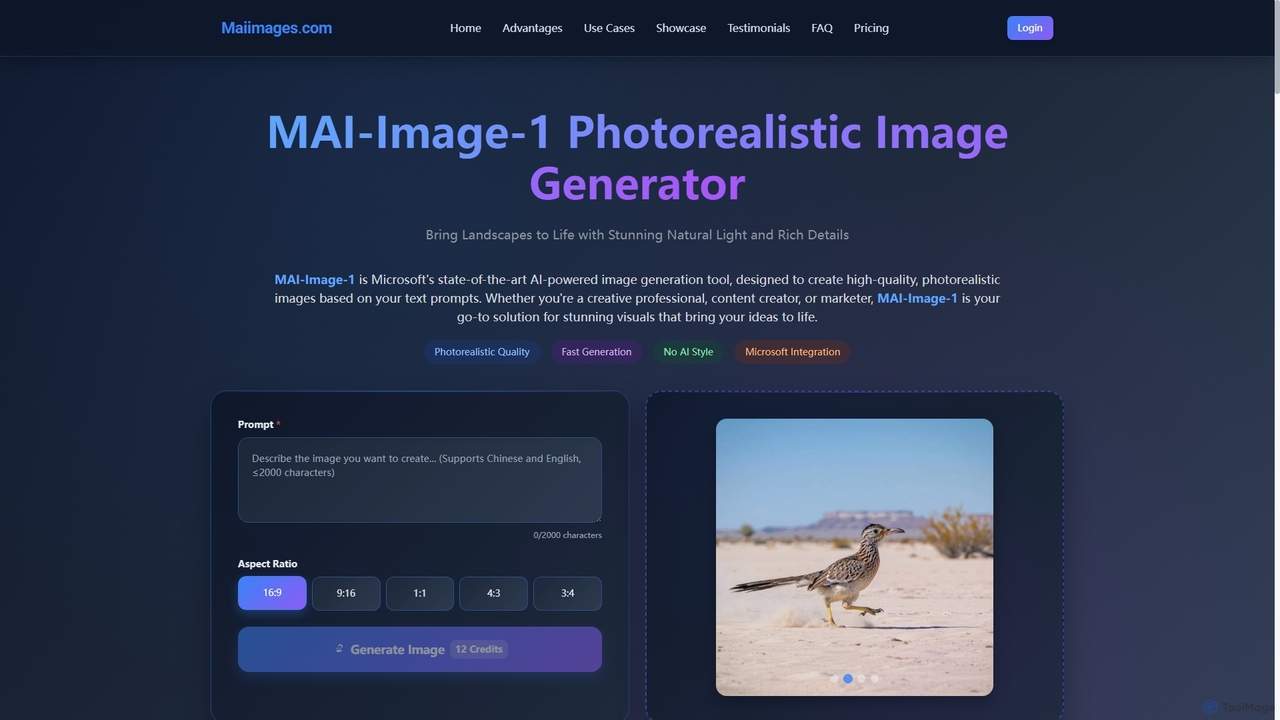
MAI-Image-1 is Microsoft's cutting-edge AI image generator, transforming text prompts into stunning, photorealistic visuals. Designed for professionals, it offers rapid generation, high-resolution output up to 4K, and a natural style free from typical "AI-generated" artifacts. Seamlessly integrated with Microsoft's ecosystem, it empowers creators, marketers, and designers to produce professional-grade imagery for diverse applications, from advertising campaigns to film pre-production.

Creative Asset Creation
Visits 5.8KFavorites 170Likes 182

About Concept Art

Concept Art tools are AI-powered platforms designed to rapidly generate and iterate on visual designs for games, films, animation, and other creative projects. Leveraging advanced generative AI models, these tools transform textual descriptions or rough sketches into detailed illustrations, character designs, and environmental concepts. They empower artists and designers to explore diverse visual directions, accelerate ideation, and establish the aesthetic foundation for entire media productions.

Core Features

  • Text-to-Image Generation: Create detailed concept art from simple text prompts, exploring various styles and themes.
  • Image-to-Image Transformation: Convert rough sketches or existing images into polished concept art with specific artistic styles.
  • Style Transfer & Variation: Apply distinct artistic styles to existing visuals or generate multiple stylistic variations of a single concept.
  • Inpainting & Outpainting: Seamlessly fill in missing parts of an image or expand existing scenes beyond their original borders.
  • 3D to 2D Concept Rendering: Transform basic 3D models into stylized 2D concept art, aiding in rapid visualization.

Use Cases

Game developers utilize these tools to quickly visualize character designs, environmental settings, and prop concepts, streamlining the pre-production phase. Film and animation studios employ AI concept art generators to explore mood, lighting, and scene compositions before committing to full production. Illustrators and graphic designers also benefit from rapid ideation for client projects, generating diverse options efficiently.

How to Choose

When selecting an AI concept art tool, consider its generative model's quality and versatility in producing diverse styles. Evaluate the range of input options, such as text, sketch, or 3D model integration. Assess the customization features for refining outputs, including inpainting, outpainting, and style controls. Finally, review the licensing terms for commercial use and the community support for learning and sharing.

Concept Art use cases

1

Game Character Design Iteration

Game artists input character descriptions and style preferences into AI concept art tools to generate hundreds of unique character concept variations. This significantly accelerates the design approval process, allowing teams to explore diverse visual directions for protagonists, antagonists, and NPCs in a fraction of the time it would take manually.

2

Film Scene Mood Board Creation

Film pre-production teams use text prompts to visualize different lighting, atmosphere, and architectural styles for key scenes. AI concept art tools quickly generate a variety of mood boards and visual references, helping directors and cinematographers establish the desired aesthetic and emotional tone before committing to expensive set designs or location scouting.

3

Environmental Concept Development

Environmental artists transform rough 2D sketches or basic 3D blockouts into richly detailed landscapes, cityscapes, or alien worlds. By leveraging AI concept art tools, they can rapidly explore variations in terrain, vegetation, architecture, and atmospheric effects, allowing for quick iteration on scale, mood, and overall visual complexity for game levels or film sets.

4

Prop and Asset Ideation

Production designers generate multiple design options for props, vehicles, or futuristic gadgets. AI concept art tools enable rapid visualization of various forms, materials, and functionalities, ensuring visual consistency and innovation within a project. This helps teams quickly narrow down design choices and move forward with detailed modeling and texturing.

5

Storyboarding and Visual Scripting

Animators and directors use AI to quickly create visual panels for storyboards, translating script elements into dynamic visual sequences. This accelerates the pre-visualization process, allowing for rapid iteration on camera angles, character blocking, and scene transitions, ensuring a cohesive narrative flow before full animation or live-action shooting begins.

6

Marketing Campaign Visuals

Marketing teams generate unique, stylized imagery for advertising campaigns or product launches. AI concept art tools allow them to quickly produce diverse visual concepts that align with brand aesthetics and campaign themes, testing various creative directions without extensive manual design work. This ensures eye-catching visuals that resonate with target audiences and stand out in competitive markets.

Concept Art FAQ

What are AI Concept Art tools?

AI Concept Art tools are software applications that use artificial intelligence, primarily generative models, to create preliminary visual designs and illustrations for creative projects. They help artists and designers rapidly visualize ideas, explore different styles, and establish the foundational aesthetics for games, films, and other media productions.

How do AI Concept Art tools differ from general AI Image Generators?

While both generate images, AI Concept Art tools are specifically optimized for the iterative, exploratory nature of concept design. They often include features like consistent character/environment generation, style transfer for specific artistic directions, and integration with 3D workflows, focusing on pre-production visualization rather than just generic image creation.

What are the key benefits of using AI for Concept Art?

The main benefits include significantly accelerated ideation and iteration cycles, allowing artists to explore more visual options in less time. They help overcome creative blocks, provide a consistent visual language across a project, and can reduce the initial workload for concept artists, freeing them for more complex refinement tasks.

What should I look for when choosing an AI Concept Art tool?

Consider the quality and diversity of its generative output, its ability to handle various input types (text, sketch, 3D), and its customization features like inpainting, outpainting, and style controls. Also, evaluate its integration capabilities with existing design software and the clarity of its commercial licensing terms.

Can AI Concept Art tools replace human concept artists?

No, AI Concept Art tools are powerful assistants, not replacements. They automate repetitive tasks and accelerate ideation, but human artists remain crucial for creative direction, artistic vision, emotional storytelling, and refining AI-generated outputs to meet specific project requirements and maintain artistic integrity.