ToolMage
Sign in

Best 3 Note Taking AI tools

Popular Note Taking AI tools include Tikpal, Learnee, and Life OS, helping you work more efficiently.

Freemium

Learnee

Learnee is an AI-powered study assistant featuring Proff, a personalized AI mentor for students. It helps you learn smarter by understanding your syllabus, tracking weak topics, and providing exam-ready explanations, smart notes, and adaptive quizzes.

Student Support
Visits 3.6KFavorites 19Likes 16

Tikpal

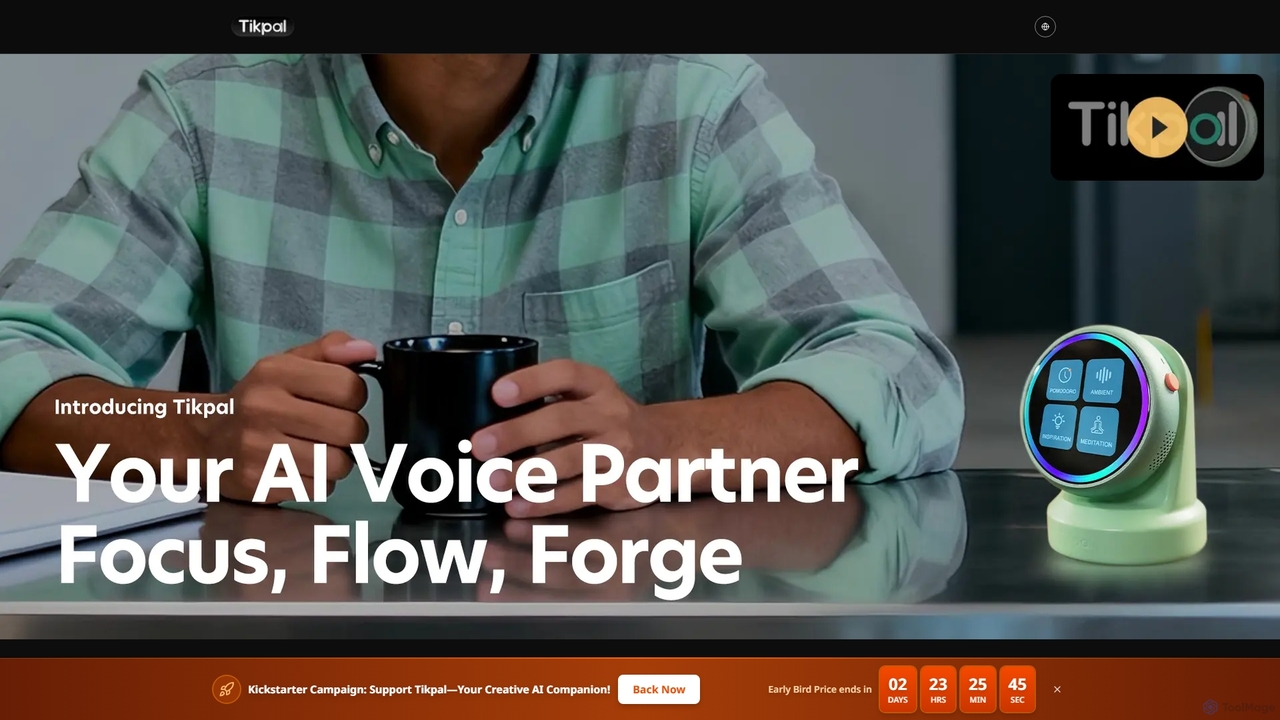
Tikpal is an innovative AI creative companion designed to enhance focus and productivity. This compact, multi-agent smart device captures ideas instantly through high-quality voice recording, offers real-time transcription, and intelligently organizes your thoughts. It seamlessly integrates with popular tools like Notion and Xmind, fostering an uninterrupted creative flow for thinkers and creators.

Idea Management
Visits 3.6KFavorites 79Likes 81
Freemium

Life OS

Life OS is your personal command center designed for ambitious students and side-hustlers to manage a cluttered life. It unifies task management, idea capture, and personal growth tracking into one minimalist, distraction-free interface. Eliminate app-hopping, never miss deadlines, and gain clarity with real-time sync across all devices, ensuring everything you need is always at your fingertips.

Wellness
Visits 3.5KFavorites 111Likes 117

About Note Taking

AI Note Taking tools are applications that leverage artificial intelligence to automate and enhance the process of capturing, organizing, and retrieving information. They utilize technologies like speech-to-text and Natural Language Processing (NLP) to transcribe audio in real-time, generate concise summaries, and identify key concepts from vast amounts of text. This allows users to focus on discussions or lectures without the burden of manual note-taking, significantly improving information retention and productivity. These tools effectively transform unstructured conversations and texts into an organized, searchable knowledge base.

Core Features

  • Real-Time Transcription: Automatically converts spoken words from meetings, lectures, or interviews into written text.
  • AI-Powered Summarization: Generates brief, coherent summaries of long notes, documents, or transcripts to capture the main points.
  • Semantic Search: Enables searching for concepts, ideas, and related topics, not just exact keywords.
  • Action Item Detection: Intelligently identifies and extracts tasks, decisions, and deadlines from the notes.

Use Cases

These tools are widely used by professionals, students, and researchers. Project managers use them to automatically generate meeting minutes and track action items. Students record lectures for searchable transcripts and summaries. Journalists and researchers transcribe interviews to quickly locate key quotes and information.

How to Choose

When selecting an AI Note Taking tool, consider the transcription accuracy and the number of languages supported. Evaluate the quality of the AI summaries and the tool's integration capabilities with your existing calendar, cloud storage, or project management software. Also, review the platform's data privacy and security policies carefully.

Featured tool rankings

Note Taking use cases

1

Automating Meeting Minutes and Action Items

A project manager uses an AI note-taking tool during weekly team syncs. The tool connects to their video conference call, transcribes the entire conversation in real-time, and distinguishes between different speakers. After the meeting, it automatically generates a concise summary highlighting key decisions and identifies all action items, assigning them to the correct team members based on the conversation. This process eliminates manual minute-taking, ensures accuracy, and allows the manager to distribute a clear, actionable summary within minutes of the meeting's conclusion.

2

Enhancing Academic Research and Study

A university student records lectures and research interviews using an AI note-taking app on their phone. The app provides a full, searchable transcript for each recording. Instead of re-listening to hours of audio, the student uses the semantic search feature to find all mentions of a specific concept, like 'quantum entanglement,' across all their recorded lectures. The AI summarization feature helps them quickly review the key points of a two-hour lecture in under ten minutes, making exam preparation and thesis writing more efficient.

3

Streamlining Content Creation for Journalists

A journalist conducts a 45-minute interview for an article. Using an AI note-taker, they receive an accurate transcript moments after the call ends. They use the summary to quickly identify the most compelling parts of the conversation and structure their article. The semantic search allows them to instantly locate specific quotes and data points without scrubbing through the audio. This accelerates the writing process, reduces the risk of misquoting, and allows the journalist to publish their story faster while maintaining high accuracy.

4

Building a Personal Knowledge Management System

A lifelong learner uses an AI note-taking tool as their 'second brain.' They capture thoughts on the go via voice notes, clip articles from the web, and take notes from books. The AI automatically transcribes the voice notes and, more importantly, identifies connections between different notes. For example, it might link a note about 'behavioral economics' from a book to a clipped article about 'marketing psychology.' This helps the user discover new insights and build a rich, interconnected web of personal knowledge that grows and becomes more valuable over time.

5

Improving Client Consultations and Follow-ups

A financial advisor uses an AI note-taking tool during client meetings to ensure no detail is missed. The tool transcribes the conversation, allowing the advisor to focus on building rapport rather than writing. After the meeting, the AI summary provides a clear overview of the client's goals, concerns, and agreed-upon next steps. The advisor can then use the full transcript to verify specific figures or statements when preparing financial plans, ensuring their recommendations are perfectly aligned with the client's needs discussed in the meeting.

6

Facilitating Collaborative Team Brainstorming

A remote design team uses an AI note-taking tool integrated into their video conference for a brainstorming session. As team members voice ideas, the tool captures and transcribes everything. It can also identify keywords and automatically group related ideas into clusters like 'User Interface,' 'Marketing,' and 'Technical Feasibility.' This creates a live, structured mind map of the session. After the brainstorm, the team has an organized, searchable record of all ideas, preventing good concepts from being lost and making it easy to transition from brainstorming to planning.

Note Taking FAQ

What are AI Note Taking tools?

AI Note Taking tools are software applications that use artificial intelligence to enhance traditional note-taking. Unlike simple text editors, they actively assist the user by automatically transcribing audio, generating summaries of long texts, identifying action items, and organizing information semantically. Key technologies involved include speech-to-text, Natural Language Processing (NLP), and machine learning to understand and structure content, turning raw information into actionable knowledge.

How to choose the right AI Note Taking tool?

To choose the right tool, consider these factors:

  • Transcription Accuracy: Check the tool's accuracy in transcribing technical jargon, different accents, and multiple speakers.
  • Integration: Ensure it integrates with your workflow, such as connecting to your calendar (e.g., Google Calendar, Outlook) or project management tools (e.g., Asana, Trello).
  • Summarization Quality: Evaluate how well the AI generates concise and relevant summaries that capture the essence of the conversation.
  • Security and Privacy: Review their data handling policies, especially if you'll be recording sensitive or confidential information.
What's the difference between AI note-takers and traditional note apps like Evernote?

The primary difference is automation and intelligence. Traditional note apps like Evernote or OneNote are digital notebooks for manual input; you type, draw, or paste content. AI note-takers actively process your information. They listen to conversations and transcribe them, analyze text to find key themes and action items, and can automatically link related ideas. In essence, traditional apps are for storage and manual organization, while AI tools are for automated capture, analysis, and knowledge synthesis.

Can AI Note Taking tools handle different languages and accents?

Yes, many advanced AI Note Taking tools are designed to be multilingual. They can often transcribe and understand dozens of languages. Their performance with different accents can vary, but leading tools are trained on vast datasets of global speech patterns to improve their accuracy with various regional accents within a language, such as American, British, or Australian English. It's always a good practice to check the specific language and accent support of a tool before committing to it, especially if your work involves diverse international teams.

Who can benefit most from using AI Note Taking tools?

A wide range of individuals and teams can benefit. Key groups include:

  • Project Managers: For automating meeting minutes, tracking decisions, and assigning action items.
  • Students and Researchers: For transcribing lectures and interviews, making vast amounts of information searchable and easy to review.
  • Content Creators and Journalists: For quickly transcribing interviews and finding key quotes to speed up the writing process.
  • Consultants and Sales Professionals: For capturing every detail of client conversations to create accurate proposals and follow-ups.

Essentially, anyone who regularly participates in meetings or needs to process large volumes of spoken or written information can significantly improve their productivity.