
ToolMage
Sign in

Best 1 Canvas Printing AI tools for Printing

Popular Canvas Printing AI tools in Printing include Visioneria, helping you work more efficiently.

Visioneria
Freemium

Visioneria

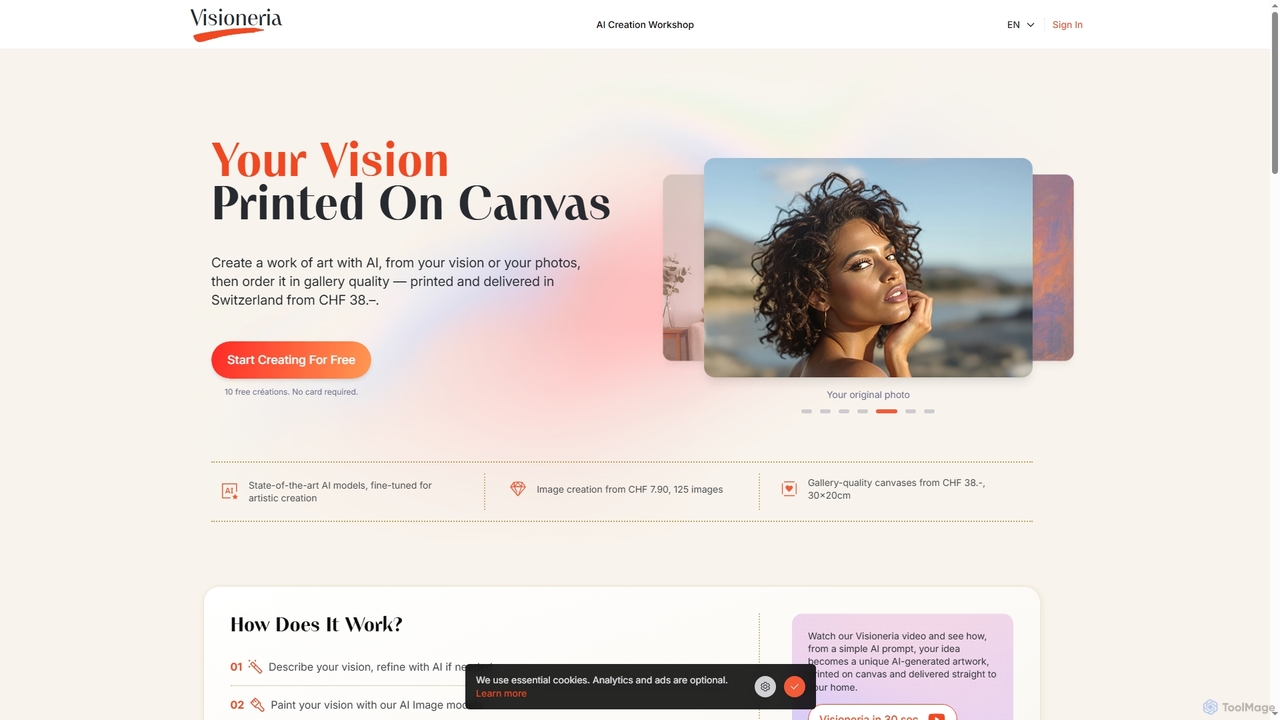
Visioneria is a Swiss AI art platform that allows users to transform their ideas or photos into unique AI-generated artworks and order them as premium, gallery-quality canvas prints. It offers advanced AI models, prompt refinement, various artistic styles, and high-resolution upscaling, making digital art tangible and ready to display.

Image Generation
Visits 4.8KFavorites 131Likes 116

About Canvas Printing

Canvas Printing tools are specialized AI-powered platforms designed to transform digital images into high-quality, printable canvas art. These tools leverage AI algorithms for image optimization, color correction, and resolution enhancement, ensuring stunning visual fidelity on various canvas textures. They enable artists, photographers, and businesses to effortlessly prepare and visualize their designs for physical canvas production, streamlining the creative and printing workflow. This sub-category within the broader 'Printing' domain focuses specifically on the unique requirements and aesthetic outcomes of canvas media.

Core Features

  • AI Image Upscaling: Enhances low-resolution images for large-format canvas prints without pixelation.
  • Color Profile Optimization: Automatically adjusts colors to match canvas material and printer profiles for accurate reproduction.
  • Canvas Mockup Generation: Creates realistic digital previews of artwork on various canvas sizes and wall settings.
  • Texture Simulation: Applies virtual canvas textures to digital images for a preview of the final printed look.
  • Edge Wrapping Options: Provides tools to design gallery wrap, mirror wrap, or solid color edges for canvas prints.

Use Cases

Artists preparing their digital art for gallery-quality canvas prints. Photographers turning high-resolution photos into personalized wall decor. Interior designers visualizing custom canvas artwork in client spaces. E-commerce businesses creating product mockups for custom canvas print offerings.

How to Choose

Look for robust AI features like upscaling, noise reduction, and color management. Assess the quality and variety of canvas mockups and visualization options. Check if the tool supports different canvas textures and edge styles. Consider tools that offer direct integration or easy export for print providers.

Canvas Printing use cases

1

Transforming Digital Art into Gallery Canvas

Digital artists can use these AI tools to prepare their high-resolution artwork for physical canvas printing. The tools automatically upscale images, optimize color profiles for canvas, and generate realistic mockups, ensuring the final print accurately reflects the artist's vision and meets gallery quality standards. This saves time on manual adjustments and provides confidence in the print outcome.

2

Creating Personalized Photo Canvas Decor

Individuals and photographers can easily turn cherished digital photos into stunning canvas wall art. AI features enhance photo clarity, correct lighting, and suggest optimal cropping for various canvas sizes. Users can preview how their photo will look on a canvas with different edge wraps, making it simple to design custom home decor pieces without needing advanced graphic design skills.

3

Visualizing Custom Artwork for Interior Design

Interior designers leverage canvas printing tools to visualize custom artwork within client spaces. By uploading a digital design, the AI generates realistic mockups of the artwork on canvas, placed virtually in a room setting. This allows designers to experiment with different sizes, orientations, and frame styles, helping clients make informed decisions before physical production, streamlining the design approval process.

4

Generating E-commerce Product Mockups for Canvas Prints

E-commerce businesses offering custom canvas prints utilize these tools to create professional product mockups. AI can quickly place various designs onto different canvas sizes and styles, generating high-quality images for online listings. This eliminates the need for physical prototypes, significantly reducing production costs and time while showcasing a wide range of customizable options to potential customers.

5

Restoring and Enhancing Old Photos for Canvas

Users can breathe new life into old, faded, or low-resolution photographs by preparing them for canvas printing. AI-powered restoration features automatically repair damage, remove scratches, enhance details, and upscale images to a print-ready resolution. This allows families to preserve and display historical or sentimental photos as beautiful, large-format canvas heirlooms.

6

Designing Themed Canvas Collections for Events

Event planners or businesses can design cohesive canvas art collections for specific themes or occasions. These tools assist in applying consistent visual styles, color palettes, and even generating complementary abstract designs using AI. Users can then preview the entire collection on canvas mockups, ensuring a unified aesthetic for corporate events, weddings, or themed exhibitions, simplifying large-scale decor planning.

Canvas Printing FAQ

What are Canvas Printing tools?

Canvas Printing tools are AI-powered software or platforms that help users prepare, optimize, and visualize digital images for printing onto canvas material. They utilize artificial intelligence for tasks like image upscaling, color correction, and generating realistic mockups, ensuring high-quality and aesthetically pleasing canvas prints. These tools bridge the gap between digital art and physical wall decor.

How do AI features enhance canvas prints?

AI features significantly enhance canvas prints by addressing common challenges. AI upscaling allows low-resolution images to be printed large without pixelation. Color profile optimization ensures colors are accurately reproduced on canvas. AI can also remove noise, sharpen details, and even suggest artistic filters, resulting in a more professional and visually appealing final product that maximizes the unique texture of canvas.

What's the difference between general 'Printing' tools and 'Canvas Printing' tools?

General 'Printing' tools offer broad functionalities for preparing documents and images for various print media like paper, brochures, or posters, focusing on layout, text, and basic image adjustments. 'Canvas Printing' tools, however, are specifically tailored for the unique requirements of canvas. They include specialized AI features for canvas texture simulation, edge wrapping options (gallery wrap), and color calibration optimized for fabric, ensuring the artwork looks best on canvas.

Who can benefit most from using Canvas Printing tools?

Artists, photographers, interior designers, and e-commerce businesses offering custom prints benefit greatly. Artists and photographers use them to ensure their digital creations translate perfectly to physical canvas. Interior designers visualize artwork in spaces, while e-commerce businesses generate product mockups efficiently. Anyone looking to create high-quality, personalized canvas wall art will find these tools invaluable for professional results.

What should I consider when choosing a Canvas Printing tool?

When selecting a Canvas Printing tool, prioritize its AI image optimization capabilities, such as upscaling and color management, to ensure print quality. Evaluate the range and realism of its canvas mockup and preview features. Check for support of various canvas textures and edge wrapping styles. Finally, consider its ease of use, export options for print providers, and overall cost-effectiveness for your specific needs.