
OmMuse
A comprehensive AI-powered platform for musicians and music companies. OmMuse revolutionizes music workflow with centralized storage, global collaboration …
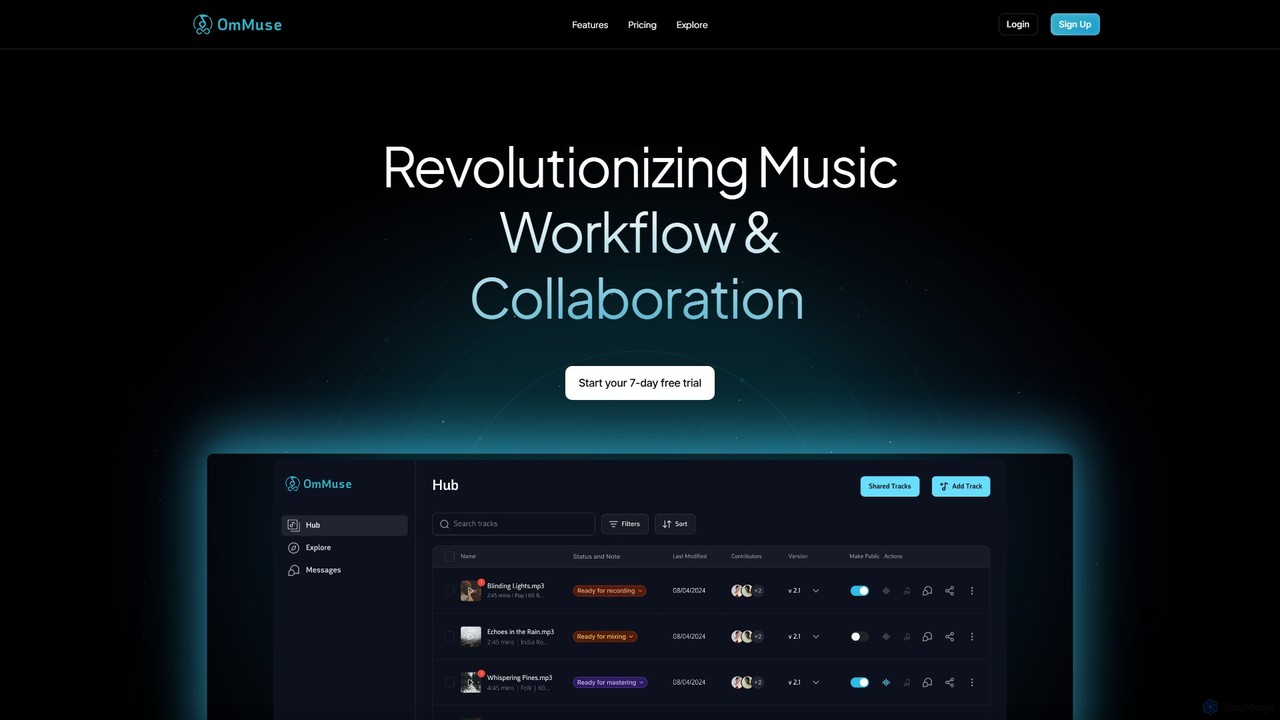
A comprehensive AI-powered platform for musicians and music companies. OmMuse revolutionizes music workflow with centralized storage, global collaboration tools, AI-based organization, integrated mastering, and future-ready distribution and royalty management. It's designed to help artists store, create, collaborate, and share their music seamlessly.
About Cloud Storage
Cloud Storage services are platforms that allow you to store, manage, and access digital files online from any internet-connected device. These services operate on a network of remote servers, providing a scalable and resilient alternative to local storage. They are fundamental for enabling remote collaboration, securing data through offsite backups, and providing flexible storage capacity for individuals and businesses. Many modern cloud storage solutions incorporate AI to offer advanced features like intelligent search, automatic file categorization, and proactive security threat detection.
Core Features
- Remote Accessibility: Access files from anywhere, on any device (desktop, mobile, tablet) with an internet connection.
- File Synchronization: Automatically update files across all connected devices to ensure version consistency.
- Collaboration Tools: Share files or folders with others, set permissions, and often collaborate on documents in real-time.
- Automated Backup: Schedule automatic backups of local files to the cloud for disaster recovery and data protection.
- AI-Powered Search: Utilize artificial intelligence to search for files based on content, objects within images, or spoken words in audio/video files.
Use Cases
Cloud storage is widely used by remote teams for collaborative project management, allowing seamless sharing of documents and media. Creative professionals like photographers and video editors use it to store and deliver large asset files to clients globally. Businesses of all sizes rely on it for secure, offsite data backup and disaster recovery plans. It also serves as a central media library for individuals wanting to access their photos and videos across all their personal devices.
How to Choose
When selecting a cloud storage service, first assess your storage capacity needs and compare pricing tiers. Evaluate the platform's security features, such as end-to-end encryption and two-factor authentication. Consider its integration capabilities with other software you use daily, like project management tools or office suites. Finally, examine the collaboration features and ease of use to ensure it fits your team's workflow.
Cloud StorageUse Cases
Centralized Asset Management for Creative Teams
A global marketing agency uses a cloud storage platform as a single source of truth for all creative assets, including high-resolution videos, brand guidelines, and campaign graphics. Designers in one country can upload final assets, which are instantly synchronized and available to social media managers and clients across different continents. AI-powered features automatically tag content based on visual elements (e.g., 'logo', 'product shot'), making assets searchable and eliminating hours of manual organization. This ensures brand consistency and significantly accelerates campaign launch timelines.
Secure Client Portals for File Delivery
A freelance photographer uses a cloud storage service to create secure, password-protected folders for each client. After a photoshoot, they upload the edited high-resolution images to the client's dedicated folder and share a link. Clients can view, comment on, and download their photos directly. This method is more professional and secure than email attachments, which have size limits and security risks. It also provides a centralized archive of all past projects, easily accessible for future reference or re-downloads.
Automated Data Backup and Disaster Recovery
A small business sets up its cloud storage service to automatically sync and back up critical company files from their local server every night. This includes financial records, customer databases, and project files. If a local hardware failure, cyberattack, or natural disaster occurs, the business can quickly restore all its data from the secure cloud backup, minimizing downtime and potential revenue loss. This 'set it and forget it' approach provides peace of mind and ensures business continuity without requiring constant manual oversight.
Cross-Device Access to Personal Media
An individual uses cloud storage as their primary photo and video library. They set their smartphone to automatically upload new photos and videos to the cloud. This not only frees up storage space on their phone but also makes their entire media collection instantly accessible on their laptop, tablet, and smart TV. They can easily create shared albums for family and friends, and AI-powered search allows them to find specific memories by searching for people, places, or objects, such as 'photos of Sarah at the beach in 2022'.
Collaborative Document Editing for Remote Teams
A distributed team of researchers uses a cloud storage service with integrated office suite features to co-author a research paper. Multiple authors can work on the same document simultaneously, see each other's changes in real-time, and leave comments. The platform's version history feature allows them to track all changes and revert to previous versions if needed. This eliminates the confusion of emailing multiple versions of a document back and forth and creates a single, always-up-to-date source for their collaborative work.
Scalable Storage for Application Data
A mobile app developer uses a cloud storage service's API to store and retrieve user-generated content, such as profile pictures and uploaded documents. This approach allows the application to scale seamlessly as the user base grows, without the developer needing to manage physical storage servers. The cloud provider handles the infrastructure, ensuring high availability and data durability. This lets the development team focus on building app features rather than worrying about storage maintenance, capacity planning, and data replication.