
ToolMage
Sign in

AI TOOL COMPARISON

AdMaker vs ClipMove

What is the difference, and which fits your workflow? Compare features, usage, pricing models and traffic side by side.

Jump to key differences

Product overview

AdMaker Product overview

AdMaker is an AI-powered video ad creation platform that transforms product URLs, scripts, or text into high-converting video ads in minutes. It features realistic AI avatars, precise lip-syncing, and a vast library of templates, enabling marketers and e-commerce businesses to produce professional ads at scale, reducing costs and production time significantly.

Preview

ClipMove Product overview

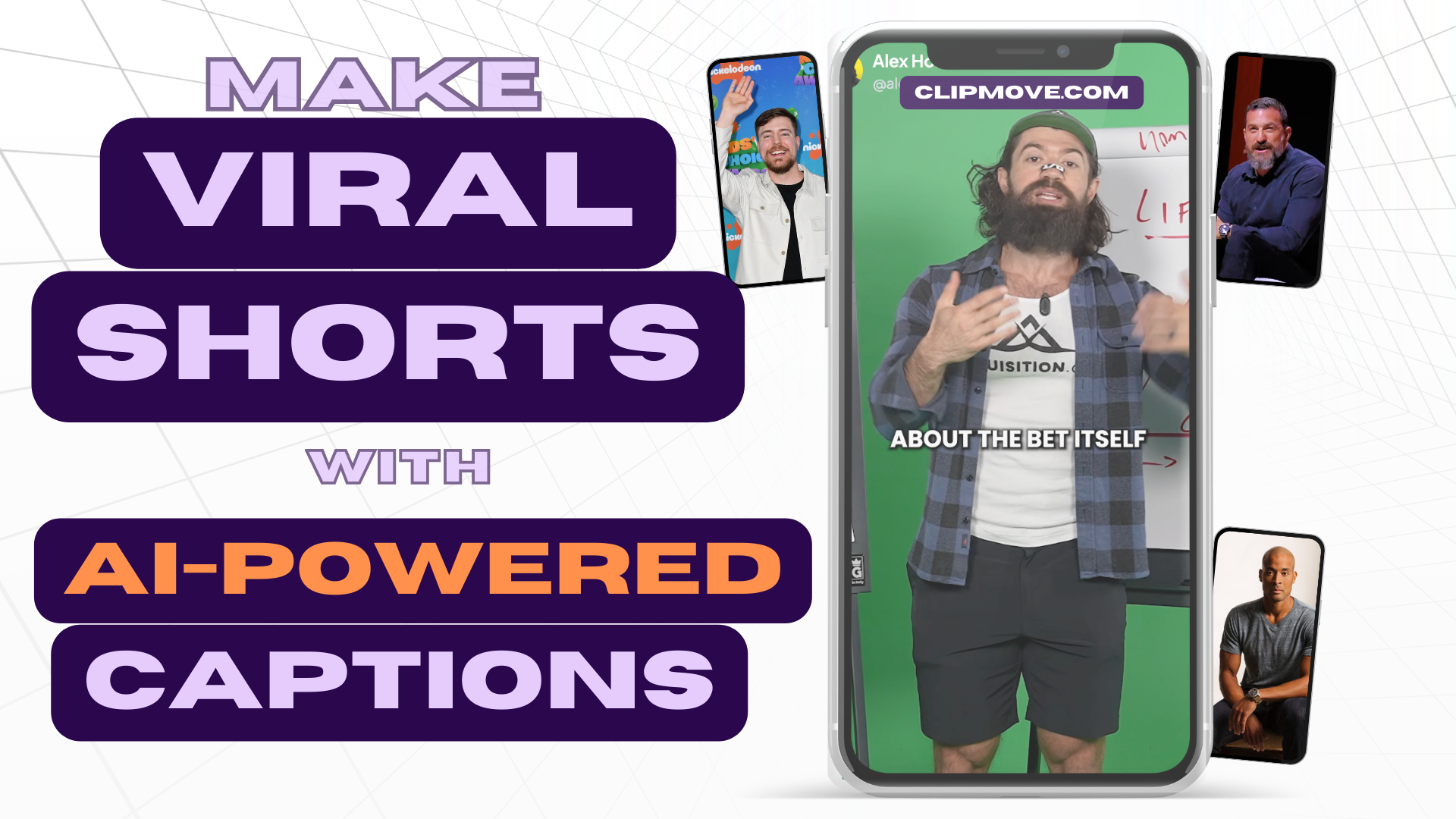
ClipMove is an AI-powered video creation platform that enables users to generate viral short-form videos 12x faster. It features an AI video editor for dynamic captions, a text-to-video generator, and an AI avatar creator. It's designed for content creators, marketers, teams, and agencies to streamline their video production workflow.

Preview

Quick facts

Compare product focus, pricing models and audiences. Highlighted rows indicate different listed information; unknown pricing does not mean free.

AdMaker VS ClipMove — Quick facts
Quick factsAdMakerClipMove
Pricing modelFreemiumFreemium
Product typeWebWeb
Primary focusVideo MarketingVideo Marketing
Audience and rolesNo data availableNo data available
CategoriesVideo Marketing · Automation · Content Creation · Video GenerationVideo Marketing · Automation · Content Creation · Video Generation
AddedAug 7, 2025Aug 11, 2025
UpdatedNov 19, 2026Nov 19, 2026

Features, usage and use cases

Explore the listed product descriptions, features and workflows. Taxonomy labels alone are not feature evaluations.

AdMaker

AdMaker is a next-generation, all-in-one AI advertising creation tool designed to streamline the production of high-impact video ads. It empowers users, from e-commerce managers to content creators, to generate professional-quality video content without needing any editing skills. By simply pasting a product URL, AdMaker's AI can scan the page, extract key features and benefits, and automatically generate a compelling video script and visuals. The platform is built for speed, scale, and powerful storytelling, aiming to dramatically increase efficiency and campaign ROI.

The suite of tools within AdMaker covers the entire ad creation workflow. It includes an AI Product Video Maker, an AI Product Image Generator for stunning visuals, and a sophisticated AI Avatar Generator with over 296 realistic avatars. Users can even create custom avatars by uploading a photo. This versatility makes it an indispensable asset for creating consistent, on-brand content across all major social media platforms like TikTok, Instagram, YouTube, and Facebook.

How to use AdMaker

AdMaker simplifies video creation into a straightforward, three-step process:

  1. Input Your Source: Start by providing the core content. You can paste a product page URL for the AI to analyze, type or paste a text script directly, or upload a pre-recorded audio file.
  2. Customize Your Ad: Choose from a wide selection of video templates tailored for different platforms. Select one of the 296+ realistic AI avatars or upload a photo to create a custom one. Then, pick a voice from a library of over 5,000 options in more than 30 languages and accents to match your brand's tone.
  3. Generate and Export: Click the 'Generate' button. The AI will assemble the video, complete with perfectly synchronized lip movements and natural expressions, in just a few minutes. You can then preview the result, make any final adjustments, and export the high-definition video ready for sharing on any platform.

Core Features of AdMaker

  • AI Product Video Maker (URL-to-Video): Automatically converts any product page link into a complete video ad, analyzing content to generate scripts and scenes.
  • AI Avatar Generator: Offers a library of 296+ diverse, realistic avatars and the ability to create custom avatars from a single photo for personalized branding.
  • AI Lip Sync & Text-to-Speech: Features precise lip-sync technology that turns scripts or audio into expressive talking avatar videos. It supports over 30 languages with various accents and emotional tones.
  • AI Product Image Generator: Creates high-quality product visuals and lifestyle shots from simple photos and text prompts, perfect for e-commerce and social media.
  • Script-to-Video: Instantly transforms text scripts into engaging videos, eliminating the need for manual editing.
  • Extensive Template & Ad Library: Provides hundreds of ad templates optimized for various social platforms and access to a library of high-performing ads for creative inspiration.

Use Cases for AdMaker

AdMaker is versatile and serves a wide range of professionals:

  • E-commerce Managers: Quickly produce product showcase videos, promotional ads, and A/B test different creatives to boost conversion rates.
  • Marketers: Scale ad campaigns rapidly by generating numerous video variations in a fraction of the time and cost of traditional production.
  • Content Creators & Influencers: Generate daily talking-head videos for TikTok, YouTube Shorts, and Instagram Reels without being on camera, using custom avatars for a unique brand presence.
  • Online Educators & Trainers: Create engaging instructional videos, course modules, and corporate training materials with consistent, professional narration.
  • Startup Founders: Craft polished investor updates, product demos, and pitch videos quickly and affordably.

Advantages of AdMaker

Users choose AdMaker for its significant benefits:

  • Massive Cost Reduction: Reduces production costs by up to 95% by eliminating the need for actors, studios, and editing teams.
  • 10x Faster Production: Create polished videos in minutes instead of days or weeks, accelerating marketing timelines.
  • Increased Performance: User testimonials report up to 40% higher click-through rates (CTR) and 2.5x return on investment (ROI).
  • No Technical Skills Required: The intuitive interface allows anyone to create professional-grade videos without prior editing experience.
  • Scalability and A/B Testing: Effortlessly generate multiple ad variations to test what resonates best with your audience.
  • Global Reach: Engage international audiences with multi-language support for both voice and text.

Pricing and Plans

AdMaker operates on a freemium model. Users can start creating videos for free to explore the platform's core features, with no credit card required. The free plan may include limitations such as watermarks on exported videos or restricted access to premium avatars and voices. For full functionality, commercial usage rights, watermark-free exports, and access to all advanced features, AdMaker offers various paid subscription plans tailored to the needs of individuals, small businesses, and larger agencies.

ClipMove

ClipMove is a comprehensive AI-driven platform designed to revolutionize short-form video creation for social media platforms like TikTok, Instagram Reels, and YouTube Shorts. It empowers creators, marketing teams, and agencies to produce high-quality, engaging video content at an unprecedented speed—up to 12 times faster than traditional methods. The platform's core mission is to simplify the entire video production process, from initial idea to final, polished clip, making professional-grade video creation accessible to everyone, regardless of their technical expertise.

At the heart of ClipMove are two powerful tools: an advanced AI video editor and an innovative AI avatar generator. The video editor excels at adding dynamic, eye-catching captions and subtitles, a crucial element for viewer retention on social media. The AI avatar generator allows users to create content without ever stepping in front of a camera or hiring actors, providing a cost-effective and efficient solution for producing ads, explainers, and other video content.

How to use ClipMove

ClipMove offers a streamlined, intuitive workflow that transforms text-based content into stunning videos in just a few simple steps:

  1. Provide Your Content: Start by inputting your content. You can paste a video script, a blog post excerpt, or even a URL from a tweet, LinkedIn post, or article. The AI will use this as the foundation for your video.
  2. Select Voice and Audio Options: Choose from a vast library of realistic AI-generated voices. For greater personalization, you can integrate a custom voice from ElevenLabs or record your own voiceover directly within the tool, which features a helpful teleprompter. You can also upload a pre-recorded audio file.
  3. Customize Visual Elements: Define the visual style of your video. Options include high-quality stock footage, AI-generated images, AI-animated visuals, or a unique AI-morphed video effect. You can guide the AI's visual choices by adding descriptive prompts in [square brackets] within your script.
  4. Generate and Refine: Click the "Generate Video" button. The AI will assemble your video in minutes, complete with visuals, voiceover, subtitles, and transitions. After generation, you can use ClipMove's integrated editing suite to make final adjustments, such as trimming clips, adding text overlays, or fine-tuning audio before downloading and sharing.

Core Features of ClipMove

  • AI Video Generator: Effortlessly convert text, scripts, or URLs into complete videos.
  • AI Avatar Creator: Produce videos with realistic AI avatars, eliminating the need for filming.
  • Dynamic AI Captions: Automatically generate and animate engaging subtitles to boost viewer engagement and accessibility.
  • Versatile Voice Options: Access a wide range of AI voices, integrate custom ElevenLabs voices, or record/upload your own audio.
  • Multiple Visual Styles: Choose from stock footage, AI-generated images, AI animations, and AI-morphed video to match your brand's aesthetic.
  • Integrated Video Editor: A full-featured editor for post-generation tweaks, including trimming, text overlays, and audio adjustments.
  • High-Quality Exports: Export videos in high resolution, with a 60 FPS option available for enterprise users for ultra-smooth playback.

Use Cases for ClipMove

ClipMove is a versatile tool suitable for a wide range of applications:

  • Social Media Marketing: Quickly create a high volume of video ads, promotional content, and daily updates for platforms like TikTok, Instagram, and Facebook.
  • Content Repurposing: Transform existing blog posts, articles, and tweets into engaging short-form videos to reach a wider audience.
  • Corporate & B2B Content: Produce professional B2B video examples, product explainers, and internal training materials without the high cost of traditional production.
  • Personal Branding: Content creators and influencers can efficiently produce a consistent stream of videos to grow their following and enhance their brand presence.

Advantages of ClipMove

Using ClipMove provides a significant competitive edge. The primary advantage is the massive boost in speed and efficiency, allowing users to create content 12x faster. This leads to significant cost savings by reducing the need for actors, camera equipment, and complex editing software. The platform is incredibly user-friendly, democratizing video creation for those without a background in video editing. Its all-in-one nature—from script to final edit—streamlines the workflow, while its high degree of customization ensures that the final product aligns perfectly with the user's vision.

Pricing and Plans

ClipMove offers a flexible, tiered pricing structure to suit different needs, with options to pay monthly or yearly (saving up to 70% on yearly plans). All plans have no hidden fees and can be canceled anytime.

  • Free Plan: New users typically start with a limited number of free credits to test the platform's capabilities.
  • ClipMove Pro: Priced at $14.33/month, this plan includes 20 videos per month and is ideal for individual creators.
  • ClipMove Ultimate: The most popular plan at $24.00/month. It includes everything in Pro, plus increases limits to 50 videos per month, 10 AI Avatar videos per month, and offers priority support.
  • ClipMove Enterprise: For $70.00/month, this plan offers unlimited access to all AI video tools, 50 AI Avatar videos per month, priority support, and 60 FPS video exports.

Positioning

Their taxonomy shows where the products overlap and where each one has a more distinct focus. Unknown fields are shown explicitly and are never filled with assumptions.

Categories

Shared
Video MarketingAutomationContent CreationVideo Generation
Only AdMaker
No listed items
Only ClipMove
No listed items

Tags

Shared
ai avatartext to video
Only AdMaker
e-commercelip syncmarketing automationproduct videoscript to videosocial media adsurl to videovideo ad generator
Only ClipMove
ai videocaptionscontent creationmarketingshort-form videosocial mediasubtitlestiktok generatorvideo generator

Audience and roles

Shared
No listed items
Only AdMaker
No listed items
Only ClipMove
No listed items

Traffic comparison

Traffic is shown on the same scale so differences in market visibility are not visually understated.

How to interpret the traffic data

Both charts share the same months and vertical scale. Each tool identifies its latest reporting month; missing months are left blank, not counted as zero. Regional and source visit counts are estimates calculated from the reported shares.

AdMaker monthly traffic:

Latest traffic · 2026-05

Monthly visits
6.5K
Avg. visit duration
0:35
Pages per visit
1.58
Bounce rate
38.96%
Data updated 2026-06-11

Monthly traffic trend

  • 2025-09: No data available
  • 2026-01: 3.5K
  • 2026-02: 3.4K
  • 2026-03: 498
  • 2026-04: 2K
  • 2026-05: 6.5K

Top regions

Top 5 countries/regions
Country/regionPercentageEstimated visits
🇮🇳India50.61%3.3K
🇵🇪Peru20.13%1.3K
🇹🇷Turkey13.64%889
🇺🇦Ukraine10.9%710
🇧🇷Brazil4.72%308

Search keywords

admaker.iabiblioteca de anuncios tik token que ia puedo crear imagenes promocionales de mis productosfacebook mobile cover sizegif横幅广告

ClipMove monthly traffic:

Latest traffic · 2026-05

Monthly visits
8.1K
Avg. visit duration
0:19
Pages per visit
3.54
Bounce rate
46.19%
Data updated 2026-06-15

Monthly traffic trend

  • 2025-09: 48.1K
  • 2026-01: 26.2K
  • 2026-02: 18.7K
  • 2026-03: 14.8K
  • 2026-04: 7.3K
  • 2026-05: 8.1K

Top regions

Top 5 countries/regions
Country/regionPercentageEstimated visits
🇺🇸United States95.3%7.7K
🇲🇽Mexico3.28%266
🇵🇭Philippines1.42%115

Traffic sources

Source typePercentageEstimated visits
Direct75.69%6.1K
Referral24.31%2K

Search keywords

clipmoveclipmove aiextract youtube audioyoutube video cutter onlineyt shorts download

Community signals

Ratings, comments, favorites, and likes are community signals—not a substitute for product fit.

AdMaker

Rating
No data available
Comments
0
Favorites
166
Likes
173

ClipMove

Rating
No data available
Comments
0
Favorites
176
Likes
157

AdMaker vs ClipMove · Comparison FAQ

What do AdMaker and ClipMove have in common?
Both tools are listed under Video Marketing、Automation、Content Creation、Video Generation. These categories indicate overlapping use cases; compare their detailed descriptions for workflows, capabilities and limitations.
Are AdMaker and ClipMove free?
Listed pricing models: AdMaker — Freemium; ClipMove — Freemium. Missing pricing is not proof of a free plan, and freemium does not mean every feature is free. Check official sites for current plans, limits and trials.
How should I choose between AdMaker and ClipMove?
The primary listed category is Video Marketing for AdMaker, and Video Marketing for ClipMove. Compare features, steps and use cases, then verify pricing, data permissions and deployment needs. This page does not include hands-on testing and does not declare a winner from traffic or tags.

Sources and comparison methodology

This page is assembled from ToolMage product listings, taxonomy, traffic statistics and on-site user feedback. It is not a hands-on test or an independent review.

  • Feature and plan descriptions reflect information in the listings, not real-time guarantees. Verify pricing, quotas, availability and privacy terms on the official sites.
  • Traffic uses the reporting months shown. Missing statistics do not mean zero visits, and different periods do not establish growth or superiority. Regional and source visit counts are estimates based on shares.
  • Different tags indicate differences in the listings, not proof that the other product lacks a capability. Ratings, favorites and visits are not used to declare a winner.

Related comparisons