ToolMage
Sign in

AI TOOL COMPARISON

Airparser vs Parseur

What is the difference, and which fits your workflow? Compare features, usage, pricing models and traffic side by side.

Jump to key differences

Product overview

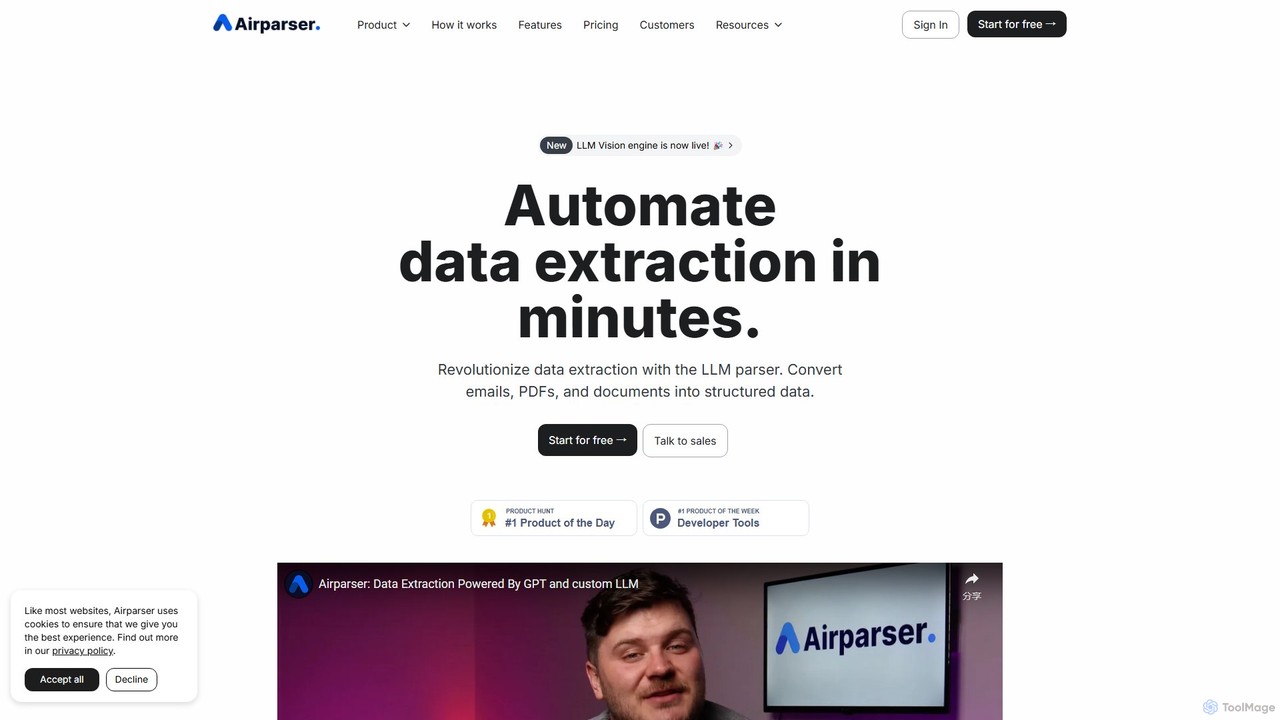
Airparser Product overview

Airparser is an LLM-powered data extraction tool that automates the process of converting unstructured data from emails, PDFs, and various documents into structured, actionable formats. It uses advanced AI to understand context, eliminating the need for manual data entry and complex parsing rules.

Preview

Parseur Product overview

Parseur is a powerful AI-powered document parsing tool that automates data extraction from emails, PDFs, and other documents. It converts unstructured text into structured data and sends it to thousands of applications, eliminating manual data entry and saving significant time.

Preview

Quick facts

Compare product focus, pricing models and audiences. Highlighted rows indicate different listed information; unknown pricing does not mean free.

Airparser VS Parseur — Quick facts
Quick factsAirparserParseur
Pricing modelFreemiumFreemium
Product typeWebWeb
Primary focusDocument ManagementDocument Management
Audience and rolesNo data availableNo data available
CategoriesDocument Management · Extraction · AutomationDocument Management · Extraction · Automation
AddedAug 4, 2025Aug 6, 2025
UpdatedNov 19, 2026Nov 19, 2026

Features, usage and use cases

Explore the listed product descriptions, features and workflows. Taxonomy labels alone are not feature evaluations.

Airparser

Airparser is a revolutionary data extraction platform powered by advanced Large Language Models (LLMs), including a sophisticated Vision engine. It is designed to automate the conversion of unstructured text from a wide array of sources—such as emails, PDFs, attachments, scanned documents, and even handwritten notes—into clean, structured data. By leveraging AI to understand context and meaning like a human, Airparser eliminates tedious manual data entry, reduces errors by over 90% compared to traditional methods, and streamlines complex workflows in minutes.

The platform is built for simplicity and power, allowing users to set up a parser in under five minutes without writing a single line of code. You simply describe the data fields you need to extract, and Airparser's intelligent engine handles the rest. It can process thousands of documents per hour and seamlessly adapts to variations in document layouts and formats, a significant advantage over traditional template-based parsers that break with any change.

How to use Airparser

Getting started with Airparser is a straightforward, three-step process designed for maximum efficiency:

  1. Import Documents: You have multiple flexible options to bring your documents into the system. You can forward emails directly to a dedicated Airparser inbox, manually upload files (PDFs, images, Word docs), or automate the import process entirely using its robust API or through integrations with platforms like Zapier and Make.com.
  2. Extract Data: This is where the magic happens. Instead of creating complex rules or templates, you simply create an 'extraction schema' by listing the names of the data fields you want to capture (e.g., 'Customer Name', 'Invoice Number', 'Order Date'). Airparser's LLM-powered engine, including its Vision and AI OCR capabilities, intelligently reads the document, understands the context, and extracts the specified information with high precision.
  3. Export & Integrate: Once the data is parsed, it's immediately available for use. You can export the structured data in real-time to Google Sheets, download it as an Excel, CSV, or JSON file, or send it to a webhook for custom integrations. With native support for Zapier and Make, you can connect Airparser to over 7000 applications like HubSpot, QuickBooks, Slack, and Airtable to build powerful end-to-end automations.

Core Features of Airparser

  • LLM-Powered Parsing Engine: Utilizes custom GPT and Vision LLMs for highly accurate and context-aware data extraction from any document type.
  • Versatile Document Support: Extracts data from emails, PDFs, images, HTML, scanned documents, and even handwritten texts. It also handles email attachments seamlessly.
  • No-Code Schema Setup: Simply describe the data you need in plain language. No need for complex regular expressions (regex) or fixed templates.
  • Table Extraction: Automatically identifies and extracts data from tables within documents, preserving the row and column structure.
  • Multi-Language Support: Trained to recognize and process typed, scanned, and handwritten text in over 60 languages.
  • Extensive Integrations: Connects with over 7000+ apps via Zapier and Make, plus native integrations with Google Sheets, HubSpot, QuickBooks, and more.
  • Developer-Friendly API & Webhooks: Offers a full-featured REST API and webhooks for creating custom, complex automation workflows.
  • High-Level Security: Employs 256-bit AES encryption for data at rest and in transit. User data is never used for training AI models, ensuring privacy and compliance.

Use Cases for Airparser

Airparser is a versatile tool applicable across various industries:

  • E-commerce & Retail: Automate the processing of order confirmations, extracting order numbers, customer details, SKUs, and shipping information to update inventory and CRM systems.
  • Real Estate: Parse property inquiries from emails, extract client contact information, showing requests, and offer details to manage leads and schedule appointments automatically.
  • Finance & Accounting: Streamline accounts payable by extracting data from invoices, receipts, and purchase orders, such as amounts, dates, and vendor details, and syncing it with accounting software like QuickBooks.
  • Human Resources: Efficiently process CVs and resumes by extracting candidate names, contact information, work experience, and skills to populate applicant tracking systems.
  • Legal: Simplify contract management by automatically extracting key terms, party names, effective dates, and other critical data from legal documents.

Advantages of Airparser

Airparser stands out from traditional parsing tools by offering superior intelligence and flexibility. Unlike rule-based parsers that are rigid and require constant maintenance, Airparser's AI adapts to any format, understanding context like a human. This results in a 99% accuracy rate, a 90% reduction in errors, and massive time savings. The setup is incredibly fast, and its ability to handle unstructured, human-written text and a wide variety of document types makes it a uniquely powerful and user-friendly solution for any business looking to eliminate manual data entry.

Pricing and Plans

Airparser offers a flexible, credit-based pricing model with a free trial to get started.

  • Free Trial: Includes 30 non-renewable credits to test all features, including API and integrations.
  • Starter Plan: $33/month (billed annually) for 100 credits/month. Includes OCR support and integrations.
  • Growth Plan: $49/month (billed annually) for 500 credits/month. A popular choice for growing businesses.
  • Business Plan: $149/month (billed annually) for 2,000 credits/month. Adds unlimited team members.
  • Premium Plan: $249/month (billed annually) for 5,000 credits/month, with longer data retention.

One credit is used per parsed email, document, or PDF page. Annual subscriptions offer a ~17% discount. High-volume enterprise plans are also available upon request.

Parseur

Parseur is an advanced AI data extraction software designed to automate the tedious process of extracting text and data from various documents like emails, PDFs, and spreadsheets. Trusted by thousands of businesses in finance, logistics, real estate, and e-commerce, Parseur helps companies save up to 98% of their manual data entry time, allowing them to focus on core business growth. It transforms unstructured document data into structured, actionable information that can be seamlessly integrated into any business workflow.

How to use Parseur

Using Parseur is a straightforward, four-step process that requires no coding knowledge or complex rule creation:

  1. Choose a Parser Type: Start by selecting a pre-built parser for common document types like invoices, purchase orders, real estate leads, or food delivery orders. You can also create a custom parser by defining the specific data fields you need to extract.
  2. Import Your Documents: Parseur supports a wide range of import methods. You can forward your emails to a dedicated Parseur mailbox, upload documents (PDF, CSV, Excel, TXT, DOCX, etc.) directly in the app, or automate the import process using its API or integrations with platforms like Zapier, Make, and Power Automate.
  3. Extract Data: Parseur utilizes three powerful parsing engines. The primary engine is a state-of-the-art AI Parser that automatically understands and extracts data based on the fields you list. For documents with consistent layouts, you can use the Zonal OCR Parser (for PDFs) or the Text Template Parser by simply clicking on the data you want to extract in a sample document. Its advanced OCR engine supports almost all languages and can even recognize handwritten text.
  4. Export Structured Data: Once the data is extracted, Parseur can automatically send it to thousands of applications. It offers native integrations with Google Sheets, Zapier, Make, and Microsoft Power Automate. You can also send data to your own application via webhooks or download it as a CSV, Excel, or JSON file.

Core Features of Parseur

  • AI-Powered Parsing: Intelligently extracts data from any document layout without requiring pre-defined templates.
  • Template-Based Parsing: Create highly accurate templates for fixed-layout documents using point-and-click functionality.
  • Advanced OCR Technology: A powerful OCR engine that recognizes printed text, handwritten notes, and supports virtually all languages and alphabets.
  • Broad Document Support: Process emails, PDFs (native and scanned), Excel sheets, CSVs, text files, HTML, and even images.
  • Table and Line Item Extraction: Easily capture data from tables and repeating structures, such as line items on an invoice or products in an order.
  • Data Normalization: Automatically formats and standardizes extracted data, including dates, numbers, names, and addresses, for consistency.
  • Seamless Integrations: Connects with thousands of apps via Zapier, Make, Power Automate, and offers webhooks and a robust API for custom integrations.
  • High Scalability and Reliability: Built to process millions of documents per month with 99.9%+ uptime and robust redundancy mechanisms.
  • Security and Compliance: Data is hosted in the EU and is fully compliant with GDPR, CCPA, and other major privacy regulations.

Use Cases for Parseur

Parseur is versatile and used across many industries:

  • Finance: Automate the processing of invoices, receipts, and bank statements to streamline accounting workflows.
  • Logistics & Supply Chain: Extract data from bills of lading, shipping confirmations, and delivery orders to track shipments.
  • E-commerce: Process purchase orders and order confirmations from various platforms automatically.
  • Real Estate: Capture leads from property portal emails and send them directly to a CRM.
  • Marketing: Export Google Alerts to a spreadsheet for brand monitoring and competitive analysis.
  • Human Resources: Parse resumes and job applications to streamline the hiring process.

Advantages of Parseur

Parseur offers a competitive edge with its user-centric design and powerful features. It provides a much shorter learning curve compared to alternatives, allowing teams to become productive quickly. The combination of AI and template-based engines offers unmatched flexibility. Its transparent, scalable pricing is significantly more cost-effective than many competitors, and it offers a generous free plan, making it accessible to businesses of all sizes. Furthermore, its responsive and expert customer support ensures users can maximize the tool's potential.

Pricing and Plans

Parseur operates on a freemium model, offering a Permanent Free Plan that includes all features and a monthly quota of document processing credits. For higher volumes, there are several paid plans available, starting from a very competitive price point. Users can easily upgrade, downgrade, or cancel their subscription at any time directly within the application without needing to contact sales. This transparent and flexible pricing structure makes it a cost-effective alternative to other solutions like Docsumo or Nanonets.

Positioning

Their taxonomy shows where the products overlap and where each one has a more distinct focus. Unknown fields are shown explicitly and are never filled with assumptions.

Categories

Shared
Document ManagementExtractionAutomation
Only Airparser
No listed items
Only Parseur
No listed items

Tags

Shared
automationdata entrydata extractionemail parserOCRpdf parserworkflow automation
Only Airparser
document parserinvoice processingllmmakeZapier
Only Parseur
document parsingno-codeZapier integration

Audience and roles

Shared
No listed items
Only Airparser
No listed items
Only Parseur
No listed items

Traffic comparison

Traffic is shown on the same scale so differences in market visibility are not visually understated.

How to interpret the traffic data

Both charts share the same months and vertical scale. Each tool identifies its latest reporting month; missing months are left blank, not counted as zero. Regional and source visit counts are estimates calculated from the reported shares.

Airparser monthly traffic:

Latest traffic · 2026-05

Monthly visits
25.8K
Avg. visit duration
0:33
Pages per visit
2.89
Bounce rate
36.91%
Data updated 2026-06-15

Monthly traffic trend

  • 2025-09: 21.6K
  • 2026-01: 34.2K
  • 2026-02: 19.4K
  • 2026-03: 26.1K
  • 2026-04: 28.7K
  • 2026-05: 25.8K

Top regions

Top 5 countries/regions
Country/regionPercentageEstimated visits
🇺🇸United States41.17%10.6K
🇮🇳India23.24%6K
🇻🇳Vietnam16.69%4.3K
🇩🇪Germany10.54%2.7K
🇨🇦Canada8.36%2.2K

Search keywords

free pdf ocrisocpeur font not searcheable in pdfpdf ocrpdf to ocrwhat ai agent can smartly read an email and extract metadata

Parseur monthly traffic:

Latest traffic · 2026-05

Monthly visits
152.4K
Avg. visit duration
0:56
Pages per visit
2.44
Bounce rate
43.56%
Data updated 2026-06-15

Monthly traffic trend

  • 2025-09: No data available
  • 2026-01: 165.5K
  • 2026-02: 131.1K
  • 2026-03: 186.8K
  • 2026-04: 149.7K
  • 2026-05: 152.4K

Top regions

Top 5 countries/regions
Country/regionPercentageEstimated visits
🇺🇸United States26.74%40.8K
🇧🇷Brazil25.82%39.4K
🇮🇳India24.21%36.9K
🇰🇷Korea, Republic of12.05%18.4K
🇩🇪Germany11.18%17K

Traffic sources

Source typePercentageEstimated visits
Direct91.17%139K
Referral8.26%12.6K
Email0.57%869

Search keywords

ocr pdfparseurpdf 텍스트 추출pdf ocrwebhook

Community signals

Ratings, comments, favorites, and likes are community signals—not a substitute for product fit.

Airparser

Rating
No data available
Comments
0
Favorites
171
Likes
180

Parseur

Rating
No data available
Comments
0
Favorites
156
Likes
160

Airparser vs Parseur · Comparison FAQ

What do Airparser and Parseur have in common?
Both tools are listed under Document Management、Extraction、Automation. These categories indicate overlapping use cases; compare their detailed descriptions for workflows, capabilities and limitations.
Are Airparser and Parseur free?
Listed pricing models: Airparser — Freemium; Parseur — Freemium. Missing pricing is not proof of a free plan, and freemium does not mean every feature is free. Check official sites for current plans, limits and trials.
How should I choose between Airparser and Parseur?
The primary listed category is Document Management for Airparser, and Document Management for Parseur. Compare features, steps and use cases, then verify pricing, data permissions and deployment needs. This page does not include hands-on testing and does not declare a winner from traffic or tags.

Sources and comparison methodology

This page is assembled from ToolMage product listings, taxonomy, traffic statistics and on-site user feedback. It is not a hands-on test or an independent review.

  • Feature and plan descriptions reflect information in the listings, not real-time guarantees. Verify pricing, quotas, availability and privacy terms on the official sites.
  • Traffic uses the reporting months shown. Missing statistics do not mean zero visits, and different periods do not establish growth or superiority. Regional and source visit counts are estimates based on shares.
  • Different tags indicate differences in the listings, not proof that the other product lacks a capability. Ratings, favorites and visits are not used to declare a winner.

Related comparisons