
ToolMage
Sign in

AI TOOL COMPARISON

Baloon.dev vs CodeAI

What is the difference, and which fits your workflow? Compare features, usage, pricing models and traffic side by side.

Jump to key differences

Product overview

Baloon.dev Product overview

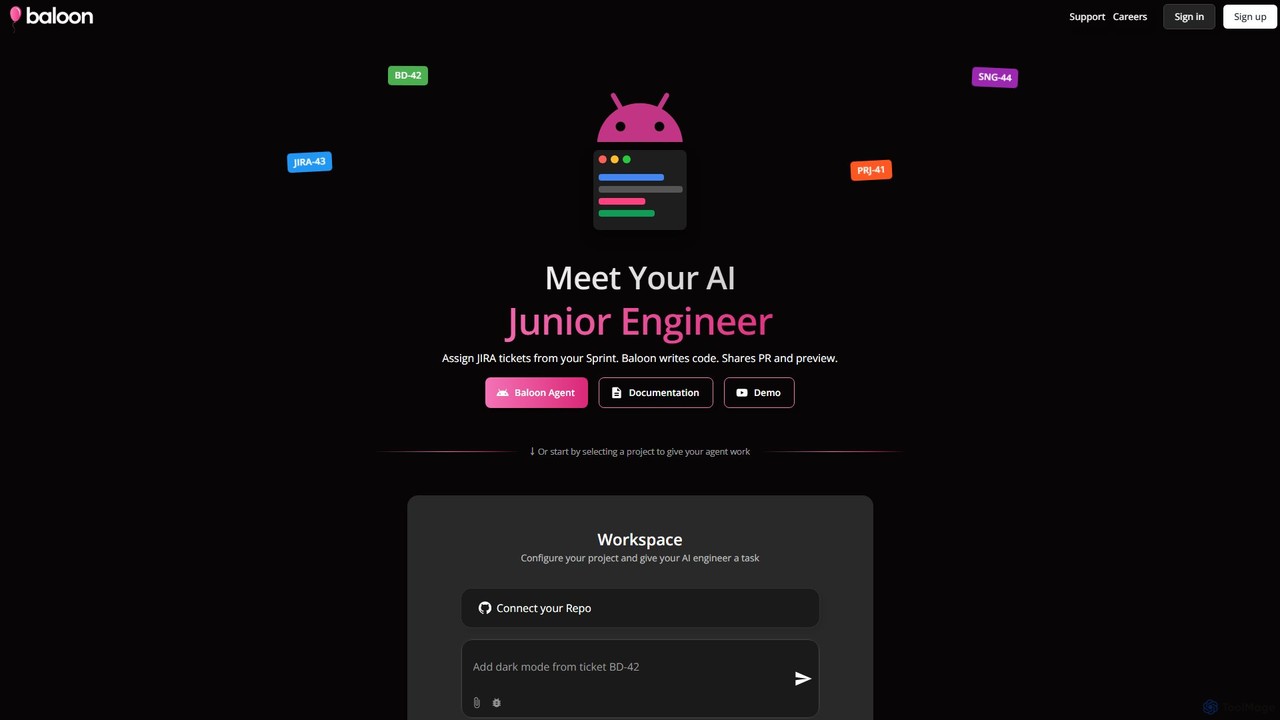
Baloon.dev is an AI-powered junior engineer that automates software development by converting JIRA tickets directly into code. It integrates seamlessly with your JIRA board, analyzes tasks, writes production-ready frontend code, and submits pull requests with live previews, accelerating your development cycle.

Preview

CodeAI Product overview

CodeAI is a privacy-first, AI-powered development platform designed to help developers build better code faster. It offers AI-assisted coding, automated commit generation, one-click deployment, and seamless integration with GitHub and VSCode, all while ensuring your code never leaves your machine.

Preview

Quick facts

Compare product focus, pricing models and audiences. Highlighted rows indicate different listed information; unknown pricing does not mean free.

Baloon.dev VS CodeAI — Quick facts
Quick factsBaloon.devCodeAI
Pricing modelFreemiumFreemium
Product typeWebWeb
Primary focusSoftware DevelopmentCode Assistant
Audience and rolesNo data availableNo data available
CategoriesSoftware Development · Code Assistant · Task ManagementCode Assistant · Web Development · Automation
AddedAug 5, 2025Aug 8, 2025
UpdatedNov 19, 2026Nov 19, 2026

Features, usage and use cases

Explore the listed product descriptions, features and workflows. Taxonomy labels alone are not feature evaluations.

Baloon.dev

Baloon.dev introduces a revolutionary AI agent designed to function as an AI Junior Engineer for your development team. This innovative tool streamlines the development workflow by directly translating JIRA tickets into functional, production-ready code. By integrating into your existing JIRA and Git-based environment, Baloon.dev automates the handling of routine tasks, such as bug fixes and UI tweaks, allowing your senior developers to concentrate on more complex and strategic challenges. It effectively bridges the gap between project management and code implementation, significantly accelerating the delivery pipeline.

The core premise of Baloon.dev is to act as a dedicated team member. When a task is created in JIRA, you can assign it to the Baloon bot just as you would to a human developer. The AI then takes over, meticulously analyzing the requirements outlined in the ticket, writing the necessary frontend code (with a strong proficiency in frameworks like React and Next.js), and generating a pull request (PR) for review. This entire process is completed in minutes, not hours or days, transforming your team's productivity.

How to use Baloon.dev

Using Baloon.dev is designed to be an intuitive extension of your current workflow. The process is straightforward and consists of three main steps:

  1. Assign a JIRA Ticket: Start by creating a new ticket on your JIRA board for a bug fix, UI enhancement, or another frontend task. In the 'Assignee' field, simply select the Baloon bot. Provide a clear and concise description of the required changes.
  2. AI-Powered Code Generation: Once assigned, the Baloon agent immediately begins its work. It parses the ticket's description and requirements to understand the context and objectives. It then autonomously writes clean, production-quality frontend code to fulfill the request.
  3. Review and Deploy: After the code is written, Baloon.dev automatically creates a Pull Request in your connected code repository (e.g., GitHub). Crucially, it also provides a live preview link, allowing you and your team to see the changes in a real, interactive environment before merging. This instant feedback loop ensures quality and alignment with expectations.

Core Features of Baloon.dev

  • Seamless JIRA Integration: Functions as an AI teammate directly within your JIRA board, fitting perfectly into agile workflows.
  • Automated Code Generation: Specializes in writing high-quality, production-ready frontend code, particularly for React and Next.js applications.
  • Automatic Pull Request Creation: Automates the PR process, including a clear summary of changes based on the JIRA ticket.
  • Instant Live Previews: Generates a shareable preview environment for every change, enabling immediate visual feedback and testing.
  • Repository Connectivity: Securely connects to your GitHub repositories to access code and manage pull requests.
  • No-Setup Sample Project: Offers a sandbox environment where users can test Baloon's capabilities on a sample React/Next.js app without connecting their own repository.

Use Cases for Baloon.dev

Baloon.dev is ideal for a variety of scenarios, including:

  • Rapid Bug Fixing: Quickly address minor bugs, such as styling issues, layout problems, or simple logic errors, without interrupting the main development sprint.
  • UI/UX Tweaks: Empower product managers and designers to request and implement small UI changes (e.g., changing button colors, updating text, adjusting spacing) directly through JIRA.
  • Accelerating Prototyping: Quickly build or modify frontend components based on descriptions, speeding up the prototyping and iteration process.
  • Clearing Technical Debt: Systematically work through a backlog of small, low-priority frontend tasks that often get postponed.

Advantages of Baloon.dev

By integrating Baloon.dev, development teams can gain a significant competitive edge. The primary advantages include a dramatic increase in development velocity, as the time from ticket creation to deployment is drastically reduced. It enhances team productivity by freeing up senior engineers from tedious, repetitive tasks. Furthermore, it empowers non-technical team members like product managers to contribute directly to minor code changes, fostering better collaboration and reducing communication overhead. This leads to a more efficient, streamlined, and agile development process.

Pricing and Plans

Baloon.dev likely operates on a freemium or tiered subscription model. While specific pricing details are available on the official website, a typical structure would include:

  • Free/Trial Tier: A plan for individuals or small teams to test the service, possibly with a limited number of JIRA tickets or for use on public repositories only.
  • Team/Pro Tier: A paid plan designed for professional development teams, offering a higher volume of tickets, private repository support, and priority customer service.
  • Enterprise Tier: A custom plan for large organizations with specific needs for security, scalability, and dedicated support.

Users are encouraged to visit the Baloon.dev website for the most current and detailed pricing information.

CodeAI

CodeAI is an advanced, AI-powered development platform that revolutionizes the coding workflow for developers, teams, and enterprises. Built on a privacy-first principle, it guarantees that your source code remains secure and private, never leaving your local machine. The platform is designed to enhance productivity by integrating powerful AI assistance directly into the development process, supporting modern frameworks like Next.js and React.

With CodeAI, developers can accelerate their projects from conception to deployment. The platform provides intelligent code suggestions, automates repetitive tasks, and simplifies complex processes. By leveraging a suite of top-tier AI models, including GPT-4 and Claude 3, CodeAI delivers high-quality, context-aware assistance, making it an indispensable tool for modern software development.

How to use CodeAI

Getting started with CodeAI is a straightforward process designed for efficiency:

  1. Create an Account: Sign up on the CodeAI website and choose a plan that fits your needs, starting with the free 'Code Explorer' plan.
  2. Start a New Project: Initiate a new project by selecting a popular framework such as Next.js for SEO-friendly sites or React for interactive web apps.
  3. Integrate Your Tools: Connect your GitHub account for seamless version control and codebase management. Integrate with VSCode to work within your preferred, familiar development environment.
  4. Leverage AI Assistance: Create custom AI agents to handle specialized tasks. Use the AI to generate insightful and well-formatted commit messages automatically, saving valuable time. Receive intelligent code completions and suggestions as you type.
  5. Deploy with Ease: Utilize the one-click deployment feature to push your project live to services like Vercel instantly.
  6. Monitor and Debug: Keep track of your deployments in real-time, view logs, and quickly identify and fix any issues that arise.

Core Features of CodeAI

  • Privacy-First Architecture: Your code is processed locally and never leaves your machine, ensuring maximum security and confidentiality with end-to-end encryption.
  • AI-Powered Agent Creation: Build and customize AI agents to perform specialized coding tasks, tailored to your project's requirements.
  • Automated AI Commit Generation: Automatically generate descriptive and conventional commit messages, improving documentation and saving time.
  • Multi-Model AI Support: Access to a range of powerful AI models, including GPT-3.5, GPT-4, and various Claude 3 models, to choose the best fit for your task.
  • Seamless GitHub & VSCode Integration: Deep integration with essential developer tools for a smooth and uninterrupted workflow.
  • One-Click Deployment: Deploy your applications effortlessly to leading platforms like Vercel, with options for advanced configuration and instant updates.
  • Team Collaboration: Features designed for teams, including real-time feedback, shared projects, and versioning to enhance collaborative efficiency.
  • Support for Modern Frameworks: Natively supports popular web development frameworks like Next.js and React.

Use Cases for CodeAI

CodeAI is versatile and caters to a wide range of users:

  • Indie Developers & Startups: Rapidly prototype and launch applications with the help of AI, using the generous free plan to get started.
  • Freelancers & Professional Developers: Boost productivity, manage multiple projects efficiently, and deliver high-quality code faster with advanced AI tools and unlimited projects.
  • Development Teams: Streamline collaboration, enforce coding standards, and improve overall code quality with shared tools and automated workflows.
  • Enterprises: Leverage enterprise-grade security, scalability, and support. Use white-labeling, audit logs, and custom onboarding for large-scale, compliant development.

Advantages of CodeAI

The key advantages of using CodeAI include a significant boost in productivity through automation, unparalleled security with its privacy-first approach, and immense flexibility. The ability to choose from multiple AI models and integrate with existing developer ecosystems makes it a powerful and adaptable tool. Its scalable plans ensure that as your needs grow, CodeAI can grow with you, from a solo project to an enterprise-wide solution.

Pricing and Plans

CodeAI offers a tiered pricing structure to suit different needs, with a 20% discount on annual billing.

  • Code Explorer (Free): Perfect for individuals and hobbyists. Includes 2 public projects, limited access to CodeAI Studio Pro, GPT-3.5 model access, and 60 AI generation calls per month.
  • Code Innovator ($12/month): Ideal for freelancers and professionals. Offers unlimited projects, full access to all AI models (GPT-4, Claude 3), 3 AI agent creations, AI commit generation, and 366 AI calls per month.
  • Code Master ($45/month): The choice for professional teams. Includes all Innovator features plus team collaboration, advanced design tools, unlimited AI agents, and 1,220 AI calls per month.
  • Code Guru ($350/month): An enterprise-grade solution. Provides unlimited access to all premium features, white-labeling, dedicated support, massive token limits, and 2,441 AI calls per month.

Positioning

Their taxonomy shows where the products overlap and where each one has a more distinct focus. Unknown fields are shown explicitly and are never filled with assumptions.

Categories

Shared
Code Assistant
Only Baloon.dev
Software DevelopmentTask Management
Only CodeAI
Web DevelopmentAutomation

Tags

Shared
AI agentcode generationNextJSreact
Only Baloon.dev
agileAI developerdevopsfrontend developmentJIRA automationpull requestsoftware development
Only CodeAI
AI developer toolcode assistantdeploymentgithubprivacysecurityVSCode integration

Audience and roles

Shared
No listed items
Only Baloon.dev
No listed items
Only CodeAI
No listed items

Traffic comparison

Traffic is shown on the same scale so differences in market visibility are not visually understated.

How to interpret the traffic data

Both charts share the same months and vertical scale. Each tool identifies its latest reporting month; missing months are left blank, not counted as zero. Regional and source visit counts are estimates calculated from the reported shares.

Baloon.dev monthly traffic:

Latest traffic · 2026-05

Monthly visits
1.6K
Avg. visit duration
0:00
Pages per visit
1.1
Bounce rate
34.2%
Data updated 2026-06-15

Monthly traffic trend

  • 2025-09: 318
  • 2026-01: 1.6K
  • 2026-02: 1.3K
  • 2026-03: 335
  • 2026-04: 0
  • 2026-05: 1.6K

Top regions

Top 5 countries/regions
Country/regionPercentageEstimated visits
🇦🇹Austria47.66%763
🇰🇷Korea, Republic of42.35%678
🇦🇪United Arab Emirates9.99%160

Search keywords

baloon

CodeAI monthly traffic:

Latest traffic · 2026-05

Monthly visits
10K
Avg. visit duration
0:29
Pages per visit
2.36
Bounce rate
32.78%
Data updated 2026-06-15

Monthly traffic trend

  • 2025-09: 17.6K
  • 2026-01: 12.7K
  • 2026-02: 8.1K
  • 2026-03: 9.3K
  • 2026-04: 13.1K
  • 2026-05: 10K

Top regions

Top 5 countries/regions
Country/regionPercentageEstimated visits
🇮🇳India29.3%2.9K
🇮🇹Italy22.26%2.2K
🇺🇸United States21.94%2.2K
🇧🇷Brazil14.55%1.5K
🇬🇧United Kingdom11.95%1.2K

Search keywords

코드에이아이code aicodeaicodeai studiocode ia

Community signals

Ratings, comments, favorites, and likes are community signals—not a substitute for product fit.

Baloon.dev

Rating
No data available
Comments
0
Favorites
239
Likes
194

CodeAI

Rating
No data available
Comments
0
Favorites
181
Likes
175

Baloon.dev vs CodeAI · Comparison FAQ

What do Baloon.dev and CodeAI have in common?
Both tools are listed under Code Assistant. These categories indicate overlapping use cases; compare their detailed descriptions for workflows, capabilities and limitations.
Are Baloon.dev and CodeAI free?
Listed pricing models: Baloon.dev — Freemium; CodeAI — Freemium. Missing pricing is not proof of a free plan, and freemium does not mean every feature is free. Check official sites for current plans, limits and trials.
How should I choose between Baloon.dev and CodeAI?
The primary listed category is Software Development for Baloon.dev, and Code Assistant for CodeAI. Compare features, steps and use cases, then verify pricing, data permissions and deployment needs. This page does not include hands-on testing and does not declare a winner from traffic or tags.

Sources and comparison methodology

This page is assembled from ToolMage product listings, taxonomy, traffic statistics and on-site user feedback. It is not a hands-on test or an independent review.

  • Feature and plan descriptions reflect information in the listings, not real-time guarantees. Verify pricing, quotas, availability and privacy terms on the official sites.
  • Traffic uses the reporting months shown. Missing statistics do not mean zero visits, and different periods do not establish growth or superiority. Regional and source visit counts are estimates based on shares.
  • Different tags indicate differences in the listings, not proof that the other product lacks a capability. Ratings, favorites and visits are not used to declare a winner.

Related comparisons