ToolMage
Sign in

AI TOOL COMPARISON

buzzleads vs User.com

What is the difference, and which fits your workflow? Compare features, usage, pricing models and traffic side by side.

Jump to key differences

Product overview

buzzleads Product overview

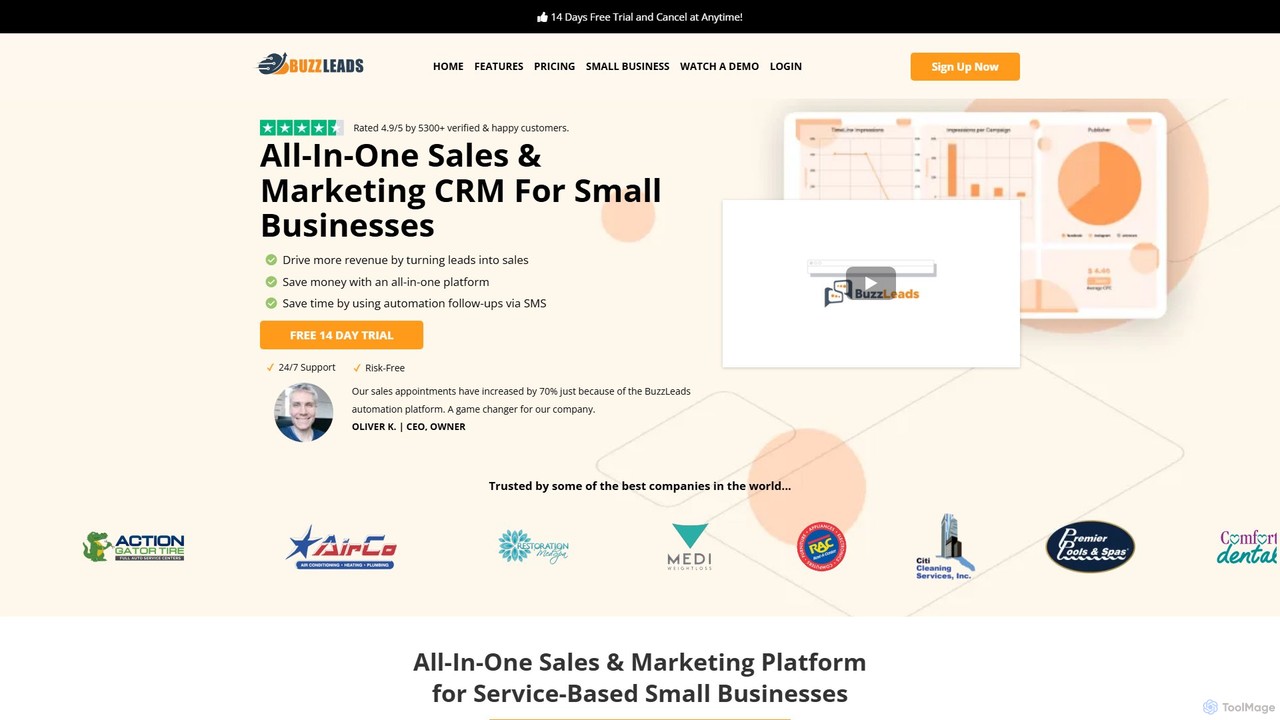
BuzzLeads is an all-in-one sales and marketing CRM platform designed for small businesses. It combines CRM, marketing automation, communication tools, and analytics into a single, cost-effective solution. The platform helps businesses drive revenue by converting more leads into sales, save money by consolidating tools, and save time through powerful automation for follow-ups and appointment scheduling.

Preview

User.com Product overview

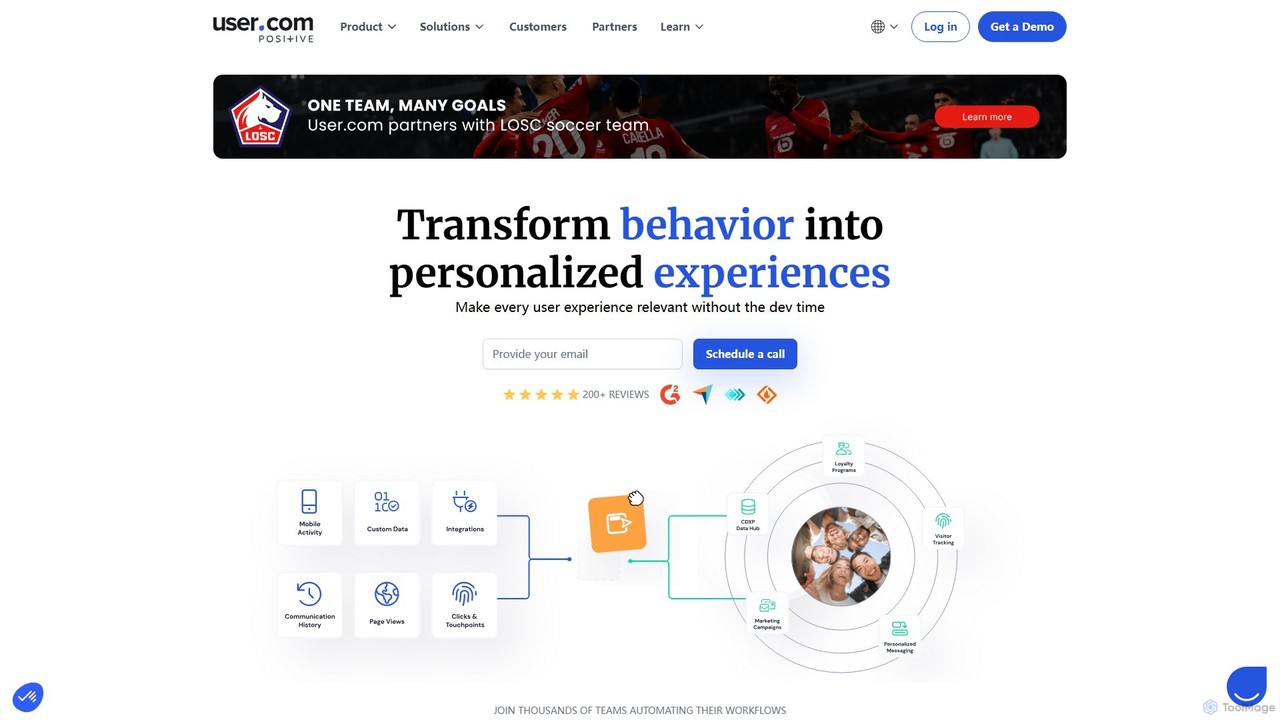
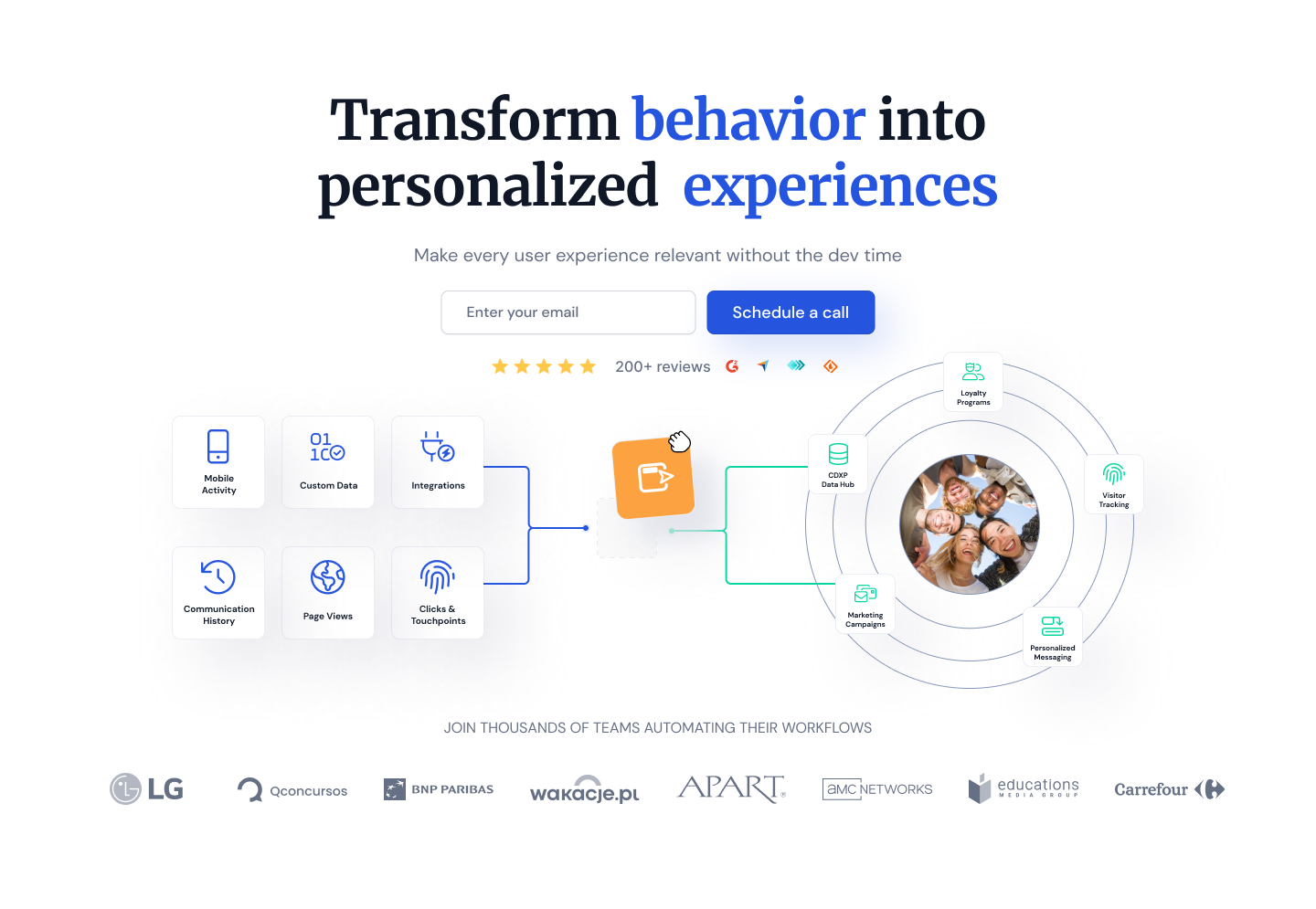
User.com is an all-in-one marketing automation platform that combines CRM, live chat, email marketing, and user tracking. It empowers businesses to convert, engage, and retain customers by delivering personalized, omnichannel communication at scale. With its powerful no-code automation builder, teams can streamline workflows and create sophisticated customer journeys effortlessly.

Preview

Quick facts

Compare product focus, pricing models and audiences. Highlighted rows indicate different listed information; unknown pricing does not mean free.

buzzleads VS User.com — Quick facts
Quick factsbuzzleadsUser.com
Pricing modelFreemiumFreemium
Product typeWebWeb
Primary focusMarketing AutomationLive Chat
Audience and rolesNo data availableNo data available
CategoriesMarketing Automation · All In One · CrmLive Chat · Marketing Automation · Workflow Automation · Crm
AddedAug 16, 2025Aug 4, 2025
UpdatedNov 19, 2026Nov 19, 2026

Features, usage and use cases

Explore the listed product descriptions, features and workflows. Taxonomy labels alone are not feature evaluations.

buzzleads

BuzzLeads is a comprehensive, all-in-one sales and marketing CRM platform specifically engineered to meet the needs of small and service-based businesses. It was created to solve a common problem for entrepreneurs: the complexity and high cost of using multiple, disconnected tools for marketing, sales, and customer data management. BuzzLeads consolidates everything into a single, intuitive platform, enabling businesses to streamline operations, enhance customer relationships, and accelerate growth.

The platform provides a unified system to manage customer data, automate lead nurturing, and track performance without juggling spreadsheets or expensive software subscriptions. By integrating essential tools like email and SMS marketing, appointment scheduling, and a website builder, BuzzLeads empowers businesses to have full transparency over their sales and marketing data, ultimately driving more revenue and improving efficiency.

How to use buzzleads

Getting started with BuzzLeads is a straightforward process designed to get you operational quickly:

  1. Sign Up for a Free Trial: Begin with a 14-day free trial to explore the platform's full capabilities without any risk.
  2. Set Up Your Account: Configure your business profile, connect your communication channels (email, phone), and set up your team members. BuzzLeads also offers a 'Done-For-You' setup service for a fee.
  3. Import Contacts & Leads: Easily import your existing customer lists or connect lead sources directly, such as Meta and TikTok ad forms, to automatically feed new leads into the CRM.
  4. Create Automation Workflows: Use the intuitive workflow builder to design automated follow-up sequences via SMS, email, and even voicemail drops to nurture leads and engage customers.
  5. Build Marketing Assets: Utilize the drag-and-drop builders to create high-converting landing pages, sales funnels, forms, and surveys to capture leads.
  6. Manage Sales Pipeline: Organize your leads and deals in the visual sales pipeline, track their progress, and automate tasks to move them forward.
  7. Automate Scheduling: Set up your calendar and allow leads to book appointments automatically, complete with confirmation and reminder messages.
  8. Track & Analyze: Monitor your key metrics through the central dashboard, which provides reports on sales activities, ad campaign performance, and call tracking.

Core Features of buzzleads

  • CRM and Pipeline Management: A smart CRM to organize all customer data, track interactions, and manage your entire sales pipeline visually.
  • Marketing & Sales Automation: Create powerful workflows to automate lead follow-ups, appointment booking, and customer nurturing across multiple channels.
  • Multi-Channel Communication: Engage with customers via 2-way SMS and email messaging, Facebook & Instagram DMs, phone calls, and voicemail drops, all from one inbox.
  • Website & Funnel Builder: Drag-and-drop builders to create unlimited websites, landing pages, and sales funnels with A/B testing capabilities.
  • Booking & Appointments: A complete scheduling system with unlimited calendars, automated booking, and reminders to reduce no-shows.
  • Reputation Management: Automatically send review requests, manage new reviews, and promote positive feedback across the web.
  • Analytics and Reporting: A comprehensive dashboard with reports for sales pipelines, ad campaigns (Google, Facebook), call tracking, and appointments.
  • Payments & Invoicing: Accept credit card payments directly through Stripe integration and send invoices to clients.
  • Social Media Management: A built-in social media planner to schedule content for Facebook, Instagram, LinkedIn, GMB, Twitter, and TikTok.

Use Cases for buzzleads

BuzzLeads is versatile and ideal for various small businesses:

  • Local Service Businesses (e.g., Plumbers, HVAC, Contractors): Capture leads from local ads, automate appointment booking, send reminders, and collect payments and reviews, all on autopilot.
  • Marketing Agencies: Manage multiple client accounts from a single platform, build funnels, track campaign ROI, and provide detailed reports.
  • Consultants and Coaches: Sell online courses, manage memberships, schedule client calls, and nurture leads with automated email campaigns.
  • Real Estate Agents: Manage a large database of contacts, automate follow-ups for new inquiries, and use SMS marketing for property updates.

Advantages of buzzleads

BuzzLeads offers significant advantages over using a collection of separate tools:

  • Cost-Effective: Replaces over a dozen tools (like Hubspot, ClickFunnels, Calendly, Hootsuite), saving businesses hundreds or even thousands of dollars per month.
  • All-in-One Simplicity: All your data and tools are in one place, providing a single source of truth and eliminating data silos.
  • Time-Saving Automation: Automates repetitive tasks like follow-ups and scheduling, freeing up your team to focus on closing deals and serving customers.
  • Unlimited Contacts: Unlike many competitors, BuzzLeads offers unlimited contacts on all plans, allowing your business to scale without incurring extra costs.
  • Designed for Small Business: The features and pricing are tailored to the specific needs and budgets of small businesses.

Pricing and Plans

BuzzLeads offers a 14-day free trial and three transparent pricing tiers:

  • Standard Plan ($99/month): Includes unlimited contacts, 2-way messaging, landing page builder, website chat, review management, and core integrations.
  • Professional Plan ($299/month): Includes everything in Standard, plus pipeline management, sales automation workflows, AI features, advanced online booking, and more integrations like TikTok and LinkedIn.
  • Premium Plan ($499/month): Includes everything in Professional, plus a full website builder, eCommerce functionality, affiliate manager, unlimited sales funnels, social media scheduler, and online course management.

Each plan comes with a set number of included texts, calls, and emails, with clear pay-as-you-go rates for any overages.

User.com

User.com is a comprehensive, all-in-one marketing, sales, and support platform designed to provide a single source of truth for customer data and enable personalized communication across multiple channels. It helps businesses of all sizes to automate their workflows, boost engagement, and improve conversion rates. By integrating powerful tools for visitor tracking, CRM, email marketing, live chat, and more, User.com allows teams to understand their users deeply and interact with them at the right moment with the right message. The platform is built with security and privacy at its core, being fully GDPR, CCPA, and SOC 2 Type 2 compliant, ensuring that customer data is always protected.

How to use User.com

Getting started with User.com involves a straightforward process:
1. Integrate and Collect Data: Begin by installing the User.com tracking code on your website. You can then import existing contacts via CSV or integrate with other tools using the API or pre-built integrations to consolidate all your customer data. The platform automatically starts tracking visitor behavior, including page views, events, device info, and more.
2. Segment Your Audience: Utilize the powerful filtering engine to create dynamic segments based on user attributes, behavior, events, or location. You can also use tags, lists, and notes to further organize your contacts for highly targeted campaigns.
3. Build Automation Workflows: Use the intuitive drag-and-drop automation builder to design customer journeys. Set up triggers (e.g., page visit, form submission, cart abandonment), add conditions to create different paths, and define actions (e.g., send an email, show a chat message, update a CRM deal, add a tag).
4. Engage Across Channels: Deploy your campaigns through various channels available within the platform, including personalized emails, live chat conversations, automated chatbots, web push notifications, and even SMS messages.
5. Manage Sales and Support: Leverage the built-in CRM to manage sales pipelines, track deals, and log activities. Use the live chat and ticketing system to provide real-time customer support and resolve issues efficiently.

Core Features of User.com

  • Marketing Automation: A visual, no-code, drag-and-drop canvas to build limitless automation flows with a wide range of triggers, conditions, and actions.
  • CRM and Sales Automation: Manage deals in visual pipelines, track all sales activities, maintain a comprehensive company and contact database, and automate deal creation and updates.
  • Live Chat & Chatbots: A customizable live chat widget to engage website visitors in real-time, with features like typing preview, proactive chat, and a chatbot builder to automate conversations.
  • Email Marketing: A drag-and-drop email builder, a library of templates, A/B testing, and detailed analytics on opens, clicks, and unsubscribes.
  • Visitor Tracking & Analytics: In-depth user profiles with timelines of activity, behavior tracking, custom events, and advanced segmentation capabilities.
  • Product Feed & Ecommerce: Track detailed product interactions, create abandoned cart recovery campaigns, and use product data for personalized recommendations.
  • Integrations & API: Hundreds of native integrations with popular tools and a robust API for custom connections.
  • Security & Compliance: High-level security with SSL encryption, SOC 2 Type 2 certification, and full compliance with GDPR and CCPA.

Use Cases for User.com

Lead Nurturing: Automatically send a series of welcome emails to new subscribers to guide them through your offerings and build a relationship.
User Onboarding: Create an automated onboarding sequence with in-app messages, emails, and tutorials for new users to increase product adoption.
Abandoned Cart Recovery: Trigger automated emails or chat messages with a special offer to users who leave items in their shopping cart without completing the purchase.
Proactive Customer Support: Use chatbots to answer common questions 24/7 and automatically assign complex queries to the right support agent via live chat.
Sales Pipeline Automation: Automatically create a new deal in the CRM when a lead fills out a contact form and move the deal through the pipeline stages based on their subsequent actions.

Advantages of User.com

All-in-One Solution: It consolidates tools for marketing, sales, and support into a single platform, eliminating data silos and the need for multiple subscriptions.
Deep Personalization: Leverages a unified customer profile to deliver highly relevant and personalized experiences across all touchpoints.
Powerful & Accessible Automation: The no-code, visual automation builder makes it easy for non-technical users to create complex and effective workflows.
Data-Driven Decision Making: Provides a single source of truth for all customer interactions, offering deep insights to optimize strategies.
Expert Support: Offers dedicated customer success managers and one-on-one coaching to help businesses achieve their goals.

Pricing and Plans

User.com offers a flexible pricing structure suitable for businesses of all sizes, including a free tier.
Free: A plan for startups and small businesses, including basic features and a limit of up to 2,000 contacts.
Paid Plans (Startup, Business): These tiers unlock more advanced features, higher contact limits, and additional modules like the full CRM and advanced automation capabilities. Pricing is typically based on the number of contacts and selected features.
Enterprise: A custom plan for large organizations that require dedicated support, custom integrations, premium security features, and tailored solutions. Specific pricing is provided upon request.

Positioning

Their taxonomy shows where the products overlap and where each one has a more distinct focus. Unknown fields are shown explicitly and are never filled with assumptions.

Categories

Shared
Marketing AutomationCrm
Only buzzleads
All In One
Only User.com
Live ChatWorkflow Automation

Tags

Shared
all-in-one platformCRMemail marketinglead generationmarketing automationsales automation
Only buzzleads
appointment schedulinglanding page buildersmall businesssms marketing
Only User.com
chatbotcustomer engagementcustomer supportlive chat

Audience and roles

Shared
No listed items
Only buzzleads
No listed items
Only User.com
No listed items

Traffic comparison

Traffic is shown on the same scale so differences in market visibility are not visually understated.

How to interpret the traffic data

Both charts share the same months and vertical scale. Each tool identifies its latest reporting month; missing months are left blank, not counted as zero. Regional and source visit counts are estimates calculated from the reported shares.

buzzleads monthly traffic:

Latest traffic · 2026-05

Monthly visits
1.1K
Avg. visit duration
0:00
Pages per visit
1.07
Bounce rate
39.03%
Data updated 2026-06-15

Monthly traffic trend

  • 2025-09: 401
  • 2026-01: 1.5K
  • 2026-02: 1.2K
  • 2026-03: 179
  • 2026-04: 56
  • 2026-05: 1.1K

Top regions

Top 5 countries/regions
Country/regionPercentageEstimated visits
🇺🇸United States100%1.1K

Search keywords

buzz leadbuzzleadbuzz leads

User.com monthly traffic:

Latest traffic · 2026-05

Monthly visits
411.2K
Avg. visit duration
2:56
Pages per visit
4.08
Bounce rate
22.24%
Data updated 2026-06-15

Monthly traffic trend

  • 2025-09: 368.6K
  • 2026-01: 444.5K
  • 2026-02: 350.3K
  • 2026-03: 390.9K
  • 2026-04: 368.2K
  • 2026-05: 411.2K

Top regions

Top 5 countries/regions
Country/regionPercentageEstimated visits
🇵🇱Poland62.28%256.1K
🇺🇦Ukraine18.33%75.4K
🇫🇷France10.74%44.2K
🇺🇸United States5.66%23.3K
🇮🇳India2.99%12.3K

Traffic sources

Source typePercentageEstimated visits
Direct64.48%265.1K
Email30%123.4K
Referral5.52%22.7K

Search keywords

jasperpositive useruseruser.com a.iuser interviews reviews.com

Community signals

Ratings, comments, favorites, and likes are community signals—not a substitute for product fit.

buzzleads

Rating
No data available
Comments
0
Favorites
190
Likes
199

User.com

Rating
No data available
Comments
0
Favorites
165
Likes
157

buzzleads vs User.com · Comparison FAQ

What do buzzleads and User.com have in common?
Both tools are listed under Marketing Automation、Crm. These categories indicate overlapping use cases; compare their detailed descriptions for workflows, capabilities and limitations.
Are buzzleads and User.com free?
Listed pricing models: buzzleads — Freemium; User.com — Freemium. Missing pricing is not proof of a free plan, and freemium does not mean every feature is free. Check official sites for current plans, limits and trials.
How should I choose between buzzleads and User.com?
The primary listed category is Marketing Automation for buzzleads, and Live Chat for User.com. Compare features, steps and use cases, then verify pricing, data permissions and deployment needs. This page does not include hands-on testing and does not declare a winner from traffic or tags.

Sources and comparison methodology

This page is assembled from ToolMage product listings, taxonomy, traffic statistics and on-site user feedback. It is not a hands-on test or an independent review.
  • Feature and plan descriptions reflect information in the listings, not real-time guarantees. Verify pricing, quotas, availability and privacy terms on the official sites.
  • Traffic uses the reporting months shown. Missing statistics do not mean zero visits, and different periods do not establish growth or superiority. Regional and source visit counts are estimates based on shares.
  • Different tags indicate differences in the listings, not proof that the other product lacks a capability. Ratings, favorites and visits are not used to declare a winner.

Related comparisons