ToolMage
Sign in

AI TOOL COMPARISON

CalStudio vs Embed

What is the difference, and which fits your workflow? Compare features, usage, pricing models and traffic side by side.

Jump to key differences

Product overview

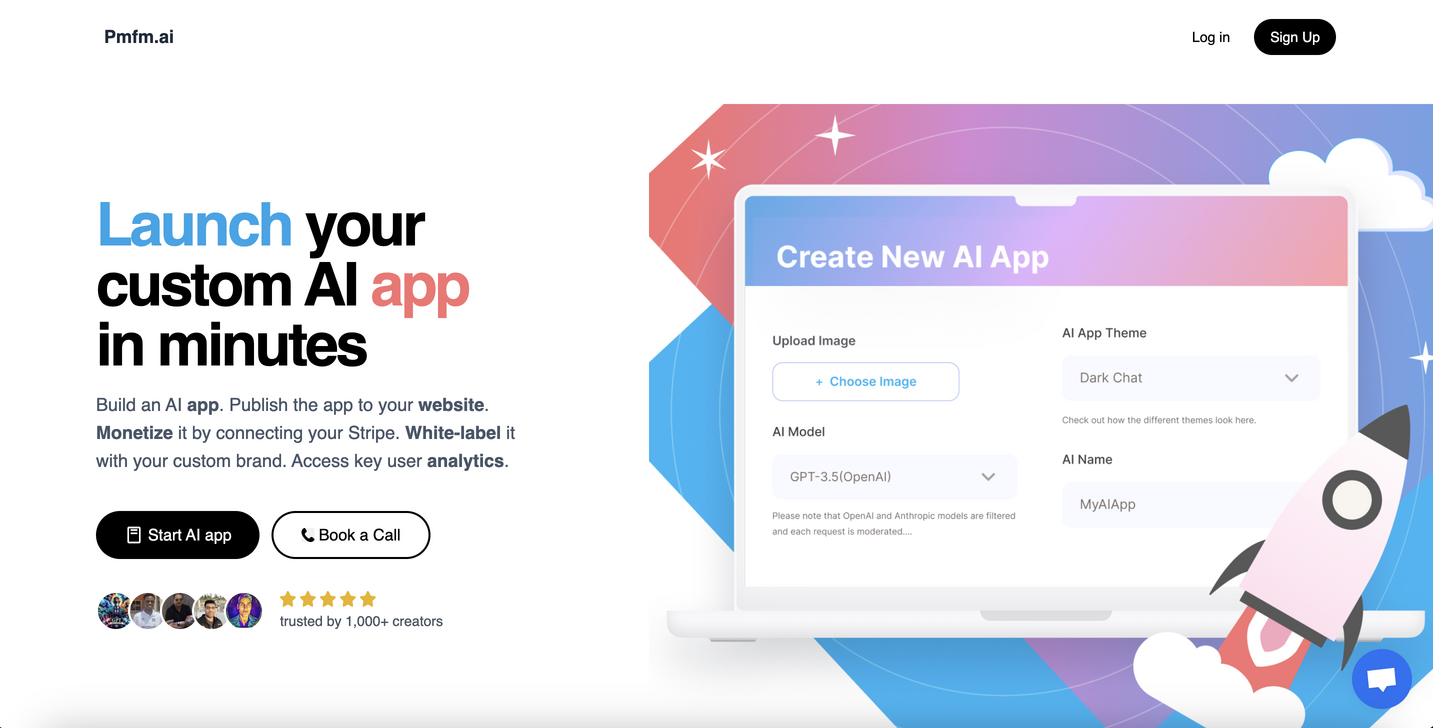
CalStudio Product overview

CalStudio is a no-code platform that empowers entrepreneurs, businesses, and creators to build, launch, and monetize custom AI applications. Easily create AI chatbots, assistants, and tools using models like GPT-4, Claude 3, and Gemini, then embed them on your website, integrate with payment systems, and deploy on custom domains without writing a single line of code.

Preview

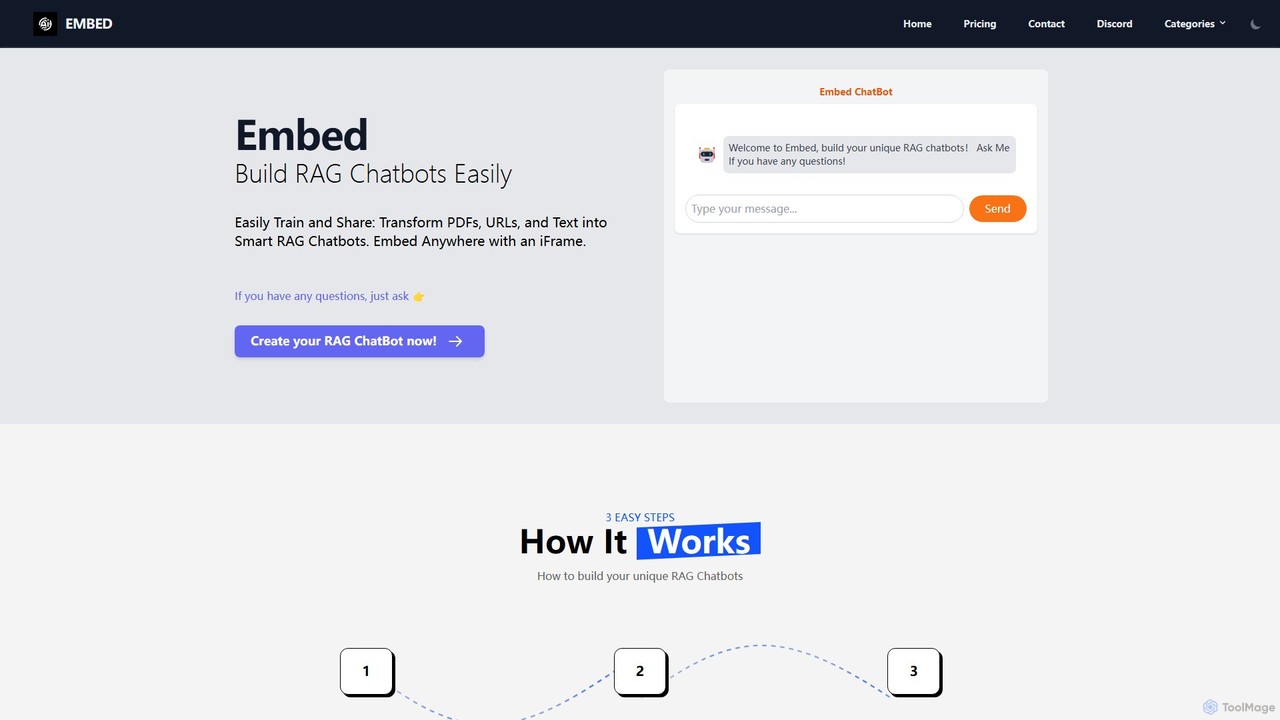
Embed Product overview

A no-code platform to easily build and train custom RAG (Retrieval-Augmented Generation) chatbots. Transform your PDFs, URLs, and text into intelligent chatbots, select from models like GPT, Gemini, or Llama3, and embed them anywhere on your website using a simple iFrame.

Preview

Quick facts

Compare product focus, pricing models and audiences. Highlighted rows indicate different listed information; unknown pricing does not mean free.

CalStudio VS Embed — Quick facts
Quick factsCalStudioEmbed
Pricing modelPaidFreemium
Product typeWebWeb
Primary focusSaasAutomation
Audience and rolesNo data availableNo data available
CategoriesSaas · No Code Platform · Chatbot BuilderAutomation · Api · Platform · Chatbot Builder
AddedAug 15, 2025Aug 1, 2025
UpdatedNov 19, 2026Nov 19, 2026

Features, usage and use cases

Explore the listed product descriptions, features and workflows. Taxonomy labels alone are not feature evaluations.

CalStudio

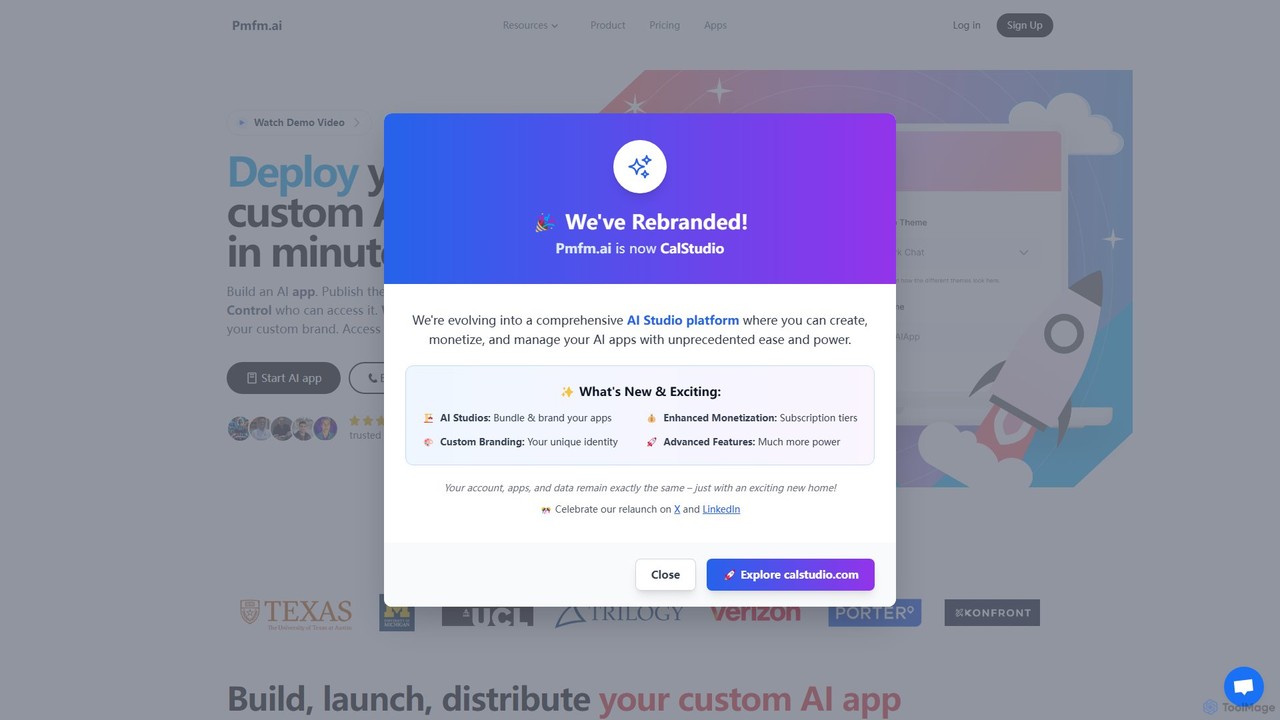
CalStudio (formerly pmfm.ai) is a leading no-code platform designed to democratize AI application development. It provides a complete toolkit for anyone, from individual creators to large enterprises, to design, build, deploy, and monetize sophisticated AI agents and chatbots. The platform removes technical barriers, allowing users to transform their ideas into functional and profitable AI products quickly. By supporting a wide range of advanced Large Language Models (LLMs) like OpenAI's GPT series, Anthropic's Claude, and Google's Gemini, CalStudio ensures users can build powerful and versatile AI solutions tailored to their specific needs, from customer support bots to specialized educational tutors.

How to use CalStudio

Using CalStudio is a straightforward process designed for users of all technical levels:

  1. Sign Up: Create an account on the CalStudio platform to get started.
  2. Choose a Model: Select a base Large Language Model (LLM) for your app. You can choose from top-tier options like GPT-4, Claude 3.7 Sonnet, or Gemini 2.5 Pro.
  3. Configure Your AI: Define the AI's role, personality, and instructions using simple prompts. You can upload knowledge base files (such as PDFs, TXT, or DOCX) to train the AI on your specific data, ensuring it provides accurate and relevant answers.
  4. Customize the Interface: Adjust the look and feel of your AI app to match your brand. Customize colors, upload your logo, and configure the layout for a seamless user experience.
  5. Set Up Monetization: Integrate with Stripe directly within the platform. This allows you to set up subscriptions, one-time payments, or usage-based fees for your app.
  6. Publish and Embed: Once your app is ready, publish it with a single click. You can then easily embed it on your website using a simple code snippet or deploy it to a custom subdomain for a fully branded presence.
  7. Analyze and Iterate: Leverage the built-in analytics dashboard to monitor user interactions, track message volume, and analyze conversation logs. Use these insights to fine-tune your AI for better performance and user satisfaction.

Core Features of CalStudio

  • No-Code AI App Builder: An intuitive, drag-and-drop style interface for creating complex AI apps without any programming knowledge.
  • Multi-LLM Support: Freedom to choose from a variety of top-tier models including OpenAI GPT-4 & GPT-3.5, Anthropic Claude 3 series (Opus, Sonnet, Haiku), Google Gemini, and DeepSeek.
  • Knowledge Base Integration: Upload documents, text, or URLs to create a custom vector database, enabling the AI to provide accurate, context-aware responses based on your private data.
  • Built-in Monetization: Seamless integration with Stripe allows you to easily set up paywalls, subscriptions, and one-time purchases for your AI applications.
  • White-Labeling & Custom Domains: Remove CalStudio branding and host your AI app on your own custom domain or subdomain for a fully professional and branded experience.
  • Embed & Integrate: Easily embed your AI app on any website. API access and webhook support (including function calling for OpenAI models) allow for deeper integrations with other systems.
  • Built-in Analytics: Track key metrics like message counts, user engagement, and conversation history to understand how your app is being used and identify areas for improvement.
  • Multi-Platform Deployment: Publish your bot not just on the web, but also to messaging platforms like SMS and WhatsApp through Twilio integration.

Use Cases for CalStudio

CalStudio is versatile enough for a wide range of applications:

  • Entrepreneurs & Startups: Build and sell niche SaaS products, such as a "StartupGPT" for business advice, a "CareerGPT" for professional guidance, or an "IdeasGPT" for validating business concepts.
  • Coaches & Consultants: Create custom AI tools for clients, such as personal branding assistants, content creation helpers, or specialized coaching bots that scale their services.
  • Educators & Tutors: Develop AI tutor bots for students, providing personalized 24/7 help for specific subjects, exam preparation, or assignment feedback.
  • Businesses: Deploy AI customer support agents to handle inquiries, internal knowledge base bots for employees, or interactive lead generation chatbots on their websites.
  • Creators & Communities: Monetize their expertise by creating paid-access AI agents that provide specialized knowledge or entertainment for their audience.

Advantages of CalStudio

CalStudio stands out for several key reasons:

  • Democratizes AI Development: It makes sophisticated AI app creation accessible to non-technical users, fostering innovation across various fields.
  • Speed to Market: Users can go from an idea to a fully functional, monetized product in a matter of hours or days, not months.
  • Full Control and Customization: Users retain complete control over the AI's behavior, branding, and monetization strategy, ensuring the final product aligns perfectly with their vision.
  • Cost-Effective: It offers a significantly more affordable alternative to hiring a development team or building a custom AI infrastructure from scratch.
  • Exceptional Support: The platform is known for its highly responsive customer support, including direct access to the founder, ensuring users get the help they need to succeed.
  • Scalable and Secure: The platform is built to handle projects of all sizes, from small personal bots to enterprise-level applications with high user traffic.

Pricing and Plans

CalStudio offers a tiered subscription model to cater to different user needs and scales. While it's always best to check the official website for the most current pricing, the plans are typically structured as follows:

  • Starter Plan: An entry-level plan ideal for individuals and small projects, typically including support for 1 app, a generous monthly message limit, custom domain support, and Stripe integration. Priced around $29/month.
  • Pro Plan: Designed for professionals and growing businesses, this plan usually offers a higher app and message limit, the ability to remove CalStudio branding (white-labeling), and API access for deeper integrations. Priced around $99/month.
  • Business Plan: A comprehensive solution for larger teams and enterprises, providing unlimited or a very high number of apps, a large volume of messages, team member collaboration features, and priority support. Priced around $499/month.

Embed

Embed is a powerful and user-friendly platform designed to simplify the creation of custom AI chatbots. It specializes in Retrieval-Augmented Generation (RAG) technology, allowing users to build intelligent chatbots that can answer questions based on a specific set of data. Whether you're a business owner, a developer, or a content creator, Embed provides the tools to transform your documents, website content, or plain text into an interactive and knowledgeable chatbot. The platform's core philosophy is to make advanced AI accessible to everyone, regardless of their technical expertise, through a streamlined, no-code interface.

The process is designed for simplicity and efficiency, enabling you to deploy a fully functional chatbot in minutes. By feeding the AI with your unique data, you ensure that the chatbot's responses are accurate, relevant, and perfectly aligned with your brand's voice or information domain. With support for leading large language models (LLMs) like OpenAI's GPT series, Google's Gemini, and Meta's Llama3, Embed offers unparalleled flexibility and power, allowing you to choose the best AI engine for your specific needs.

How to use Embed

Creating and deploying a custom RAG chatbot with Embed is a straightforward three-step process:

  1. Train Your Data: Begin by providing the knowledge base for your chatbot. You can upload various data sources, including PDF files (like manuals or reports), HTML files, website URLs, or simply paste Q&A pairs and plain text. The platform processes this information to build a comprehensive understanding for the chatbot.
  2. Configure Your RAG Chatbot: Once the data is trained, you can customize the chatbot's behavior. This includes setting up a 'system prompt' which defines the chatbot's personality, tone, and operational rules. You can also select the AI model that will power your chatbot, with options including GPT-4, Google Gemini, and the open-source Llama3, which is available for free.
  3. Share and Embed: After configuration, the platform generates a simple iFrame code snippet. You can copy this code and paste it into your website's HTML to instantly deploy the chatbot. It can be embedded on any page, making it accessible to your users for interaction.

Core Features of Embed

  • Multi-Source Data Training: Train your chatbot using a wide range of data formats, including PDFs, URLs, Q&A lists, and raw text.
  • Multiple LLM Support: Choose from a selection of state-of-the-art language models, including GPT-4, Google Gemini, and Meta Llama3, to find the perfect balance of performance and cost.
  • Custom System Prompts: Define the chatbot's personality, instructions, and constraints to ensure it behaves exactly as you intend.
  • No-Code Interface: The entire process, from data training to deployment, is handled through an intuitive, user-friendly interface that requires no programming skills.
  • Easy iFrame Embedding: Seamlessly integrate your chatbot into any website or platform (like Shopify, WordPress, etc.) with a simple copy-and-paste iFrame.
  • Free Access to Llama3: Leverage the power of Meta's advanced Llama3-8b model at no cost, making powerful AI accessible to everyone.

Use Cases for Embed

Embed is versatile and can be applied in numerous scenarios:

  • Customer Support Automation: Embed a chatbot on your website to provide instant, 24/7 answers to frequently asked questions, reducing the load on your support team.
  • E-commerce Product Advisor: For Shopify or other e-commerce stores, create a chatbot trained on product catalogs to help customers find products, compare features, and get recommendations.
  • Internal Knowledge Base: Deploy a chatbot for your internal teams, trained on company documents, policies, and procedures, to help employees quickly find information.
  • Educational Tool: Create a chatbot for a specific subject by training it on textbooks, research papers, and lecture notes to help students study and revise.
  • Lead Generation: Engage website visitors, answer their initial questions, and qualify leads by collecting contact information through the chatbot.

Advantages of Embed

The primary advantage of Embed is its simplicity and accessibility. It democratizes the creation of sophisticated RAG chatbots, removing the technical barriers typically associated with AI development. Its flexibility in supporting multiple data sources and top-tier LLMs allows for highly customized and effective solutions. The freemium model, particularly the free access to Llama3, provides significant value and a low-risk entry point for individuals and small businesses. Finally, the seamless iFrame integration ensures that the chatbot can be deployed quickly and easily on virtually any web platform.

Pricing and Plans

Embed operates on a freemium model. It notably offers free access to the Llama3-8b model, allowing users to build and deploy powerful chatbots without any initial investment. For users requiring more advanced features, higher usage limits, or access to other premium models like GPT-4 or Google Gemini, paid plans are likely available. For the most current and detailed information on pricing tiers and features, it is recommended to visit the official gptdevelopment.online website.

Positioning

Their taxonomy shows where the products overlap and where each one has a more distinct focus. Unknown fields are shown explicitly and are never filled with assumptions.

Categories

Shared
Chatbot Builder
Only CalStudio
SaasNo Code Platform
Only Embed
AutomationApiPlatform

Tags

Shared
chatbotgeminigptno-code
Only CalStudio
AI agentAI app builderclaude 3custom GPTmonetize AISaaS builderwhite-label AI
Only Embed
custom chatbotcustomer supportiFrame embedLlama3PDF chatbotRAGShopifywebsite chatbot

Audience and roles

Shared
No listed items
Only CalStudio
No listed items
Only Embed
No listed items

Traffic comparison

Traffic is shown on the same scale so differences in market visibility are not visually understated.

How to interpret the traffic data

Both charts share the same months and vertical scale. Each tool identifies its latest reporting month; missing months are left blank, not counted as zero. Regional and source visit counts are estimates calculated from the reported shares.

CalStudio

No data available

Embed

No data available

Community signals

Ratings, comments, favorites, and likes are community signals—not a substitute for product fit.

CalStudio

Rating
No data available
Comments
0
Favorites
191
Likes
188

Embed

Rating
No data available
Comments
0
Favorites
171
Likes
189

CalStudio vs Embed · Comparison FAQ

What do CalStudio and Embed have in common?
Both tools are listed under Chatbot Builder. These categories indicate overlapping use cases; compare their detailed descriptions for workflows, capabilities and limitations.
Are CalStudio and Embed free?
Listed pricing models: CalStudio — Paid; Embed — Freemium. Missing pricing is not proof of a free plan, and freemium does not mean every feature is free. Check official sites for current plans, limits and trials.
How should I choose between CalStudio and Embed?
The primary listed category is Saas for CalStudio, and Automation for Embed. Compare features, steps and use cases, then verify pricing, data permissions and deployment needs. This page does not include hands-on testing and does not declare a winner from traffic or tags.

Sources and comparison methodology

This page is assembled from ToolMage product listings, taxonomy, traffic statistics and on-site user feedback. It is not a hands-on test or an independent review.

  • Feature and plan descriptions reflect information in the listings, not real-time guarantees. Verify pricing, quotas, availability and privacy terms on the official sites.
  • Traffic uses the reporting months shown. Missing statistics do not mean zero visits, and different periods do not establish growth or superiority. Regional and source visit counts are estimates based on shares.
  • Different tags indicate differences in the listings, not proof that the other product lacks a capability. Ratings, favorites and visits are not used to declare a winner.

Related comparisons