ToolMage
Sign in

AI TOOL COMPARISON

Chatling vs VirtualSpirits

What is the difference, and which fits your workflow? Compare features, usage, pricing models and traffic side by side.

Jump to key differences

Product overview

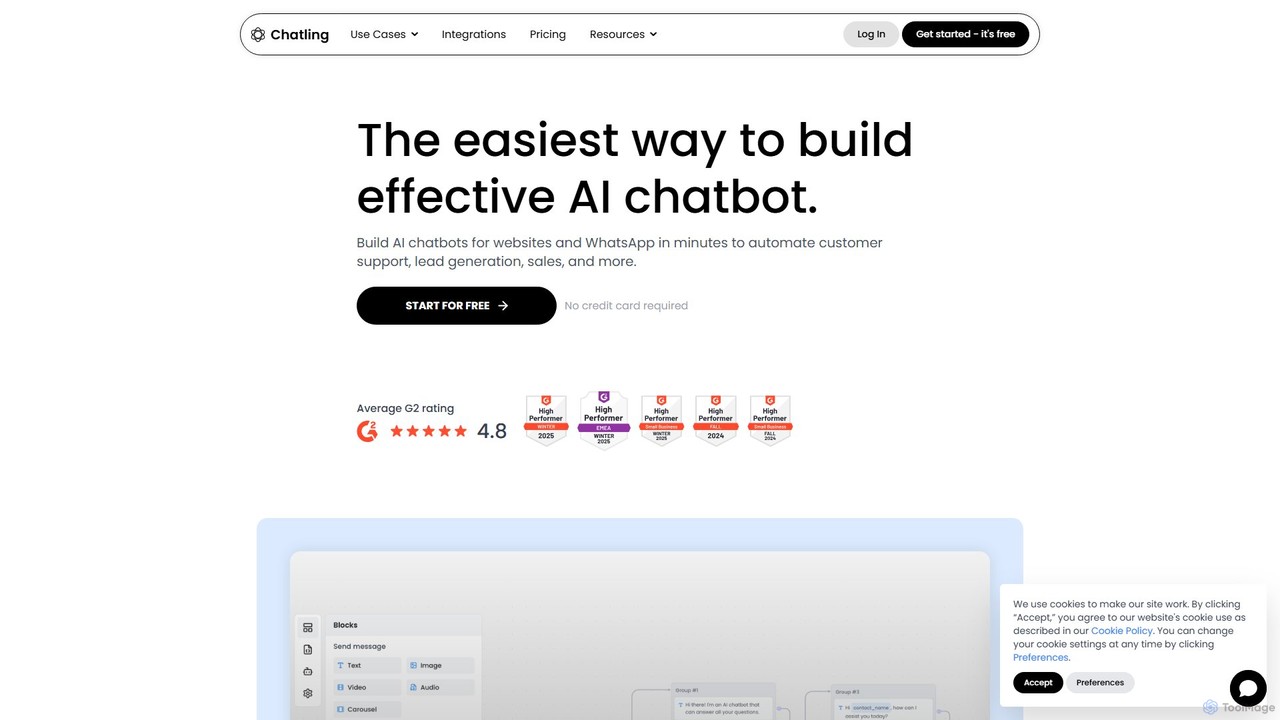
Chatling Product overview

Chatling is a no-code platform that allows you to build a custom AI chatbot trained on your own data. Instantly answer visitor questions, generate leads, and improve customer support 24/7. Simply provide a link to your website or upload files, and Chatling will create a ChatGPT-like chatbot that can be embedded on your site in minutes.

Preview

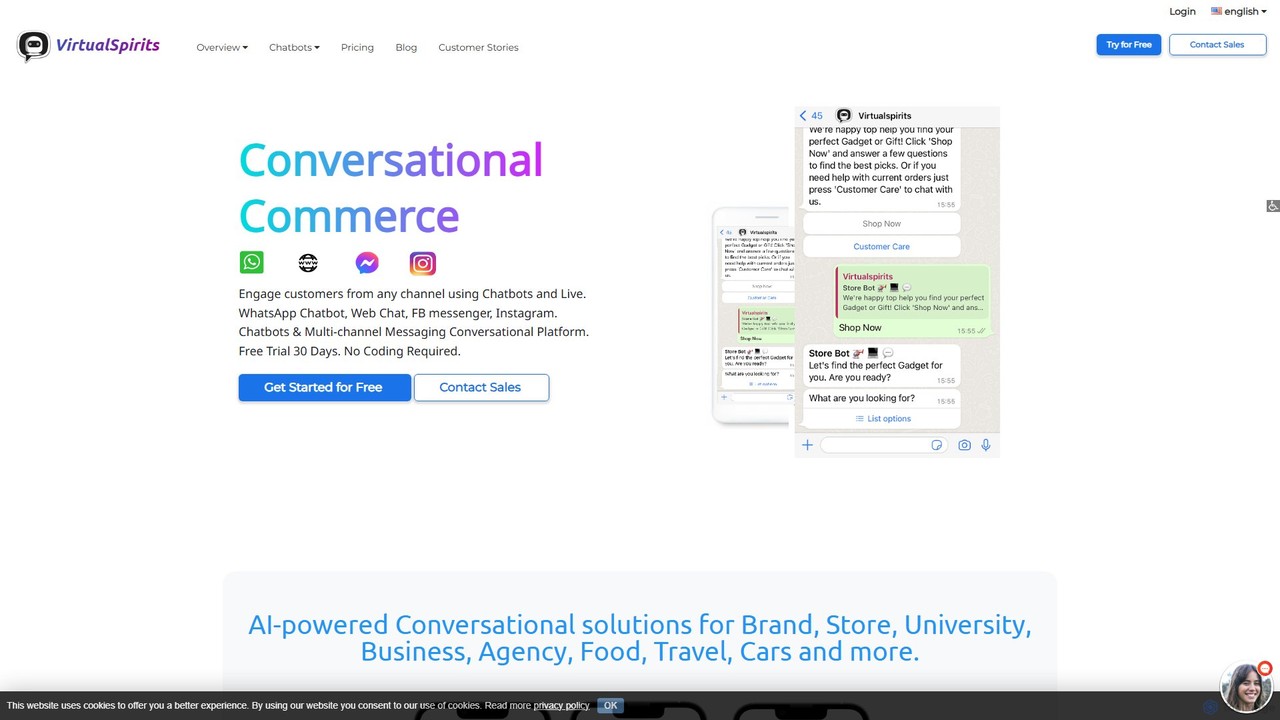
VirtualSpirits Product overview

VirtualSpirits is an AI-powered conversational platform that enables businesses to build and deploy no-code chatbots across multiple channels, including websites, WhatsApp, Facebook Messenger, and Instagram. It's designed to enhance customer engagement, generate leads, and provide 24/7 automated support, seamlessly integrating with live chat and existing CRM systems.

Preview

Quick facts

Compare product focus, pricing models and audiences. Highlighted rows indicate different listed information; unknown pricing does not mean free.

Chatling VS VirtualSpirits — Quick facts
Quick factsChatlingVirtualSpirits
Pricing modelFreemiumFreemium
Product typeWebWeb
Primary focusChatbotsChatbots
Audience and rolesNo data availableNo data available
CategoriesChatbots · Lead Generation · No Code · BuildersChatbots · Lead Generation · No Code · Conversational Commerce
AddedAug 3, 2025Aug 2, 2025
UpdatedNov 19, 2026Nov 19, 2026

Features, usage and use cases

Explore the listed product descriptions, features and workflows. Taxonomy labels alone are not feature evaluations.

Chatling

Chatling is a powerful no-code AI tool designed to help businesses create intelligent, custom chatbots for their websites. It leverages advanced language models, similar to ChatGPT, to provide instant, accurate, and human-like responses to user queries. The platform's primary goal is to automate customer support, enhance user engagement, and drive lead generation without requiring any coding knowledge. By training the chatbot on your specific content—such as your website, knowledge base, documents, or FAQs—Chatling ensures that every answer is relevant, reliable, and aligned with your brand's voice.

How to use Chatling

Getting started with Chatling is a remarkably simple and intuitive process, designed for users of all technical skill levels:

  1. Create a Chatbot and Add Data Sources: Sign up for an account and create your first chatbot. You can train it by simply providing a link to your website, help center, or sitemap. Chatling will automatically crawl and index the content. You can also upload files directly, including PDFs, DOCX, and TXT files, or simply paste in text.
  2. Customize Your Chatbot: Tailor the chatbot's appearance and behavior to match your brand. You can customize the welcome message, color scheme, chatbot avatar, and suggested questions. You can also configure its personality, response length, and language to ensure it interacts with users exactly as you intend.
  3. Test and Refine: Use the built-in playground to interact with your chatbot and test its knowledge. You can see the sources it uses for its answers and refine its knowledge base or instructions as needed to improve accuracy.
  4. Embed on Your Website: Once you're satisfied, Chatling provides a simple code snippet. Just copy and paste this snippet into your website's HTML, and your AI chatbot will be live and ready to assist visitors. It integrates seamlessly with platforms like WordPress, Shopify, Webflow, and any custom-built site.

Core Features of Chatling

  • No-Code Platform: Build and deploy a sophisticated AI chatbot without writing a single line of code.
  • Multiple Data Sources: Train your chatbot using website content, sitemaps, URLs, uploaded files (PDF, DOCX, TXT), and raw text.
  • GPT-4 Powered: Utilizes the power of OpenAI's most advanced model for high-quality, context-aware conversations.
  • Advanced Customization: Full control over the chatbot's appearance, personality, response style, and language (supports over 50 languages).
  • Conversation History & Analytics: Track all conversations, monitor chatbot performance, and gain insights into what your customers are asking.
  • Lead Capture: Configure the chatbot to collect user information like names, emails, and phone numbers, turning conversations into qualified leads.
  • Human Handoff: Seamlessly escalate complex queries from the chatbot to your human support team when necessary.
  • Easy Integration: Simple copy-paste embed for any website, with dedicated support for popular CMS and e-commerce platforms.

Use Cases for Chatling

Chatling is a versatile tool that can be adapted for various business needs:

  • 24/7 Customer Support: Provide instant answers to frequently asked questions about your products, services, shipping policies, or pricing, reducing the load on your support team and improving customer satisfaction.
  • Lead Generation and Qualification: Proactively engage website visitors, answer their initial questions, and collect their contact details to pass on to your sales team.
  • E-commerce Assistant: Help shoppers find products, provide personalized recommendations, and answer queries about orders, returns, and product specifications, leading to increased sales.
  • Internal Knowledge Base: Deploy Chatling internally to help employees quickly find information from company documents, training materials, and internal policies.

Advantages of Chatling

Implementing Chatling offers significant benefits:

  • Increased Efficiency: Automates up to 80% of common customer inquiries, freeing up your team to focus on more complex issues.
  • Enhanced User Experience: Provides immediate, 24/7 support, eliminating wait times and offering a seamless experience for website visitors.
  • Boosted Conversions: Engages potential customers at the right moment, answers their questions, and guides them through the purchasing journey.
  • Cost-Effective: A single chatbot can handle thousands of conversations simultaneously, offering a scalable support solution at a fraction of the cost of hiring more staff.
  • Fast and Easy Setup: Go from data source to a fully functional, embedded chatbot in under 5 minutes.

Pricing and Plans

Chatling offers a flexible, freemium pricing model to suit businesses of all sizes.

  • Free Plan: Perfect for getting started, this plan typically includes one chatbot, a limited number of messages per month, and basic features.
  • Hobby Plan: Designed for individuals and small projects, offering more messages, more training data capacity, and removal of Chatling branding.
  • Growth Plan: Ideal for growing businesses, this plan includes multiple chatbots, a higher message limit, API access, and advanced customization options.
  • Business Plan: A comprehensive solution for large organizations, offering unlimited messages, extensive training capacity, priority support, and advanced features like human handoff.

For the most current and detailed pricing information, please visit the official Chatling website.

VirtualSpirits

VirtualSpirits is a comprehensive, AI-driven conversational platform designed to empower businesses of all sizes to create engaging, one-on-one experiences with their customers. It provides a user-friendly, no-code environment for building and deploying intelligent chatbots across a variety of digital channels. This multi-channel approach ensures that you can meet your customers where they are, whether on your website, WhatsApp, Facebook Messenger, or Instagram, providing a consistent and seamless brand experience.

The platform is built to serve diverse industries, including E-commerce, Marketing, Customer Support, Education, Travel, and more. By leveraging advanced AI and Natural Language Processing (NLP), VirtualSpirits chatbots can understand user intent, answer frequently asked questions, qualify leads, and guide users through complex processes. This not only improves operational efficiency by automating repetitive tasks but also significantly boosts conversion rates, with users reporting increases of up to 400%.

How to use VirtualSpirits

Getting started with VirtualSpirits is a straightforward process that doesn't require any programming skills:

  1. Sign Up: Create an account on the VirtualSpirits website. You can start with a 30-day free trial without needing a credit card.
  2. Design Your Conversation: Use the intuitive, visual chatbot builder to map out your conversation flows. You can add, edit, and remove steps to create the perfect script for your goals, whether it's lead generation, customer support, or sales.
  3. Customize Appearance: Tailor the look and feel of your chat widget to match your brand's identity, including colors, logos, and avatars.
  4. Deploy Across Channels: Choose where you want to deploy your chatbot. For your website, simply copy and paste a small snippet of code into your site's HTML. For other channels like WhatsApp or Messenger, follow the simple integration guides.
  5. Integrate and Automate: Connect the chatbot to your existing workflows. Send lead notifications directly to your sales team's email, or integrate with your CRM and other business tools via APIs for seamless data transfer.
  6. Monitor and Optimize: Use the built-in analytics dashboard to track your chatbot's performance, review conversations, and identify areas for improvement to continuously enhance the user experience.

Core Features of VirtualSpirits

  • No-Code Chatbot Builder: An intuitive drag-and-drop interface that allows anyone to build sophisticated chatbots without writing a single line of code.
  • Multi-Channel Deployment: Engage customers on their preferred platforms, including Web Chat, WhatsApp, Facebook Messenger, and Instagram, all managed from a single dashboard.
  • AI and NLP Engine: Understands user queries, provides accurate answers, and personalizes conversations to enhance user engagement.
  • Live Chat Handover: Seamlessly transfer complex conversations from the chatbot to a human agent for a hybrid support model that combines the best of automation and human touch.
  • Lead Generation Forms: Design interactive forms within the chat to capture and qualify leads, automatically sending the data to your sales team or CRM.
  • CRM & API Integrations: Connect with popular CRM systems and other third-party applications to streamline your business processes.
  • Rich Analytics & Reporting: Gain insights into chatbot usage, conversation flows, user satisfaction, and lead generation metrics to make data-driven decisions.
  • Industry-Specific Templates: Get a head start with pre-built templates for various sectors like E-commerce, Real Estate, Education, and Healthcare.

Use Cases for VirtualSpirits

VirtualSpirits is versatile and can be adapted for numerous business functions:

  • Conversational Marketing: Engage website visitors proactively, qualify them as leads, and schedule demos or appointments directly within the chat.
  • E-commerce Enhancement: Assist shoppers with product recommendations, track orders, answer shipping queries, and recover abandoned carts to boost sales.
  • 24/7 Customer Support: Provide instant answers to frequently asked questions around the clock, reducing the workload on your support team and improving customer satisfaction.
  • Educational Institutions: Help prospective students with admissions information, course details, and campus life questions, streamlining the enrollment process.
  • Travel and Hospitality: Assist users with booking inquiries, travel recommendations, and reservation management.

Advantages of VirtualSpirits

Implementing VirtualSpirits offers significant benefits:

  • Increased Conversions: Proactively engage visitors and guide them through the sales funnel, leading to a substantial increase in qualified leads and sales.
  • Enhanced Customer Engagement: Provide instant, personalized, and interactive communication that modern customers prefer.
  • 24/7 Availability: Your business is always open to answer questions and capture leads, even outside of business hours.
  • Cost Reduction: Automate a large volume of customer inquiries, freeing up your human agents to focus on high-value interactions.
  • Simple Implementation: The no-code platform and easy copy-paste installation make it accessible for businesses of all technical levels.
  • Centralized Communication Hub: Manage all your conversational channels from one unified platform, ensuring consistency and efficiency.

Pricing and Plans

VirtualSpirits operates on a freemium model. New users can sign up for a 30-day free trial to explore the platform's features without any commitment or credit card requirement. After the trial period, you can choose to upgrade to one of the paid plans to access additional features, higher traffic limits, and advanced capabilities. The pricing is typically tiered based on the number of conversations, features, and channels supported. For the most accurate and up-to-date pricing information, it is recommended to visit the official VirtualSpirits website.

Positioning

Their taxonomy shows where the products overlap and where each one has a more distinct focus. Unknown fields are shown explicitly and are never filled with assumptions.

Categories

Shared
ChatbotsLead GenerationNo Code
Only Chatling
Builders
Only VirtualSpirits
Conversational Commerce

Tags

Shared
chatbotcustomer supportlead generationno-code
Only Chatling
AI assistantautomationgpt-4knowledge basewebsite widget
Only VirtualSpirits
conversational AIe-commerce botlive chatmarketing automationMessenger botwhatsapp bot

Audience and roles

Shared
No listed items
Only Chatling
No listed items
Only VirtualSpirits
No listed items

Traffic comparison

Traffic is shown on the same scale so differences in market visibility are not visually understated.

How to interpret the traffic data

Both charts share the same months and vertical scale. Each tool identifies its latest reporting month; missing months are left blank, not counted as zero. Regional and source visit counts are estimates calculated from the reported shares.

Chatling monthly traffic:

Latest traffic · 2026-05

Monthly visits
61.6K
Avg. visit duration
0:33
Pages per visit
3.26
Bounce rate
39.12%
Data updated 2026-06-15

Monthly traffic trend

  • 2025-09: 125.6K
  • 2026-01: 121K
  • 2026-02: 109.3K
  • 2026-03: 104.2K
  • 2026-04: 86.4K
  • 2026-05: 61.6K

Top regions

Top 5 countries/regions
Country/regionPercentageEstimated visits
🇺🇸United States31.3%19.3K
🇸🇳Senegal25.88%15.9K
🇮🇳India17.48%10.8K
🇬🇧United Kingdom13.64%8.4K
🇳🇬Nigeria11.7%7.2K

Traffic sources

Source typePercentageEstimated visits
Direct80.51%49.6K
Referral17.3%10.7K
Email2.19%1.3K

Search keywords

chatlingchatling aichatling file attachmentfin vs netomihow can learn my ai to machine learning

VirtualSpirits monthly traffic:

Latest traffic · 2026-05

Monthly visits
2.2K
Avg. visit duration
0:00
Pages per visit
1.02
Bounce rate
41.27%
Data updated 2026-06-15

Monthly traffic trend

  • 2025-09: 7.4K
  • 2026-01: 8.8K
  • 2026-02: 4K
  • 2026-03: 5.7K
  • 2026-04: 2.1K
  • 2026-05: 2.2K

Top regions

Top 5 countries/regions
Country/regionPercentageEstimated visits
🇵🇭Philippines46.37%1K
🇮🇳India42.9%959
🇨🇦Canada10.73%240

Search keywords

how do i add a chatbot to my squarespace websitehow to add link on word in whatsappspirit virtualtravellers insurance chatbot helpuniversity near chatbot college

Community signals

Ratings, comments, favorites, and likes are community signals—not a substitute for product fit.

Chatling

Rating
No data available
Comments
0
Favorites
189
Likes
184

VirtualSpirits

Rating
No data available
Comments
0
Favorites
179
Likes
164

Chatling vs VirtualSpirits · Comparison FAQ

What do Chatling and VirtualSpirits have in common?
Both tools are listed under Chatbots、Lead Generation、No Code. These categories indicate overlapping use cases; compare their detailed descriptions for workflows, capabilities and limitations.
Are Chatling and VirtualSpirits free?
Listed pricing models: Chatling — Freemium; VirtualSpirits — Freemium. Missing pricing is not proof of a free plan, and freemium does not mean every feature is free. Check official sites for current plans, limits and trials.
How should I choose between Chatling and VirtualSpirits?
The primary listed category is Chatbots for Chatling, and Chatbots for VirtualSpirits. Compare features, steps and use cases, then verify pricing, data permissions and deployment needs. This page does not include hands-on testing and does not declare a winner from traffic or tags.

Sources and comparison methodology

This page is assembled from ToolMage product listings, taxonomy, traffic statistics and on-site user feedback. It is not a hands-on test or an independent review.

  • Feature and plan descriptions reflect information in the listings, not real-time guarantees. Verify pricing, quotas, availability and privacy terms on the official sites.
  • Traffic uses the reporting months shown. Missing statistics do not mean zero visits, and different periods do not establish growth or superiority. Regional and source visit counts are estimates based on shares.
  • Different tags indicate differences in the listings, not proof that the other product lacks a capability. Ratings, favorites and visits are not used to declare a winner.

Related comparisons