ToolMage
Sign in

AI TOOL COMPARISON

Chatwith vs EmbedAI

What is the difference, and which fits your workflow? Compare features, usage, pricing models and traffic side by side.

Jump to key differences

Product overview

Chatwith Product overview

Chatwith is a no-code platform for creating custom AI chatbots trained on your own data, such as websites, documents, and videos. It instantly answers customer queries 24/7, integrates with over 5000 apps to perform actions, and supports 95+ languages. Fully customizable and easy to embed, it helps businesses boost sales, improve support, and generate leads without any coding required.

Preview

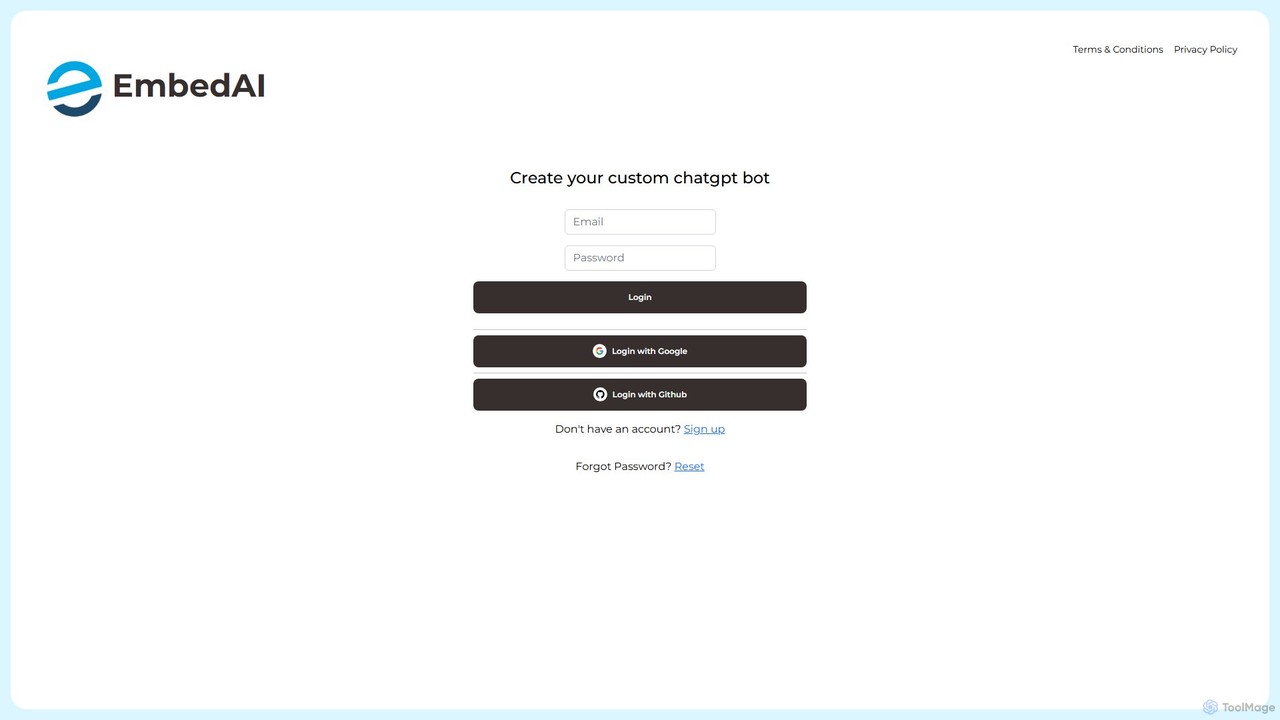
EmbedAI Product overview

EmbedAI is a no-code platform that allows you to create custom AI chatbots trained on your own data. Easily build and embed a ChatGPT-like assistant on your website to automate customer support, generate leads, and provide instant answers to user questions 24/7.

Preview

Quick facts

Compare product focus, pricing models and audiences. Highlighted rows indicate different listed information; unknown pricing does not mean free.

Chatwith VS EmbedAI — Quick facts
Quick factsChatwithEmbedAI
Pricing modelFreemiumFreemium
Product typeWebWeb
Primary focusChatbotChatbot
Audience and rolesNo data availableNo data available
CategoriesChatbot · Api · Lead Generation · No CodeChatbot · Api · Lead Generation · No Code
AddedAug 2, 2025Aug 1, 2025
UpdatedNov 19, 2026Nov 19, 2026

Features, usage and use cases

Explore the listed product descriptions, features and workflows. Taxonomy labels alone are not feature evaluations.

Chatwith

Chatwith is a powerful, no-code platform designed to help businesses create and deploy custom AI chatbots trained on their specific data. This allows companies to build an expert AI agent that understands their products, services, and internal knowledge, providing instant, accurate support to customers 24/7. By leveraging your existing content—such as website pages, knowledge bases, PDFs, DOCX files, and even YouTube videos—Chatwith transforms your data into an interactive, conversational experience. The platform is built to be user-friendly, enabling setup in minutes without any coding expertise, and is proudly made in the EU, ensuring GDPR compliance.

How to use Chatwith

Getting started with Chatwith is a straightforward process designed for simplicity and speed:

  1. Add Your Data Sources: Begin by feeding the AI your content. You can simply enter your website URL, and Chatwith will automatically crawl and index the content. You can also upload various file types, including PDFs, DOCX, and TXT files, or connect a YouTube channel to use video transcripts as a knowledge source.
  2. Customize Your Chatbot: Tailor the chatbot's appearance and personality to match your brand. Adjust colors, themes, and icons. You can also define the chatbot's voice, set custom instructions, and create a personalized welcome message to engage users from the first interaction.
  3. Integrate and Empower with Actions: Go beyond simple Q&A by connecting your chatbot to other applications. Using platforms like Zapier, Make.com, or your own API, you can enable 'Custom GPT Actions'. This allows the chatbot to perform tasks such as checking inventory, generating documents, scheduling appointments, or collecting customer information directly within the chat.
  4. Deploy and Share: Install the chatbot on your website by pasting a single line of code. You can choose between a corner pop-up widget or an embedded chat window. Alternatively, share your chatbot via a direct link (with a custom domain option), or integrate it into platforms like Slack, WhatsApp, and Telegram.

Core Features of Chatwith

  • Custom Data Training: Train your chatbot on a wide range of sources including websites, knowledge bases, PDFs, DOCX, TXT files, and YouTube videos.
  • Custom GPT Actions: Connect to over 5000+ applications via Zapier and Make.com or your own API to perform tasks and automate workflows.
  • Advanced Customization: Fully personalize the chatbot's appearance (colors, icons, theme), brand voice, welcome messages, and even add custom CSS/JS.
  • Multilingual Support: The chatbot can communicate in over 95 languages, allowing you to engage a global audience in their native tongue.
  • Powerful Analytics: Gain valuable insights from conversation logs. Track what customers are asking, analyze trends, and export data via Webhooks or a Customer Portal to improve your offerings.
  • Multiple AI Models: Choose from leading AI models like GPT-4.1, Mistral, Claude, and Gemini, and switch between them at any time to find the best fit for your needs.
  • Team & Agency Management: Invite team members with role-based access. Agencies can use white-label features, custom domains, and a secure guest portal to manage client chatbots.
  • Seamless Integrations: Easily embed on any website builder (Shopify, Wordpress, Webflow, etc.) and integrate with Slack, WhatsApp, Telegram, and more.
  • Lead Generation: Automatically collect visitor information like name, email, and phone number during conversations.
  • Bring Your Own Key (BYOK): Option to use your own OpenAI or OpenRouter API key for greater control over costs and usage.

Use Cases for Chatwith

Chatwith is versatile and can be adapted for numerous business needs:

  • E-commerce Customer Support: Act as a 24/7 sales assistant, answering product questions, checking stock, tracking orders, and guiding customers through the checkout process.
  • Knowledge Base Assistant: Provide instant, accurate answers to user questions by drawing from your help docs, FAQs, and tutorials, reducing the burden on your support team.
  • Real Estate Lead Generation: Engage website visitors, answer questions about properties, qualify potential buyers or renters, and schedule viewings.
  • SaaS Onboarding & Support: Guide new users through your software, explain features, and troubleshoot common issues, improving user adoption and satisfaction.
  • Internal Company Helpdesk: Create an internal chatbot trained on company policies, HR documents, and IT procedures to assist employees with their queries.

Advantages of Chatwith

By implementing Chatwith, businesses can achieve significant benefits. It automates up to 90% of common customer queries, freeing up human agents to focus on complex issues. This leads to reduced support costs and improved team efficiency. The instant, 24/7 availability enhances customer satisfaction and engagement, which can directly boost sales and lead conversion rates. The platform's no-code nature makes advanced AI accessible to everyone, while powerful features like GPT Actions and white-labeling provide scalability for growing businesses and agencies.

Pricing and Plans

Chatwith offers a usage-based pricing model with a 14-day free trial. You can save with a yearly subscription.

  • Hobby Plan: $19/month. Includes 1,000 message credits/month, 10M training characters, 1 chatbot, and access to core features like AI Actions, analytics, and integrations.
  • Standard Plan: $99/month. Includes everything in Hobby, plus 10,000 message credits/month, 20M training characters, 3 chatbots, removal of Chatwith branding, and unlimited team members.
  • Business Plan: $399/month. Includes everything in Standard, plus 40,000 message credits/month, 50M training characters, 5 chatbots, the ability to use your own API keys (BYOK), white-labeling, and premium support.

All prices are in USD and exclude local taxes. You can upgrade, downgrade, or cancel your plan at any time.

EmbedAI

EmbedAI is a powerful and user-friendly platform designed to empower businesses and individuals to build their own custom AI chatbots. Leveraging the capabilities of advanced large language models similar to ChatGPT, EmbedAI allows you to train a chatbot on your specific data, such as documents, website content, or knowledge bases. The result is a highly relevant and accurate AI assistant that can be seamlessly embedded into any website or application, providing instant support and engagement for your users.

The core mission of EmbedAI is to make sophisticated AI technology accessible to everyone, regardless of their technical expertise. With its intuitive no-code interface, you can create, customize, and deploy a chatbot in minutes. This tool is ideal for enhancing customer service, improving user onboarding, generating qualified leads, or creating an internal knowledge hub for your team.

How to use EmbedAI

Getting started with EmbedAI is a straightforward process designed for efficiency:

  1. Sign Up: Create an account on the EmbedAI platform using your Google, GitHub, or email account.
  2. Create a New Chatbot: In your dashboard, start a new project and give your chatbot a name.
  3. Train Your Bot: This is the crucial step where you provide the knowledge base. You can upload various file formats (like PDF, DOCX, TXT) or simply provide a website URL for EmbedAI to crawl and learn from the content. The more comprehensive your data, the smarter your bot will be.
  4. Customize the Interface: Tailor the chatbot's appearance to match your brand. You can customize colors, upload your logo, set a welcome message, and define the bot's persona and tone of voice.
  5. Embed on Your Website: Once you are satisfied with the setup, EmbedAI will provide a simple JavaScript snippet. Copy this code and paste it into your website's HTML, and your chatbot will instantly appear and be ready to interact with visitors.
  6. Monitor and Improve: Use the EmbedAI dashboard to review conversation logs, analyze user queries, and gain insights into customer needs. You can update the knowledge base at any time to improve the bot's accuracy and performance.

Core Features of EmbedAI

  • Custom Data Training: Train your chatbot on a wide range of data sources including PDFs, text files, and website content.
  • No-Code Platform: An intuitive, user-friendly interface that requires no programming skills to build and deploy a chatbot.
  • Customizable Widget: Fully customize the chatbot's appearance, including colors, logos, and initial prompts, to align with your brand identity.
  • Simple Embedding: Easily integrate the chatbot into any website with a simple copy-paste code snippet.
  • Conversation History: Access and review all interactions between users and your chatbot to understand user behavior and needs.
  • API Access: For developers and businesses with advanced needs, an API is available for deeper integration into custom applications and workflows.
  • Lead Generation: Configure the chatbot to capture user information such as names and email addresses, turning conversations into valuable leads.
  • Multi-language Support: The underlying models allow the chatbot to understand and respond in multiple languages, catering to a global audience.

Use Cases for EmbedAI

EmbedAI is a versatile tool applicable across various industries:

  • Customer Support: Automate responses to frequently asked questions (FAQs) 24/7, reducing the load on your support team and providing instant help to customers.
  • E-commerce: Assist shoppers with product information, recommendations, and order tracking, improving the shopping experience and boosting sales.
  • Lead Generation: Engage website visitors proactively, answer their questions about services, and capture their contact details for follow-up.
  • Education & Onboarding: Create a virtual tutor or guide to help new users navigate your software, platform, or online course.
  • Internal Knowledge Management: Build an internal chatbot for your team to quickly find information from company policies, training materials, and internal documentation.

Advantages of EmbedAI

Using EmbedAI offers significant benefits:

  • Increased Efficiency: Automate repetitive tasks and free up your team to focus on more complex issues.
  • Enhanced User Experience: Provide immediate, 24/7 support to your website visitors, increasing satisfaction and engagement.
  • Cost-Effective: A much more affordable solution compared to hiring a full-time support team or developing a custom chatbot from scratch.
  • Easy to Manage: The no-code platform makes it simple for anyone on your team to update and manage the chatbot's knowledge base.
  • Valuable Insights: The dashboard provides data on what your customers are asking, revealing gaps in your content and highlighting areas for business improvement.

Pricing and Plans

EmbedAI likely operates on a freemium model, offering various tiers to suit different needs. While specific details should be confirmed on the official website, a typical structure would include:

  • Free Plan: A basic plan perfect for individuals or small projects, with limitations on the number of chatbots, messages per month, and data upload size. This plan may include EmbedAI branding.
  • Paid Plans (e.g., Starter, Pro, Business): These tiers offer progressively higher limits, advanced features like API access, removal of branding, priority support, and more extensive customization options. Pricing is typically based on a monthly or annual subscription.

Please visit the official EmbedAI website for the most current and detailed pricing information.

Positioning

Their taxonomy shows where the products overlap and where each one has a more distinct focus. Unknown fields are shown explicitly and are never filled with assumptions.

Categories

Shared
ChatbotApiLead GenerationNo Code
Only Chatwith
No listed items
Only EmbedAI
No listed items

Tags

Shared
APIchatbotcustomer supportknowledge baselead generationno-code
Only Chatwith
AI agentautomationgpt-4multilingualwebsite widget
Only EmbedAI
AI assistantembeddable widgetgptwebsite builder

Audience and roles

Shared
No listed items
Only Chatwith
No listed items
Only EmbedAI
No listed items

Traffic comparison

Traffic is shown on the same scale so differences in market visibility are not visually understated.

How to interpret the traffic data

Both charts share the same months and vertical scale. Each tool identifies its latest reporting month; missing months are left blank, not counted as zero. Regional and source visit counts are estimates calculated from the reported shares.

Chatwith monthly traffic:

Latest traffic · 2026-05

Monthly visits
20K
Avg. visit duration
0:10
Pages per visit
1.61
Bounce rate
38.81%
Data updated 2026-06-15

Monthly traffic trend

  • 2025-09: 13.1K
  • 2026-01: 16.5K
  • 2026-02: 24.1K
  • 2026-03: 11.4K
  • 2026-04: 20.6K
  • 2026-05: 20K

Top regions

Top 5 countries/regions
Country/regionPercentageEstimated visits
🇺🇸United States29.69%5.9K
🇮🇳India20.58%4.1K
🇨🇦Canada18.37%3.7K
🇧🇷Brazil16.52%3.3K
🇨🇭Switzerland14.84%3K

Search keywords

chat withchatwithchatwith instantly answer questions with a custom ai chatbotfaq samplesfrequently asked questions

EmbedAI

No data available

Community signals

Ratings, comments, favorites, and likes are community signals—not a substitute for product fit.

Chatwith

Rating
No data available
Comments
0
Favorites
161
Likes
163

EmbedAI

Rating
No data available
Comments
0
Favorites
193
Likes
192

Chatwith vs EmbedAI · Comparison FAQ

What do Chatwith and EmbedAI have in common?
Both tools are listed under Chatbot、Api、Lead Generation、No Code. These categories indicate overlapping use cases; compare their detailed descriptions for workflows, capabilities and limitations.
Are Chatwith and EmbedAI free?
Listed pricing models: Chatwith — Freemium; EmbedAI — Freemium. Missing pricing is not proof of a free plan, and freemium does not mean every feature is free. Check official sites for current plans, limits and trials.
How should I choose between Chatwith and EmbedAI?
The primary listed category is Chatbot for Chatwith, and Chatbot for EmbedAI. Compare features, steps and use cases, then verify pricing, data permissions and deployment needs. This page does not include hands-on testing and does not declare a winner from traffic or tags.

Sources and comparison methodology

This page is assembled from ToolMage product listings, taxonomy, traffic statistics and on-site user feedback. It is not a hands-on test or an independent review.

  • Feature and plan descriptions reflect information in the listings, not real-time guarantees. Verify pricing, quotas, availability and privacy terms on the official sites.
  • Traffic uses the reporting months shown. Missing statistics do not mean zero visits, and different periods do not establish growth or superiority. Regional and source visit counts are estimates based on shares.
  • Different tags indicate differences in the listings, not proof that the other product lacks a capability. Ratings, favorites and visits are not used to declare a winner.

Related comparisons