ToolMage
Sign in

AI TOOL COMPARISON

Circleback vs Supernormal

What is the difference, and which fits your workflow? Compare features, usage, pricing models and traffic side by side.

Jump to key differences

Product overview

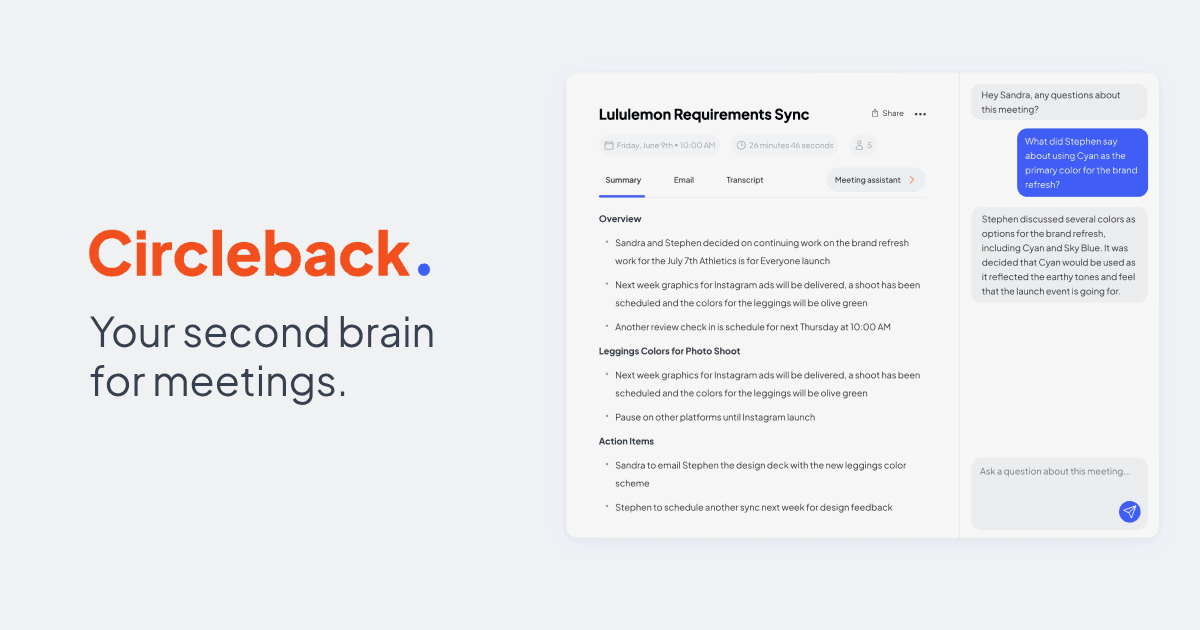
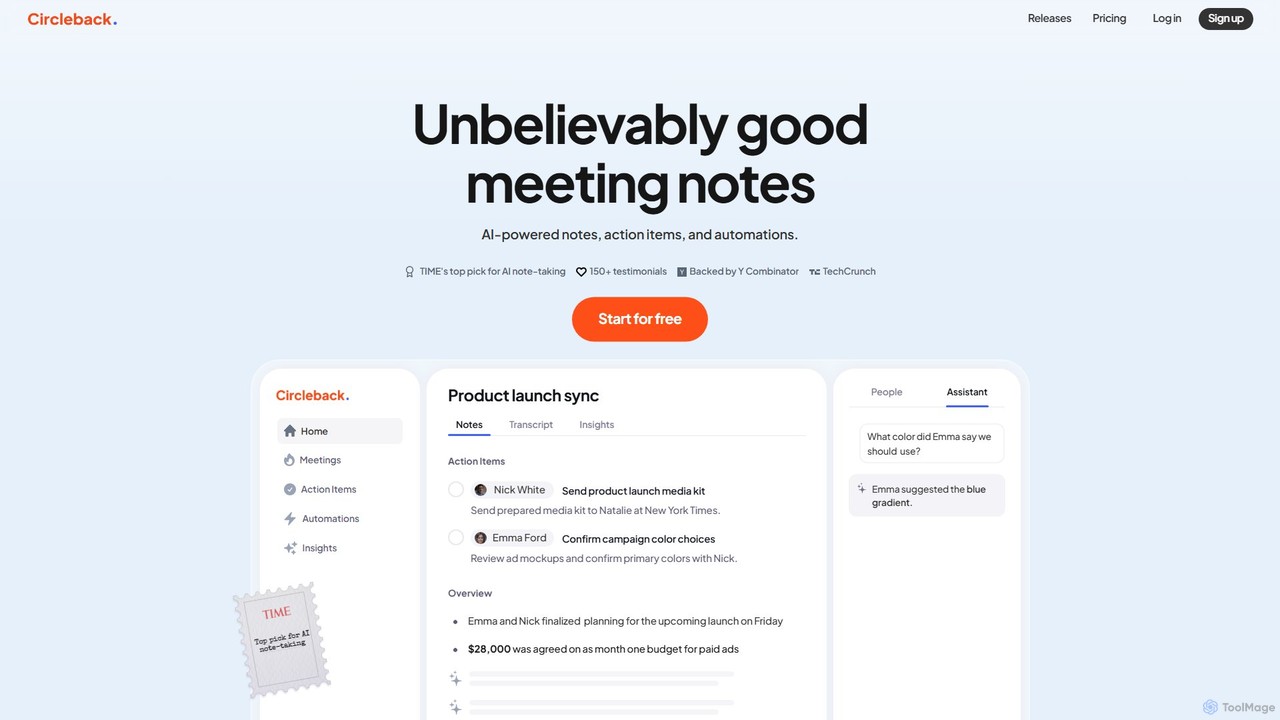
Circleback Product overview

Circleback is an AI-powered meeting assistant that automatically generates meticulous notes, assigns action items, and provides accurate transcriptions for both virtual and in-person meetings. It integrates with your favorite apps to automate post-meeting workflows, helping you save time, stay organized, and focus on the conversation.

Preview

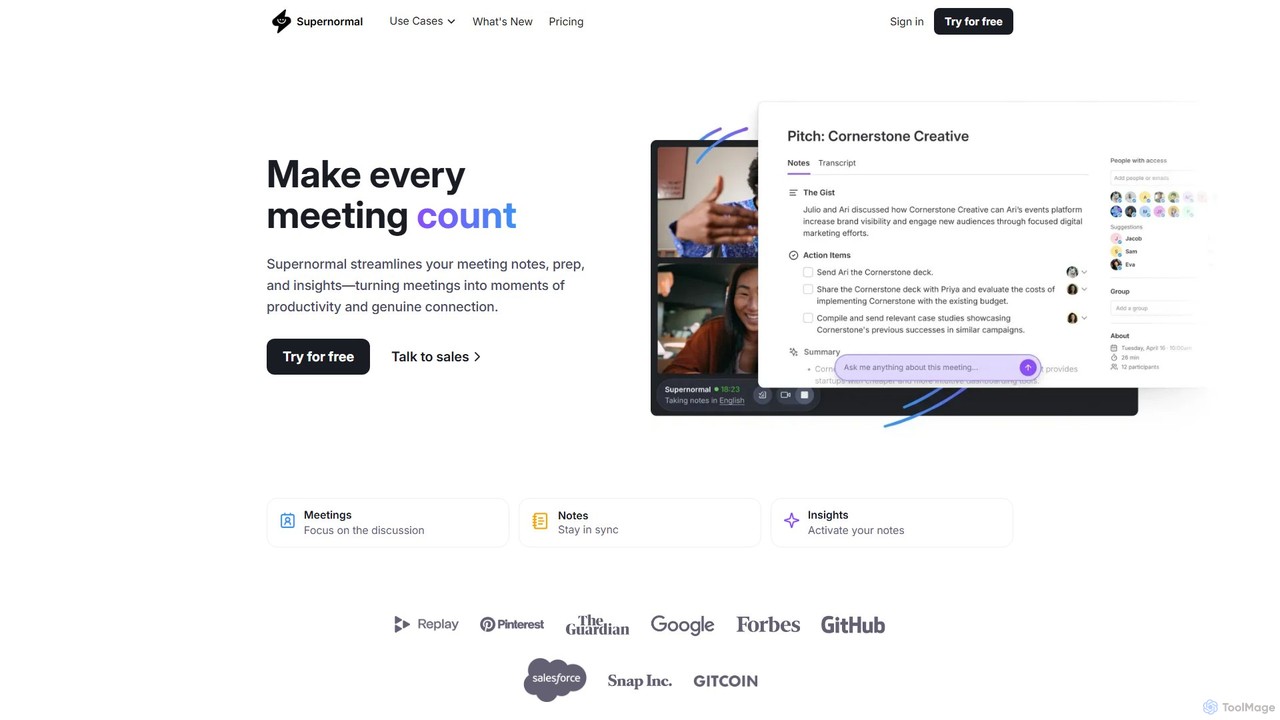
Supernormal Product overview

Supernormal is an AI meeting assistant that automatically records, transcribes, and summarizes your meetings on Google Meet, Zoom, and Microsoft Teams. It helps you focus on the conversation by taking care of note-taking, identifying action items, and providing actionable insights.

Preview

Quick facts

Compare product focus, pricing models and audiences. Highlighted rows indicate different listed information; unknown pricing does not mean free.

Circleback VS Supernormal — Quick facts
Quick factsCirclebackSupernormal
Pricing modelFreemiumFreemium
Product typeWebWeb
Primary focusWorkflowMeetings
Audience and rolesNo data availableNo data available
CategoriesWorkflow · Meetings · Transcription · CrmMeetings · Task Management · Transcription · Automation
AddedAug 15, 2025Aug 14, 2025
UpdatedNov 19, 2026Nov 19, 2026

Features, usage and use cases

Explore the listed product descriptions, features and workflows. Taxonomy labels alone are not feature evaluations.

Circleback

Circleback is a sophisticated AI meeting assistant designed to revolutionize how teams handle meetings. Recognized by TIME as a top pick for AI note-taking and backed by Y Combinator, Circleback ensures you get the most out of every conversation. It automatically joins your meetings on platforms like Zoom, Google Meet, and Microsoft Teams, or records in-person discussions, to provide detailed notes, summaries, and full transcriptions. The platform excels at identifying and assigning action items to specific individuals, eliminating any ambiguity about post-meeting responsibilities. With an AI-powered search function, you can instantly find key moments from any meeting, going far beyond a simple text search. Circleback's meeting assistant allows you to ask questions about your past conversations, such as 'What did Emma say about the budget?', and receive instant, accurate answers. This tool is built for both individuals and collaborative teams, aiming to boost productivity and ensure no detail is ever missed.

How to use Circleback

Getting started with Circleback is a simple, three-step process designed for maximum efficiency:

  1. Connect Your Calendar: Integrate your Google or Outlook calendar in just two minutes. Circleback will then automatically know when your meetings are scheduled.
  2. Focus on Your Meeting: Let Circleback's AI agent join your virtual meeting or simply press record on the app for in-person conversations. This allows you to be fully present and engaged, without the distraction of taking notes.
  3. Review and Automate: After the meeting, you'll receive a comprehensive summary, detailed notes, a full transcript, and a list of action items. Use the meeting assistant to ask follow-up questions, draft emails, or push tasks to other applications.

Core Features of Circleback

  • AI-Generated Notes & Summaries: Automatically creates meticulous, well-organized notes and concise summaries that capture the essence of the meeting.
  • Accurate Action Item Tracking: Intelligently identifies follow-up tasks and automatically assigns them to the correct team members, ensuring accountability.
  • State-of-the-Art Transcription: Provides highly accurate transcriptions with speaker identification and excellent handling of technical terms and various accents, supporting over 100 languages.
  • AI Meeting Assistant & Search: Ask questions about your meetings in natural language and get instant answers. The powerful search function lets you find any moment across all your recorded meetings.
  • Seamless Integrations: Connects with popular tools like Slack, Notion, HubSpot, Salesforce, Linear, Monday.com, and Zapier to automate your post-meeting workflows.
  • High-Level Security: Your data is kept private and secure with industry-leading compliance, including SOC 2 Type II and HIPAA.
  • Cross-Platform Availability: Works with virtual meetings, in-person meetings, Slack Huddles, and phone calls, with dedicated apps for desktop and mobile.

Use Cases for Circleback

Circleback is versatile and valuable for various professional scenarios:

  • Sales Teams: Automatically update CRM records in HubSpot or Salesforce with meeting notes and key customer insights.
  • Project Management: Create tasks in Linear or update boards in Monday.com directly from action items discussed in meetings.
  • Product Teams: Keep a clear record of product launch syncs, feature discussions, and user feedback.
  • Leadership & All-Hands: Easily transcribe and summarize all-hands meetings or important calls to share with the entire company.
  • Customer Success: Track customer feedback, issues, and commitments to improve service and follow-up.

Advantages of Circleback

Circleback offers significant advantages by transforming meeting management. It frees up participants to engage fully in discussions rather than taking notes. It enhances accountability by clearly assigning action items. The powerful automation capabilities save hours of manual work by syncing meeting outcomes with other essential business applications. With high-accuracy transcription and robust security, it provides a reliable and trustworthy record of all your important conversations, ultimately leading to more productive teams and better business outcomes.

Pricing and Plans

Circleback offers a 7-day free trial to experience its full capabilities. The pricing is structured into three main tiers:

  • Individual Plan: Ideal for solo professionals, priced at $20.83/month (billed annually). It includes unlimited meetings, meticulous notes, action items, transcription, and all integrations.
  • Team Plan: Perfect for collaborative teams, priced at $25/user/month. It includes all Individual plan features plus team-specific functionalities like shared meetings, collaborative comments, centralized billing, and team-wide automations.
  • Enterprise Plan: A custom plan for large businesses operating at scale. It includes all Team plan features plus priority support, advanced security controls, and dedicated onboarding assistance.

Supernormal

Supernormal is a sophisticated AI-powered platform designed to revolutionize how teams conduct and benefit from meetings. By automating the tedious process of note-taking, it allows participants to remain fully engaged in discussions. The platform's AI assistant, named Norma, joins your meetings on Google Meet, Zoom, and Microsoft Teams to provide real-time transcription, detailed notes, and concise summaries. This ensures that every crucial detail, decision, and action item is captured accurately without manual effort.

Beyond simple transcription, Supernormal provides a suite of tools to activate your meeting content. You can ask questions directly to the AI about past conversations, generate new content based on meeting discussions, and seamlessly share insights with your team. With deep integrations into popular workplace tools, Supernormal becomes a central hub for your team's collective knowledge, ensuring everyone stays aligned and accountable.

How to use Supernormal

Using Supernormal is designed to be intuitive and seamless. First, you sign up for an account and connect it to your calendar (Google or Outlook). Then, you can install the Chrome extension for easy access with Google Meet, or configure it to work with your Zoom and Microsoft Teams accounts. Supernormal will then automatically join the meetings you schedule, appearing as a participant. You can even customize its display name. During the meeting, you can focus entirely on the conversation while the AI works in the background. After the meeting concludes, you'll receive an email with a link to the notes, which include a full transcript, an AI-generated summary, and a list of action items. You can then edit, share, or sync these notes to other platforms like Slack, Salesforce, or Asana to streamline your workflow.

Core Features of Supernormal

  • AI-Powered Note-Taking: Automatically generates detailed, well-structured notes and summaries for every meeting, capturing key points and decisions.
  • Cross-Platform Compatibility: Works seamlessly with Google Meet, Zoom, and Microsoft Teams, providing a consistent experience across platforms.
  • Action Item Tracking: Intelligently identifies and assigns action items from the conversation, which can be synced with project management tools like Asana, ClickUp, and Trello.
  • Ask Norma AI Assistant: An interactive AI that allows you to ask questions about your meetings to instantly pull out specific information, data points, or decisions.
  • Extensive Integrations: Connects with over 20 popular tools including Salesforce, HubSpot, Slack, Notion, and Google Docs, automating data entry and knowledge sharing.
  • Customizable Templates: Create and use custom templates to structure your meeting notes according to specific needs, such as sales calls, interviews, or team stand-ups.
  • Multi-Language Support: Supports transcription and analysis in over 60 languages, making it a valuable tool for global teams.
  • Enterprise-Grade Security: SOC 2 certified with end-to-end encryption (TLS 1.2+ and AES-256) to ensure your data is always safe and secure.

Use Cases for Supernormal

Supernormal is versatile and benefits various roles and industries. For sales teams, it automatically logs call notes in CRMs like Salesforce and HubSpot, saving administrative time. Project managers use it to capture requirements and track action items, ensuring projects stay on schedule. Recruiters can focus on the candidate during interviews, as Supernormal syncs notes to applicant tracking systems like Workable. For developers and product teams, it documents technical discussions and decisions, creating a searchable knowledge base. Consultants use it to provide clients with detailed, actionable follow-ups, enhancing their professional service.

Advantages of Supernormal

The primary advantage of Supernormal is its ability to boost productivity by freeing up individuals from the burden of note-taking, allowing for deeper engagement and 'flow' in meetings. It creates a single source of truth for all meeting-related information, improving team alignment and reducing miscommunication. The seamless integrations automate workflows, eliminating manual data entry and saving significant time. Furthermore, the 'Ask Norma' feature transforms passive meeting transcripts into an active, searchable knowledge base, unlocking valuable insights that might otherwise be lost.

Pricing and Plans

Supernormal operates on a freemium model, offering several tiers to suit different needs:

  • Free Plan: A great starting point for individuals, offering a limited number of free meeting recordings per month with core features.
  • Pro Plan: Aimed at professionals and power users, this plan typically offers unlimited meeting recordings, advanced features, and more integrations.
  • Business Plan: Designed for teams, this plan includes all Pro features plus team collaboration tools, centralized billing, and advanced administrative controls.
  • Enterprise Plan: A custom solution for large organizations, offering advanced security features, dedicated support, and custom integrations.
For the most current pricing, it is recommended to visit the official Supernormal website.

Positioning

Their taxonomy shows where the products overlap and where each one has a more distinct focus. Unknown fields are shown explicitly and are never filled with assumptions.

Categories

Shared
MeetingsTranscription
Only Circleback
WorkflowCrm
Only Supernormal
Task ManagementAutomation

Tags

Shared
action itemsautomationcollaborationmeeting assistantmeeting summaryproductivitytranscription
Only Circleback
AI notesnote-taking
Only Supernormal
AI note takerGoogle MeetMicrosoft TeamsZoom

Audience and roles

Shared
No listed items
Only Circleback
No listed items
Only Supernormal
No listed items

Traffic comparison

Traffic is shown on the same scale so differences in market visibility are not visually understated.

How to interpret the traffic data

Both charts share the same months and vertical scale. Each tool identifies its latest reporting month; missing months are left blank, not counted as zero. Regional and source visit counts are estimates calculated from the reported shares.

Circleback monthly traffic:

Latest traffic · 2026-05

Monthly visits
227.3K
Avg. visit duration
2:18
Pages per visit
3.77
Bounce rate
34.83%
Data updated 2026-06-15

Monthly traffic trend

  • 2025-09: 147.5K
  • 2026-01: 167.8K
  • 2026-02: 191.8K
  • 2026-03: 220.2K
  • 2026-04: 252.9K
  • 2026-05: 227.3K

Top regions

Top 5 countries/regions
Country/regionPercentageEstimated visits
🇺🇸United States52.89%120.2K
🇯🇵Japan29.17%66.3K
🇻🇳Vietnam9.95%22.6K
🇧🇷Brazil5.78%13.1K
🇹🇭Thailand2.21%5K

Traffic sources

Source typePercentageEstimated visits
Direct89.8%204.1K
Referral7.49%17K
Email2.71%6.2K

Search keywords

circle backcirclebackcircleback aiサークルバックサークルバック 議事録

Supernormal monthly traffic:

Latest traffic · 2026-05

Monthly visits
102.5K
Avg. visit duration
0:28
Pages per visit
2.02
Bounce rate
43.77%
Data updated 2026-06-11

Monthly traffic trend

  • 2025-09: 242.6K
  • 2026-01: 165.9K
  • 2026-02: 142.3K
  • 2026-03: 142.6K
  • 2026-04: 172.5K
  • 2026-05: 102.5K

Top regions

Top 5 countries/regions
Country/regionPercentageEstimated visits
🇺🇸United States44.64%45.7K
🇧🇷Brazil33.89%34.7K
🇳🇬Nigeria7.26%7.4K
🇦🇷Argentina7.15%7.3K
🇬🇭Ghana7.06%7.2K

Traffic sources

Source typePercentageEstimated visits
Direct87.41%89.6K
Referral9.92%10.2K
Email2.67%2.7K

Search keywords

supernomralsupernormalsupernormal aisupernormal appsupernormal desktop app

Community signals

Ratings, comments, favorites, and likes are community signals—not a substitute for product fit.

Circleback

Rating
No data available
Comments
0
Favorites
180
Likes
167

Supernormal

Rating
No data available
Comments
0
Favorites
203
Likes
183

Circleback vs Supernormal · Comparison FAQ

What do Circleback and Supernormal have in common?
Both tools are listed under Meetings、Transcription. These categories indicate overlapping use cases; compare their detailed descriptions for workflows, capabilities and limitations.
Are Circleback and Supernormal free?
Listed pricing models: Circleback — Freemium; Supernormal — Freemium. Missing pricing is not proof of a free plan, and freemium does not mean every feature is free. Check official sites for current plans, limits and trials.
How should I choose between Circleback and Supernormal?
The primary listed category is Workflow for Circleback, and Meetings for Supernormal. Compare features, steps and use cases, then verify pricing, data permissions and deployment needs. This page does not include hands-on testing and does not declare a winner from traffic or tags.

Sources and comparison methodology

This page is assembled from ToolMage product listings, taxonomy, traffic statistics and on-site user feedback. It is not a hands-on test or an independent review.

  • Feature and plan descriptions reflect information in the listings, not real-time guarantees. Verify pricing, quotas, availability and privacy terms on the official sites.
  • Traffic uses the reporting months shown. Missing statistics do not mean zero visits, and different periods do not establish growth or superiority. Regional and source visit counts are estimates based on shares.
  • Different tags indicate differences in the listings, not proof that the other product lacks a capability. Ratings, favorites and visits are not used to declare a winner.

Related comparisons