ToolMage
Sign in

AI TOOL COMPARISON

Code Fundi vs Otto Engineer

What is the difference, and which fits your workflow? Compare features, usage, pricing models and traffic side by side.

Jump to key differences

Product overview

Code Fundi Product overview

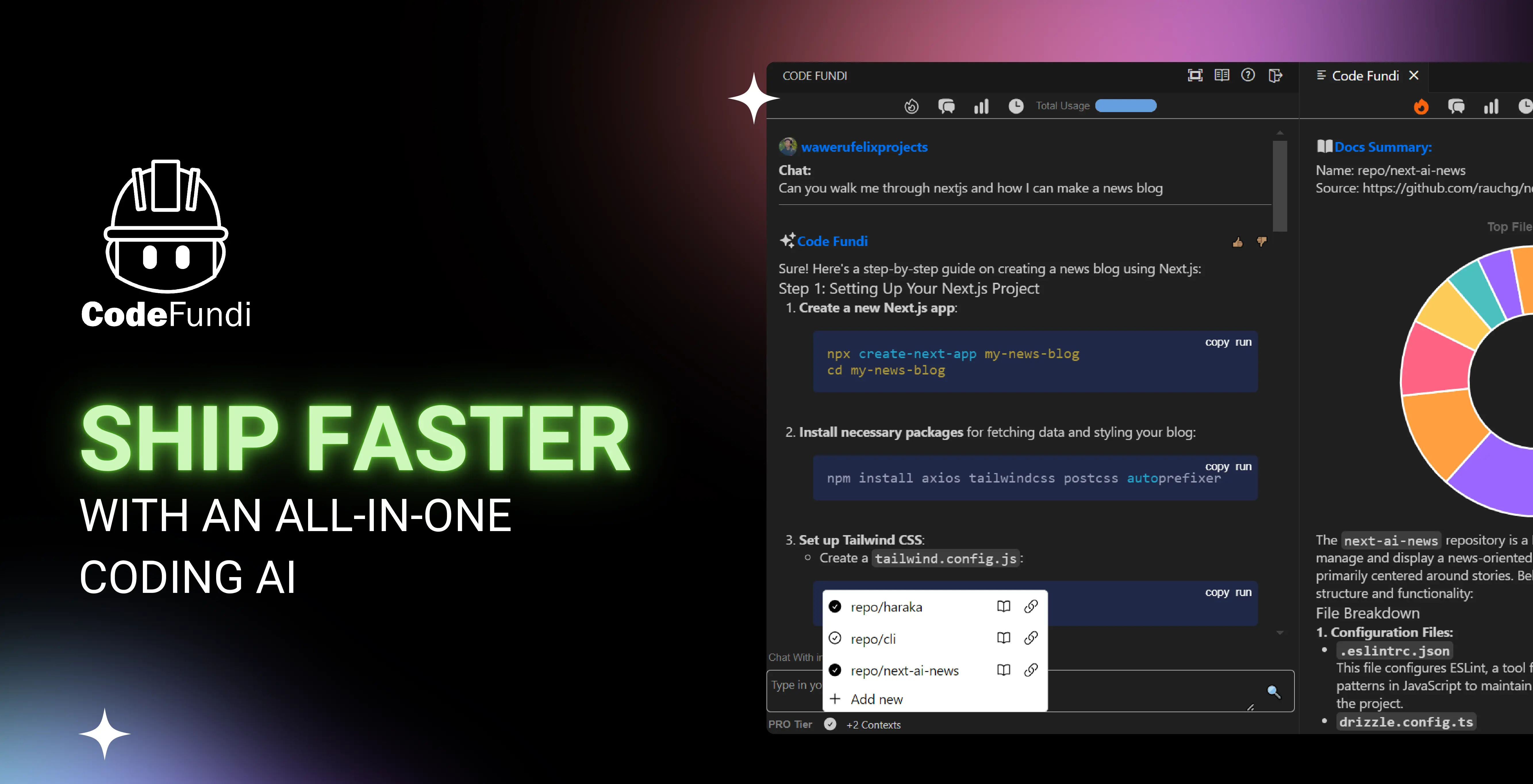
Code Fundi is an all-in-one AI coding assistant designed for developers and teams to accelerate the software development lifecycle. It integrates directly into your workflow via VS Code and CLI, offering features like repository chat, code generation, debugging, and automated documentation.

Preview

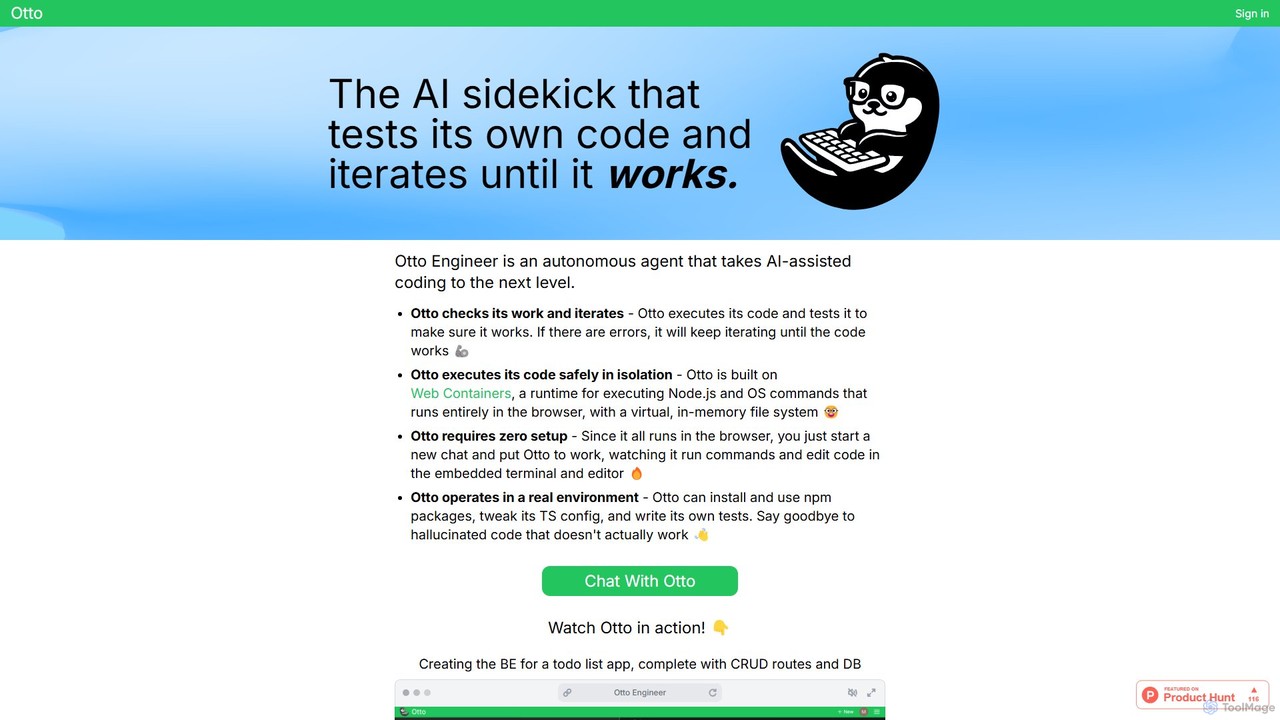
Otto Engineer Product overview

Otto Engineer is an autonomous AI agent that elevates coding by writing, testing, and iterating on code directly in your browser. It operates in a secure, sandboxed environment, requiring zero setup to prototype applications, debug complex issues, and generate reliable, working code.

Preview

Quick facts

Compare product focus, pricing models and audiences. Highlighted rows indicate different listed information; unknown pricing does not mean free.

Code Fundi VS Otto Engineer — Quick facts
Quick factsCode FundiOtto Engineer
Pricing modelFreemiumFreemium
Product typeWebWeb
Primary focusCode AssistantCode Assistant
Audience and rolesNo data availableNo data available
CategoriesCode Assistant · Debugging · AutomationCode Assistant · Debugging · Automation
AddedAug 13, 2025Aug 10, 2025
UpdatedNov 19, 2026Nov 19, 2026

Features, usage and use cases

Explore the listed product descriptions, features and workflows. Taxonomy labels alone are not feature evaluations.

Code Fundi

Code Fundi is a comprehensive, AI-powered coding platform designed to help individual developers and teams build and ship better software, faster. Its core mission is to significantly reduce the time developers spend on debugging and repetitive tasks, which can consume up to 75% of their time. The name 'Fundi', a Kiswahili word for 'craftsman', reflects the tool's role as an on-demand, expert AI assistant that enhances a developer's craft.

This all-in-one solution integrates seamlessly into your existing development environment. You can chat with any code repository, build new code from scratch, and even create full-stack applications using simple, natural language prompts. By leveraging a dynamic LLM built specifically for coding and enhanced with Retrieval Augmented Generation (RAG), Code Fundi provides highly relevant and context-aware assistance. You can supercharge its knowledge by linking your own documentation and references, allowing it to understand the unique context of your projects.

How to use Code Fundi

Getting started with Code Fundi is a straightforward process designed for quick integration into your daily routine:

  1. Sign Up: Create a free account on the Code Fundi website. No credit card is required for the free plan.
  2. Install the Integration: Download and install the Code Fundi extension for Visual Studio Code or Cursor. You can also set up the Command Line Interface (CLI) for use in your terminal.
  3. Connect Your Workspace: Link your code repositories to the platform. You can start with public repositories on the free plan or connect private ones on paid plans.
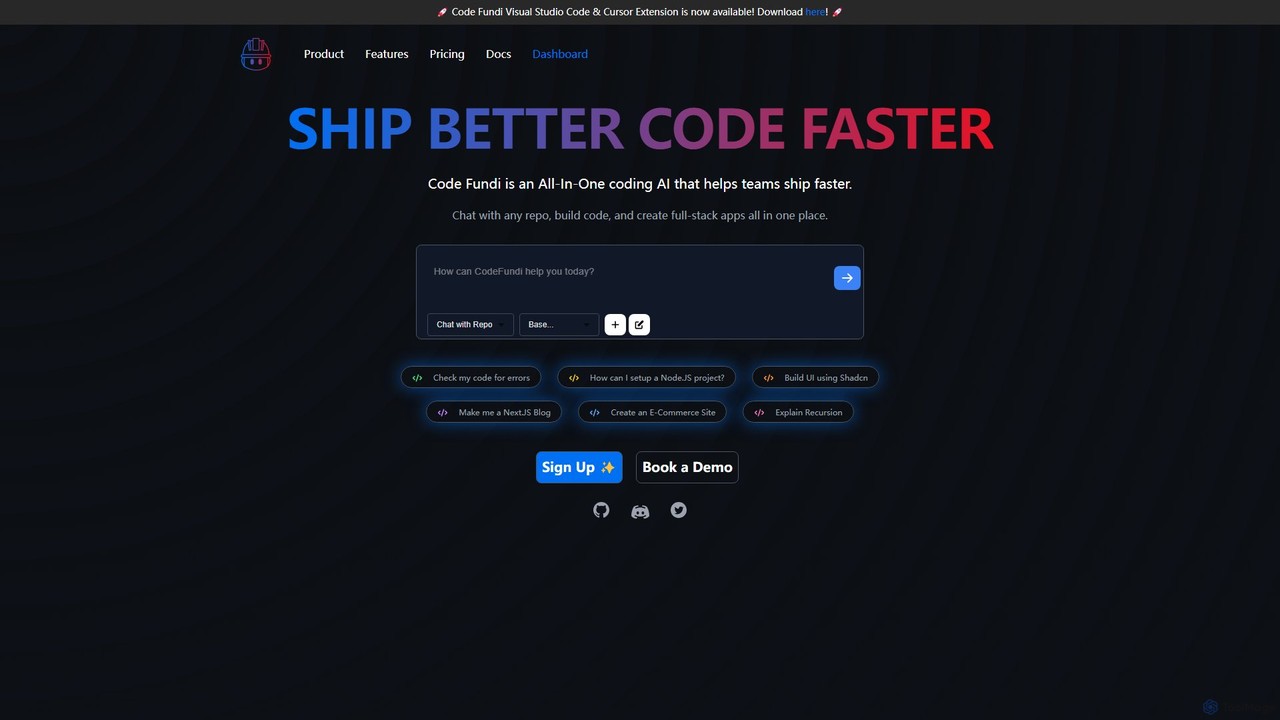
  4. Start Coding with AI: Use the chat interface within your editor to interact with the AI. Ask it to perform tasks like "Check my code for errors," "Explain Recursion," "Build UI using Shadcn," or "Make me a Next.JS Blog."
  5. Generate Documentation: Automatically create knowledge bases and analyze your code on-demand to keep your documentation up-to-date and insightful.
  6. Monitor and Optimize: Use the dashboard to view live stats and monitor your coding activity, helping you identify bottlenecks and optimize your workflow for faster deployments.

Core Features of Code Fundi

  • AI-Powered Coding Chat: Interact with a dynamic LLM to generate, debug, explain, and test your code.
  • Chat with Repositories: Ask questions and get context-aware answers about any connected codebase, making it easier to understand complex projects or onboard new team members.
  • Retrieval Augmented Generation (RAG): Enhance the AI's accuracy by linking your own documentation and references, providing it with project-specific context.
  • Automated Documentation: Automatically create and maintain knowledge bases for your software, turning your code into a queryable resource.
  • Support for All Languages: Works seamlessly with any programming language and technology stack, from frontend frameworks to backend systems.
  • Accessible Integrations: Use Code Fundi directly within your favorite tools, with support for Visual Studio Code, Cursor, and a Command Line Interface (CLI).
  • Live Stats & Monitoring: Get real-time insights into your coding activity and automate deployment monitoring and diagnosis.
  • Enterprise-Level Data Security: Protect your proprietary code with robust security measures, including options for VPC and zero-data retention for enterprise clients.

Use Cases for Code Fundi

For Individual Developers: Boost personal productivity by quickly scaffolding new projects, generating boilerplate code, fixing bugs, and learning new technologies or complex concepts directly within the editor.

For Teams and Organizations: Accelerate development velocity by enabling seamless collaboration. New engineers can quickly get up to speed by chatting with the repository. Teams can maintain high-quality, automated documentation and ensure code consistency across projects.

For Full-Stack Development: Build complete applications from the ground up. Use prompts to create both frontend components (e.g., with Shadcn) and backend logic (e.g., a Node.js project), streamlining the entire development process.

Advantages of Code Fundi

The primary advantage of Code Fundi is its ability to function as a holistic coding partner, not just a simple code completion tool. It increases development speed by up to 10x, automates tedious tasks like documentation, and provides deep, contextual understanding of your codebase. Its focus on enterprise-grade security and flexible integrations makes it a reliable and powerful tool for both individual craftsmen and large-scale organizations aiming to innovate faster.

Pricing and Plans

Code Fundi offers a tiered pricing structure to suit different needs:

  • Free Plan ($0/month): Includes basic AI coding help, daily sessions, and the ability to chat with public repositories. No credit card required.
  • Dev Plan ($5/month): Designed for individual developers, offering 100 AI coding sessions/month, weekly analytics, chat with 1 private repo, and the ability to convert 5 repos to docs.
  • Pro Plan ($25/month): For power users and small teams, this plan includes 500 AI coding sessions/month, chat with 3 repos at once, 10 repos to docs, priority support, and early access to new AI models.
  • Enterprise Plan (Custom Pricing): A custom solution for large organizations, offering unlimited usage, unlimited repository chat, on-premise hosting options, VPC & zero-data retention, dedicated support, and centralized billing.

Otto Engineer

Otto Engineer represents the next evolution in AI-assisted development, functioning as a fully autonomous agent designed to handle complex coding tasks from start to finish. Unlike traditional code completion tools that suggest snippets, Otto takes high-level instructions, formulates a plan, writes the code, and most importantly, executes and tests it in a secure, isolated environment. This iterative process ensures the final output is not just syntactically correct, but functionally sound and free of common AI hallucinations.

Built on Web Containers, Otto runs a complete Node.js environment entirely within your browser. This groundbreaking approach provides a virtual, in-memory file system, allowing Otto to perform real-world development tasks like installing npm packages, configuring TypeScript (`tsconfig.json`), and writing its own test suites. The entire process is transparent, with users able to watch Otto work in an embedded terminal and code editor, providing a unique insight into its problem-solving methodology.

How to use Otto Engineer

Using Otto Engineer is designed to be a seamless, chat-based experience that requires no prior setup:

  1. Start a Chat: Navigate to the Otto Engineer website and initiate a new chat session.
  2. Provide Your Prompt: Describe the task you want to accomplish in natural language. Be as specific as possible. For example, 'Create the backend for a to-do list app using Express.js, with CRUD routes for tasks and an in-memory database.'
  3. Observe the Process: Watch in real-time as Otto interprets your request, runs commands in the terminal, and writes or modifies code in the editor. You can see its entire workflow, from installing dependencies to writing logic.
  4. Iterative Debugging: If the code fails during execution or testing, Otto will analyze the error output, identify the problem, and attempt to fix it. It will repeat this cycle until the code works as intended.
  5. Download Your Code: Once Otto successfully completes and verifies the task, you can download the entire working project as a single zip file, ready to be used or further developed locally.

Core Features of Otto Engineer

  • Autonomous Iteration and Self-Correction: Otto doesn't just write code; it executes, tests, and debugs it in a continuous loop until a working solution is achieved.
  • Secure In-Browser Sandbox: Leverages Web Containers to run a Node.js environment safely in the browser, protecting your local machine and ensuring a secure execution context.
  • Zero-Setup Environment: As a fully browser-based tool, it eliminates the need for any local environment configuration, dependency installation, or setup. You can start coding instantly.
  • Real Environment Simulation: Capable of interacting with a file system, installing npm packages, running tests, and managing project configurations, just like a human developer.
  • Transparent Workflow: Users can observe every command, code change, and test result, offering valuable insights into the development and debugging process.
  • Reliable Code Generation: By validating its own work, Otto significantly reduces the likelihood of producing non-functional or 'hallucinated' code.

Use Cases for Otto Engineer

Developers leverage Otto for a variety of tasks to enhance productivity:

  • Rapid Prototyping: Quickly generate functional starter code for new projects, including backend APIs, frontend components, or command-line tools with any combination of libraries.
  • Advanced Debugging: Paste thorny TypeScript issues, runtime errors, or complex bugs and let Otto autonomously work through the problem to find and implement a solution.
  • Utility and Mini-Library Creation: Automate the implementation of custom utilities, helper functions, or even complex TypeScript utility types, complete with tests.
  • Learning and Exploration: Observe how an AI agent tackles a specific problem, providing a practical learning experience on best practices and different approaches to coding challenges.

Advantages of Otto Engineer

Otto Engineer offers a distinct advantage over other AI coding tools:

  • Increased Efficiency: Automates the entire cycle of writing, testing, and debugging, freeing up developers to focus on high-level architecture and features.
  • Guaranteed Functionality: The core promise is 'working code'. The iterative testing process ensures that what you receive is immediately usable.
  • Enhanced Security: All operations are contained within the browser sandbox, eliminating risks to your local system.
  • Unmatched Accessibility: The zero-setup nature makes it incredibly easy for any developer to start a complex project from any machine with a web browser.

Pricing and Plans

Otto Engineer likely operates on a freemium model. This typically includes a free tier with limited access for users to experience the core functionalities. For more extensive use, such as handling larger projects, higher computational limits, and access to premium features, paid subscription plans are expected to be available. For the most accurate and current pricing details, please visit the official Otto Engineer website.

Positioning

Their taxonomy shows where the products overlap and where each one has a more distinct focus. Unknown fields are shown explicitly and are never filled with assumptions.

Categories

Shared
Code AssistantDebuggingAutomation
Only Code Fundi
No listed items
Only Otto Engineer
No listed items

Tags

Shared
code generationdebugging
Only Code Fundi
ai pair programmerautomated documentationcode assistantdeveloper productivityrepository chatsoftware developmentVS Code extension
Only Otto Engineer
AI codingautonomous agentdeveloper tooljavascriptnode.jsprogramming assistantprototypingtypescriptweb containers

Audience and roles

Shared
No listed items
Only Code Fundi
No listed items
Only Otto Engineer
No listed items

Traffic comparison

Traffic is shown on the same scale so differences in market visibility are not visually understated.

How to interpret the traffic data

Both charts share the same months and vertical scale. Each tool identifies its latest reporting month; missing months are left blank, not counted as zero. Regional and source visit counts are estimates calculated from the reported shares.

Code Fundi monthly traffic:

Latest traffic · 2026-05

Monthly visits
894
Avg. visit duration
0:00
Pages per visit
1.07
Bounce rate
31.68%
Data updated 2026-06-15

Monthly traffic trend

  • 2025-09: 489
  • 2026-01: 250
  • 2026-02: 712
  • 2026-03: 188
  • 2026-04: 0
  • 2026-05: 894

Search keywords

code fundi code fundifundi

Otto Engineer

No data available

Community signals

Ratings, comments, favorites, and likes are community signals—not a substitute for product fit.

Code Fundi

Rating
No data available
Comments
0
Favorites
169
Likes
195

Otto Engineer

Rating
No data available
Comments
0
Favorites
184
Likes
206

Code Fundi vs Otto Engineer · Comparison FAQ

What do Code Fundi and Otto Engineer have in common?
Both tools are listed under Code Assistant、Debugging、Automation. These categories indicate overlapping use cases; compare their detailed descriptions for workflows, capabilities and limitations.
Are Code Fundi and Otto Engineer free?
Listed pricing models: Code Fundi — Freemium; Otto Engineer — Freemium. Missing pricing is not proof of a free plan, and freemium does not mean every feature is free. Check official sites for current plans, limits and trials.
How should I choose between Code Fundi and Otto Engineer?
The primary listed category is Code Assistant for Code Fundi, and Code Assistant for Otto Engineer. Compare features, steps and use cases, then verify pricing, data permissions and deployment needs. This page does not include hands-on testing and does not declare a winner from traffic or tags.

Sources and comparison methodology

This page is assembled from ToolMage product listings, taxonomy, traffic statistics and on-site user feedback. It is not a hands-on test or an independent review.

  • Feature and plan descriptions reflect information in the listings, not real-time guarantees. Verify pricing, quotas, availability and privacy terms on the official sites.
  • Traffic uses the reporting months shown. Missing statistics do not mean zero visits, and different periods do not establish growth or superiority. Regional and source visit counts are estimates based on shares.
  • Different tags indicate differences in the listings, not proof that the other product lacks a capability. Ratings, favorites and visits are not used to declare a winner.

Related comparisons