ToolMage
Sign in

AI TOOL COMPARISON

CodeAI vs GPTConsole

What is the difference, and which fits your workflow? Compare features, usage, pricing models and traffic side by side.

Jump to key differences

Product overview

CodeAI Product overview

CodeAI is a privacy-first, AI-powered development platform designed to help developers build better code faster. It offers AI-assisted coding, automated commit generation, one-click deployment, and seamless integration with GitHub and VSCode, all while ensuring your code never leaves your machine.

Preview

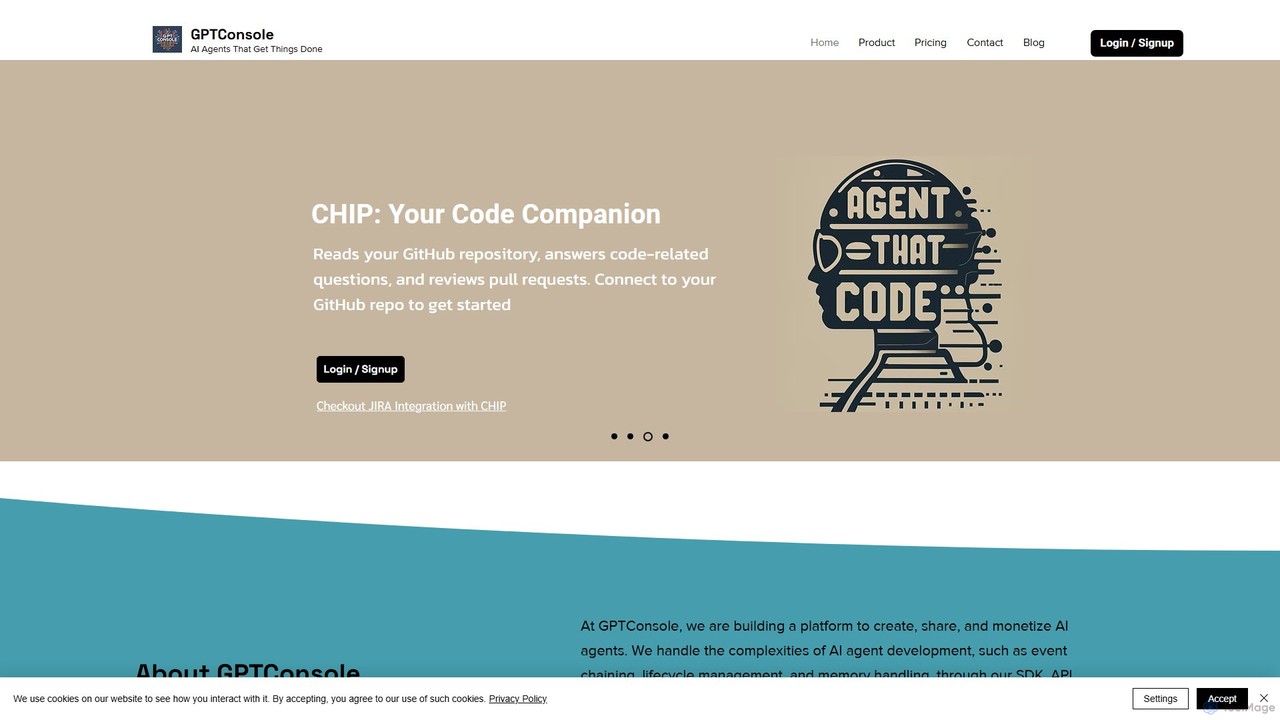
GPTConsole Product overview

GPTConsole is a developer-centric platform for creating, using, and monetizing AI agents. It features specialized agents like Pixie for autonomous web development, Chip for codebase analysis, and Doodle for animated doodle generation. It simplifies agent creation with its SDK, API, and CLI, allowing developers to accelerate their workflow significantly.

Preview

Quick facts

Compare product focus, pricing models and audiences. Highlighted rows indicate different listed information; unknown pricing does not mean free.

CodeAI VS GPTConsole — Quick facts
Quick factsCodeAIGPTConsole
Pricing modelFreemiumFreemium
Product typeWebWeb
Primary focusCode AssistantImage Generator
Audience and rolesNo data availableNo data available
CategoriesCode Assistant · Web Development · AutomationImage Generator · Code Assistant · Website Builder · Automation
AddedAug 8, 2025Aug 14, 2025
UpdatedNov 19, 2026Nov 19, 2026

Features, usage and use cases

Explore the listed product descriptions, features and workflows. Taxonomy labels alone are not feature evaluations.

CodeAI

CodeAI is an advanced, AI-powered development platform that revolutionizes the coding workflow for developers, teams, and enterprises. Built on a privacy-first principle, it guarantees that your source code remains secure and private, never leaving your local machine. The platform is designed to enhance productivity by integrating powerful AI assistance directly into the development process, supporting modern frameworks like Next.js and React.

With CodeAI, developers can accelerate their projects from conception to deployment. The platform provides intelligent code suggestions, automates repetitive tasks, and simplifies complex processes. By leveraging a suite of top-tier AI models, including GPT-4 and Claude 3, CodeAI delivers high-quality, context-aware assistance, making it an indispensable tool for modern software development.

How to use CodeAI

Getting started with CodeAI is a straightforward process designed for efficiency:

  1. Create an Account: Sign up on the CodeAI website and choose a plan that fits your needs, starting with the free 'Code Explorer' plan.
  2. Start a New Project: Initiate a new project by selecting a popular framework such as Next.js for SEO-friendly sites or React for interactive web apps.
  3. Integrate Your Tools: Connect your GitHub account for seamless version control and codebase management. Integrate with VSCode to work within your preferred, familiar development environment.
  4. Leverage AI Assistance: Create custom AI agents to handle specialized tasks. Use the AI to generate insightful and well-formatted commit messages automatically, saving valuable time. Receive intelligent code completions and suggestions as you type.
  5. Deploy with Ease: Utilize the one-click deployment feature to push your project live to services like Vercel instantly.
  6. Monitor and Debug: Keep track of your deployments in real-time, view logs, and quickly identify and fix any issues that arise.

Core Features of CodeAI

  • Privacy-First Architecture: Your code is processed locally and never leaves your machine, ensuring maximum security and confidentiality with end-to-end encryption.
  • AI-Powered Agent Creation: Build and customize AI agents to perform specialized coding tasks, tailored to your project's requirements.
  • Automated AI Commit Generation: Automatically generate descriptive and conventional commit messages, improving documentation and saving time.
  • Multi-Model AI Support: Access to a range of powerful AI models, including GPT-3.5, GPT-4, and various Claude 3 models, to choose the best fit for your task.
  • Seamless GitHub & VSCode Integration: Deep integration with essential developer tools for a smooth and uninterrupted workflow.
  • One-Click Deployment: Deploy your applications effortlessly to leading platforms like Vercel, with options for advanced configuration and instant updates.
  • Team Collaboration: Features designed for teams, including real-time feedback, shared projects, and versioning to enhance collaborative efficiency.
  • Support for Modern Frameworks: Natively supports popular web development frameworks like Next.js and React.

Use Cases for CodeAI

CodeAI is versatile and caters to a wide range of users:

  • Indie Developers & Startups: Rapidly prototype and launch applications with the help of AI, using the generous free plan to get started.
  • Freelancers & Professional Developers: Boost productivity, manage multiple projects efficiently, and deliver high-quality code faster with advanced AI tools and unlimited projects.
  • Development Teams: Streamline collaboration, enforce coding standards, and improve overall code quality with shared tools and automated workflows.
  • Enterprises: Leverage enterprise-grade security, scalability, and support. Use white-labeling, audit logs, and custom onboarding for large-scale, compliant development.

Advantages of CodeAI

The key advantages of using CodeAI include a significant boost in productivity through automation, unparalleled security with its privacy-first approach, and immense flexibility. The ability to choose from multiple AI models and integrate with existing developer ecosystems makes it a powerful and adaptable tool. Its scalable plans ensure that as your needs grow, CodeAI can grow with you, from a solo project to an enterprise-wide solution.

Pricing and Plans

CodeAI offers a tiered pricing structure to suit different needs, with a 20% discount on annual billing.

  • Code Explorer (Free): Perfect for individuals and hobbyists. Includes 2 public projects, limited access to CodeAI Studio Pro, GPT-3.5 model access, and 60 AI generation calls per month.
  • Code Innovator ($12/month): Ideal for freelancers and professionals. Offers unlimited projects, full access to all AI models (GPT-4, Claude 3), 3 AI agent creations, AI commit generation, and 366 AI calls per month.
  • Code Master ($45/month): The choice for professional teams. Includes all Innovator features plus team collaboration, advanced design tools, unlimited AI agents, and 1,220 AI calls per month.
  • Code Guru ($350/month): An enterprise-grade solution. Provides unlimited access to all premium features, white-labeling, dedicated support, massive token limits, and 2,441 AI calls per month.

GPTConsole

GPTConsole is an innovative platform designed by developers, for developers, with the mission to streamline and accelerate software development through the power of autonomous AI agents. It provides a comprehensive ecosystem for creating, sharing, and monetizing AI agents that can perform complex tasks, effectively handling the underlying complexities like event chaining, lifecycle management, and memory handling. This allows developers to focus solely on defining the objectives for their agents.

The platform offers a suite of powerful, in-house AI agents ready to use. These are not simple tools that generate snippets but sophisticated agents capable of handling large-scale projects. The flagship agents include Pixie, an autonomous web developer, and Chip, a codebase-aware assistant.

How to use GPTConsole

GPTConsole is accessible through two primary methods, catering to different developer workflows:

  1. Web Interface: Users can sign up on the website to receive free starting credits. The web UI provides an intuitive way to interact with agents, such as using the Pixie Landing Page Generator to create a web page by simply describing the business case.
  2. Command Line Interface (CLI): For developers who live in the terminal, GPTConsole offers a powerful CLI tool. It can be installed globally via npm or yarn with the command npm i -g gpt-console or yarn global add gpt-console. Once installed, running gpt-console initiates the tool. From there, you can invoke agents directly, for example: gpt-console> pixie start "I want an AI application that generates images". This allows for seamless integration into existing development scripts and environments.

Core Features of GPTConsole

  • Pixie - Autonomous Web Developer: Generates complex, full-scale web applications, including dashboards, AI-powered apps, and landing pages. It aims to fulfill up to 80% of requirements in 90% less time, providing downloadable code that can be deployed on any cloud platform.
  • Chip - AI Codebase Expert: Integrates with your GitHub repository to learn your entire codebase. It can answer complex questions about the code, review pull requests, and even write new code for features based on Jira tickets.
  • Doodle - Animated Doodle Generator: A creative agent that goes beyond static images to generate unique animated doodles, perfect for presentations, marketing materials, or UI elements.
  • Agent Development Platform: Provides an SDK, API, and data infrastructure for developers to build, test, and monetize their own custom AI agents. Interested developers can join a waitlist for access.
  • Developer-First Tooling: With its robust CLI and clear documentation, the platform is built to fit naturally into a developer's existing toolchain.

Use Cases for GPTConsole

GPTConsole is versatile and can be applied in various scenarios:

  • Rapid Prototyping: Entrepreneurs and startups can use Pixie to quickly build an MVP or a professional landing page without a large upfront investment in development time.
  • Accelerating Feature Development: Development teams can leverage Chip to understand legacy code, automate pull request reviews, and generate boilerplate code for new features, significantly speeding up their sprints.
  • Onboarding New Developers: Chip can act as a knowledgeable guide for new team members, helping them get up to speed with a complex codebase quickly.
  • Creating Engaging Content: Marketers and designers can use Doodle to produce eye-catching animated visuals for websites, social media, and ad campaigns.

Advantages of GPTConsole

The primary advantage of GPTConsole is its focus on generating production-ready, full-scale solutions rather than isolated code snippets. It empowers developers by automating tedious and time-consuming tasks, allowing them to focus on high-level architecture and innovation. The ability to download and own the code provides ultimate flexibility, avoiding vendor lock-in. Furthermore, its pay-as-you-go pricing model makes it accessible to individual developers and large enterprises alike.

Pricing and Plans

GPTConsole offers a simple and flexible pricing structure designed to be accessible for everyone:

  • Free Tier: New users receive 100 free credits upon signing up to test the platform's capabilities.
  • Flexi-Plan (Pay-As-You-Go): Users can purchase credits at a rate of $1 for 10 credits. This model allows you to top up anytime without any recurring subscription or lock-in period.
  • Enterprise: Custom plans and consultations are available for businesses with specific needs, which can be arranged by scheduling a consultation.

Positioning

Their taxonomy shows where the products overlap and where each one has a more distinct focus. Unknown fields are shown explicitly and are never filled with assumptions.

Categories

Shared
Code AssistantAutomation
Only CodeAI
Web Development
Only GPTConsole
Image GeneratorWebsite Builder

Tags

Shared
AI agentcode generationgithub
Only CodeAI
AI developer toolcode assistantdeploymentNextJSprivacyreactsecurityVSCode integration
Only GPTConsole
application builderautonomous agentclicode analysisdeveloper tooljiralanding page generatorlow-codeweb development

Audience and roles

Shared
No listed items
Only CodeAI
No listed items
Only GPTConsole
No listed items

Traffic comparison

Traffic is shown on the same scale so differences in market visibility are not visually understated.

How to interpret the traffic data

Both charts share the same months and vertical scale. Each tool identifies its latest reporting month; missing months are left blank, not counted as zero. Regional and source visit counts are estimates calculated from the reported shares.

CodeAI monthly traffic:

Latest traffic · 2026-05

Monthly visits
10K
Avg. visit duration
0:29
Pages per visit
2.36
Bounce rate
32.78%
Data updated 2026-06-15

Monthly traffic trend

  • 2025-09: 17.6K
  • 2026-01: 12.7K
  • 2026-02: 8.1K
  • 2026-03: 9.3K
  • 2026-04: 13.1K
  • 2026-05: 10K

Top regions

Top 5 countries/regions
Country/regionPercentageEstimated visits
🇮🇳India29.3%2.9K
🇮🇹Italy22.26%2.2K
🇺🇸United States21.94%2.2K
🇧🇷Brazil14.55%1.5K
🇬🇧United Kingdom11.95%1.2K

Search keywords

코드에이아이code aicodeaicodeai studiocode ia

GPTConsole monthly traffic:

Latest traffic · 2026-05

Monthly visits
482
Avg. visit duration
0:51
Pages per visit
1.96
Bounce rate
37.87%
Data updated 2026-06-15

Monthly traffic trend

  • 2025-09: 2.5K
  • 2026-01: 1.7K
  • 2026-02: 2.1K
  • 2026-03: 2.2K
  • 2026-04: 1.3K
  • 2026-05: 482

Top regions

Top 5 countries/regions
Country/regionPercentageEstimated visits
🇺🇸United States60.9%294
🇻🇳Vietnam39.1%188

Search keywords

chatgpt consoleconsole.openaigpt consoleopen ai consoleopenai console

Community signals

Ratings, comments, favorites, and likes are community signals—not a substitute for product fit.

CodeAI

Rating
No data available
Comments
0
Favorites
181
Likes
175

GPTConsole

Rating
No data available
Comments
0
Favorites
167
Likes
171

CodeAI vs GPTConsole · Comparison FAQ

What do CodeAI and GPTConsole have in common?
Both tools are listed under Code Assistant、Automation. These categories indicate overlapping use cases; compare their detailed descriptions for workflows, capabilities and limitations.
Are CodeAI and GPTConsole free?
Listed pricing models: CodeAI — Freemium; GPTConsole — Freemium. Missing pricing is not proof of a free plan, and freemium does not mean every feature is free. Check official sites for current plans, limits and trials.
How should I choose between CodeAI and GPTConsole?
The primary listed category is Code Assistant for CodeAI, and Image Generator for GPTConsole. Compare features, steps and use cases, then verify pricing, data permissions and deployment needs. This page does not include hands-on testing and does not declare a winner from traffic or tags.

Sources and comparison methodology

This page is assembled from ToolMage product listings, taxonomy, traffic statistics and on-site user feedback. It is not a hands-on test or an independent review.

  • Feature and plan descriptions reflect information in the listings, not real-time guarantees. Verify pricing, quotas, availability and privacy terms on the official sites.
  • Traffic uses the reporting months shown. Missing statistics do not mean zero visits, and different periods do not establish growth or superiority. Regional and source visit counts are estimates based on shares.
  • Different tags indicate differences in the listings, not proof that the other product lacks a capability. Ratings, favorites and visits are not used to declare a winner.

Related comparisons