ToolMage
Sign in

AI TOOL COMPARISON

CodeRabbit vs Kodus

What is the difference, and which fits your workflow? Compare features, usage, pricing models and traffic side by side.

Jump to key differences

Product overview

CodeRabbit Product overview

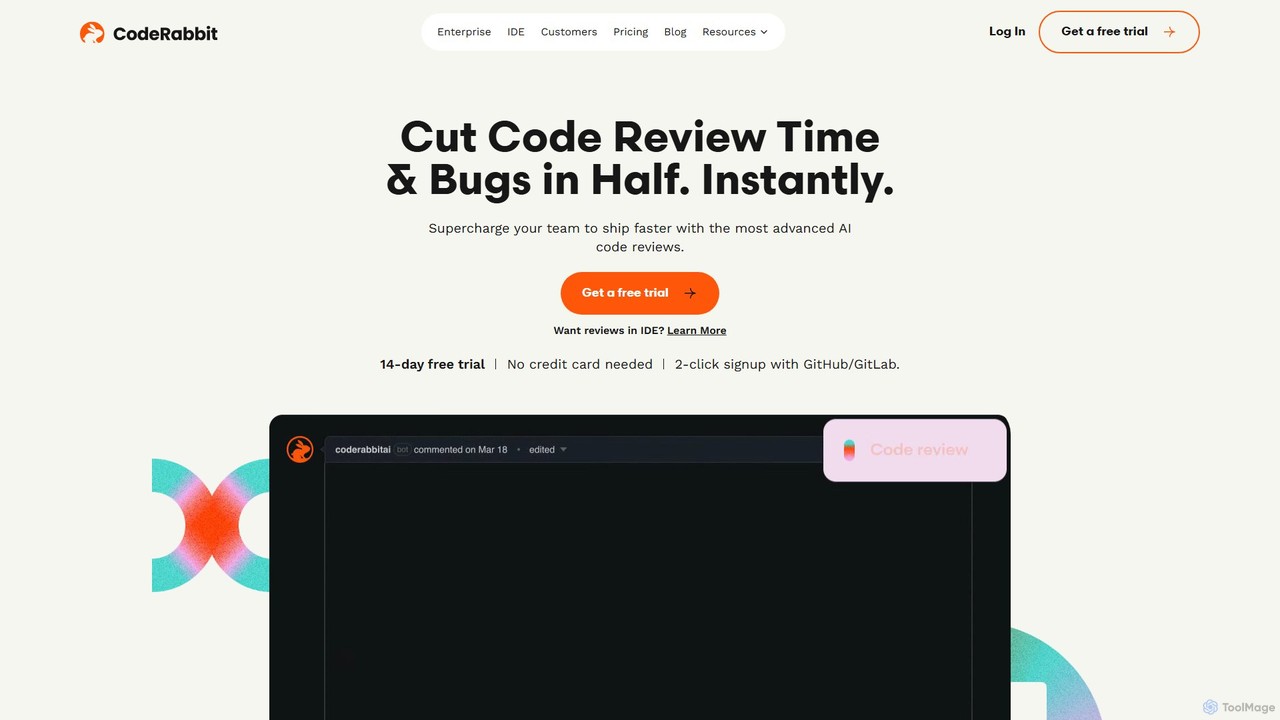
CodeRabbit is an AI-powered code review tool that supercharges development teams to ship faster and reduce bugs. It provides instant, context-aware reviews, pull request summaries, and security analysis directly within GitHub, GitLab, and IDEs like VS Code.

Preview

Kodus Product overview

Kodus is an AI-powered code review tool that acts like a senior developer on your team. It automatically analyzes pull requests in Git, providing actionable feedback on code quality, security, and performance. It helps teams reduce review time, ship faster, and decrease bugs in production.

Preview

Quick facts

Compare product focus, pricing models and audiences. Highlighted rows indicate different listed information; unknown pricing does not mean free.

CodeRabbit VS Kodus — Quick facts
Quick factsCodeRabbitKodus
Pricing modelFreemiumFreemium
Product typeWebWeb
Primary focusCode ReviewCode Quality
Audience and rolesNo data availableNo data available
CategoriesCode Review · Code Assistant · Code AnalysisCode Quality · Code Review · Developer Automation
AddedAug 12, 2025Aug 14, 2025
UpdatedNov 19, 2026Nov 19, 2026

Features, usage and use cases

Explore the listed product descriptions, features and workflows. Taxonomy labels alone are not feature evaluations.

CodeRabbit

CodeRabbit is an advanced AI-powered tool designed to revolutionize the code review process for development teams. By integrating seamlessly into existing workflows on platforms like GitHub, GitLab, and Azure DevOps, it aims to cut code review time and production bugs in half. Trusted by over 6,000 customers and installed in over a million repositories, CodeRabbit elevates code quality, security, and developer productivity.

The tool provides fine-tuned, line-by-line code reviews that are codebase-aware, meaning it understands the context of the entire project, not just the changed lines. This deep understanding is achieved through advanced techniques like code graph and Abstract Syntax Tree (AST) analysis, resulting in a superior signal-to-noise ratio compared to traditional linters or pattern matchers. It automatically generates crisp summaries for pull requests, sequence diagrams for complex changes, and even offers one-click fixes for suggested improvements.

How to use CodeRabbit

Getting started with CodeRabbit is designed to be effortless, allowing teams to enhance their code quality in just a few steps:

  1. Installation: Install the CodeRabbit App directly from the marketplace for your Git platform (GitHub, GitLab, or Azure DevOps). The 2-click signup process makes it quick and easy.
  2. Configuration (Optional): You can optionally configure the review tools to match your team's standards. This includes integrating with task trackers like Jira and Linear or customizing review instructions.
  3. Create a Pull Request: Simply raise your next pull request as you normally would.
  4. Receive AI Review: CodeRabbit automatically analyzes the changes and posts a comprehensive review directly in the pull request thread. The review includes a summary, line-by-line suggestions, and potential bug detections.
  5. Interact and Fix: Developers can interact with the AI through the 'Agentic Chat' to ask questions, request code generation, or get advice. Suggestions often come with one-click fixes that can be applied instantly.
  6. Use in IDE: For real-time feedback, install the CodeRabbit extension for VS Code (and its forks like Cursor). This allows you to review staged changes before even creating a pull request, preventing bugs from ever reaching the main branch.

Core Features of CodeRabbit

  • Context-Aware AI Code Reviews: Delivers line-by-line suggestions that understand the entire codebase, catching subtle bugs, performance issues, and anti-patterns.
  • Automated PR Summaries: Generates clear, concise summaries of all code changes, including one-line descriptions and sequence diagrams for complex logic.
  • Agentic Chat: An interactive AI chat within the PR that can generate code, create docstrings, resolve feedback, and even create Jira/Linear issues.
  • IDE Integration: A free extension for VS Code and its forks provides AI-powered reviews and bug fixes directly in the editor, preserving developer flow.
  • Advanced Security & Quality Analysis: Combines static analyzers (SAST), linters, and security tools with Gen-AI's reasoning to identify vulnerabilities and quality issues with high accuracy.
  • Enterprise-Ready Deployment: Offers both SaaS and self-hosted options for maximum control and security. It is SOC2 Type II certified, ensuring data privacy and compliance.
  • Automated Reporting: Automatically generates release notes, daily standup reports, and sprint reviews, integrating with Slack, Microsoft Teams, and Discord.
  • Seamless Integration: Natively integrates with GitHub, GitLab, Azure DevOps, Jira, and Linear, preserving existing development workflows.

Use Cases for CodeRabbit

CodeRabbit is valuable for various teams and scenarios:

  • Development Teams: Drastically reduce manual review time, allowing senior engineers to focus on complex architectural decisions. Standardize code quality across the team and accelerate shipping velocity.
  • Enterprise Organizations: Improve code quality, security, and developer productivity at scale. The self-hosting option allows deployment within a private cloud, ensuring data never leaves the company's perimeter.
  • Open Source Projects: Maintain high code quality and efficiently manage contributions from the community with the free Pro plan for public repositories.
  • Individual Developers: Get instant feedback on code, learn best practices, and catch errors before they are committed, improving personal coding skills and confidence.

Advantages of CodeRabbit

CodeRabbit stands out with its deep code understanding and developer-centric features. Its primary advantage is its context-aware analysis, which goes beyond simple pattern matching to comprehend code structure and logic. This leads to more relevant suggestions and fewer false positives. The combination of automated reviews, PR summaries, and an interactive AI chat creates a comprehensive ecosystem that not only speeds up reviews but also elevates the quality of the discussion. Furthermore, its commitment to security, demonstrated by SOC2 Type II certification and a self-hosting option, makes it a trusted choice for enterprises.

Pricing and Plans

CodeRabbit offers a flexible pricing structure to suit different needs, including a generous free tier.

  • Free Plan: $0. Includes PR summarization and rate-limited reviews in the IDE. Comes with a 14-day free trial of the Pro plan.
  • Lite Plan: Starting at $12 per developer/month (billed annually). Offers unlimited pull request reviews, customizable learnings, and code graph analysis.
  • Pro Plan: Starting at $24 per developer/month (billed annually). Includes all Lite features plus support for linters and SAST tools, Jira & Linear integration, Agentic Chat, analytics dashboards, and docstring generation.
  • Enterprise Plan: Custom pricing. Includes all Pro features plus a self-hosting option, multi-org support, higher limits, SLA, and dedicated support.
  • Open Source: The Pro plan is free forever for public repositories.

Kodus

Kodus is an intelligent code review assistant designed to streamline the software development lifecycle. It integrates seamlessly with your Git-based workflows (like GitHub and GitLab), acting as an AI co-pilot that meticulously reviews every pull request. By emulating the expertise of a senior developer, Kodus provides clear, context-aware, and actionable feedback directly within the pull request interface. This helps development teams significantly accelerate their review process, with users reporting up to a 40% reduction in time spent on code reviews and a 50% decrease in production bugs. The tool focuses on identifying issues related to code quality, security vulnerabilities, performance bottlenecks, and adherence to best practices, ensuring that only high-quality, secure code gets merged.

How to use Kodus

Using Kodus is a straightforward process designed for easy adoption by development teams:

  1. Connect to Git: Start by integrating Kodus with your Git provider, such as GitHub or GitLab, through a simple authentication process.
  2. Select Repositories: Choose the specific repositories you want Kodus to monitor and review.
  3. Create a Pull Request: As developers create new pull requests, Kodus is automatically triggered to perform an analysis.
  4. Receive AI Feedback: The AI agent, Kody, posts comments and suggestions directly on the lines of code within the pull request, just like a human team member would. The feedback covers aspects like potential bugs, security risks (SAST), performance improvements, and style guide violations.
  5. Collaborate and Iterate: Developers can review the AI's suggestions, discuss them with the team, and apply the recommended changes.
  6. Customize Rules: Teams can configure and customize Kodus's review behavior for each project, allowing them to enforce specific coding standards and priorities.

Core Features of Kodus

  • Automated AI Code Review: Provides instant, automated analysis of every pull request, catching issues early.
  • SAST Security Scanning: Incorporates Static Application Security Testing (SAST) to identify and flag security vulnerabilities before they reach production.
  • Performance & Optimization Analysis: Offers insights and suggestions to optimize code for better performance and efficiency.
  • Code Quality and Best Practices: Enforces clean code principles and project-specific coding standards to reduce technical debt.
  • Customizable Rule Engine: Allows teams to tailor the analysis to their specific needs, technologies, and coding conventions.
  • Seamless Git Integration: Works directly within GitHub, GitLab, and other Git platforms, fitting naturally into existing developer workflows.
  • Multi-Language Support: Capable of analyzing code in various popular programming languages, including Python and JavaScript.

Use Cases for Kodus

Kodus is valuable for various roles within a tech organization:

  • Engineering Teams: To accelerate the CI/CD pipeline by reducing the bottleneck of manual code reviews and ensuring consistent quality.
  • Engineering Managers: To improve team productivity, enforce high standards of code quality and security, and gain visibility into engineering metrics.
  • Security Professionals: To implement a "shift-left" security strategy by detecting vulnerabilities early in the development process.
  • Individual Developers: To receive immediate, objective feedback, learn best practices, and improve their coding skills.

Advantages of Kodus

Kodus offers a competitive edge by:

  • Saving Time: Drastically reduces the time and manual effort required for code reviews, freeing up senior developers for more complex tasks.
  • Enhancing Quality & Security: Proactively identifies bugs and security flaws, leading to more robust and secure applications.
  • Improving Developer Experience: Provides fast, objective, and constructive feedback, reducing friction and improving team morale.
  • Enforcing Consistency: Ensures that all code adheres to the same high standards, improving maintainability and scalability.
  • Scaling Expertise: Acts as an always-available senior expert, providing high-quality reviews 24/7, which is invaluable for growing or distributed teams.

Pricing and Plans

Kodus offers a flexible pricing structure that includes a free trial to allow teams to experience its benefits firsthand. While specific details should be checked on the official website, the plans are typically structured as follows:

  • Free Plan: A basic tier ideal for individual developers, open-source projects, or small teams getting started, with a limited number of reviews or users.
  • Pro Plan: A paid plan designed for professional teams, offering more extensive features, a higher volume of reviews, and priority support.
  • Enterprise Plan: A custom solution for large organizations with specific needs for security, compliance (e.g., SOC2), dedicated support, and advanced customization options.

Please visit the official Kodus website for the most up-to-date pricing information.

Positioning

Their taxonomy shows where the products overlap and where each one has a more distinct focus. Unknown fields are shown explicitly and are never filled with assumptions.

Categories

Shared
Code Review
Only CodeRabbit
Code AssistantCode Analysis
Only Kodus
Code QualityDeveloper Automation

Tags

Shared
code qualitycode reviewdeveloper toolsdevopsgithubgitlabpull requeststatic analysis
Only CodeRabbit
ai code reviewcode assistantsecurityVS Code
Only Kodus
AIjavascriptpythonSAST

Audience and roles

Shared
No listed items
Only CodeRabbit
No listed items
Only Kodus
No listed items

Traffic comparison

Traffic is shown on the same scale so differences in market visibility are not visually understated.

How to interpret the traffic data

Both charts share the same months and vertical scale. Each tool identifies its latest reporting month; missing months are left blank, not counted as zero. Regional and source visit counts are estimates calculated from the reported shares.

CodeRabbit monthly traffic:

Latest traffic · 2026-05

Monthly visits
869.9K
Avg. visit duration
1:30
Pages per visit
3.8
Bounce rate
42.36%
Data updated 2026-06-15

Monthly traffic trend

  • 2025-09: 549.1K
  • 2026-01: 711.7K
  • 2026-02: 641.9K
  • 2026-03: 681.8K
  • 2026-04: 694.5K
  • 2026-05: 869.9K

Top regions

Top 5 countries/regions
Country/regionPercentageEstimated visits
🇺🇸United States42.93%373.4K
🇮🇳India28.49%247.8K
🇻🇳Vietnam12.01%104.5K
🇬🇧United Kingdom8.98%78.1K
🇧🇷Brazil7.59%66K

Traffic sources

Source typePercentageEstimated visits
Direct71.44%621.4K
Referral25.67%223.3K
Email2.89%25.1K

Search keywords

claudeclaude codecode rabbitcoderabbitgithub

Kodus monthly traffic:

Latest traffic · 2026-05

Monthly visits
18.2K
Avg. visit duration
0:21
Pages per visit
1.67
Bounce rate
42.37%
Data updated 2026-06-15

Monthly traffic trend

  • 2025-09: 25.5K
  • 2026-01: 21K
  • 2026-02: 19.4K
  • 2026-03: 27.4K
  • 2026-04: 22.1K
  • 2026-05: 18.2K

Top regions

Top 5 countries/regions
Country/regionPercentageEstimated visits
🇵🇹Portugal39.53%7.2K
🇧🇷Brazil27.15%4.9K
🇻🇳Vietnam13%2.4K
🇺🇸United States11.24%2K
🇮🇳India9.08%1.6K

Search keywords

koduskodus-aikodus start review commandkody aipr cycle time industry p75

Community signals

Ratings, comments, favorites, and likes are community signals—not a substitute for product fit.

CodeRabbit

Rating
No data available
Comments
0
Favorites
166
Likes
162

Kodus

Rating
No data available
Comments
0
Favorites
208
Likes
203

CodeRabbit vs Kodus · Comparison FAQ

What do CodeRabbit and Kodus have in common?
Both tools are listed under Code Review. These categories indicate overlapping use cases; compare their detailed descriptions for workflows, capabilities and limitations.
Are CodeRabbit and Kodus free?
Listed pricing models: CodeRabbit — Freemium; Kodus — Freemium. Missing pricing is not proof of a free plan, and freemium does not mean every feature is free. Check official sites for current plans, limits and trials.
How should I choose between CodeRabbit and Kodus?
The primary listed category is Code Review for CodeRabbit, and Code Quality for Kodus. Compare features, steps and use cases, then verify pricing, data permissions and deployment needs. This page does not include hands-on testing and does not declare a winner from traffic or tags.

Sources and comparison methodology

This page is assembled from ToolMage product listings, taxonomy, traffic statistics and on-site user feedback. It is not a hands-on test or an independent review.

  • Feature and plan descriptions reflect information in the listings, not real-time guarantees. Verify pricing, quotas, availability and privacy terms on the official sites.
  • Traffic uses the reporting months shown. Missing statistics do not mean zero visits, and different periods do not establish growth or superiority. Regional and source visit counts are estimates based on shares.
  • Different tags indicate differences in the listings, not proof that the other product lacks a capability. Ratings, favorites and visits are not used to declare a winner.

Related comparisons