ToolMage
Sign in

AI TOOL COMPARISON

codimite vs Fitten Code

What is the difference, and which fits your workflow? Compare features, usage, pricing models and traffic side by side.

Jump to key differences

Product overview

codimite Product overview

Codimite is an AI-powered coding assistant designed to accelerate the software development lifecycle. It acts as a pair programmer, helping developers write, debug, and optimize code faster with features like intelligent code completion, natural language-to-code generation, and automated bug fixing, integrating directly into your favorite IDE.

Preview

Fitten Code Product overview

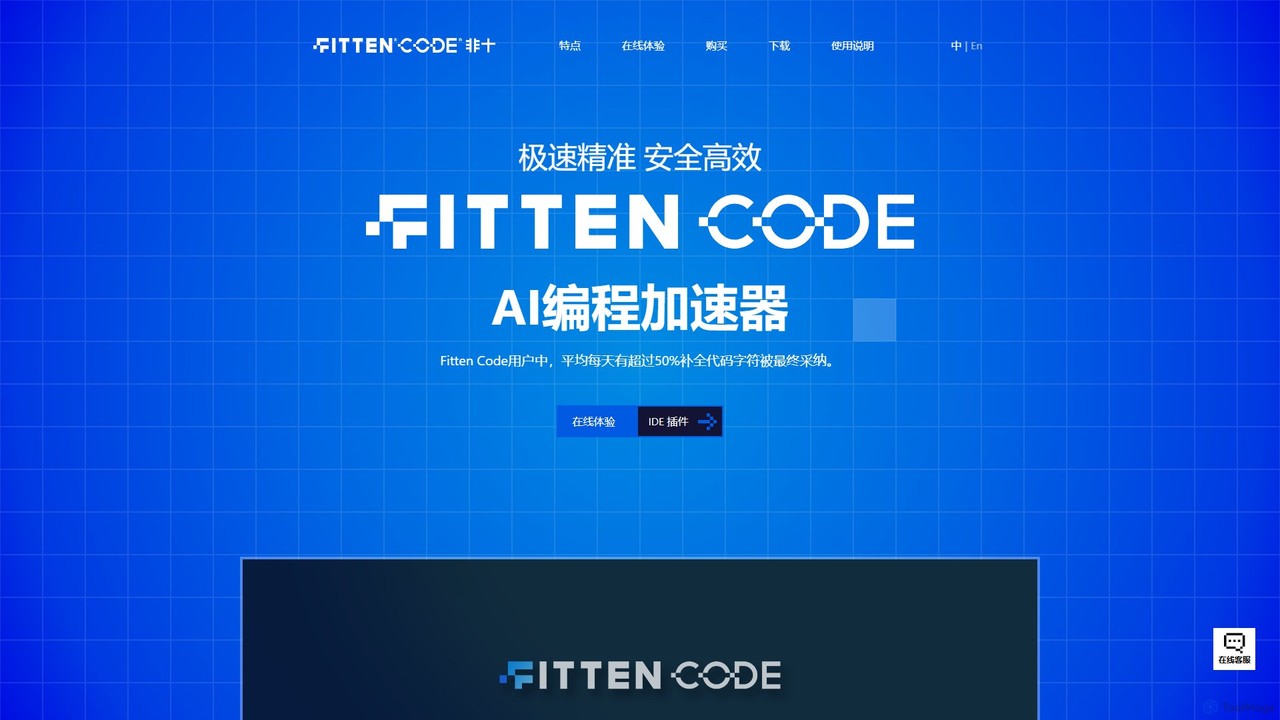
Fitten Code is a next-generation AI programming assistant designed to accelerate software development. It offers ultra-fast code completion, intelligent Q&A, automated unit test generation, and code optimization. Built by a Tsinghua PhD team, it supports major IDEs and languages, significantly boosting developer productivity while ensuring data privacy.

Preview

Quick facts

Compare product focus, pricing models and audiences. Highlighted rows indicate different listed information; unknown pricing does not mean free.

codimite VS Fitten Code — Quick facts
Quick factscodimiteFitten Code
Pricing modelFreemiumFreemium
Product typeExtensionsWeb
Primary focusCode GenerationCode Generation
Audience and rolesNo data availableNo data available
CategoriesCode Generation · Code Assistant · AutomationCode Generation · Code Assistant · Automation
AddedAug 9, 2025Aug 7, 2025
UpdatedNov 19, 2026Nov 19, 2026

Features, usage and use cases

Explore the listed product descriptions, features and workflows. Taxonomy labels alone are not feature evaluations.

codimite

Codimite is an advanced AI-powered coding companion engineered to enhance developer productivity and streamline the entire software development process. It seamlessly integrates into popular Integrated Development Environments (IDEs) as an intelligent extension, acting as a virtual pair programmer. By leveraging state-of-the-art language models, Codimite understands the context of your code, providing highly relevant suggestions, generating complex code blocks from simple natural language prompts, and identifying potential bugs before they become major issues.

The core mission of Codimite is to reduce the cognitive load on developers, allowing them to focus on high-level problem-solving and architectural design rather than getting bogged down in boilerplate code or syntax errors. Whether you are a seasoned developer working on a complex enterprise application or a student learning a new programming language, Codimite adapts to your needs, offering support that accelerates your workflow and improves the overall quality of your code.

How to use codimite

Getting started with Codimite is designed to be simple and intuitive, allowing you to enhance your coding environment in minutes:

  1. Installation: Navigate to the marketplace or extension store of your preferred IDE (such as Visual Studio Code, JetBrains IntelliJ, or PyCharm) and search for "Codimite". Click "Install" to add the extension to your environment.
  2. Configuration: After installation, you may be prompted to sign up for a Codimite account or log in. This connects the extension to the powerful AI models. You can configure settings like suggestion frequency and preferred coding styles.
  3. Code Generation: To generate code, simply type a comment or a docstring describing the function you need. For example, in Python, you could type # function to fetch user data from an API and parse the JSON. Codimite will analyze the prompt and generate the corresponding code block below it.
  4. Code Completion: As you type, Codimite will automatically offer intelligent, multi-line code completions that are context-aware. Press the 'Tab' key to accept a suggestion.
  5. Debugging and Refactoring: Highlight a block of code that has an error or that you wish to improve. Right-click and select from the Codimite context menu options like "Explain Code," "Find Bugs," or "Refactor Code." Codimite will provide explanations and suggest optimized or corrected versions of the code.

Core Features of codimite

  • AI-Powered Code Completion: Goes beyond standard autocompletion by suggesting entire blocks of code based on the current context and programming logic.
  • Natural Language to Code Generation: Describe the functionality you need in plain English, and Codimite will write the code for you, supporting a wide range of programming languages.
  • Intelligent Debugging: Automatically scans your code to identify logical errors, potential bugs, and security vulnerabilities, offering one-click suggestions for fixes.
  • Code Refactoring and Optimization: Analyzes selected code and suggests improvements for readability, performance, and adherence to best practices.
  • Automated Unit Test Generation: Save time on testing by automatically generating relevant unit tests for your functions and methods.
  • In-depth Code Explanation: Select any piece of code, and Codimite will provide a clear, natural language explanation of what it does, which is perfect for learning or understanding legacy codebases.
  • Cross-Language Code Translation: Translate code snippets or entire functions from one programming language to another, facilitating easier migration and interoperability.

Use Cases for codimite

Codimite is versatile and can be applied in various scenarios:

  • Rapid Prototyping: Developers can quickly build out functional prototypes by describing features in natural language, letting Codimite handle the boilerplate code.
  • Learning and Education: Students and developers new to a language can use the code explanation feature to understand complex concepts and see best practices in action.
  • Legacy Code Maintenance: Engineers can quickly understand, refactor, and modernize old codebases by using the explanation and refactoring tools.
  • Team Collaboration: Helps maintain a consistent coding style across a team and enables junior developers to contribute more effectively with AI-guided assistance.
  • API Integration: Speeds up the process of integrating third-party APIs by generating the necessary client code and data parsing logic.

Advantages of codimite

Codimite offers a significant competitive edge by focusing on a seamless and powerful developer experience. Its primary advantages include a massive boost in productivity, a reduction in development time and costs, and a significant improvement in code quality. The intuitive interface ensures a minimal learning curve, while its powerful contextual understanding leads to more accurate and useful suggestions than many alternatives. By automating repetitive and time-consuming tasks, it frees up developers to innovate and solve critical business problems.

Pricing and Plans

Codimite offers a flexible pricing structure to suit individual developers, startups, and large enterprises. It typically follows a freemium model:

  • Free Plan: Ideal for students and individual developers, offering core features like basic code completion and a limited number of code generation queries per month.
  • Pro Plan: Aimed at professional developers, this plan includes unlimited queries, advanced features like code refactoring and unit test generation, and priority support.
  • Team/Enterprise Plan: Designed for organizations, this plan provides all Pro features plus centralized billing, team management dashboards, and options for on-premise deployment or enhanced security compliance.

For the most up-to-date pricing information, please visit the official Codimite website.

Fitten Code

Fitten Code is a cutting-edge AI programming accelerator engineered to enhance developer efficiency across the entire coding lifecycle. Developed by a distinguished team of PhDs from Tsinghua University and powered by the Jittor deep learning framework, Fitten Code provides a suite of intelligent tools directly within your favorite IDE. It aims to make coding faster, more accurate, and more intuitive, with statistics showing that over 50% of its suggested code completions are adopted by users, boosting overall coding efficiency by 27% to 208%.

The tool stands out for its remarkable speed, boasting a millisecond-level response time that is reportedly 230% faster than many international competitors. This ensures a smooth, non-intrusive coding experience. Fitten Code is not just a code completion tool; it's a comprehensive assistant that understands context, answers complex questions, and automates tedious tasks.

How to use Fitten Code

Getting started with Fitten Code is a straightforward process designed for quick integration into your existing workflow:

  1. Visit the Website: Navigate to the official Fitten Code website to learn more and explore its features. You can also try an online demo for a quick experience.
  2. Download the Plugin: Fitten Code is available as a plugin or extension for a wide range of popular IDEs. Go to the download section and select the version for your editor, such as VS Code, Visual Studio, or any IDE from the JetBrains suite (IntelliJ IDEA, PyCharm, WebStorm, etc.), Vim, and NeoVim.
  3. Install and Configure: Follow the standard installation procedure for your IDE's extensions. Once installed, you may need to sign up for a free account to activate the service.
  4. Start Coding: Once activated, Fitten Code runs in the background. Simply start typing, and it will provide real-time code completions. You can also select code blocks to generate tests, add comments, optimize, or use the chat interface to ask questions and generate new code snippets.

Core Features of Fitten Code

  • AI Code Completion: Provides lightning-fast, context-aware code suggestions at both the line and function level. It also offers whole-project awareness for more accurate and relevant completions.
  • Intelligent Q&A: An integrated chat feature allows you to ask programming questions, request code generation for specific tasks, or get explanations for complex code.
  • Unit Test Generation: Automatically creates unit test cases for your selected functions or classes, supporting various popular testing frameworks.
  • Code Optimization: Analyzes your code to detect potential issues, suggest structural improvements, and enhance readability and maintainability.
  • Automated Comment Generation: Intelligently analyzes code logic and generates clear, concise comments to improve documentation.
  • Web Search Integration: Can search the internet to find relevant information to answer your questions, providing up-to-date solutions.
  • Autonomous Programming Agent: A sophisticated agent that can understand complex tasks, interact with your local file system (read, write, execute commands), and autonomously work towards a solution.
  • Image Q&A (Pro): Allows you to ask questions based on images, useful for interpreting diagrams or UI mockups.

Use Cases for Fitten Code

Fitten Code is versatile and can be applied in various scenarios:

  • Accelerated Development: Speed up the creation of new features by generating boilerplate code, functions, and classes instantly.
  • Debugging and Troubleshooting: Use the 'Explain Code' and 'Fix Bug' features to quickly understand and resolve issues.
  • Code Refactoring and Modernization: Leverage the code optimization feature to improve the quality of legacy codebases.
  • Learning and Education: A great tool for developers learning a new programming language or framework, providing instant examples and explanations.
  • Test-Driven Development (TDD): Streamline the TDD process by automatically generating unit tests for your code.

Advantages of Fitten Code

Fitten Code offers several key advantages:

  • Exceptional Performance: Millisecond-level response times for a seamless, lag-free experience.
  • Superior Accuracy: Higher accuracy rates and greater code completion volume compared to many competitors.
  • Expert Development Team: Created by a Tsinghua University PhD team, ensuring a strong academic and technical foundation.
  • Comprehensive IDE Support: Integrates with a vast array of popular code editors and IDEs.
  • Data Security and Privacy: Guarantees that your code is encrypted in transit and is never used for model training.

Pricing and Plans

Fitten Code offers a tiered pricing structure to suit different needs:

  • Basic Plan: Free. Includes core features like line/function level code completion, AI Q&A, comment and unit test generation, code explanation, and optimization suggestions.
  • Professional Plan: Limited Time Free. Includes all Basic features plus advanced capabilities like Image Q&A, web search, whole-project context-aware completion, and edit-in-place completions.
  • Enterprise Plan: Contact for pricing. Designed for teams, it adds dedicated inference services, a corporate knowledge base, an admin management console, advanced reporting, and priority support.
  • Private Deployment Plan: Contact for pricing. Offers a fully on-premise solution for organizations with strict data security requirements, including server and client-side management and maintenance.

Positioning

Their taxonomy shows where the products overlap and where each one has a more distinct focus. Unknown fields are shown explicitly and are never filled with assumptions.

Categories

Shared
Code GenerationCode AssistantAutomation
Only codimite
No listed items
Only Fitten Code
No listed items

Tags

Shared
ai pair programmercode assistantcode completioncode generationdebuggingrefactoring
Only codimite
developer productivitysoftware developmentVS Code extension
Only Fitten Code
c++developer tooljavajavascriptpythonunit testing

Audience and roles

Shared
No listed items
Only codimite
No listed items
Only Fitten Code
No listed items

Traffic comparison

Traffic is shown on the same scale so differences in market visibility are not visually understated.

How to interpret the traffic data

Both charts share the same months and vertical scale. Each tool identifies its latest reporting month; missing months are left blank, not counted as zero. Regional and source visit counts are estimates calculated from the reported shares.

codimite

No data available

Fitten Code monthly traffic:

Latest traffic · 2026-05

Monthly visits
13.1K
Avg. visit duration
2:46
Pages per visit
4.33
Bounce rate
20.78%
Data updated 2026-06-15

Monthly traffic trend

  • 2025-09: 12.9K
  • 2026-01: 22K
  • 2026-02: 11.1K
  • 2026-03: 13.9K
  • 2026-04: 10.9K
  • 2026-05: 13.1K

Top regions

Top 5 countries/regions
Country/regionPercentageEstimated visits
🇨🇳China96.28%12.6K
🇹🇼Taiwan3.13%409
🇭🇰Hong Kong0.59%77

Traffic sources

Source typePercentageEstimated visits
Direct65.91%8.6K
Referral34.09%4.5K

Search keywords

fittem codefittenfitten codefittencodejetbrains

Community signals

Ratings, comments, favorites, and likes are community signals—not a substitute for product fit.

codimite

Rating
No data available
Comments
0
Favorites
225
Likes
215

Fitten Code

Rating
No data available
Comments
0
Favorites
193
Likes
217

codimite vs Fitten Code · Comparison FAQ

What do codimite and Fitten Code have in common?
Both tools are listed under Code Generation、Code Assistant、Automation. These categories indicate overlapping use cases; compare their detailed descriptions for workflows, capabilities and limitations.
Are codimite and Fitten Code free?
Listed pricing models: codimite — Freemium; Fitten Code — Freemium. Missing pricing is not proof of a free plan, and freemium does not mean every feature is free. Check official sites for current plans, limits and trials.
How should I choose between codimite and Fitten Code?
The primary listed category is Code Generation for codimite, and Code Generation for Fitten Code. Compare features, steps and use cases, then verify pricing, data permissions and deployment needs. This page does not include hands-on testing and does not declare a winner from traffic or tags.

Sources and comparison methodology

This page is assembled from ToolMage product listings, taxonomy, traffic statistics and on-site user feedback. It is not a hands-on test or an independent review.


  • Feature and plan descriptions reflect information in the listings, not real-time guarantees. Verify pricing, quotas, availability and privacy terms on the official sites.
  • Traffic uses the reporting months shown. Missing statistics do not mean zero visits, and different periods do not establish growth or superiority. Regional and source visit counts are estimates based on shares.
  • Different tags indicate differences in the listings, not proof that the other product lacks a capability. Ratings, favorites and visits are not used to declare a winner.

Related comparisons