ToolMage
Sign in

AI TOOL COMPARISON

Compyle vs Imbue

What is the difference, and which fits your workflow? Compare features, usage, pricing models and traffic side by side.

Jump to key differences

Product overview

Compyle Product overview

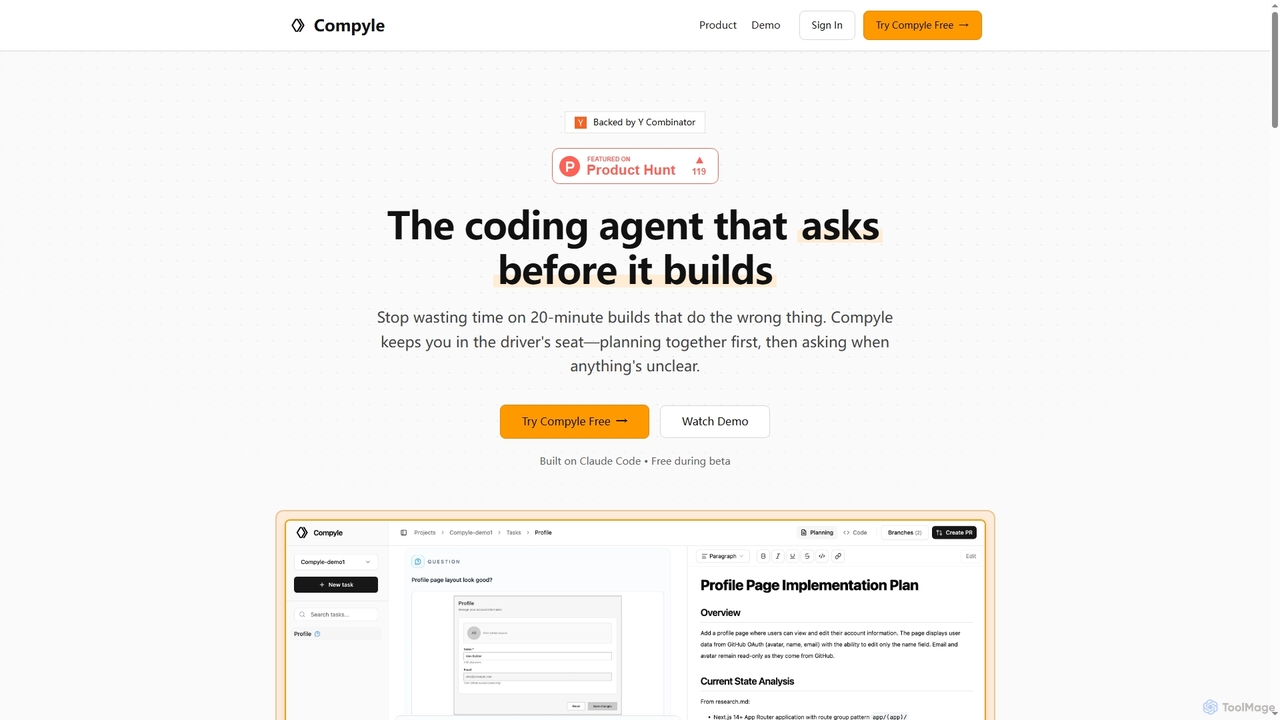
Compyle is an interactive AI coding agent that builds software by collaborating with developers. It researches your existing codebase, creates a detailed plan by asking clarifying questions, and implements features without making assumptions, ensuring the final code perfectly matches your intent.

Preview

Imbue Product overview

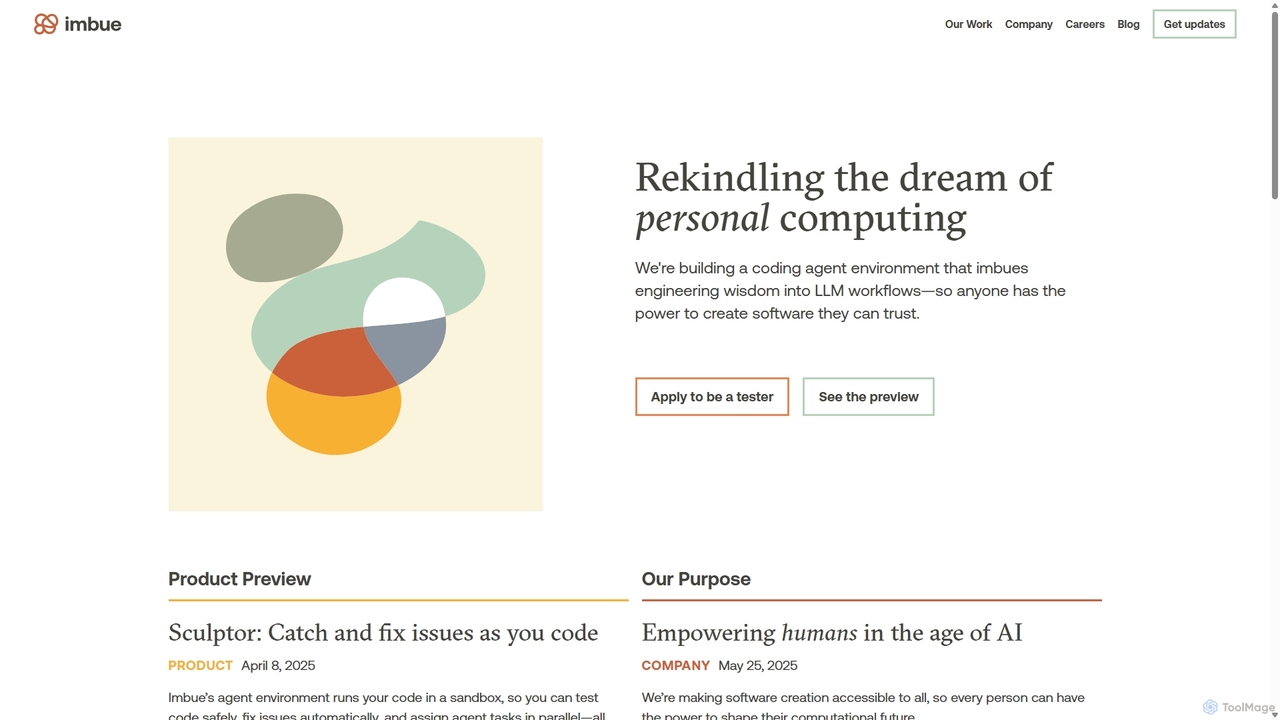
Imbue is an AI research and product company building AI agents that can reason and code. Its flagship product, Sculptor, is a coding agent environment that helps developers write high-quality, reliable software by automatically detecting issues, generating tests, and fixing bugs in a safe, sandboxed environment.

Preview

Quick facts

Compare product focus, pricing models and audiences. Highlighted rows indicate different listed information; unknown pricing does not mean free.

Compyle VS Imbue — Quick facts
Quick factsCompyleImbue
Pricing modelNo data availableNo data available
Product typeWebWeb
Primary focusCode AssistantMachine Learning
Audience and rolesBackend Developer · Frontend Developer · Full-Stack Developer · Software DeveloperAI Engineer · DevOps Engineer · Full-Stack Developer · Product Engineer · Quality Assurance Engineer · Research Scientist · Software Developer
CategoriesCode Assistant · AutomationMachine Learning · Code Assistant · Automation
AddedOct 20, 2025Sep 24, 2025
UpdatedNov 19, 2026Nov 19, 2026

Features, usage and use cases

Explore the listed product descriptions, features and workflows. Taxonomy labels alone are not feature evaluations.

Compyle

Compyle is a novel AI coding agent designed to work alongside developers, not just for them. Its core philosophy is to "ask before it builds," eliminating the guesswork and incorrect assumptions common with other code generation tools. By engaging in a collaborative dialogue, Compyle ensures that every line of code it writes is precisely what the developer intended. It meticulously analyzes your project's context, patterns, and existing code to deliver features that are consistent and accurate.

How to use Compyle

Compyle operates on a transparent, three-step workflow that keeps the developer in control at all times:

  1. Research: Compyle begins by thoroughly gathering context about your codebase. It reads relevant files, analyzes existing patterns (like authentication), and checks database schemas to understand the project's architecture and conventions.
  2. Planning: It then collaborates with you to create a detailed implementation plan. Instead of proceeding with incomplete information, Compyle asks specific, clarifying questions. For example, it might ask for your preference on a UI layout or whether to use an existing authentication pattern, awaiting your confirmation before moving forward.
  3. Implementation: During the coding phase, Compyle continuously validates its work against the agreed-upon plan. If any ambiguity arises, such as the text for a success message, it pauses and asks for your input. This interactive process guarantees the output is correct, culminating in a ready-to-review Pull Request for the new feature.

Core Features of Compyle

  • Context-Aware Codebase Research: Automatically scans and understands your project's structure, patterns, and existing implementations.
  • Interactive Planning & Clarification: Engages in a dialogue with the developer to create a precise plan, asking questions to resolve ambiguities before writing code.
  • Assumption-Free Implementation: Pauses and seeks developer input whenever a decision is not explicitly covered by the plan, preventing errors and rework.
  • Automated Pull Request Generation: Opens a pull request with the completed feature once the implementation is finished and approved.

Use Cases for Compyle

Compyle is ideal for developers and teams looking to accelerate feature development while maintaining high code quality and consistency. It excels at tasks such as building new components (e.g., user profile pages), adding API endpoints, or implementing features that must adhere to existing design patterns and authentication flows within a complex codebase.

Advantages of Compyle

The primary advantage of Compyle is its collaborative nature, which significantly reduces the risk of the AI generating incorrect or misaligned code. By asking questions instead of making assumptions, it saves developers valuable time on debugging and refactoring. This approach ensures the final output is not only functional but also perfectly integrated with the existing codebase and developer's vision.


Imbue

Imbue is an AI company on a mission to rekindle the dream of personal computing by making software creation accessible to everyone. They are developing advanced AI systems and agents capable of complex reasoning and coding. The core belief at Imbue is that technology should be human-centered, empowering individuals to shape their digital environments. Their work spans across research, infrastructure, and policy to ensure AI's benefits are broadly and fairly distributed.

Their first major product, Sculptor, embodies this vision. Sculptor is a sophisticated coding agent environment designed to integrate engineering wisdom into LLM workflows. It acts as an intelligent partner for developers, working within their favorite editor to enhance code quality and streamline the development process. By running code in an isolated sandbox, Sculptor allows for safe experimentation and testing, ensuring that any changes, whether generated by an AI or a human, are robust and reliable before being applied.

How to use Imbue

Using Imbue's primary tool, Sculptor, is designed to be a seamless part of the development workflow:

  1. Connect to Your Codebase: Integrate Sculptor with your existing project. It works alongside your preferred code editor.
  2. Automatic Issue Detection: Once connected, Sculptor proactively scans your code for a wide range of issues, including bugs, missing tests, hardcoded variables, memory leaks, and style inconsistencies.
  3. Launch Parallel Agents: For any identified issues, you can launch multiple AI agents to work on fixes simultaneously. This parallel processing significantly speeds up the debugging and refinement process.
  4. Review and Refine: Sculptor presents the proposed fixes as easy-to-review diffs. You can chat with the agents to refine the solutions until they meet your exact requirements.
  5. Apply and Sync: Once you accept a fix, the changes are automatically synced back to your local editor and codebase.
  6. Create Custom Checks: Define your own quality standards by creating custom checks using natural language prompts (e.g., "ensure error messages are user-friendly") or by integrating existing shell commands like linters and test suites.
  7. Generate New Code: Use Sculptor to generate new features or code snippets. All newly generated code is automatically vetted against your custom checks to maintain high quality from the start.

Core Features of Imbue

  • AI Coding Agent Environment: Provides a sandboxed environment where AI agents can safely run, test, and fix code without affecting your local development setup.
  • Automated Issue Detection and Repair: Proactively identifies a wide range of coding problems and suggests or automatically implements fixes.
  • Parallel Task Execution: Allows multiple AI agents to work on different tasks concurrently, dramatically increasing productivity.
  • Interactive Refinement: Features a chat-based interface to collaborate with AI agents, allowing developers to guide and refine the generated code.
  • Customizable Quality Checks: Enables users to define their own coding standards and best practices through natural language prompts or scripts.
  • Seamless Editor Integration: Designed to work smoothly with popular code editors, fitting naturally into existing developer workflows.
  • Safe Sandboxed Testing: All code execution and testing happen in an isolated environment, ensuring the stability of the main project.

Use Cases for Imbue

Imbue's Sculptor is ideal for a variety of software engineering tasks:

  • Bug Fixing and Debugging: Quickly identify the root cause of bugs and deploy AI agents to generate and test potential fixes.
  • Automated Test Generation: Improve code coverage and reliability by having agents write necessary unit tests, integration tests, and more.
  • Code Refactoring and Quality Improvement: Enhance the maintainability and performance of existing code by fixing style issues, improving documentation, and refactoring complex logic.
  • Accelerated Feature Development: Generate boilerplate code and entire features, ensuring they adhere to project standards from the outset.
  • Enforcing Engineering Best Practices: Helps teams maintain a consistent level of code quality and adhere to specific engineering disciplines automatically.

Advantages of Imbue

Imbue offers a significant shift in how software is created:

  • Democratization of Software Engineering: Makes high-level engineering skills and best practices accessible to developers of all levels, from beginners to seasoned experts.
  • Enhanced Productivity: Automates time-consuming and repetitive tasks, freeing up developers to focus on high-impact, creative problem-solving.
  • Improved Software Reliability: By catching issues early and ensuring thorough testing, it leads to more robust, stable, and maintainable software.
  • Human-in-the-Loop Control: Unlike fully autonomous systems, Imbue keeps the developer in complete control, acting as a powerful collaborator rather than a replacement.
  • Safe and Risk-Free Experimentation: The sandboxed architecture encourages experimentation and iteration without the risk of breaking the main development environment.

Pricing and Plans

Imbue's product, Sculptor, is currently in an early research preview. They are inviting developers to apply to be testers. Selected testers will get early access to the tool, free use for a limited time, and exclusive merchandise. There is no public pricing information available at this time, as the product is still in a pre-release phase.

Positioning

Their taxonomy shows where the products overlap and where each one has a more distinct focus. Unknown fields are shown explicitly and are never filled with assumptions.

Categories

Shared
Code AssistantAutomation
Only Compyle
No listed items
Only Imbue
Machine Learning

Tags

Shared
code generationdeveloper toolsoftware development
Only Compyle
AI developercode assistantcoding agentinteractive codingpull request automation
Only Imbue
AI coding agentautomated testingbug detectioncode qualityllmreasoningrefactoringsandbox

Audience and roles

Shared
Full-Stack DeveloperSoftware Developer
Only Compyle
Backend DeveloperFrontend Developer
Only Imbue
AI EngineerDevOps EngineerProduct EngineerQuality Assurance EngineerResearch Scientist

Traffic comparison

Traffic is shown on the same scale so differences in market visibility are not visually understated.

How to interpret the traffic data

Both charts share the same months and vertical scale. Each tool identifies its latest reporting month; missing months are left blank, not counted as zero. Regional and source visit counts are estimates calculated from the reported shares.

Compyle monthly traffic:

Latest traffic · 2026-05

Monthly visits
4.3K
Avg. visit duration
0:46
Pages per visit
1.72
Bounce rate
30.9%
Data updated 2026-06-15

Monthly traffic trend

  • 2025-09: 484
  • 2026-01: 72.5K
  • 2026-02: 25.4K
  • 2026-03: 8K
  • 2026-04: 3K
  • 2026-05: 4.3K

Top regions

Top 5 countries/regions
Country/regionPercentageEstimated visits
🇬🇧United Kingdom100%4.3K

Search keywords

complatio aicompylecompyle ai

Imbue monthly traffic:

Latest traffic · 2026-05

Monthly visits
49.5K
Avg. visit duration
0:29
Pages per visit
1.83
Bounce rate
44.36%
Data updated 2026-06-11

Monthly traffic trend

  • 2025-09: 39.8K
  • 2026-01: 29K
  • 2026-02: 30.1K
  • 2026-03: 48.8K
  • 2026-04: 69.8K
  • 2026-05: 49.5K

Top regions

Top 5 countries/regions
Country/regionPercentageEstimated visits
🇺🇸United States67.08%33.2K
🇨🇦Canada11.75%5.8K
🇬🇧United Kingdom8.37%4.1K
🇮🇳India6.42%3.2K
🇰🇷Korea, Republic of6.38%3.2K

Traffic sources

Source typePercentageEstimated visits
Direct66.94%33.1K
Referral25.83%12.8K
Email7.23%3.6K

Search keywords

imbueimbue aiimbue careersimbue companysculptor docker containers

Community signals

Ratings, comments, favorites, and likes are community signals—not a substitute for product fit.

Compyle

Rating
No data available
Comments
0
Favorites
171
Likes
181

Imbue

Rating
No data available
Comments
0
Favorites
185
Likes
186

Compyle vs Imbue · Comparison FAQ

What do Compyle and Imbue have in common?
Both tools are listed under Code Assistant、Automation. These categories indicate overlapping use cases; compare their detailed descriptions for workflows, capabilities and limitations.
Are Compyle and Imbue free?
Listed pricing models: Compyle — No data available; Imbue — No data available. Missing pricing is not proof of a free plan, and freemium does not mean every feature is free. Check official sites for current plans, limits and trials.
How should I choose between Compyle and Imbue?
The primary listed category is Code Assistant for Compyle, and Machine Learning for Imbue. Compare features, steps and use cases, then verify pricing, data permissions and deployment needs. This page does not include hands-on testing and does not declare a winner from traffic or tags.

Sources and comparison methodology

This page is assembled from ToolMage product listings, taxonomy, traffic statistics and on-site user feedback. It is not a hands-on test or an independent review.

  • Feature and plan descriptions reflect information in the listings, not real-time guarantees. Verify pricing, quotas, availability and privacy terms on the official sites.
  • Traffic uses the reporting months shown. Missing statistics do not mean zero visits, and different periods do not establish growth or superiority. Regional and source visit counts are estimates based on shares.
  • Different tags indicate differences in the listings, not proof that the other product lacks a capability. Ratings, favorites and visits are not used to declare a winner.

Related comparisons