
ToolMage
Sign in

AI TOOL COMPARISON

Coursebox vs CourseMind

What is the difference, and which fits your workflow? Compare features, usage, pricing models and traffic side by side.

Jump to key differences

Product overview

Coursebox Product overview

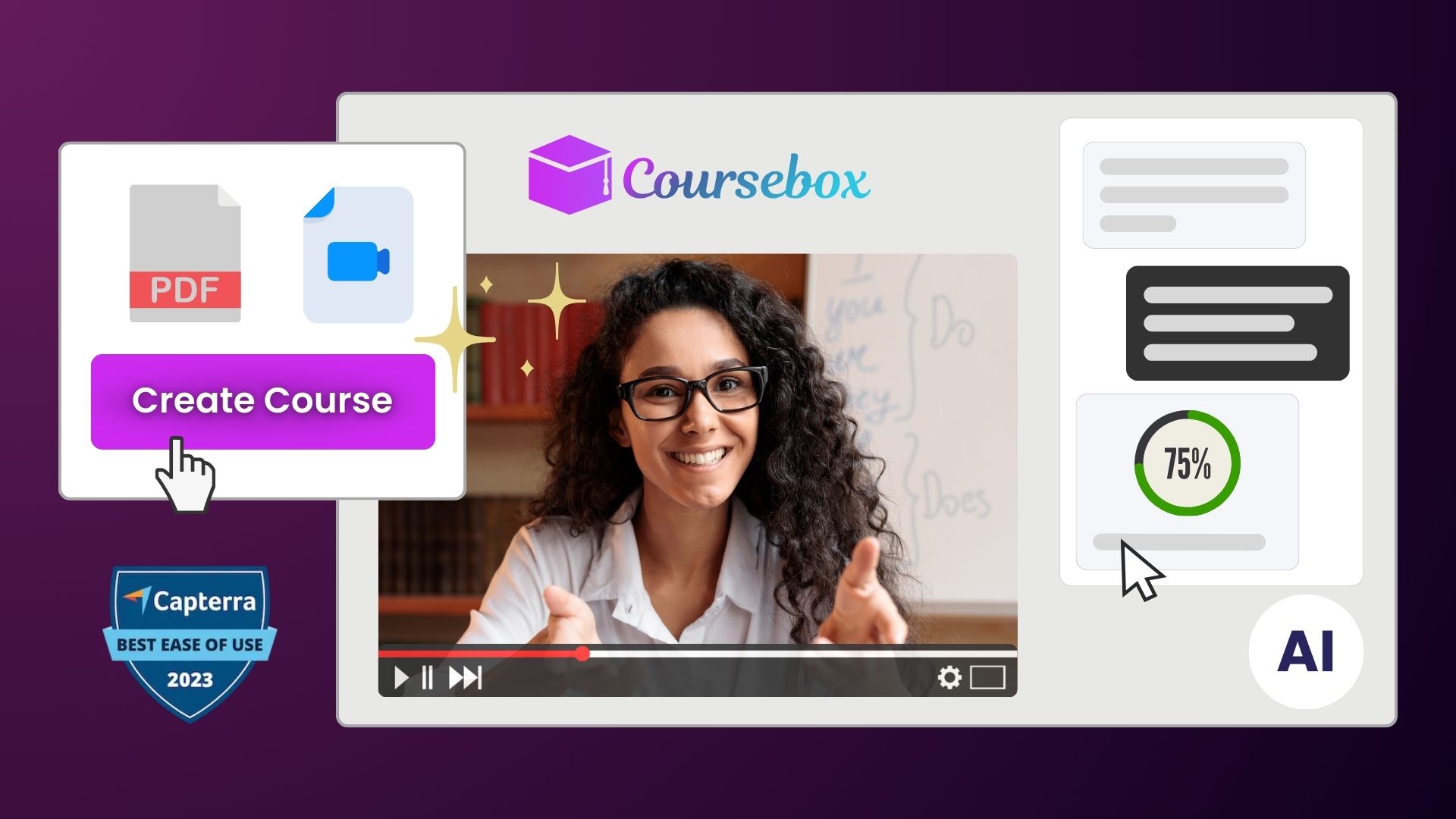
Coursebox is an AI-powered e-learning platform that enables users to rapidly convert documents, videos, and websites into engaging online courses. It features an AI course creator, AI tutor, automated quiz generation, and white-labeling to streamline corporate training and educational content creation.

Preview

CourseMind Product overview

CourseMind is an AI-powered platform designed for educators, trainers, and content creators to generate complete online courses in minutes. It automates the entire course creation process, from building a structured outline and writing lesson content to creating engaging quizzes and assessments. Transform your ideas into professional-grade educational materials effortlessly.

Preview

Quick facts

Compare product focus, pricing models and audiences. Highlighted rows indicate different listed information; unknown pricing does not mean free.

Coursebox VS CourseMind — Quick facts
Quick factsCourseboxCourseMind
Pricing modelFreemiumFreemium
Product typeWebWeb
Primary focusTrainingTraining
Audience and rolesNo data availableNo data available
CategoriesTraining · Course Creation · AutomationTraining · Course Creation · Content Generation
AddedAug 2, 2025Aug 7, 2025
UpdatedNov 19, 2026Nov 19, 2026

Features, usage and use cases

Explore the listed product descriptions, features and workflows. Taxonomy labels alone are not feature evaluations.

Coursebox

Coursebox is the #1 AI-driven e-learning platform designed for educators, corporate trainers, and entrepreneurs to effortlessly create, manage, and sell online courses. Trusted by over 60,000 learning designers worldwide, Coursebox leverages artificial intelligence to transform your existing content—such as videos, documents, and websites—into a complete, interactive course structure in minutes. This dramatically reduces development time and costs, allowing you to focus on delivering high-quality learning experiences.

The platform is built to enhance learner engagement and retention. It provides a personalized learning environment with features like an AI Tutor, a 24/7 chatbot trained on your course material to answer student questions in real-time. This instant support system, combined with AI-powered assessments and automated grading, ensures learners receive immediate feedback and rewards, keeping them motivated throughout their journey. With Coursebox, you can embrace the future of education and scale your training business or educational programs like never before.

How to use Coursebox

Using Coursebox is a straightforward process designed for maximum efficiency:

  1. Sign Up and Start: Begin by registering for a free trial on the Coursebox website to access the platform's features.
  2. Provide Your Content: Upload your existing materials. This can be in various formats, including Word documents, PDFs, video files, or simply by providing a link to a website or YouTube video.
  3. Let AI Build the Course: The AI course designer will analyze your content and automatically generate a draft of your course. This includes creating a logical structure with modules, lessons, and initial content.
  4. Refine and Customize: Review the AI-generated draft. Use the intuitive editor to modify the structure, edit the content, and add your own insights. Use the AI Quiz Generator to create various types of assessments, from multiple-choice questions to long-answer assignments with automated marking rubrics.
  5. Brand Your Platform: Apply the white-labeling feature to customize the look and feel of your course, learning platform, and mobile app with your own branding, logo, and colors for a seamless user experience.
  6. Publish and Sell: Once you are satisfied, publish your course. You can embed it on your own website, integrate it with an existing LMS, or sell it directly through the Coursebox platform. Set a fixed price or offer subscription-based access to generate recurring revenue.
  7. Engage and Certify: Learners can access the course on any device, interact with the AI Tutor for support, and upon completion, automatically receive a branded certificate to recognize their achievement.

Core Features of Coursebox

  • AI Course Creator: Instantly converts your videos, documents, and web links into a structured online course.
  • AI Tutor: A 24/7 conversational chatbot trained on your specific course content to provide real-time assistance to learners.
  • AI Quiz Generator & Assessments: Automatically creates quizzes, long-answer questions, and marking rubrics. The AI provides instant scoring and feedback based on your criteria.
  • White-Labeling: Fully brand your learning platform, mobile app, and courses to align with your organization's identity.
  • Mobile App: Delivers a seamless learning experience on any device, allowing students to learn anytime, anywhere.
  • Sell Courses: Integrated e-commerce tools to sell courses with fixed pricing or recurring subscriptions.
  • Automated Certificates: Automatically issue branded certificates to learners upon successful course completion.
  • LMS Integration: Seamlessly integrate with your existing Learning Management System (LMS) or HR platform, syncing grades, certificates, and more.

Use Cases for Coursebox

Coursebox is versatile and can be used by various professionals and organizations:

  • Corporate Training: HR departments and managers can quickly create and deploy employee onboarding, compliance training (e.g., safety training), and professional development programs.
  • Educational Institutions: Teachers and professors can supplement their curriculum with interactive online modules or create complete digital courses.
  • Entrepreneurs and Creators: Subject matter experts can monetize their knowledge by turning their expertise into a professional online course to sell to a global audience.
  • Coaches and Consultants: Develop and scale coaching programs by providing clients with structured, on-demand learning materials.

Advantages of Coursebox

The key advantages of using Coursebox include:

  • Speed and Efficiency: Reduce the time it takes to create a course from weeks or months to just a few hours.
  • Cost-Effectiveness: Automate time-consuming tasks like content structuring, quiz creation, grading, and student support, significantly reducing operational costs.
  • Increased Learner Engagement: Interactive elements, personalized support from the AI Tutor, and instant feedback lead to higher completion rates and better knowledge retention.
  • Scalability: Easily expand your training offerings or student base without a proportional increase in administrative workload.
  • Seamless Experience: Offers a fully integrated solution from course creation to monetization and certification, all under your own brand.

Pricing and Plans

Coursebox operates on a freemium model, providing a plan for every need:

  • Free Plan: A great way to get started, allowing you to create one course with limited features to test the platform.
  • Creator Plan: Aimed at individual creators, this plan offers more courses, advanced features like white-labeling, and the ability to sell your courses.
  • Expert Plan: Designed for businesses and power users, this plan includes a larger number of courses, team management features, API access, and priority support.

A free trial is available for the paid plans, allowing users to explore the full capabilities of the platform before committing.

CourseMind

CourseMind is a revolutionary AI-driven tool that streamlines and accelerates the creation of online courses and educational content. Designed for a diverse audience including educators, corporate trainers, and digital entrepreneurs, CourseMind leverages advanced artificial intelligence to transform a simple topic idea into a fully-fledged, structured, and engaging course. It effectively eliminates the common hurdles of course creation, such as writer's block, content structuring, and the time-consuming nature of instructional design.

The platform serves as an intelligent assistant, guiding users through every step of the process. By simply providing a course title or a brief description, CourseMind's AI gets to work, generating a comprehensive and logical course outline complete with modules and individual lessons. This provides a solid foundation that users can then easily customize and build upon, ensuring the final product aligns perfectly with their vision and expertise.

How to use CourseMind

Using CourseMind is an intuitive and straightforward process, designed to maximize efficiency:

  1. Define Your Topic: Start by entering the title or a short description of the course you wish to create. You can be as broad or as specific as you like.
  2. Generate the Course Outline: With a single click, the AI will generate a detailed course structure, including modules and lesson titles. This outline is based on proven instructional design principles.
  3. Customize the Structure: Review the AI-generated outline. You have full control to add, remove, rename, or reorder modules and lessons to better fit your teaching goals.
  4. Generate Lesson Content: Once the outline is finalized, instruct the AI to generate the content for each lesson. This can include detailed text, video scripts, key takeaways, and practical examples.
  5. Create Assessments: Automatically generate quizzes, assignments, and discussion prompts for each module to reinforce learning and assess student comprehension.
  6. Review and Export: Make final edits to the complete course content. Once you are satisfied, you can export the materials in various formats compatible with popular Learning Management Systems (LMS) or for direct use.

Core Features of CourseMind

  • AI Course Outline Generator: Instantly creates logical and comprehensive course structures from a single topic prompt.
  • Automated Content Creation: Generates high-quality, engaging text, video scripts, and learning materials for each lesson.
  • Quiz & Assessment Builder: Automatically produces a variety of question types (multiple-choice, true/false, open-ended) to test knowledge.
  • Learning Objective Assistant: Helps define clear and measurable learning objectives for your course and modules.
  • Content Customization: Provides a user-friendly editor to refine and personalize all AI-generated content, ensuring your unique voice is present.
  • Multi-Format Export: Allows exporting course content in formats like PDF, DOCX, or SCORM for easy integration with platforms like Moodle, Teachable, or Canvas.

Use Cases for CourseMind

CourseMind is a versatile tool suitable for various professionals:

  • Educators and Academics: Quickly develop online curriculum, lesson plans, and supplementary materials for students.
  • Corporate Trainers: Build standardized employee onboarding and professional development programs efficiently.
  • Online Course Creators: Accelerate the production of courses for platforms like Udemy, Coursera, or personal websites, enabling faster monetization of expertise.
  • Subject Matter Experts: Convert deep knowledge into a structured, easy-to-digest course format without needing a background in instructional design.
  • Marketing Professionals: Create mini-courses or educational content as powerful lead magnets to attract and nurture potential customers.

Advantages of CourseMind

The primary advantage of CourseMind is the massive boost in productivity. It can reduce the time required to create a course from months to mere hours. It democratizes course creation, empowering experts to share their knowledge without being bogged down by the complexities of instructional design. The AI ensures content is structured logically and pedagogically sound, leading to more effective learning outcomes for students. Furthermore, it provides a scalable solution for organizations needing to produce a large volume of training content consistently and cost-effectively.

Pricing and Plans

CourseMind operates on a freemium model, making it accessible to everyone.

  • Free Plan: Ideal for trying out the platform. Users can generate 1-2 complete courses with limited access to advanced features.
  • Creator Plan: Priced around $39/month, this plan is designed for individual creators and educators. It typically includes a higher number of course generations per month, access to all core features, and more export options.
  • Pro Plan: At approximately $99/month, this plan targets professional course creators and small businesses, offering unlimited course creation, advanced customization (like custom branding), and priority support.
  • Enterprise Plan: Custom pricing for large organizations and educational institutions. This includes team collaboration features, API access for LMS integration, and dedicated account management.

Positioning

Their taxonomy shows where the products overlap and where each one has a more distinct focus. Unknown fields are shown explicitly and are never filled with assumptions.

Categories

Shared
TrainingCourse Creation
Only Coursebox
Automation
Only CourseMind
Content Generation

Tags

Shared
corporate trainingcourse creatore-learninginstructional designonline coursesquiz generator
Only Coursebox
AI tutoreducation technologyLMS
Only CourseMind
AI educationcontent generationcurriculum developmentlesson planner

Audience and roles

Shared
No listed items
Only Coursebox
No listed items
Only CourseMind
No listed items

Traffic comparison

Traffic is shown on the same scale so differences in market visibility are not visually understated.

How to interpret the traffic data

Both charts share the same months and vertical scale. Each tool identifies its latest reporting month; missing months are left blank, not counted as zero. Regional and source visit counts are estimates calculated from the reported shares.

Coursebox monthly traffic:

Latest traffic · 2026-05

Monthly visits
124.2K
Avg. visit duration
2:28
Pages per visit
4.15
Bounce rate
39.47%
Data updated 2026-06-15

Monthly traffic trend

  • 2025-09: No data available
  • 2026-01: 272K
  • 2026-02: 188.4K
  • 2026-03: 222.8K
  • 2026-04: 143.1K
  • 2026-05: 124.2K

Top regions

Top 5 countries/regions
Country/regionPercentageEstimated visits
🇺🇸United States42.94%53.3K
🇦🇺Australia20.71%25.7K
🇧🇷Brazil16.67%20.7K
🇬🇧United Kingdom10.61%13.2K
🇨🇦Canada9.07%11.3K

Traffic sources

Source typePercentageEstimated visits
Direct92.46%114.9K
Referral3.88%4.8K
Email3.66%4.5K

Search keywords

course boxcourseboxcoursebox aicuorseboximparta cursos en formato scorm

CourseMind monthly traffic:

Latest traffic · 2026-05

Monthly visits
5.2K
Avg. visit duration
0:42
Pages per visit
3.15
Bounce rate
34.38%
Data updated 2026-06-11

Monthly traffic trend

  • 2025-09: 52.8K
  • 2026-01: 119.9K
  • 2026-02: 28.8K
  • 2026-03: 46.5K
  • 2026-04: 40.6K
  • 2026-05: 5.2K

Top regions

Top 5 countries/regions
Country/regionPercentageEstimated visits
🇻🇳Vietnam95.05%4.9K
🇺🇸United States3.33%172
🇮🇳India1.62%84

Traffic sources

Source typePercentageEstimated visits
Direct79.73%4.1K
Referral20.27%1K

Search keywords

preply loginpreply student loginproton xprotonxvietnamese-sbert

Community signals

Ratings, comments, favorites, and likes are community signals—not a substitute for product fit.

Coursebox

Rating
No data available
Comments
0
Favorites
154
Likes
172

CourseMind

Rating
No data available
Comments
0
Favorites
184
Likes
179

Coursebox vs CourseMind · Comparison FAQ

What do Coursebox and CourseMind have in common?
Both tools are listed under Training、Course Creation. These categories indicate overlapping use cases; compare their detailed descriptions for workflows, capabilities and limitations.
Are Coursebox and CourseMind free?
Listed pricing models: Coursebox — Freemium; CourseMind — Freemium. Missing pricing is not proof of a free plan, and freemium does not mean every feature is free. Check official sites for current plans, limits and trials.
How should I choose between Coursebox and CourseMind?
The primary listed category is Training for Coursebox, and Training for CourseMind. Compare features, steps and use cases, then verify pricing, data permissions and deployment needs. This page does not include hands-on testing and does not declare a winner from traffic or tags.

Sources and comparison methodology

This page is assembled from ToolMage product listings, taxonomy, traffic statistics and on-site user feedback. It is not a hands-on test or an independent review.


  • Feature and plan descriptions reflect information in the listings, not real-time guarantees. Verify pricing, quotas, availability and privacy terms on the official sites.
  • Traffic uses the reporting months shown. Missing statistics do not mean zero visits, and different periods do not establish growth or superiority. Regional and source visit counts are estimates based on shares.
  • Different tags indicate differences in the listings, not proof that the other product lacks a capability. Ratings, favorites and visits are not used to declare a winner.

Related comparisons