ToolMage
Sign in

AI TOOL COMPARISON

DhiWise vs FlutterFlow

What is the difference, and which fits your workflow? Compare features, usage, pricing models and traffic side by side.

Jump to key differences

Product overview

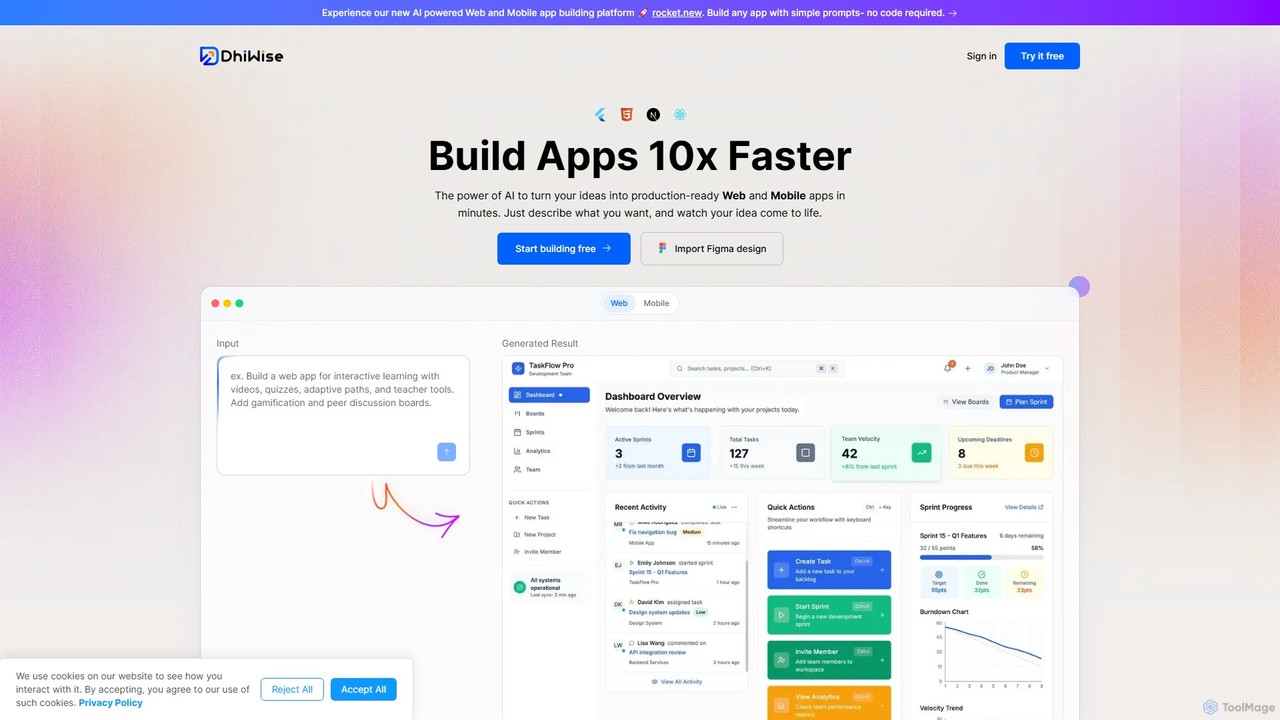
DhiWise Product overview

DhiWise is an AI-powered development platform that accelerates the creation of web and mobile applications. It transforms your ideas, natural language prompts, or Figma designs into high-quality, production-ready code in minutes. Supporting frameworks like Flutter and modern web technologies, DhiWise automates boilerplate tasks, enabling developers to build and deploy apps 10x faster.

Preview

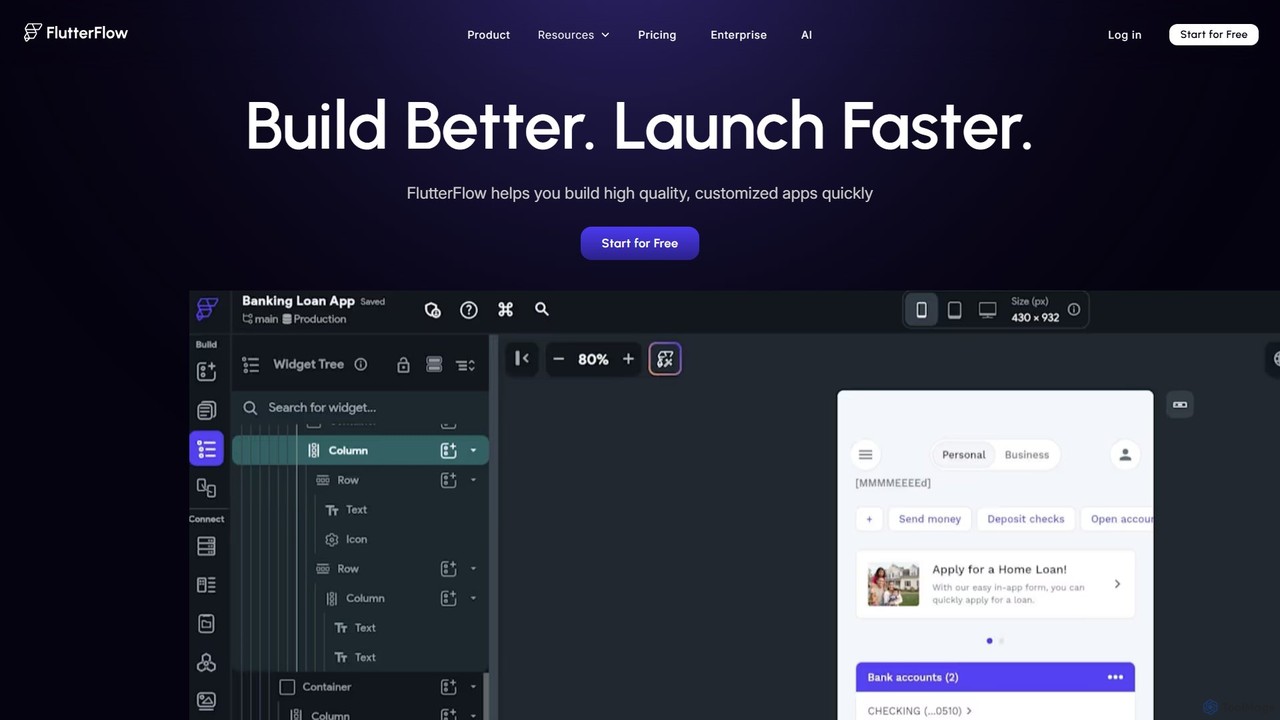
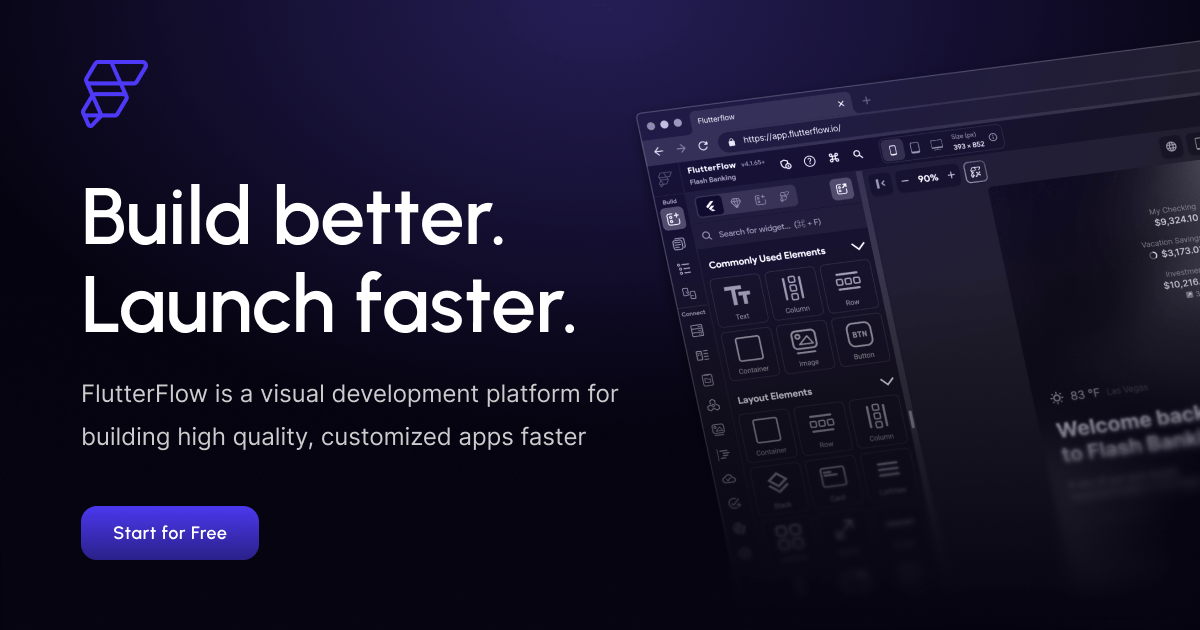
FlutterFlow Product overview

FlutterFlow is a low-code platform for visually building native mobile, web, and desktop applications. It empowers developers and non-developers to create high-quality, customized apps with a drag-and-drop interface, pre-built components, and powerful integrations like Firebase and Supabase, significantly accelerating the development process.

Preview

Quick facts

Compare product focus, pricing models and audiences. Highlighted rows indicate different listed information; unknown pricing does not mean free.

DhiWise VS FlutterFlow — Quick facts
Quick factsDhiWiseFlutterFlow
Pricing modelFreemiumFreemium
Product typeWebWeb
Primary focusDesign To CodeLow Code No Code
Audience and rolesNo data availableNo data available
CategoriesDesign To Code · Low Code No Code · Mobile Development · Web DevelopmentLow Code No Code · Mobile Development · Web Development · App Builder
AddedAug 14, 2025Aug 16, 2025
UpdatedNov 19, 2026Nov 19, 2026

Features, usage and use cases

Explore the listed product descriptions, features and workflows. Taxonomy labels alone are not feature evaluations.

DhiWise

DhiWise is a revolutionary AI-powered development platform designed to drastically reduce the time and effort required to build professional-grade web and mobile applications. It serves as a co-pilot for developers, product teams, and entrepreneurs, enabling them to turn concepts into functional, production-ready software at unprecedented speed. By leveraging advanced AI, DhiWise bridges the gap between idea and execution, automating the most tedious parts of the development lifecycle.

The platform offers a dual-pronged approach to app creation. Users can either describe their desired application using natural language prompts through its powerful 'Rocket.new' engine, or they can directly import existing designs from Figma. In both scenarios, DhiWise intelligently interprets the requirements and generates clean, scalable, and maintainable source code. This eliminates the need for manual coding of UI components, screen layouts, and other boilerplate elements, allowing teams to focus on core business logic and innovation.

How to use DhiWise

The workflow in DhiWise is streamlined for maximum efficiency and flexibility:

  1. Provide Input: Start by either describing your app requirements in plain English (e.g., "build a timeline management system for home services") or by uploading your completed Figma design file.
  2. AI-Powered Generation: DhiWise's AI engine analyzes your input and instantly generates a complete, production-ready codebase. This includes a well-structured project, pixel-perfect and responsive UI, and clean code that adheres to industry best practices.
  3. Iterate and Customize: Once the initial app is generated, you can easily make changes. Use natural language to request modifications (e.g., "change the primary color to blue") or use the integrated console to make direct code adjustments. This iterative process is fast and intuitive.
  4. Deploy or Export: With a single click, you can deploy your web application directly to services like Netlify. Alternatively, you have full control and ownership of your code. You can download the entire source code or sync it with your GitHub repository to continue development in your preferred local environment.

Core Features of DhiWise

  • AI Prompt-to-App Generation: Build full-fledged applications simply by describing your idea in natural language.
  • Figma to Code Conversion: Instantly transform your Figma designs into clean, responsive, and production-ready code for both web and mobile (Flutter) applications.
  • High-Quality Code Output: Generates modern, semantic, and maintainable code with a clean architecture and proper component structure.
  • Multi-Framework Support: Specializes in modern frameworks, with strong support for Flutter (including state management options like BLoC, Riverpod, Provider, GetX) and popular web technologies.
  • Iterative Development: Refine and customize your application using natural language prompts or a built-in code editor.
  • One-Click Deployment: Seamlessly deploy your web apps to hosting platforms like Netlify directly from the DhiWise dashboard.
  • Full Code Ownership: Download the complete source code or push it to GitHub/GitLab, ensuring no vendor lock-in and complete control over your project.
  • Enterprise-Grade Security: Security is built-in by default for all users, ensuring your application and data are protected.

Use Cases for DhiWise

DhiWise is versatile and caters to a wide range of development needs:

  • Rapid Prototyping: Entrepreneurs and product managers can build interactive prototypes in minutes to validate ideas with stakeholders and users.
  • MVP Development: Startups can launch their Minimum Viable Product (MVP) significantly faster and with fewer resources, accelerating their time-to-market.
  • Frontend Development Acceleration: Development teams can automate the creation of UI from Figma designs, freeing up frontend developers to focus on complex state management and API integrations.
  • Building Internal Tools: Companies can quickly create custom internal applications, such as dashboards, admin panels, and management systems, without dedicating extensive development cycles.
  • Learning and Education: Developers new to a framework like Flutter can use DhiWise to generate best-practice code and learn its structure and patterns.

Advantages of DhiWise

Using DhiWise provides a significant competitive edge:

  • 10x Development Speed: Drastically cuts down development time from weeks or months to just hours or days.
  • Reduced Costs: Saves significant resources by automating manual coding tasks and reducing the need for large development teams for initial builds.
  • Improved Code Quality: Ensures consistency and adherence to best practices, resulting in a more stable and maintainable final product.
  • Enhanced Productivity: Eliminates roadblocks like design-to-code gaps and boilerplate frustrations, allowing developers to be more productive and focused.
  • Empowerment: Lowers the technical barrier for creating software, enabling a wider range of creators to bring their ideas to life.

Pricing and Plans

DhiWise operates on a freemium model. It offers a generous free plan that allows users to start building applications and explore the core features of the platform. For teams, enterprises, and users requiring more advanced capabilities, higher build limits, or dedicated support, DhiWise provides various paid subscription plans tailored to different needs. This model makes it accessible for individual creators while providing the scale and security required by professional organizations.

FlutterFlow

FlutterFlow is a revolutionary low-code development platform built on Google's Flutter framework, designed to drastically simplify and accelerate the process of creating high-quality, native applications for mobile (iOS & Android), web, and desktop. It provides a powerful visual interface that allows everyone from seasoned developers to product managers and entrepreneurs to bring their app ideas to life without writing extensive code. Trusted by teams at major companies like Google, Atlassian, and Wendy's, FlutterFlow bridges the gap between idea and execution, enabling rapid prototyping, MVP development, and the creation of full-featured, scalable applications.

The platform's core is a sophisticated drag-and-drop builder, complemented by over 200 pre-designed UI elements and a vast marketplace of templates. This allows users to construct beautiful and complex user interfaces with ease. Beyond the UI, FlutterFlow features a visual Action Flow Editor for defining application logic, state management, and user interactions. Its recent integration of AI Agents further streamlines development by automating tasks and generating code snippets. With FlutterFlow, you are never locked in; you have the freedom to export the full, clean Flutter source code at any time, giving you complete ownership and control for future scaling.

How to use FlutterFlow

Using FlutterFlow is an intuitive, step-by-step process designed for maximum efficiency:

  1. Design Your UI: Start by dragging and dropping widgets onto the canvas. You can choose from hundreds of pre-built components or import your designs directly from Figma to ensure brand consistency. Customize every property of the widgets for a pixel-perfect design.
  2. Build Logic Visually: Use the visual Action Flow Editor to create complex workflows. Define what happens when a user taps a button, submits a form, or interacts with any element. This includes navigation, API calls, and state updates.
  3. Connect Your Data: Seamlessly integrate your app with a backend. FlutterFlow offers native integrations with Firebase and Supabase for easy database setup, authentication, and storage. You can also connect to any third-party REST or GraphQL API.
  4. Incorporate Advanced Features: Add powerful functionalities like push notifications, payment processing (e.g., Stripe), maps, and animations with built-in integrations and custom actions.
  5. Collaborate with Your Team: Invite team members to your project. Use Git-style branching to work on different features simultaneously, leave comments directly on the canvas, and manage access controls.
  6. Test and Iterate: Use the Test Mode to instantly run your app and debug any issues. You can also test on local emulators or physical devices for a real-world preview.
  7. Deploy Everywhere: With just a few clicks, build and deploy your application to the Apple App Store, Google Play Store, and the web.

Core Features of FlutterFlow

  • Visual Drag-and-Drop Builder: Intuitively design your app's UI with a vast library of components and complete control over properties.
  • Visual Action Flow Editor: Build complex application logic and workflows without writing code.
  • AI Agent: Leverage artificial intelligence to generate pages, schemas, and code, accelerating development.
  • Firebase & Supabase Integration: Easily set up powerful backends for authentication, databases, and storage.
  • Full API Integration: Connect to any RESTful or GraphQL API to fetch and send data.
  • Full Source Code Export: Download clean, readable Flutter code at any time, ensuring no vendor lock-in.
  • Team Collaboration: Features include real-time collaboration, Git-style branching, commenting, and centralized billing.
  • One-Click Deployment: Deploy directly to the App Store, Play Store, and the web from the platform.
  • Figma to Flutter: Convert your Figma designs into functional Flutter code automatically.
  • Marketplace: Access a rich marketplace of templates, custom widgets, and actions to jumpstart your projects.
  • One-Click Localization (i18n): Easily translate your app into multiple languages to reach a global audience.

Use Cases for FlutterFlow

FlutterFlow is versatile enough for a wide range of projects:

  • MVP for Startups: Quickly build and launch a Minimum Viable Product to test market assumptions, gather user feedback, and secure funding.
  • Internal Enterprise Tools: Develop custom internal applications for dashboards, data management, operational workflows, and employee portals.
  • Client Apps for Agencies: Digital agencies can rapidly develop and deliver high-quality, cross-platform apps for their clients, reducing timelines and costs.
  • Functional Prototypes: Product managers and designers can create interactive, data-connected prototypes to demonstrate ideas and user flows to stakeholders.
  • Full-Fledged Consumer Apps: Build and scale complete consumer-facing applications, as seen in the showcase with apps for wellness, finance, and productivity.

Advantages of FlutterFlow

The platform offers significant advantages over traditional development:

  • Extreme Speed: Accelerate your development lifecycle by up to 10x, turning ideas into reality in hours or days, not months.
  • Cost-Effective: Reduce development costs by minimizing the need for large, specialized engineering teams.
  • Empowerment: Enables non-technical team members like designers and product managers to contribute directly to the development process.
  • No Vendor Lock-In: The ability to export your full source code provides ultimate flexibility and security for your project's future.
  • Cross-Platform by Default: Write once and deploy natively on iOS, Android, web, and desktop, ensuring a consistent user experience everywhere.
  • Scalability: Built on Flutter and with robust backend integrations, apps built with FlutterFlow are designed to scale with your user base.

Pricing and Plans

FlutterFlow offers a freemium model with plans tailored to different needs:

  • Free Plan ($0/month): Ideal for learning and testing. Includes the core visual builder, pre-built templates, and the ability to build and test your app.
  • Standard Plan ($30/month, or $22/month billed annually): For individuals and small projects. Includes all Free features plus the ability to download project source code, download APKs, and publish to a custom web domain.
  • Pro Plan ($70/month, or $50/month billed annually): For professional developers and more complex apps. Includes all Standard features plus GitHub integration, one-click deployment to app stores, one-click localization, and access to AI Agent features.
  • Teams Plan ($70/user/month, or $50/user/month billed annually): Designed for collaborative development. Includes all Pro features plus real-time collaboration, project-level access controls, centralized billing, and git-style visual branching.

Positioning

Their taxonomy shows where the products overlap and where each one has a more distinct focus. Unknown fields are shown explicitly and are never filled with assumptions.

Categories

Shared
Low Code No CodeMobile DevelopmentWeb Development
Only DhiWise
Design To Code
Only FlutterFlow
App Builder

Tags

Shared
app builderflutterlow-codemobile developmentno-code
Only DhiWise
AI developercode generationfigma to codeMVPrapid prototypingreactweb development
Only FlutterFlow
AI agentcross-platformFirebaseprototype toolSupabasevisual developmentweb app

Audience and roles

Shared
No listed items
Only DhiWise
No listed items
Only FlutterFlow
No listed items

Traffic comparison

Traffic is shown on the same scale so differences in market visibility are not visually understated.

How to interpret the traffic data

Both charts share the same months and vertical scale. Each tool identifies its latest reporting month; missing months are left blank, not counted as zero. Regional and source visit counts are estimates calculated from the reported shares.

DhiWise monthly traffic:

Latest traffic · 2026-05

Monthly visits
204.4K
Avg. visit duration
0:30
Pages per visit
1.88
Bounce rate
42.7%
Data updated 2026-06-15

Monthly traffic trend

  • 2025-09: 444.9K
  • 2026-01: 328.9K
  • 2026-02: 276.3K
  • 2026-03: 289.7K
  • 2026-04: 219.5K
  • 2026-05: 204.4K

Top regions

Top 5 countries/regions
Country/regionPercentageEstimated visits
🇮🇳India26.42%54K
🇺🇸United States23.87%48.8K
🇸🇳Senegal21.52%44K
🇲🇳Mongolia15.75%32.2K
🇻🇳Vietnam12.44%25.4K

Traffic sources

Source typePercentageEstimated visits
Direct58.42%119.4K
Referral26.8%54.8K
Email14.78%30.2K

Search keywords

dhiwisedisplay apostrophe on websitesfigma to flutterflutter what is a mobile ui padding ios topkotlin group items in value ranges

FlutterFlow monthly traffic:

Latest traffic · 2026-05

Monthly visits
1.9M
Avg. visit duration
15:18
Pages per visit
14.76
Bounce rate
33.94%
Data updated 2026-06-15

Monthly traffic trend

  • 2025-09: 2.2M
  • 2026-01: 1.5M
  • 2026-02: 1.6M
  • 2026-03: 1.9M
  • 2026-04: 1.9M
  • 2026-05: 1.9M

Top regions

Top 5 countries/regions
Country/regionPercentageEstimated visits
🇮🇳India36.78%711.2K
🇺🇸United States27.82%538K
🇬🇧United Kingdom17.19%332.4K
🇲🇽Mexico9.17%177.3K
🇳🇬Nigeria9.04%174.8K

Traffic sources

Source typePercentageEstimated visits
Direct92.94%1.8M
Referral5.23%101.1K
Email1.83%35.4K

Search keywords

flutterflutter flowflutterflowhot51jalalive

Community signals

Ratings, comments, favorites, and likes are community signals—not a substitute for product fit.

DhiWise

Rating
No data available
Comments
0
Favorites
179
Likes
187

FlutterFlow

Rating
No data available
Comments
0
Favorites
152
Likes
158

DhiWise vs FlutterFlow · Comparison FAQ

What do DhiWise and FlutterFlow have in common?
Both tools are listed under Low Code No Code、Mobile Development、Web Development. These categories indicate overlapping use cases; compare their detailed descriptions for workflows, capabilities and limitations.
Are DhiWise and FlutterFlow free?
Listed pricing models: DhiWise — Freemium; FlutterFlow — Freemium. Missing pricing is not proof of a free plan, and freemium does not mean every feature is free. Check official sites for current plans, limits and trials.
How should I choose between DhiWise and FlutterFlow?
The primary listed category is Design To Code for DhiWise, and Low Code No Code for FlutterFlow. Compare features, steps and use cases, then verify pricing, data permissions and deployment needs. This page does not include hands-on testing and does not declare a winner from traffic or tags.

Sources and comparison methodology

This page is assembled from ToolMage product listings, taxonomy, traffic statistics and on-site user feedback. It is not a hands-on test or an independent review.
  • Feature and plan descriptions reflect information in the listings, not real-time guarantees. Verify pricing, quotas, availability and privacy terms on the official sites.
  • Traffic uses the reporting months shown. Missing statistics do not mean zero visits, and different periods do not establish growth or superiority. Regional and source visit counts are estimates based on shares.
  • Different tags indicate differences in the listings, not proof that the other product lacks a capability. Ratings, favorites and visits are not used to declare a winner.

Related comparisons