ToolMage
Sign in

AI TOOL COMPARISON

Flowbot vs YCloud

What is the difference, and which fits your workflow? Compare features, usage, pricing models and traffic side by side.

Jump to key differences

Product overview

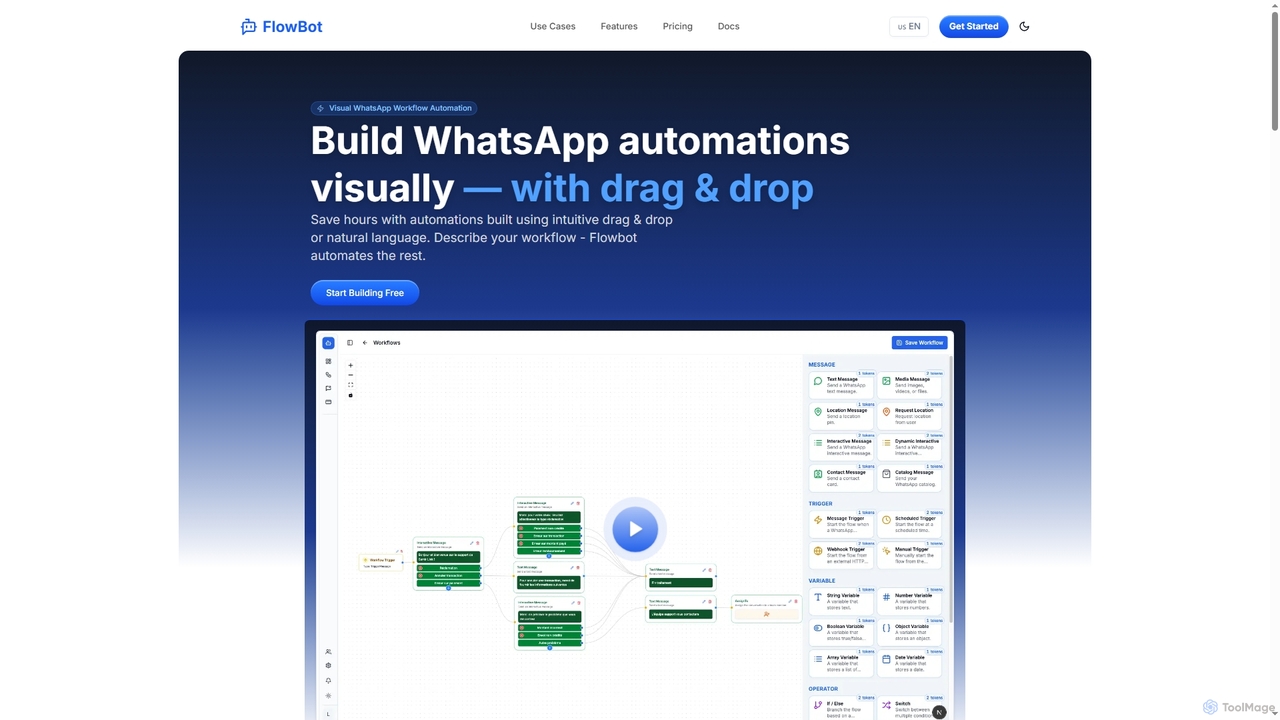
Flowbot Product overview

A no-code platform for building WhatsApp automation workflows and chatbots. It features a visual drag-and-drop builder, AI-powered agents, and integrations with tools like Google Sheets and CRMs to streamline customer support, marketing, and communications.

Preview

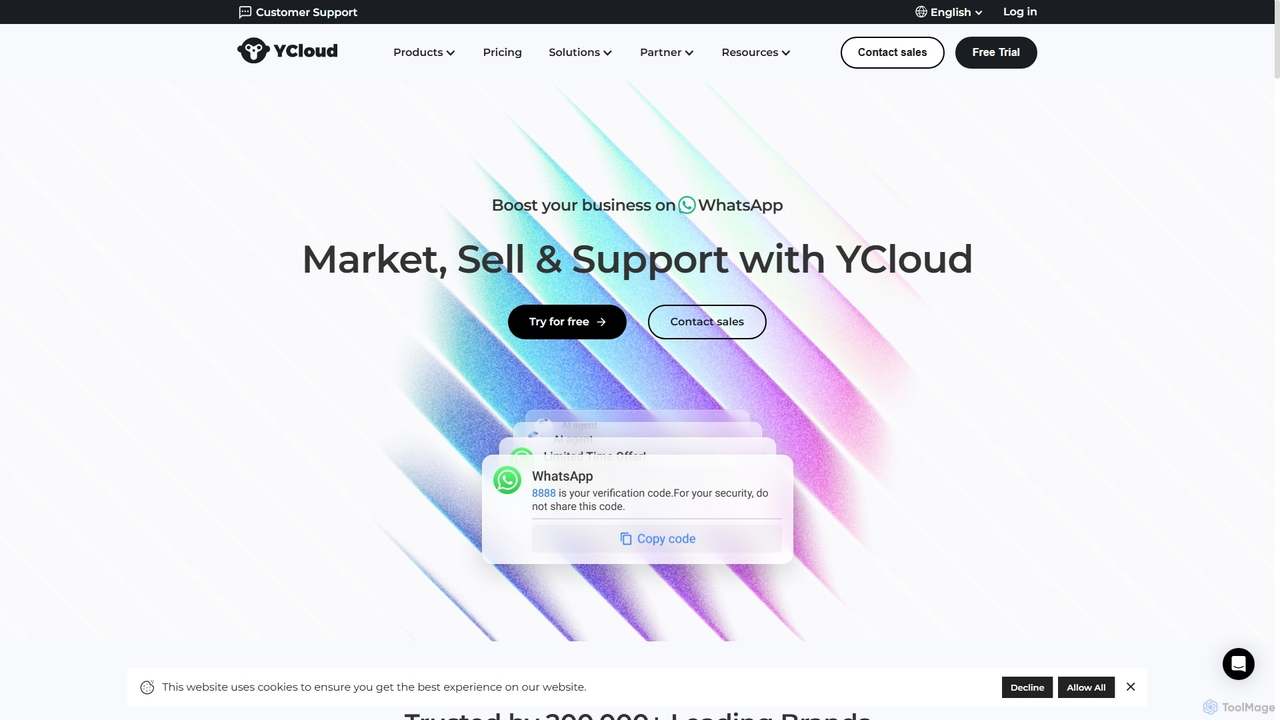
YCloud Product overview

YCloud is an all-in-one WhatsApp engagement platform powered by AI. As a Meta Official Business Solution Provider, it helps businesses market, sell, and support customers at scale. Features include AI chatbots, automated marketing journeys, a shared team inbox, and seamless integrations to boost leads, conversions, and customer satisfaction.

Preview

Quick facts

Compare product focus, pricing models and audiences. Highlighted rows indicate different listed information; unknown pricing does not mean free.

Flowbot VS YCloud — Quick facts
Quick factsFlowbotYCloud
Pricing modelFreemiumFreemium
Product typeWebWeb
Primary focusChatbotChatbot
Audience and rolesCustomer Support · E-commerce Manager · Marketing Manager · Operations Manager · Product Manager · Sales Representative · Social Media ManagerCustomer Support · E-commerce Manager · Founder · Marketing Manager · Product Manager · Sales Representative · Social Media Manager
CategoriesChatbot · Marketing Automation · Platform · Workflow AutomationChatbot · Marketing Automation · Crm
AddedNov 6, 2025Sep 22, 2025
UpdatedNov 19, 2026Nov 19, 2026

Features, usage and use cases

Explore the listed product descriptions, features and workflows. Taxonomy labels alone are not feature evaluations.

Flowbot

Flowbot is a cutting-edge, no-code platform designed for visual WhatsApp workflow automation. It empowers businesses to create complex chatbots and automate customer interactions effortlessly through an intuitive drag-and-drop interface or by simply describing the desired workflow in natural language. This tool is built to enhance productivity and customer engagement by handling repetitive tasks, allowing teams to focus on more strategic priorities across various industries like e-commerce, healthcare, and logistics.

How to use Flowbot

To use Flowbot, start by signing up for a free or paid plan. You can then begin building your automation in two ways: either use the visual drag-and-drop builder to map out your workflow with nodes for logic (like if-else), actions, and integrations, or describe your workflow in plain English and let Flowbot's AI construct it for you. Connect your WhatsApp number(s), integrate with external tools like Google Sheets or your CRM, and deploy the bot. You can then monitor its performance and interactions through the analytics dashboard.

Core Features of Flowbot

  • Visual Drag-and-Drop Builder: Create sophisticated WhatsApp bot flows without any coding knowledge using an intuitive visual editor.
  • AI-Powered Automation: Utilize an AI Node (Agent) to build intelligent bots that understand context and make smart decisions (available in Pro plan and above).
  • Live Chat Support: Engage with customers in real-time when human intervention is needed, with read-write access available on higher-tier plans.
  • Broadcast Messaging: Send targeted messages to your WhatsApp audience at scale to drive engagement.
  • Smart Integrations: Seamlessly connect with third-party services like Google Calendar, Google Sheets, Gmail, and CRM systems.
  • Team Management: Organize your support team, assign conversations automatically through workflows, and track performance within the platform.
  • Real-Time Analytics: Monitor bot performance and user interactions with an integrated analytics dashboard.

Use Cases for Flowbot

Flowbot is versatile and can be applied across multiple sectors. In E-commerce, it automates order updates, answers frequently asked questions, and provides 24/7 customer support. For Healthcare, it can manage appointment scheduling, send medication reminders, and handle patient follow-ups. In the Education sector, it engages students with automated course updates and assignment reminders. For Logistics, it provides real-time delivery tracking and keeps customers informed about their shipments.

Advantages of Flowbot

The primary advantage of Flowbot is its accessibility, allowing non-technical users to build powerful automations. It significantly boosts productivity by automating repetitive communications, leading to faster response times and improved customer satisfaction. The platform is scalable, catering to everyone from small teams to large organizations. Its integration capabilities and AI-powered features provide a high degree of flexibility and intelligence for creating dynamic, context-aware workflows.

Pricing and Plans

Flowbot offers a flexible, token-based pricing model that scales with your business needs. Tokens are consumed on execution.

  • Basic Plan: Ideal for small teams, includes 1500 Tokens/month, 1 WhatsApp number, 5 workflows, and read-only live chat.
  • Pro Plan: Perfect for growing teams, offering 7000 Tokens/month, 2 WhatsApp numbers, access to the AI Node, Text-to-Speech (TTS), Speech-to-Text (STT), integrations, and read-write live chat.
  • Business Plan: Tailored for large organizations, with 20000 Tokens/month, 5 WhatsApp numbers, unlimited workflows, all integrations, team management features, and premium support.
  • Custom Plan: A fully customizable solution for large enterprises with custom integrations and unlimited features.

A 20% reduction is available for yearly subscriptions.

YCloud

YCloud is a leading, comprehensive WhatsApp business solution designed to help enterprises of all sizes leverage the world's most popular messaging app for growth. As an official Meta Business Solution Provider (BSP), YCloud offers a robust and scalable platform to manage marketing, sales, and customer support interactions on WhatsApp. Trusted by over 200,000 brands, the platform handles billions of messages monthly with enterprise-grade security and reliability, ensuring businesses can connect with their customers effectively and efficiently.

The platform transforms every aspect of the customer journey. From acquiring new leads through 'Click to WhatsApp' ads to nurturing them with automated marketing campaigns and providing instant support with AI-powered agents, YCloud provides a unified solution. It empowers businesses to build meaningful relationships, accelerate conversions, and deliver exceptional customer experiences, all within the familiar interface of WhatsApp.

How to use YCloud

Getting started with YCloud is a straightforward process designed for businesses to quickly launch their WhatsApp strategy:

  1. Choose a Plan: Sign up for a plan that fits your business needs, starting with the free forever plan to experience the core features.
  2. Connect Your WhatsApp Account: Easily connect either a new WhatsApp Business API account or your existing WhatsApp Business App. YCloud guides you through the setup process.
  3. Configure Your Tools: Set up your engagement tools. Build a chatbot using the intuitive Flow Builder, create message templates for campaigns, organize your team in the Shared Inbox, and set up automated marketing journeys.
  4. Launch Campaigns: Start engaging with customers. Send targeted broadcast messages, run 'Click to WhatsApp' ads, or place a chat widget on your website to capture leads.
  5. Integrate and Automate: Connect YCloud with your existing tools, such as Shopify, to automate order notifications and share your product catalog directly in WhatsApp.
  6. Analyze and Optimize: Use the platform's analytics to monitor campaign performance, track customer interactions, and continuously optimize your strategy for better results.

Core Features of YCloud

  • WhatsApp Business API: Get an official WhatsApp API account under your brand for scalable and reliable messaging.
  • AI Agent & Chatbots: Deploy AI-driven chatbots to handle inquiries, qualify leads, and provide 24/7 support. The AI suite includes AI Translation, AI Suggestions for agents, and AI Summaries of conversations.
  • Shared Team Inbox: A collaborative inbox for your team to manage customer conversations efficiently, with features like advanced assignment rules and internal notes.
  • Automated Marketing Journey: Design and automate multi-step marketing campaigns on WhatsApp to nurture leads and re-engage customers.
  • Broadcast & Campaigns: Send personalized marketing messages, notifications, and verification codes to a large audience at once using approved message templates.
  • Growth Tools: Capture leads from various channels with tools like 'Click to WhatsApp' Ads, website chat widgets, QR codes, and custom chat links.
  • Integrations: Seamlessly connect with popular platforms like Shopify to sync orders and products, enabling features like WhatsApp Shop and WhatsApp Pay.
  • WhatsApp Calling: Engage with customers directly through voice calls initiated from the YCloud platform.

Use Cases for YCloud

YCloud is versatile and can be applied across various departments and industries:

  • Marketing & Lead Generation: Businesses can run interactive campaigns, send promotional offers, and use 'Click to WhatsApp' ads to drive a 185% increase in leads directly into a sales conversation.
  • Sales Automation: Use AI chatbots to instantly qualify incoming leads, route them to the appropriate sales representatives, and send automated follow-ups to close deals faster.
  • Customer Support: Provide instant, multilingual customer service around the clock with AI agents. For complex issues, conversations are seamlessly handed over to human agents in the shared inbox, improving resolution times and customer satisfaction.
  • E-commerce: Shopify store owners can integrate their shop to send automated order confirmations, shipping updates, and abandoned cart reminders, significantly boosting repeat purchase rates.
  • Fintech & Healthcare: Securely send one-time passwords (OTPs), appointment reminders, and confidential notifications, ensuring compliance and building customer trust.

Advantages of YCloud

Choosing YCloud offers several distinct advantages:

  • Scalability and Reliability: Built with enterprise-grade technology, YCloud is ISO 27001 certified and guarantees 99.99% uptime, making it suitable for businesses with high message volumes.
  • Proven Expertise: As a global leader focused exclusively on WhatsApp solutions and recommended by Meta, YCloud gets early access to new features, keeping its clients ahead of the curve.
  • Transparent Pricing: YCloud offers clear, on-demand subscription plans, including a powerful free version. Crucially, it charges zero markup on official WhatsApp messaging fees, providing a highly cost-effective solution.
  • User-Friendly Platform: The platform is designed to be intuitive and modern, allowing teams to get started quickly without extensive technical knowledge.
  • Dedicated Support: YCloud provides real human customer support, with dedicated account managers and 24/7 priority support available for higher-tier plans.

Pricing and Plans

YCloud offers a flexible pricing structure to suit businesses of all sizes, with no markup on WhatsApp's conversation-based fees.

  • Free Plan ($0/forever): Includes 1 user, 2 channels, 500K Generative AI credits, and core features like the API, chatbot builder, and shared inbox. Ideal for individuals and small teams starting out.
  • Growth Plan ($39/month): Built for small teams, this plan includes 2 users, 3 channels, 5M Generative AI credits, and email/online support.
  • Pro Plan ($89/month): Best for growing businesses, offering 6 users, 8 channels, 20M Generative AI credits, and a dedicated account manager.
  • Enterprise Plan ($399/month): For large companies requiring unlimited users, 30 channels, 100M Generative AI credits, permanent data storage, and 24/7 priority support.

Add-ons are available for all paid plans, allowing businesses to purchase extra user accounts, channels, AI credits, and Shopify integrations as they scale.

Positioning

Their taxonomy shows where the products overlap and where each one has a more distinct focus. Unknown fields are shown explicitly and are never filled with assumptions.

Categories

Shared
ChatbotMarketing Automation
Only Flowbot
PlatformWorkflow Automation
Only YCloud
Crm

Tags

Shared
chatbotcustomer supportlead generationmarketing automationWhatsApp
Only Flowbot
AIautomationdrag and dropno-codeworkflow
Only YCloud
AI agentCRMMeta BSPsalesWhatsApp API

Audience and roles

Shared
Customer SupportE-commerce ManagerMarketing ManagerProduct ManagerSales RepresentativeSocial Media Manager
Only Flowbot
Operations Manager
Only YCloud
Founder

Traffic comparison

Traffic is shown on the same scale so differences in market visibility are not visually understated.

How to interpret the traffic data

Both charts share the same months and vertical scale. Each tool identifies its latest reporting month; missing months are left blank, not counted as zero. Regional and source visit counts are estimates calculated from the reported shares.

Flowbot monthly traffic:

Latest traffic · 2026-05

Monthly visits
518
Avg. visit duration
0:00
Pages per visit
1.12
Bounce rate
37.34%
Data updated 2026-06-15

Monthly traffic trend

  • 2025-09: No data available
  • 2026-01: 0
  • 2026-02: 984
  • 2026-03: 1.5K
  • 2026-04: 451
  • 2026-05: 518

Top regions

Top 5 countries/regions
Country/regionPercentageEstimated visits
🇺🇸United States53.53%277
🇿🇦South Africa46.47%241

Search keywords

flowbotflowbotsmeta provider send flow builder botwhatsapp bot flow builderwhatsapp bot flow builder generator

YCloud monthly traffic:

Latest traffic · 2026-05

Monthly visits
198.9K
Avg. visit duration
4:08
Pages per visit
3.88
Bounce rate
36.11%
Data updated 2026-06-15

Monthly traffic trend

  • 2025-09: 76.7K
  • 2026-01: 320.2K
  • 2026-02: 177.8K
  • 2026-03: 174.8K
  • 2026-04: 206.7K
  • 2026-05: 198.9K

Top regions

Top 5 countries/regions
Country/regionPercentageEstimated visits
🇲🇽Mexico36.56%72.7K
🇨🇴Colombia16.47%32.8K
🇵🇪Peru16.37%32.6K
🇧🇷Brazil16.01%31.8K
🇺🇸United States14.59%29K

Traffic sources

Source typePercentageEstimated visits
Direct83.82%166.7K
Referral9.32%18.5K
Email6.86%13.6K

Search keywords

whatsapp loginwhatsapp webyclaudycloudycloud whatsapp

Community signals

Ratings, comments, favorites, and likes are community signals—not a substitute for product fit.

Flowbot

Rating
No data available
Comments
0
Favorites
182
Likes
190

YCloud

Rating
No data available
Comments
0
Favorites
176
Likes
199

Flowbot vs YCloud · Comparison FAQ

What do Flowbot and YCloud have in common?
Both tools are listed under Chatbot、Marketing Automation. These categories indicate overlapping use cases; compare their detailed descriptions for workflows, capabilities and limitations.
Are Flowbot and YCloud free?
Listed pricing models: Flowbot — Freemium; YCloud — Freemium. Missing pricing is not proof of a free plan, and freemium does not mean every feature is free. Check official sites for current plans, limits and trials.
How should I choose between Flowbot and YCloud?
The primary listed category is Chatbot for Flowbot, and Chatbot for YCloud. Compare features, steps and use cases, then verify pricing, data permissions and deployment needs. This page does not include hands-on testing and does not declare a winner from traffic or tags.

Flowbot · Comparison FAQ

Do I need coding skills to use Flowbot?

No, you do not need any coding skills. Flowbot is a no-code platform featuring an intuitive, drag-and-drop visual editor that allows you to design complex automation workflows without writing any code.

What kind of integrations does Flowbot support?

Flowbot supports seamless integrations with various third-party services, including Google Calendar, Google Sheets, Gmail, and CRM systems. These integrations are available starting with the Pro plan.

Can I use AI with Flowbot?

Yes. The Pro plan and higher tiers provide access to an AI Node (Agent), which allows you to build intelligent automation that understands context, makes smart decisions, and supercharges your workflows.

How does Flowbot's pricing and token system work?

Flowbot uses a transparent pricing model based on monthly or yearly plans (Basic, Pro, Business, Custom). Each plan includes a specific number of 'Tokens' which are consumed upon the execution of a workflow. There are no hidden fees.

What features are included in the different plans?

The plans differ in token allowance, number of WhatsApp numbers, and features. The Basic plan offers 1500 tokens and read-only live chat. The Pro plan adds 7000 tokens, the AI Node, integrations, TTS/STT, and read-write live chat. The Business plan includes 20000 tokens, unlimited workflows, team management, and premium support.

Sources and comparison methodology

This page is assembled from ToolMage product listings, taxonomy, traffic statistics and on-site user feedback. It is not a hands-on test or an independent review.

  • Feature and plan descriptions reflect information in the listings, not real-time guarantees. Verify pricing, quotas, availability and privacy terms on the official sites.
  • Traffic uses the reporting months shown. Missing statistics do not mean zero visits, and different periods do not establish growth or superiority. Regional and source visit counts are estimates based on shares.
  • Different tags indicate differences in the listings, not proof that the other product lacks a capability. Ratings, favorites and visits are not used to declare a winner.

Related comparisons