ToolMage
Sign in

AI TOOL COMPARISON

Flowise vs Langflow

What is the difference, and which fits your workflow? Compare features, usage, pricing models and traffic side by side.

Jump to key differences

Product overview

Flowise Product overview

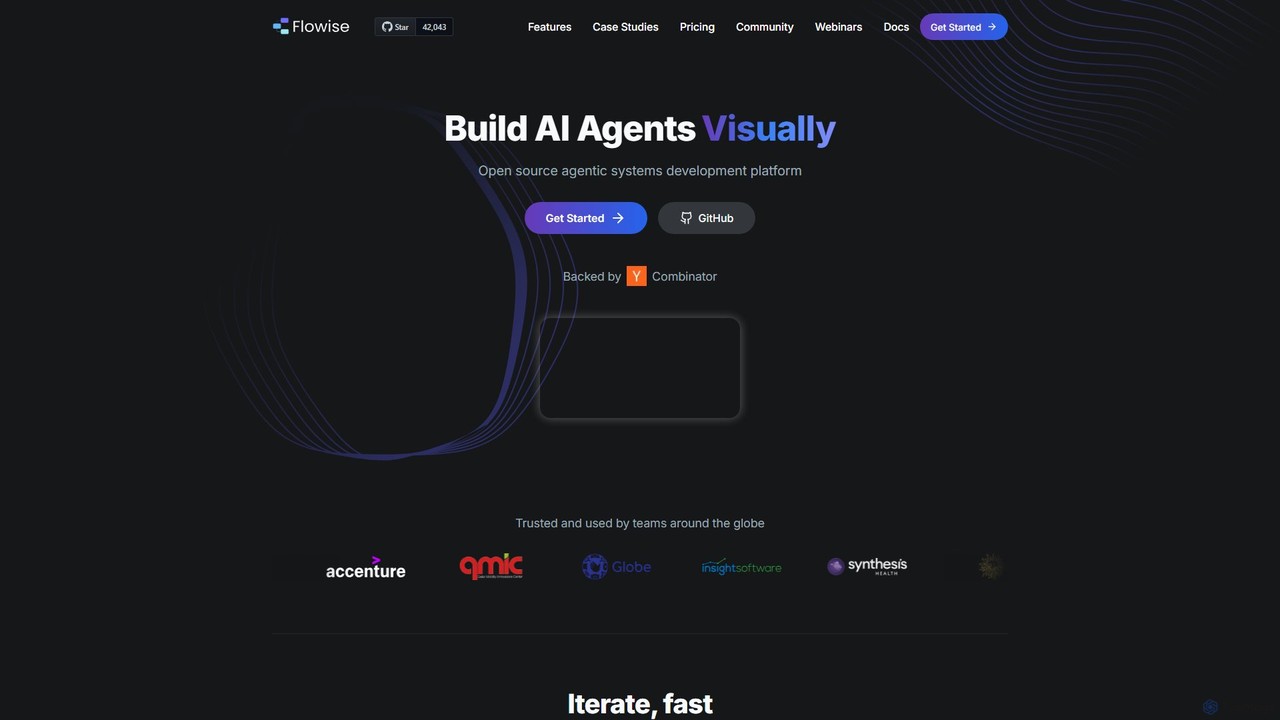
Flowise is an open-source, low-code platform for visually building customized AI agents and applications. Using a drag-and-drop interface, developers and teams can rapidly prototype and deploy complex systems, from RAG-powered chatbots to multi-agent workflows. It supports over 100 LLMs, various data sources, and offers enterprise-grade features for scalable deployment.

Preview

Langflow Product overview

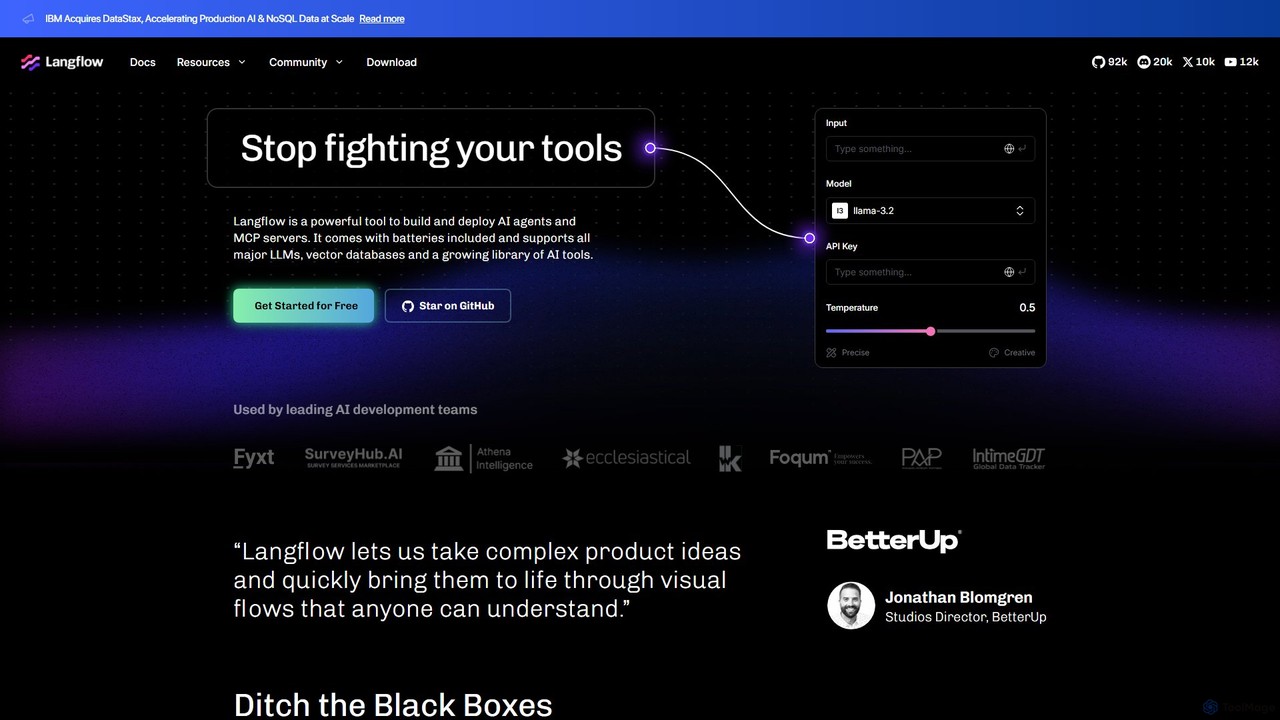
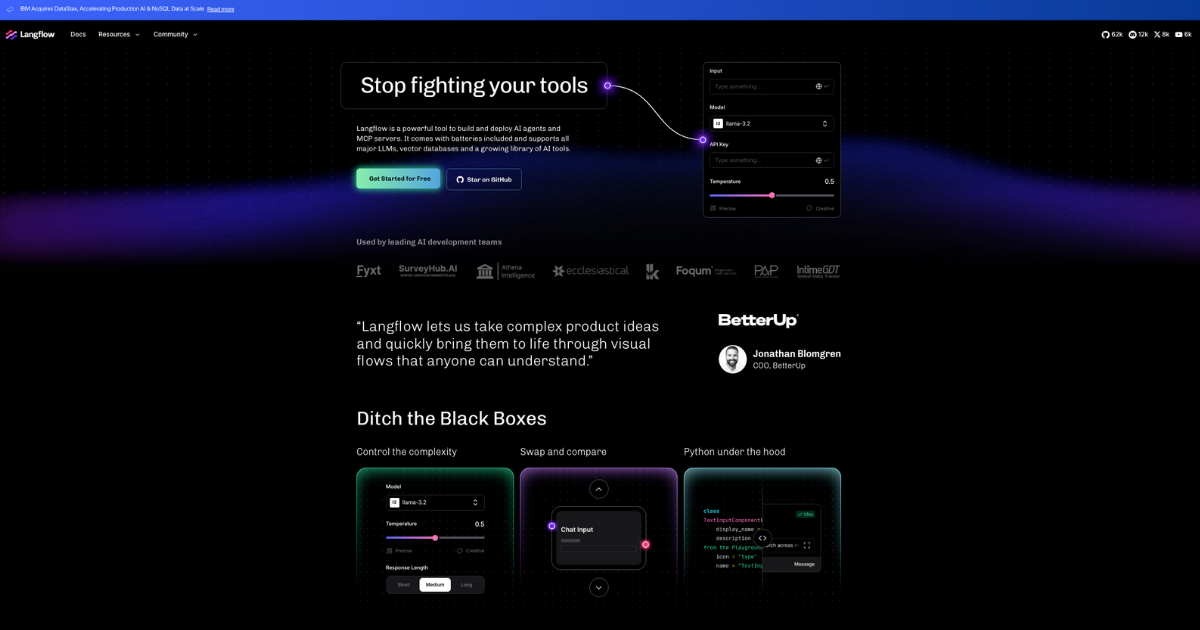
Langflow is an open-source, visual UI for building and deploying AI applications. It features a drag-and-drop interface to chain LLMs, agents, and tools, enabling rapid prototyping and deployment of complex workflows like RAG and multi-agent systems. It supports extensive integrations and offers both self-hosted and cloud options.

Preview

Quick facts

Compare product focus, pricing models and audiences. Highlighted rows indicate different listed information; unknown pricing does not mean free.

Flowise VS Langflow — Quick facts
Quick factsFlowiseLangflow
Pricing modelFreemiumFreemium
Product typeWebWeb
Primary focusModel DeploymentLow Code No Code
Audience and rolesNo data availableNo data available
CategoriesModel Deployment · Workflow Automation · Low Code No Code · ChatbotLow Code No Code · Workflow Automation
AddedAug 8, 2025Aug 14, 2025
UpdatedNov 19, 2026Nov 19, 2026

Features, usage and use cases

Explore the listed product descriptions, features and workflows. Taxonomy labels alone are not feature evaluations.

Flowise

Flowise is a powerful open-source development platform designed to simplify the creation of agentic AI systems. It provides a visual, drag-and-drop interface that empowers developers and teams to build, test, and deploy customized Large Language Model (LLM) applications with remarkable speed and efficiency. Whether you're creating a simple chatbot or a complex multi-agent system, Flowise offers the modular building blocks and robust infrastructure to bring your ideas to life.

The platform is built on the foundation of popular frameworks like LangChain, offering two primary paradigms for building: Chatflow for single-agent systems and chatbots, and Agentflow for sophisticated multi-agent systems with orchestrated workflows. This flexibility allows users to tackle a wide range of AI challenges, from knowledge retrieval to autonomous task execution.

How to use Flowise

Getting started with Flowise is straightforward. Users can begin by installing it via npm and launching the visual interface. The core workflow involves:

  1. Installation: Run a simple command like npm install -g flowise followed by npx flowise start to launch the application.
  2. Visual Building: In the Flowise UI, you can drag and drop various components (nodes) onto a canvas. These nodes represent LLMs, data loaders (for PDF, TXT, SQL, etc.), vector databases, APIs, and other tools.
  3. Connecting Nodes: Connect the nodes to create a logical flow for your AI application. For example, you can connect a PDF loader to an embedding model and a vector store to build a Retrieval-Augmented Generation (RAG) system.
  4. Testing and Iteration: Use the built-in chat interface to test your application in real-time, allowing for rapid iteration and refinement of your prompts and logic.
  5. Deployment: Once your application is ready, you can easily integrate it into your own products using the provided API endpoints, SDKs (TypeScript & Python), or by embedding it as a customizable chat widget on your website.

Core Features of Flowise

  • Visual Drag-and-Drop Interface: Simplifies the creation of complex LLM workflows, making it accessible to users with varying levels of coding experience.
  • Agentflow for Multi-Agent Systems: Build sophisticated systems where multiple coordinated agents work together to solve complex problems.
  • Chatflow for Chatbots & RAG: Easily create single-agent systems and chatbots with tool-calling capabilities and knowledge retrieval from diverse data sources (TXT, PDF, DOC, SQL, etc.).
  • Human-in-the-Loop (HITL): Incorporate human oversight and feedback into your agent's tasks to ensure quality and control.
  • Extensive Integrations: Supports over 100 LLMs, embedding models, and vector databases, providing maximum flexibility.
  • Developer-Friendly Tools: Offers robust APIs, TypeScript & Python SDKs, and embeddable widgets for seamless integration into existing applications.
  • Enterprise-Ready: Designed for scalability with support for both cloud and on-premises deployment, horizontal scaling, SSO, RBAC, and audit logs.
  • Observability: Provides full execution traces and supports tools like Prometheus and OpenTelemetry for monitoring and debugging.

Use Cases for Flowise

Flowise is versatile and can be used to build a wide array of AI-powered solutions:

  • Custom Customer Support Chatbots: Create chatbots that can answer questions based on your company's knowledge base (documents, websites, databases).
  • Internal AI Assistants: Develop internal tools to help employees query internal data, automate tasks (e.g., creating project tasks in Notion from Slack), or summarize reports.
  • Data Analysis Tools: Build applications that allow users to 'chat' with their data, such as querying a PDF report or an Excel spreadsheet using natural language.
  • Content Generation Tools: Create multi-modal agents that can generate both text and images within a single conversational flow.
  • Educational Bots: Develop AI personas that emulate specific teaching styles or provide interactive learning experiences.
  • Rapid Prototyping: Quickly build and test Minimum Viable Products (MVPs) for new AI features before committing to full-scale development.

Advantages of Flowise

Flowise stands out for several key reasons:

  • Accelerated Development: The visual, low-code approach drastically reduces the time and effort required to build and deploy LLM applications.
  • Accessibility: It democratizes AI development, enabling both developers and less technical team members to contribute to building AI solutions.
  • Open-Source and Community-Driven: Being open-source provides transparency, flexibility, and the backing of a vibrant community for support and continuous improvement.
  • Scalability and Production-Ready: While simple enough for prototyping, it is powerful and robust enough to be deployed in production environments at scale.
  • Flexibility: The extensive library of integrations and modular design allows for highly customized and powerful AI systems.

Pricing and Plans

Flowise offers a freemium model to cater to different needs:

  • Free: $0/month. Includes 2 Flows & Assistants, 100 Predictions/month, 5MB Storage, and community support. Ideal for personal projects and learning.
  • Starter: $35/month. Includes everything in Free, plus Unlimited Flows & Assistants, 10,000 Predictions/month, and 1GB Storage. Perfect for individuals and small teams.
  • Pro: $65/month. Includes everything in Starter, plus 50,000 Predictions/month, 10GB Storage, unlimited workspaces, 5 users (with additional users at $15/user/month), admin roles, and priority support. Suited for medium-sized businesses.
  • Enterprise: Custom pricing. Offers on-premise or air-gapped deployment, SSO & SAML, LDAP & RBAC, versioning, audit logs, a 99.99% uptime SLA, and personalized support. Designed for large organizations with specific security and scaling requirements.

Langflow

Langflow is a powerful open-source framework designed to streamline the development and deployment of AI applications, particularly those leveraging Large Language Models (LLMs). It provides an intuitive, visual, graph-based user interface where developers can build, experiment with, and deploy complex AI workflows without getting bogged down in boilerplate code. By offering a drag-and-drop canvas, Langflow makes the intricate process of connecting models, data sources, and tools transparent and manageable.

The platform is built with flexibility in mind, catering to both beginners and expert developers. It allows for rapid iteration, enabling users to quickly swap components, compare different models like Llama 3 or GPT-4, and adjust parameters on the fly. This visual approach demystifies the 'black box' nature of AI development, making it easier to understand, debug, and optimize application logic. Langflow is not just a UI; it's a complete ecosystem for creating everything from simple chatbots to sophisticated multi-agent systems.

How to use Langflow

Getting started with Langflow is straightforward, offering paths for both local development and cloud deployment.

  1. Installation (Self-Hosted): For developers who prefer full control, Langflow can be installed locally via pip with a simple command: pip install langflow. Once installed, you can run it from your terminal and access the visual interface in your browser.
  2. Cloud Account: For a hassle-free experience, users can sign up for a free cloud account on the Langflow website. This provides an enterprise-grade, secure platform to build and deploy applications without managing infrastructure.
  3. Building a Flow: On the canvas, you can drag components from the extensive sidebar menu. These components include LLMs (from OpenAI, Anthropic, HuggingFace, etc.), vector stores (Pinecone, Weaviate, Qdrant), data loaders, and various tools (e.g., Serp API, Wikipedia).
  4. Connecting Components: Connect the output of one component to the input of another to create a logical flow. For example, you can connect a document loader to an embedding model, then to a vector store, and finally link it to an LLM for a Retrieval-Augmented Generation (RAG) setup.
  5. Customization with Python: For unique requirements, you can create custom components or modify existing ones using Python. This allows for limitless control and extensibility.
  6. Testing and Deployment: Test your workflow directly within the interface. Once satisfied, you can deploy the entire flow as a single API endpoint with just a few clicks, making it easy to integrate into your existing applications.

Core Features of Langflow

  • Visual Flow Builder: An intuitive drag-and-drop interface that simplifies the creation of complex AI application logic.
  • Extensive Integrations: A vast library of built-in components for major LLMs (OpenAI, Meta, Mistral, Anthropic), vector databases (Pinecone, Weaviate, Milvus), data sources (Google Drive, Notion, Github), and tools (Serp API, Zapier, Crew AI).
  • Agent and Multi-Agent Systems: Natively supports the creation and orchestration of single or multiple AI agents, allowing them to use components as tools to perform complex tasks.
  • Python Under the Hood: While it's a low-code platform, it provides full access to the underlying Python code. Users can customize anything and everything, ensuring no limitations on complexity.
  • Reusable Components and Flows: Save and share your components and entire workflows, fostering collaboration and accelerating development. Choose from hundreds of pre-built flows to get started.
  • One-Click API Deployment: Deploy your visual flows as production-ready API endpoints through the Langflow cloud platform.
  • Open-Source and Cloud Flexibility: Use the open-source version for complete control and self-hosting, or leverage the managed cloud platform for scalability and ease of use.

Use Cases for Langflow

Langflow is versatile and can be used to build a wide range of AI-powered solutions:

  • Retrieval-Augmented Generation (RAG): Quickly build and experiment with advanced RAG pipelines for question-answering systems over private data.
  • AI Agent Development: Design autonomous agents that can browse the web, perform searches, interact with APIs, and complete multi-step tasks.
  • Rapid Prototyping: Develop and test proof-of-concept AI applications in hours instead of weeks, allowing teams to validate ideas quickly.
  • Chatbot and Conversational AI: Create sophisticated chatbots with access to external knowledge bases and tools.
  • Automated Content Creation: Build workflows that generate reports, marketing copy, or code by chaining together different LLMs and data sources.
  • Educational Tool: An excellent resource for learning how LLM-based applications are structured and how different components interact.

Advantages of Langflow

Leading development teams choose Langflow for several key reasons:

  • Accelerated Development: The visual interface and reusable components significantly reduce development time and boilerplate code.
  • Enhanced Collaboration: Visual flows are easy for both technical and non-technical team members to understand, improving communication and collaboration.
  • Transparency and Control: Ditch the 'black box'. The visual graph provides a clear view of the application's state and logic, while Python customization offers deep control.
  • Flexibility: Seamlessly switch between different models, vector stores, or other components to find the optimal configuration for your application.
  • Scalability: From a local notebook to a production-grade cloud deployment, Langflow scales with your needs.

Pricing and Plans

Langflow operates on a freemium model, making it accessible to everyone.

  • Open Source (OSS): The core Langflow framework is completely free and open-source. You can download, modify, and self-host it on your own infrastructure without any cost.
  • Free Cloud Tier: Langflow offers a generous free cloud account that allows users to build, deploy, and scale applications on an enterprise-grade, secure platform. This is ideal for individual developers, startups, and for prototyping.
  • Enterprise/Paid Plans: For larger teams and more demanding applications, it is anticipated that Langflow will offer paid plans with advanced features, higher usage limits, dedicated support, and enhanced security. For the most up-to-date details, please visit the official Langflow website.

Positioning

Their taxonomy shows where the products overlap and where each one has a more distinct focus. Unknown fields are shown explicitly and are never filled with assumptions.

Categories

Shared
Low Code No Code
Only Flowise
Model DeploymentWorkflow AutomationChatbot
Only Langflow
Workflow Automation

Tags

Shared
AI agentdeveloper toolslow-codemulti-agent systemsno-codeopen sourceRAGvisual builderworkflow automation
Only Flowise
chatbot builderlang-chain
Only Langflow
APIllm

Audience and roles

Shared
No listed items
Only Flowise
No listed items
Only Langflow
No listed items

Traffic comparison

Traffic is shown on the same scale so differences in market visibility are not visually understated.

How to interpret the traffic data

Both charts share the same months and vertical scale. Each tool identifies its latest reporting month; missing months are left blank, not counted as zero. Regional and source visit counts are estimates calculated from the reported shares.

Flowise monthly traffic:

Latest traffic · 2026-05

Monthly visits
210.5K
Avg. visit duration
1:55
Pages per visit
3.71
Bounce rate
40.16%
Data updated 2026-06-15

Monthly traffic trend

  • 2025-09: 327.9K
  • 2026-01: 240.1K
  • 2026-02: 195.9K
  • 2026-03: 226.4K
  • 2026-04: 223.8K
  • 2026-05: 210.5K

Top regions

Top 5 countries/regions
Country/regionPercentageEstimated visits
🇮🇳India34.54%72.7K
🇺🇸United States25%52.6K
🇸🇬Singapore14.48%30.5K
🇻🇳Vietnam14.48%30.5K
🇩🇪Germany11.5%24.2K

Traffic sources

Source typePercentageEstimated visits
Direct71.85%151.3K
Referral27.25%57.4K
Email0.9%1.9K

Search keywords

flowiseflowise aiflowiseaiflowiseai apiflowwise

Langflow monthly traffic:

Latest traffic · 2026-05

Monthly visits
243.6K
Avg. visit duration
1:09
Pages per visit
1.95
Bounce rate
44.67%
Data updated 2026-06-15

Monthly traffic trend

  • 2025-09: 454.9K
  • 2026-01: 269.8K
  • 2026-02: 226.5K
  • 2026-03: 239.5K
  • 2026-04: 229.4K
  • 2026-05: 243.6K

Top regions

Top 5 countries/regions
Country/regionPercentageEstimated visits
🇨🇳China42.24%102.9K
🇮🇳India18.05%44K
🇺🇸United States16.88%41.1K
🇮🇩Indonesia16.72%40.7K
🇬🇧United Kingdom6.11%14.9K

Traffic sources

Source typePercentageEstimated visits
Direct78.32%190.8K
Referral20.42%49.7K
Email1.26%3.1K

Search keywords

composiolangflowlangfuseopenrouterpdf to markdown

Community signals

Ratings, comments, favorites, and likes are community signals—not a substitute for product fit.

Flowise

Rating
No data available
Comments
0
Favorites
196
Likes
199

Langflow

Rating
No data available
Comments
0
Favorites
139
Likes
141

Flowise vs Langflow · Comparison FAQ

What do Flowise and Langflow have in common?
Both tools are listed under Low Code No Code. These categories indicate overlapping use cases; compare their detailed descriptions for workflows, capabilities and limitations.
Are Flowise and Langflow free?
Listed pricing models: Flowise — Freemium; Langflow — Freemium. Missing pricing is not proof of a free plan, and freemium does not mean every feature is free. Check official sites for current plans, limits and trials.
How should I choose between Flowise and Langflow?
The primary listed category is Model Deployment for Flowise, and Low Code No Code for Langflow. Compare features, steps and use cases, then verify pricing, data permissions and deployment needs. This page does not include hands-on testing and does not declare a winner from traffic or tags.

Sources and comparison methodology

This page is assembled from ToolMage product listings, taxonomy, traffic statistics and on-site user feedback. It is not a hands-on test or an independent review.
  • Feature and plan descriptions reflect information in the listings, not real-time guarantees. Verify pricing, quotas, availability and privacy terms on the official sites.
  • Traffic uses the reporting months shown. Missing statistics do not mean zero visits, and different periods do not establish growth or superiority. Regional and source visit counts are estimates based on shares.
  • Different tags indicate differences in the listings, not proof that the other product lacks a capability. Ratings, favorites and visits are not used to declare a winner.

Related comparisons