Fluidwave
Virtual Assistant
AI TOOL COMPARISON
What is the difference, and which fits your workflow? Compare features, usage, pricing models and traffic side by side.
Fluidwave is an AI-powered task management platform designed to boost productivity by intelligently organizing tasks, auto-prioritizing them, and connecting users with human virtual assistants for delegation. It helps individuals and teams stay focused and efficient.
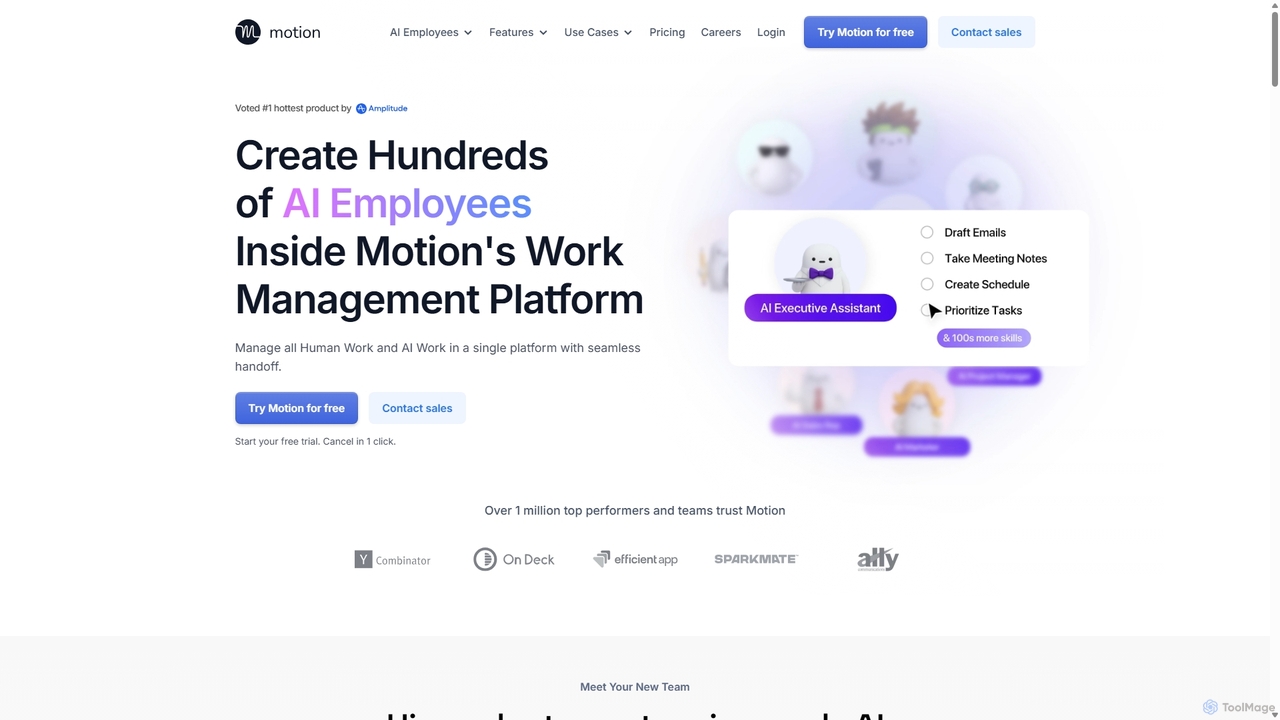
Motion is an AI-powered platform that provides a suite of AI Employees and productivity tools to automate tasks, manage projects, and organize schedules. It's designed to 10x your team's output by handling everything from calendar management and email replies to sales outreach and customer support, all within a single integrated workspace.
Compare product focus, pricing models and audiences. Highlighted rows indicate different listed information; unknown pricing does not mean free.
| Quick facts | Fluidwave | Motion |
|---|---|---|
| Pricing model | Freemium | Paid |
| Product type | Web | Web |
| Primary focus | Virtual Assistant | Virtual Assistant |
| Audience and roles | Business Coach · Content Creator · Entrepreneur · Executive · Marketing Manager · Productivity Consultant · Project Manager · Software Engineer · Team Lead · Virtual Assistant | Content Creator · Customer Support · Executive Assistant · Founder · Marketing Manager · Project Manager · Recruiter · Sales Representative · Software Developer · Team Lead |
| Categories | Virtual Assistant · Team Management · Scheduling · Prioritization · Task Management | Virtual Assistant · Calendar Management · Project Management · Task Management |
| Added | Jan 13, 2026 | Sep 7, 2025 |
| Updated | Nov 19, 2026 | Nov 19, 2026 |
Explore the listed product descriptions, features and workflows. Taxonomy labels alone are not feature evaluations.
Fluidwave is an innovative AI tool that empowers users to achieve deep focus and clarity by intelligently managing their tasks and offering a unique delegation feature. It combines advanced AI-driven task organization with the option to connect with skilled human virtual assistants, allowing users to offload tasks they prefer not to do. This platform aims to maximize productivity by ensuring users always know their next most important step, streamlining workflows, and fostering seamless team collaboration.
To begin with Fluidwave, first create your tasks using its intuitive interface. Add specific details, set priorities, and organize them into projects. For tasks you need assistance with, you can mark them for delegation. Fluidwave is developing an integrated network of human virtual assistants to whom you can delegate tasks, setting your budget, timeline, and requirements. Assistants will help coordinate and complete these tasks. You can track your progress, complete tasks yourself, or assign them to team members, ensuring you stay focused on what matters most. Virtual assistant integration will be available as an optional feature.
Fluidwave is ideal for busy professionals, entrepreneurs, and teams struggling with task overload, prioritization challenges, and the need for efficient delegation. It can be used by individuals seeking to manage their personal and professional to-do lists more effectively, or by teams aiming to improve project coordination and task assignment. Creative professionals can use it to prioritize ideas, software engineers to manage development sprints, and marketing executives to streamline campaign tasks. Its delegation capabilities make it perfect for offloading administrative or time-consuming tasks to free up valuable time for strategic work.
Fluidwave offers a new level of productivity by providing intelligent AI prioritization that helps users maintain deep focus on important tasks. Its AI-driven workflows can save busy professionals over 4 hours weekly, enabling "superhuman speed" in task management. The platform offers cost-effective delegation, where users only pay for completed work from virtual assistants, without recurring subscriptions for this service. Furthermore, Fluidwave facilitates seamless team collaboration through shared tasks and real-time updates, ensuring everyone is on the same page. The flexibility of multiple task views caters to various organizational preferences.
Fluidwave offers a permanently free tier for basic task management, allowing up to 100 tasks without requiring a credit card to start. Once you reach 100 tasks, you can upgrade to unlock premium features. The annual plan costs $10 per month, billed annually at $120, offering a 33% saving compared to monthly billing. This premium plan includes all advanced features such as automation, card view, custom priorities, intents, goals, and habits, along with priority support. Payments are securely processed by Stripe, and you have the flexibility to cancel your subscription at any time.
Motion introduces a revolutionary approach to productivity by offering a team of enterprise-grade AI Employees that you can hire and deploy in minutes. This platform is designed for top performers and teams aiming to significantly boost their output and streamline their workflows. Motion combines a full suite of AI-powered productivity software with customizable AI agents, creating a single, unified environment for both managing and executing work.
At its core, Motion allows you to delegate tasks to specialized AI Employees. These include Alfred, the AI Executive Assistant for scheduling and emails; Chip, the AI Sales Representative for CRM updates and lead chasing; Clide, the AI Customer Support Specialist; Suki, the AI Marketing Associate for content creation; and many more. You can even build your own custom AI Employee using natural language, tailoring its skills to your specific business needs without any technical expertise.
Getting started with Motion is intuitive. First, you sign up for a free trial to access the platform. You can then choose from a roster of pre-built AI Employees or create a new one from scratch by simply describing its role and responsibilities in plain English. Next, you connect Motion to your existing tools like Gmail, Outlook, Salesforce, Slack, and Zoom. This allows your AI Employees to access the necessary context and data to perform their jobs effectively. You can then assign tasks, such as 'draft replies to all non-urgent emails,' 'summarize the last meeting with Client X,' or 'create a social media content plan for next week.' Motion's unique human-in-the-loop system ensures you can review and approve the AI's work, maintaining full control.
Motion is versatile and can be applied across various business functions. For sales teams, it can automate post-call actions like updating Salesforce, creating demo slides, and scheduling follow-ups. Marketing teams can use it to generate daily social media content in a consistent brand voice. Customer support can leverage Motion to answer tickets using knowledge bases and escalate urgent issues. Project managers can automatically create entire project plans from a scope document, assign tasks, and monitor deadlines without manual check-ins. For executives, it can manage complex schedules and draft email replies, freeing up valuable time.
Motion's primary advantage is its ability to function as a true AI workforce, going far beyond a simple chatbot. It allows users to build powerful agents that complete real, end-to-end work with high accuracy. The natural language interface for creating skills makes automation accessible to everyone, not just engineers. By integrating AI Employees directly into a comprehensive productivity suite, Motion eliminates the need for multiple disparate tools. This unified approach ensures the AI has the full context of your business, leading to highly personalized and effective automation. Furthermore, its enterprise-grade security (SOC 2 Type 2 compliant) ensures your data is always private and secure.
Motion offers a 7-day free trial to explore its features. After the trial, you can choose from two main plans:
For larger organizations with specific needs, Motion offers custom Enterprise plans with dedicated support and custom-built AI Employees. You can contact their sales team for a quote.
Their taxonomy shows where the products overlap and where each one has a more distinct focus. Unknown fields are shown explicitly and are never filled with assumptions.
Traffic is shown on the same scale so differences in market visibility are not visually understated.
Both charts share the same months and vertical scale. Each tool identifies its latest reporting month; missing months are left blank, not counted as zero. Regional and source visit counts are estimates calculated from the reported shares.
| Country/region | Percentage | Estimated visits |
|---|---|---|
| 🇺🇸United States | 46.44% | 2.2K |
| 🇺🇦Ukraine | 19.49% | 940 |
| 🇪🇸Spain | 13.14% | 634 |
| 🇵🇭Philippines | 11.23% | 542 |
| 🇯🇵Japan | 9.7% | 468 |
| Country/region | Percentage | Estimated visits |
|---|---|---|
| 🇺🇸United States | 66.89% | 481.4K |
| 🇬🇧United Kingdom | 17.96% | 129.3K |
| 🇦🇺Australia | 5.71% | 41.1K |
| 🇨🇦Canada | 5.04% | 36.3K |
| 🇮🇳India | 4.4% | 31.7K |
| Source type | Percentage | Estimated visits |
|---|---|---|
| Direct | 93.02% | 669.5K |
| Referral | 3.67% | 26.4K |
| 3.31% | 23.8K |
Ratings, comments, favorites, and likes are community signals—not a substitute for product fit.
Yes, Fluidwave offers a permanently free tier for basic task management, allowing up to 100 tasks without requiring a credit card to start. You can upgrade to unlock premium features after reaching this limit.
Premium features available through an upgrade include automation, card view, custom priorities, intents, goals, and habits.
The annual plan costs $10 per month, billed annually at $120. This plan provides a 33% saving compared to monthly billing and includes all premium features and priority support.
Payments for Fluidwave subscriptions are securely processed by Stripe. You have the flexibility to cancel your subscription at any time.
Fluidwave automatically creates optimized weekly plans, adapts to changes in real-time, and facilitates task delegation to virtual assistants, helping you focus on your biggest goals.
This page is assembled from ToolMage product listings, taxonomy, traffic statistics and on-site user feedback. It is not a hands-on test or an independent review.