ToolMage
Sign in

AI TOOL COMPARISON

Frontly vs Noloco

What is the difference, and which fits your workflow? Compare features, usage, pricing models and traffic side by side.

Jump to key differences

Product overview

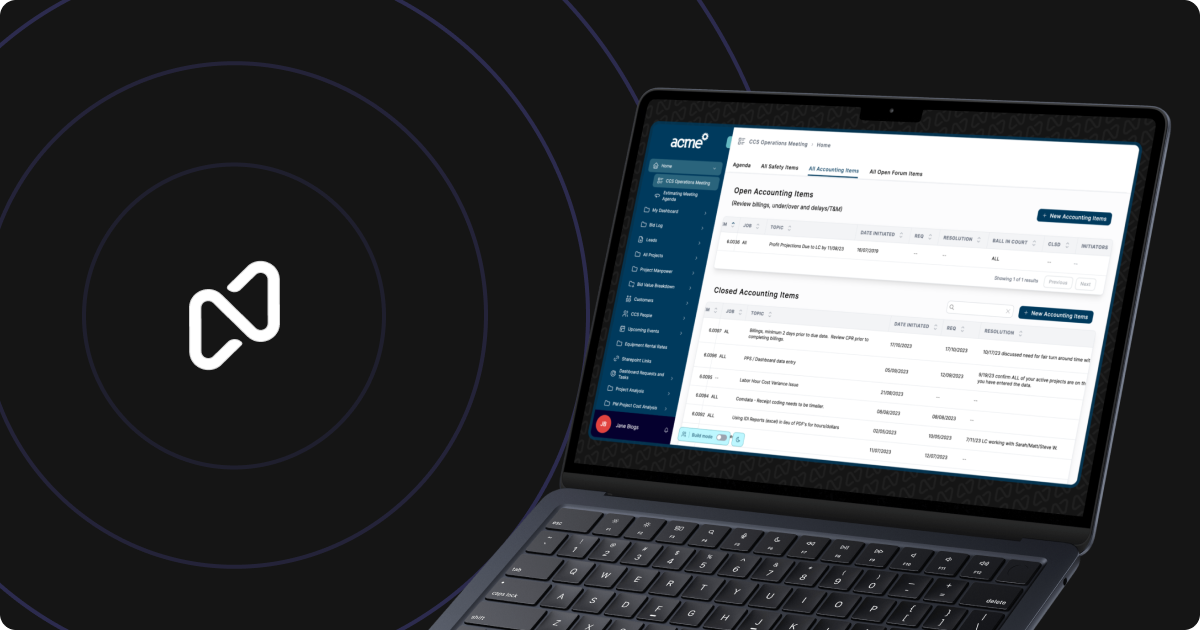
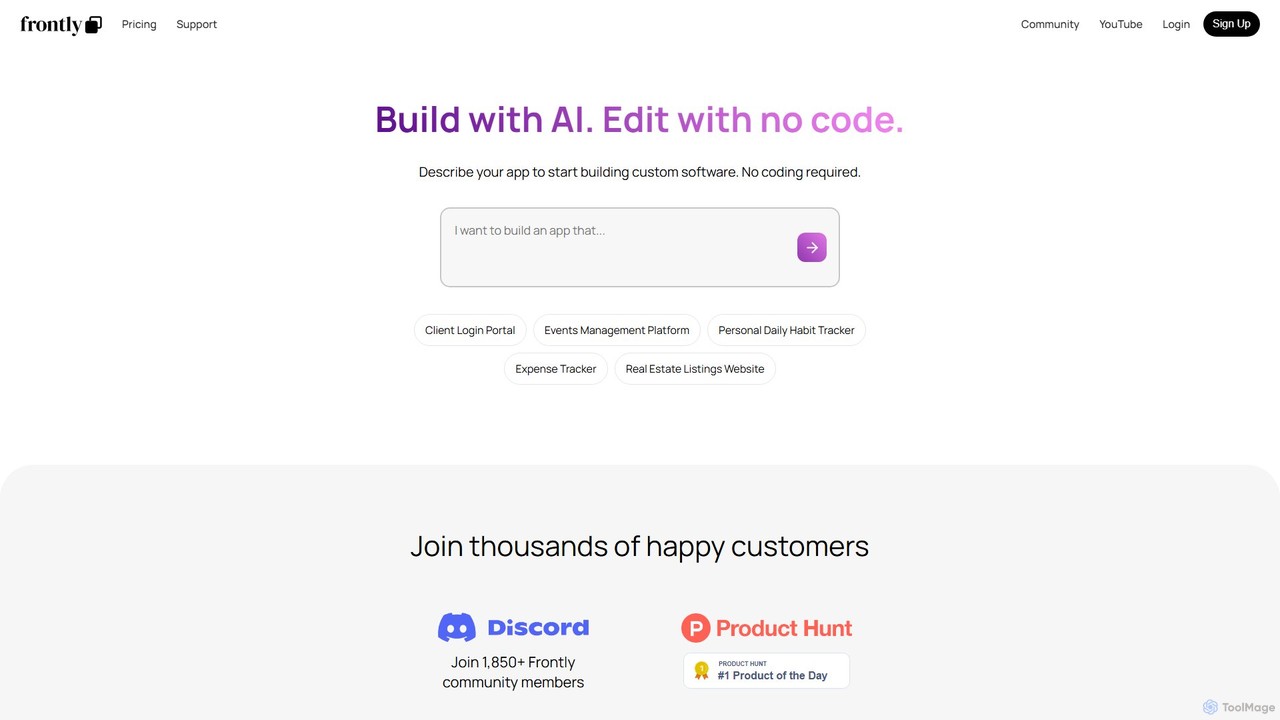
Frontly Product overview

Frontly is an AI-powered no-code platform that enables users to build custom web applications, internal tools, and client portals simply by describing their needs. It combines AI generation with a powerful no-code editor for full customization.

Preview

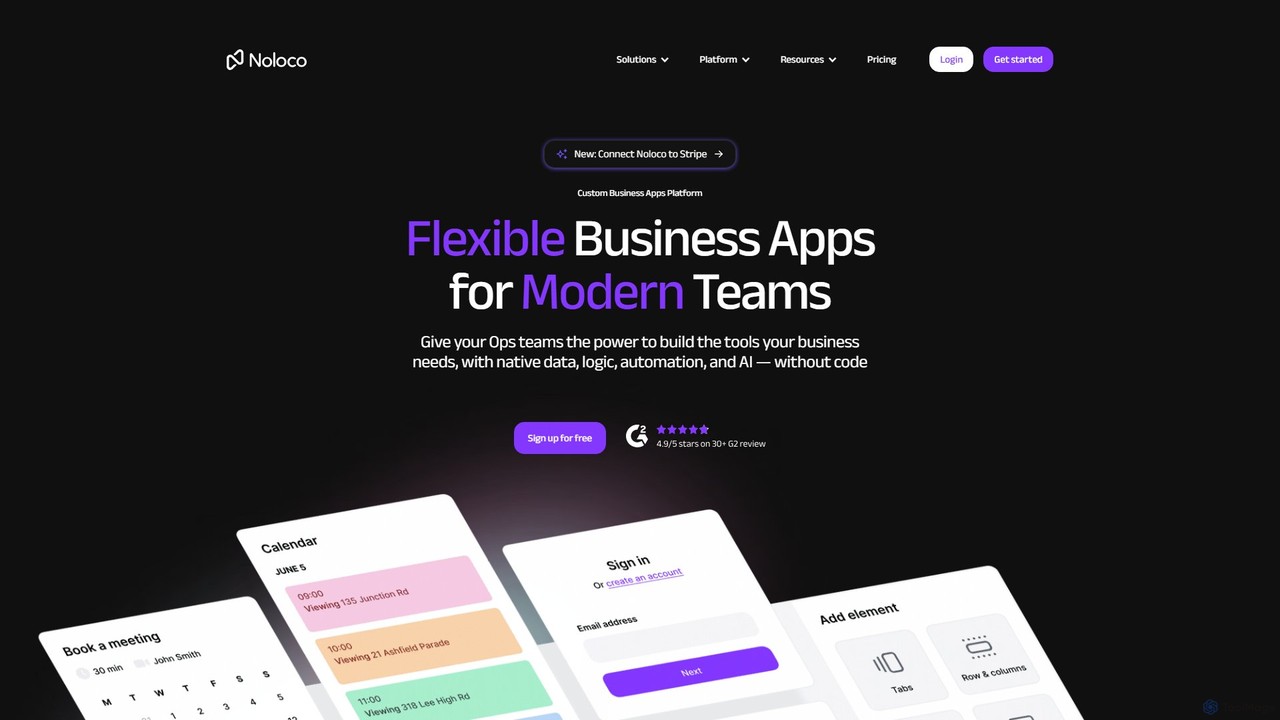
Noloco Product overview

Noloco is a powerful no-code platform that enables teams to build custom business applications without writing any code. Create flexible CRMs, project management tools, client portals, and internal tools by connecting your existing data sources like Airtable, Google Sheets, and databases. Automate workflows, manage permissions, and leverage AI to streamline your operations.

Preview

Quick facts

Compare product focus, pricing models and audiences. Highlighted rows indicate different listed information; unknown pricing does not mean free.

Frontly VS Noloco — Quick facts
Quick factsFrontlyNoloco
Pricing modelFreemiumFreemium
Product typeWebWeb
Primary focusClient ManagementApp Builder
Audience and rolesNo data availableNo data available
CategoriesClient Management · No Code Platform · Internal ToolsApp Builder · Database · No Code
AddedAug 10, 2025Aug 12, 2025
UpdatedNov 19, 2026Nov 19, 2026

Features, usage and use cases

Explore the listed product descriptions, features and workflows. Taxonomy labels alone are not feature evaluations.

Frontly

Frontly is a revolutionary no-code platform that leverages the power of artificial intelligence to transform how custom software is created. It empowers entrepreneurs, business owners, and teams to build functional web applications without writing a single line of code. The core premise is simple yet powerful: describe the application you want to build in plain English, and Frontly's AI will generate a functional starting point for you. This initial version can then be fully customized and refined using an intuitive, drag-and-drop no-code editor.

The platform is designed to bridge the gap between idea and execution, dramatically reducing the time and cost associated with traditional software development. Whether you need a secure client portal, an efficient internal tool for managing operations, or a public-facing directory, Frontly provides the building blocks to bring your vision to life. It seamlessly integrates with common data sources like Google Sheets, turning your existing spreadsheets into powerful, interactive applications.

How to use Frontly

Using Frontly is a straightforward, three-step process designed for users of all technical skill levels:

  1. Describe Your App: Begin by providing a natural language prompt to the AI. For example, you could type "Create a client portal where my clients can log in, view their project status, and download invoices" or "Build an internal tool to track team expenses submitted through a form." The AI analyzes your request to understand the core features, data structure, and user flows.
  2. AI-Powered Generation: Based on your description, Frontly's AI automatically generates the application. This includes creating the necessary pages, setting up a database (often linked to a new Google Sheet), designing the user interface, and implementing basic logic. You get a working prototype in minutes, not weeks.
  3. Customize with No-Code: Once the initial app is generated, you can enter the no-code editor. Here, you have complete control to customize every aspect. You can change layouts, add new components (like forms, tables, charts, and buttons), modify data connections, set up user permissions, and apply your own branding to match your company's identity.

Core Features of Frontly

  • AI App Generator: Instantly create applications from simple text descriptions.
  • Intuitive No-Code Editor: A visual, drag-and-drop interface for easy customization without any coding.
  • Google Sheets Integration: Use Google Sheets as your database, making it easy to manage your app's data in a familiar environment.
  • User Authentication & Portals: Build secure applications with user login capabilities, perfect for client portals and internal tools.
  • Custom Branding: On paid plans, remove Frontly branding and use your own logo and colors to create a fully white-labeled experience.
  • Responsive Design: All applications built with Frontly are automatically optimized for both desktop and mobile devices.
  • API Access: The Professional plan offers API access, allowing you to connect your Frontly app with other third-party services and workflows.
  • Component Library: A rich library of pre-built UI components like tables, forms, charts, maps, and more to build feature-rich applications.

Use Cases for Frontly

Frontly is versatile enough to support a wide range of applications, including:

  • Internal Tools: Build custom dashboards for tracking KPIs, expense trackers for teams, employee directories, or inventory management systems.
  • Client Portals: Create secure, branded portals for clients to access project updates, share files, view reports, and communicate with your team.
  • Marketplaces and Directories: Launch listing websites for real estate, job boards, or local business directories, all powered by a simple spreadsheet.
  • Minimum Viable Products (MVPs): Quickly build and test a new business idea or software product without the significant investment of custom development.
  • Event Management Platforms: Develop simple applications for managing event registrations, attendee lists, and schedules.

Advantages of Frontly

Frontly offers significant advantages over traditional development and other no-code tools:

  • Speed to Market: Go from a simple idea to a deployed application in a fraction of the time.
  • Cost-Effectiveness: Avoid the high costs of hiring developers or a software agency. The freemium model allows you to start building for free.
  • Empowerment: Enables non-technical individuals (the 'business experts') to build the exact tools they need without relying on IT departments.
  • Flexibility: The combination of AI generation and a powerful editor provides both speed and deep customization capabilities.
  • Scalability: With plans ranging from a free starter tier to a full enterprise solution, Frontly can grow with your business needs.

Pricing and Plans

Frontly offers a flexible pricing structure to suit different needs:

  • Starter (Free): Includes unlimited apps, unlimited users, 1,000 monthly operations, 250 AI credits, and community support. Apps will have Frontly branding.
  • Basic ($30/month): Offers everything in Starter, plus 10,000 monthly operations, 1,000 AI credits, team support, and 1 custom branded app.
  • Professional ($100/month): Includes everything in Basic, with limits increased to 50,000 monthly operations, 5,000 AI credits, priority support, 3 custom branded apps, and API access.
  • Enterprise (Custom): For larger organizations, this plan offers custom limits, personalized onboarding, and dedicated priority support. Contact sales for a quote.

Noloco

Noloco is a flexible no-code application development platform designed for modern teams. It empowers businesses, particularly small to medium-sized enterprises, to create custom internal tools and client-facing portals without needing developers. By connecting directly to your existing data sources, Noloco transforms spreadsheets and databases into powerful, interactive applications with a simple drag-and-drop interface.

The platform is built to replace messy spreadsheets, rigid off-the-shelf software, and expensive custom development projects. It provides a centralized hub where teams can manage projects, track customer relationships, collaborate on an intranet, and handle HR tasks efficiently. With Noloco, you can build a solution that is perfectly tailored to your unique workflows and scales with your business as it grows.

How to use Noloco

Getting started with Noloco is a straightforward, four-step process designed for non-technical users:

  1. Import Your Data: Connect Noloco to your existing data sources. It seamlessly integrates with tools like Airtable, Google Sheets, Stripe, HubSpot, PostgreSQL, MySQL, and more. You can also start from scratch with Noloco's built-in tables.
  2. Customize the Layout: Use the intuitive drag-and-drop editor to design your application's interface. Choose from a wide range of components like lists, tables, forms, calendars, maps, timelines, charts, and buttons to build the exact views and dashboards your team needs.
  3. Automate Everything: Set up powerful workflows and automations to save time and reduce errors. Automate email notifications, trigger webhooks, and connect with thousands of third-party services through Zapier and Make to streamline your processes.
  4. Set Up Permissions: Take full control over your data with granular permission settings. Define user roles, restrict access to specific records, and control which fields each user can view or edit, ensuring your data remains secure.

Core Features of Noloco

  • No-Code App Builder: An intuitive drag-and-drop interface for building custom apps without any coding knowledge.
  • Extensive Data Integration: Natively syncs with Airtable, Google Sheets, SmartSuite, Xano, HubSpot, Stripe, and SQL databases (Postgres, MySQL).
  • Customizable UI Components: A rich library of components including lists, tables, Kanban boards, calendars, maps, charts, pivot tables, and forms.
  • Advanced Permissions Control: Granular control over data access with role-based, record-level, and field-level permissions.
  • Workflow Automation: Build custom workflows to automate tasks like sending emails, in-app notifications, and triggering actions in other apps via webhooks, Zapier, or Make.
  • Noloco AI: AI-powered columns (currently in beta) to automate data summaries, classify information, and generate text directly within your tables.
  • Custom Branding: Personalize your apps with your own logo, brand colors, and a custom domain to provide a fully branded experience for your team and clients.
  • Secure and Scalable: ISO 27001 certified, ensuring high security standards, with plans that scale to accommodate business growth.

Use Cases for Noloco

Noloco is versatile and can be adapted for numerous business needs:

  • Custom Project Management: Design bespoke tools to track project progress, manage tasks, and optimize team productivity.
  • Flexible CRM: Create a custom CRM that adapts to your sales process, centralizes customer data, and simplifies communication.
  • Client Portals: Build secure, branded portals where clients can log in, access information, track progress, and self-serve.
  • Team Intranet: Set up a central hub for your team to collaborate, share company news, access documents, and stay connected.
  • Employee Management: Manage employee information, track performance, and handle various HR tasks from a single, unified platform.
  • Custom Reporting Solutions: Build powerful dashboards and reporting tools to analyze business data and gain actionable insights.

Advantages of Noloco

Noloco offers a significant advantage over traditional software solutions. It's far more affordable and faster to implement than custom software development. Compared to off-the-shelf products, it provides unparalleled flexibility, allowing you to build an app that perfectly fits your unique processes. By centralizing data and workflows from various tools into a single platform, it eliminates data silos and boosts operational efficiency. The platform is designed for non-technical users, empowering operations teams to build and modify their own tools without relying on developer resources.

Pricing and Plans

Noloco offers a flexible pricing structure designed to scale with your business, including a free forever plan.

  • Free Plan: $0/month. Includes 3 team seats, 7 client seats, 2,000 rows, and 100 workflow runs. Ideal for learning the platform and building your first app.
  • Starter Plan: Starts at $29/month (or $23/month billed annually). Includes 4 team seats, 10 client seats, 10,000 rows, and 1,000 workflow runs. Best for small teams and simple client portals.
  • Pro Plan: Starts at $149/month (or $119/month billed annually). Includes 10 team seats, 50 client seats, 50,000 rows, 3,000 workflow runs, custom domain, and advanced permissions. Recommended for growing teams.
  • Business Plan: Starts at $319/month (or $255/month billed annually). Includes 30 team seats, 100 client seats, 200,000 rows, 10,000 workflow runs, and priority syncing. For businesses building connected solutions across the organization.
  • Enterprise Plan: Custom pricing. Offers advanced features, dedicated support, custom terms, and enhanced security for large-scale operations.

Discounts are available for annual payments and non-profit organizations.

Positioning

Their taxonomy shows where the products overlap and where each one has a more distinct focus. Unknown fields are shown explicitly and are never filled with assumptions.

Categories

Shared
No listed items
Only Frontly
Client ManagementNo Code PlatformInternal Tools
Only Noloco
App BuilderDatabaseNo Code

Tags

Shared
app builderclient portaldatabaseGoogle Sheetsinternal toolsno-code
Only Frontly
AI generatorcustom softwareweb application
Only Noloco
airtableautomationbusiness intelligenceCRMproject management

Audience and roles

Shared
No listed items
Only Frontly
No listed items
Only Noloco
No listed items

Traffic comparison

Traffic is shown on the same scale so differences in market visibility are not visually understated.

How to interpret the traffic data

Both charts share the same months and vertical scale. Each tool identifies its latest reporting month; missing months are left blank, not counted as zero. Regional and source visit counts are estimates calculated from the reported shares.

Frontly monthly traffic:

Latest traffic · 2026-05

Monthly visits
7K
Avg. visit duration
1:01
Pages per visit
2.39
Bounce rate
38.33%
Data updated 2026-06-15

Monthly traffic trend

  • 2025-09: 14.3K
  • 2026-01: 10.3K
  • 2026-02: 7.2K
  • 2026-03: 7.3K
  • 2026-04: 6.6K
  • 2026-05: 7K

Top regions

Top 5 countries/regions
Country/regionPercentageEstimated visits
🇺🇸United States33.17%2.3K
🇮🇳India20.02%1.4K
🇲🇾Malaysia18.17%1.3K
🇫🇷France14.32%1K
🇮🇹Italy14.32%1K

Search keywords

busyboxx – premiereboxx all volumesfrontlyfrontly aipatternboxxproppilot

Noloco monthly traffic:

Latest traffic · 2026-05

Monthly visits
62.1K
Avg. visit duration
0:52
Pages per visit
2.27
Bounce rate
37.14%
Data updated 2026-06-15

Monthly traffic trend

  • 2025-09: 97.2K
  • 2026-01: 89.9K
  • 2026-02: 78.5K
  • 2026-03: 83.6K
  • 2026-04: 79.4K
  • 2026-05: 62.1K

Top regions

Top 5 countries/regions
Country/regionPercentageEstimated visits
🇵🇭Philippines30.16%18.7K
🇺🇸United States24.76%15.4K
🇨🇭Switzerland16.3%10.1K
🇮🇩Indonesia16.16%10K
🇳🇬Nigeria12.62%7.8K

Traffic sources

Source typePercentageEstimated visits
Direct71.2%44.2K
Referral22.22%13.8K
Email6.58%4.1K

Search keywords

client portals comparable to usefoyernoloconoloco dashboardnoloco pricingzite

Community signals

Ratings, comments, favorites, and likes are community signals—not a substitute for product fit.

Frontly

Rating
No data available
Comments
0
Favorites
154
Likes
175

Noloco

Rating
No data available
Comments
0
Favorites
182
Likes
207

Frontly vs Noloco · Comparison FAQ

What do Frontly and Noloco have in common?
The current listings have no shared category. Appearing on the same comparison page does not make the products interchangeable; check each tool against your task.
Are Frontly and Noloco free?
Listed pricing models: Frontly — Freemium; Noloco — Freemium. Missing pricing is not proof of a free plan, and freemium does not mean every feature is free. Check official sites for current plans, limits and trials.
How should I choose between Frontly and Noloco?
The primary listed category is Client Management for Frontly, and App Builder for Noloco. Compare features, steps and use cases, then verify pricing, data permissions and deployment needs. This page does not include hands-on testing and does not declare a winner from traffic or tags.

Sources and comparison methodology

This page is assembled from ToolMage product listings, taxonomy, traffic statistics and on-site user feedback. It is not a hands-on test or an independent review.
  • Feature and plan descriptions reflect information in the listings, not real-time guarantees. Verify pricing, quotas, availability and privacy terms on the official sites.
  • Traffic uses the reporting months shown. Missing statistics do not mean zero visits, and different periods do not establish growth or superiority. Regional and source visit counts are estimates based on shares.
  • Different tags indicate differences in the listings, not proof that the other product lacks a capability. Ratings, favorites and visits are not used to declare a winner.

Related comparisons