Humanize
Automation
AI TOOL COMPARISON
What is the difference, and which fits your workflow? Compare features, usage, pricing models and traffic side by side.
Automation
Automation
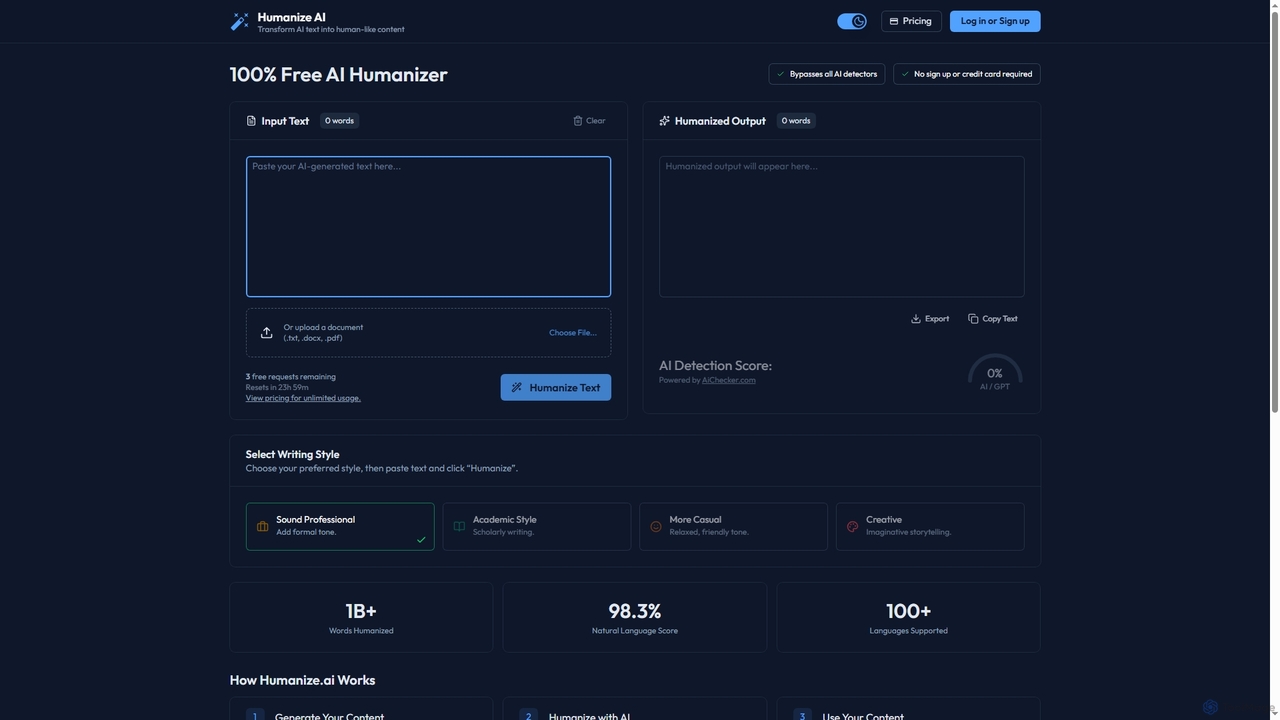
Humanize is an AI-powered text humanizer designed to convert AI-generated content into natural, human-like writing. It helps bypass AI detectors, supports over 100 languages, and offers various writing styles. The tool provides a free daily usage tier and paid plans for unlimited access.
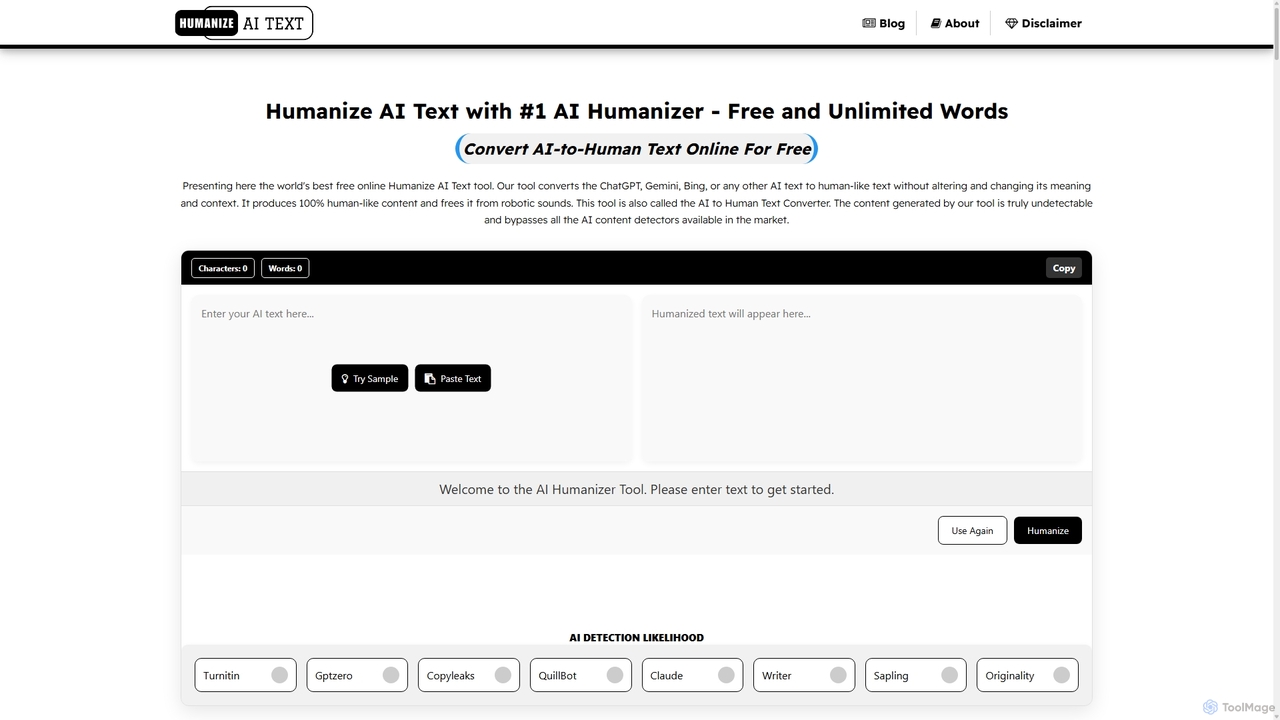
A free, unlimited AI text humanizer that converts AI-generated content into natural, human-like text. It helps bypass all major AI detectors, ensures plagiarism-free results, and supports all languages without requiring any login or signup.
Compare product focus, pricing models and audiences. Highlighted rows indicate different listed information; unknown pricing does not mean free.
| Quick facts | Humanize | Humanizeaitext |
|---|---|---|
| Pricing model | Freemium | Free |
| Product type | Web | Web |
| Primary focus | Automation | Automation |
| Audience and roles | Blogger · Content Creator · Copywriter · HR Manager · Marketing Manager · SEO Specialist · Social Media Manager · Student | Blogger · Business Professional · Content Creator · Copywriter · Marketing Manager · Public Relations Professional · Researcher · SEO Specialist · Social Media Manager · Student |
| Categories | Automation · Content Optimization · Paraphraser | Automation · Content Optimization · Paraphrasing |
| Added | Nov 30, 2025 | Sep 6, 2025 |
| Updated | Nov 19, 2026 | Nov 19, 2026 |
Explore the listed product descriptions, features and workflows. Taxonomy labels alone are not feature evaluations.
Humanize is a specialized AI tool that transforms robotic-sounding text from AI writers like ChatGPT into content that is natural, engaging, and indistinguishable from human writing. Its primary function is to help users bypass all major AI detectors, ensuring content originality and authenticity. The platform is designed for simplicity, requiring no sign-up for its free version. Users can paste text directly or upload documents, choose from several writing styles such as Professional, Academic, or Creative, and receive humanized output in seconds. It supports over 100 languages, making it a versatile solution for a global user base, including marketing professionals, content creators, and HR managers.
Using Humanize is a straightforward three-step process: 1. Generate your initial text using any AI writing assistant. 2. Paste the AI-generated content into the Humanize input box or upload your document (.txt, .docx, .pdf). 3. Select your desired writing style and click the "Humanize Text" button to receive polished, natural-sounding content that is ready to use.
Humanize is ideal for a wide range of professional applications. Marketing managers can create compelling ad copy and social media posts that resonate with their audience. Content strategists and SEO specialists can refine AI-drafted articles to ensure they are engaging and pass AI detection. HR managers can transform formal AI-generated emails into friendly, professional communications. It is also useful for making technical reports and documents more readable and accessible to a broader audience.
The main advantage of Humanize is its ability to save significant time on editing and rewriting AI-generated text. It enhances content quality by improving flow and adding natural language variations while preserving the original meaning. By making content sound more authentic and personal, it helps increase user engagement across platforms like LinkedIn, blogs, and email campaigns. The free access model allows users to test its capabilities without commitment.
Humanize operates on a freemium model. The free plan offers a limited number of requests per day (e.g., 3 requests). For users requiring more extensive use, there are two paid plans for unlimited humanizing: Monthly at $9 per month and Annual at $49 per year, which offers a 55% saving compared to the monthly plan. Both paid plans can be canceled at any time.
Humanizeaitext is a powerful and completely free online tool designed to bridge the gap between artificial intelligence and human expression. It specializes in converting robotic, AI-generated text from platforms like ChatGPT, Google Bard, and others into content that sounds natural, conversational, and engaging. The primary goal is to make AI-written text indistinguishable from human writing, thereby bypassing advanced AI detection systems and enhancing content quality for readers.
The platform was created to address the growing need for authentic content in a world increasingly populated by AI. By using sophisticated Natural Language Processing (NLP) algorithms, sentiment analysis, and contextual understanding, Humanizeaitext refines sentences, improves readability, and injects a human touch without altering the core meaning of the original text. This makes it an indispensable tool for anyone looking to improve their AI-assisted writing workflow.
The tool is designed for simplicity and efficiency, allowing anyone to use it without prior technical knowledge. Follow these easy steps:
Humanizeaitext is a versatile tool beneficial for a wide range of users:
Using this tool offers numerous benefits. It dramatically improves productivity by automating the tedious task of manually editing AI text. It is a cost-saving solution, eliminating the need to hire human writers or editors for rewriting tasks. The tool guarantees high-quality, accurate, and plagiarism-free results that maintain the integrity of the original message. By producing content that feels genuine and trustworthy, it helps build a stronger connection with the audience, leading to better engagement and conversion rates.
Humanizeaitext is committed to providing its services free of charge. There are no hidden fees, subscription plans, or credit systems. The tool offers unlimited access to all its features for everyone, making advanced AI text humanization accessible to all.
Their taxonomy shows where the products overlap and where each one has a more distinct focus. Unknown fields are shown explicitly and are never filled with assumptions.
Traffic is shown on the same scale so differences in market visibility are not visually understated.
Both charts share the same months and vertical scale. Each tool identifies its latest reporting month; missing months are left blank, not counted as zero. Regional and source visit counts are estimates calculated from the reported shares.
| Country/region | Percentage | Estimated visits |
|---|---|---|
| 🇺🇸United States | 58.78% | 179.6K |
| 🇮🇳India | 14.91% | 45.6K |
| 🇦🇺Australia | 9.96% | 30.4K |
| 🇷🇺Russia | 8.35% | 25.5K |
| 🇮🇩Indonesia | 8% | 24.4K |
| Source type | Percentage | Estimated visits |
|---|---|---|
| Direct | 94.62% | 289.1K |
| Referral | 5.17% | 15.8K |
| 0.21% | 642 |
| Country/region | Percentage | Estimated visits |
|---|---|---|
| 🇺🇸United States | 68.76% | 80.4K |
| 🇮🇳India | 21.02% | 24.6K |
| 🇵🇭Philippines | 3.98% | 4.7K |
| 🇵🇰Pakistan | 3.47% | 4.1K |
| 🇸🇦Saudi Arabia | 2.77% | 3.2K |
| Source type | Percentage | Estimated visits |
|---|---|---|
| Direct | 95.58% | 111.8K |
| Referral | 2.58% | 3K |
| 1.84% | 2.2K |
Ratings, comments, favorites, and likes are community signals—not a substitute for product fit.
Yes, Humanize offers a free plan that allows a limited number of requests each day, which resets every 24 hours. The homepage mentions '3 free requests remaining' as an example. For unlimited usage, you can upgrade to a paid plan.
Humanize offers two plans for unlimited text humanizing: a Monthly plan for $9 per month and an Annual plan for $49 per year. The annual plan provides a 55% saving. You can cancel your subscription at any time.
No, the website explicitly states that no sign-up or credit card is required to use the free version of the tool.
You can upload documents directly to Humanize. The supported file formats are .txt, .docx, and .pdf.
Humanize provides four distinct writing styles to choose from: 'Sound Professional' for a formal tone, 'Academic Style' for scholarly writing, 'More Casual' for a relaxed and friendly tone, and 'Creative' for imaginative storytelling.
This page is assembled from ToolMage product listings, taxonomy, traffic statistics and on-site user feedback. It is not a hands-on test or an independent review.