ToolMage
Sign in

AI TOOL COMPARISON

jetcode.app vs Refraction

What is the difference, and which fits your workflow? Compare features, usage, pricing models and traffic side by side.

Jump to key differences

Product overview

jetcode.app Product overview

jetcode.app is an AI-powered coding assistant designed to accelerate software development. It helps developers write, debug, and optimize code faster by providing intelligent code generation, real-time completion, and powerful refactoring tools directly within their IDE.

Preview

Refraction Product overview

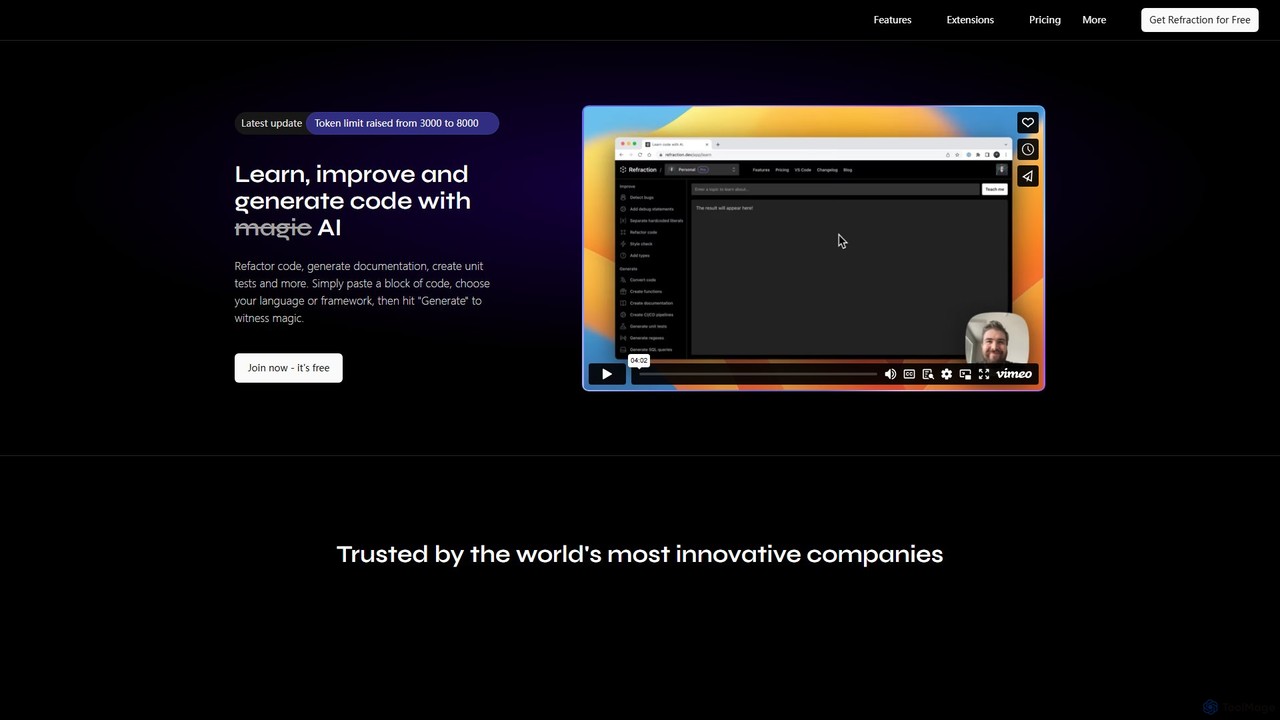
Refraction is an AI-powered coding assistant for developers. It automates tedious tasks like generating unit tests, writing documentation, refactoring code, and converting between 56 programming languages. Boost your productivity and focus on building great software.

Preview

Quick facts

Compare product focus, pricing models and audiences. Highlighted rows indicate different listed information; unknown pricing does not mean free.

jetcode.app VS Refraction — Quick facts
Quick factsjetcode.appRefraction
Pricing modelFreemiumFreemium
Product typeWebWeb
Primary focusCode AssistantCode Assistant
Audience and rolesNo data availableNo data available
CategoriesCode Assistant · Programming · AutomationCode Assistant · Code Generation · Testing · Automation
AddedAug 5, 2025Aug 12, 2025
UpdatedNov 19, 2026Nov 19, 2026

Features, usage and use cases

Explore the listed product descriptions, features and workflows. Taxonomy labels alone are not feature evaluations.

jetcode.app

jetcode.app is a next-generation AI coding partner engineered to significantly boost developer productivity and improve code quality. It acts as an intelligent pair programmer, seamlessly integrating into your development workflow to help you tackle complex coding challenges with ease. By leveraging advanced large language models trained on a massive corpus of code, jetcode.app understands context, suggests optimal solutions, and automates repetitive tasks, allowing developers to focus on high-level logic and innovation.

How to use jetcode.app

Getting started with jetcode.app is straightforward. First, sign up on the official website and install the corresponding extension for your preferred Integrated Development Environment (IDE), such as VS Code, JetBrains suite (IntelliJ, PyCharm), or others. Once installed and configured with your API key, the tool works in the background. You can trigger its features in several ways: by writing a comment in natural language describing the function you need, and jetcode.app will generate the code for you. It also provides context-aware, multi-line code completions as you type. For specific tasks, you can highlight a block of code and use commands to refactor, explain, find bugs, or generate unit tests for it.

Core Features of jetcode.app

  • AI-Powered Code Generation: Generate complex functions, algorithms, and boilerplate code from simple natural language descriptions. Supports a wide range of languages including Python, JavaScript, TypeScript, Java, Go, and C++.
  • Intelligent Code Completion: Goes beyond standard autocompletion by suggesting entire blocks of code based on the current context, reducing typing and preventing errors.
  • Code Refactoring and Optimization: Analyze existing code to identify inefficiencies, suggest performance improvements, and automatically refactor it for better readability and maintainability.
  • Automated Bug Detection and Fixing: Scan your code to find potential bugs, logical errors, and security vulnerabilities, often providing one-click suggestions for fixes.
  • Unit Test Generation: Automatically create comprehensive unit tests for your functions and methods, ensuring code reliability and improving test coverage.
  • In-line Documentation and Code Explanation: Generate clear documentation for your code or get plain-language explanations for complex code snippets written by others.

Use Cases for jetcode.app

jetcode.app is versatile and valuable for various scenarios. Developers can use it for rapid prototyping, quickly scaffolding an entire application by describing its core features. It serves as an excellent learning tool for programmers exploring a new language, as it demonstrates best practices and idiomatic syntax. For legacy projects, it can be used to modernize the codebase by refactoring old functions and translating code between languages. DevOps engineers can use it to automate script writing for infrastructure management, and data scientists can accelerate the development of data analysis and machine learning models.

Advantages of jetcode.app

The primary advantage of jetcode.app is the massive boost in development speed, with some users reporting a 2x to 5x increase in productivity. It significantly improves code quality by catching bugs early and enforcing best practices. The tool reduces the cognitive load on developers, allowing them to stay in the flow and focus on creative problem-solving rather than tedious syntax. Its seamless integration into popular IDEs ensures a non-disruptive experience. Furthermore, it helps democratize software development by making it easier for beginners to write functional code and for experienced developers to work with unfamiliar technologies.

Pricing and Plans

jetcode.app operates on a freemium model, offering plans for different needs:

  • Free Plan: Ideal for students, hobbyists, and developers trying out the service. It includes a limited number of AI requests per month and core code completion features.
  • Pro Plan: Designed for individual professional developers. It offers unlimited AI requests, advanced features like code refactoring and test generation, and priority support.
  • Team/Enterprise Plan: Tailored for organizations and development teams. It includes all Pro features, plus centralized billing, team management, policy controls, and options for on-premise deployment or fine-tuning on a private codebase.

For detailed and up-to-date pricing, please visit the official jetcode.app website.

Refraction

Refraction is an advanced AI-powered tool designed to enhance the productivity of software developers by automating the most tedious and time-consuming aspects of coding. It acts as an intelligent assistant that can learn, improve, and generate code across a vast spectrum of languages and frameworks. By leveraging the power of AI, Refraction helps developers write better code faster, allowing them to focus on complex problem-solving and innovation rather than routine tasks. Trusted by thousands of developers and innovative companies worldwide, it streamlines the entire software development lifecycle.

How to use Refraction

Using Refraction is designed to be a straightforward and intuitive process, seamlessly integrating into a developer's workflow. The primary method involves three simple steps:

  1. Paste Your Code: Begin by copying a block of code you wish to work on and pasting it into the Refraction interface.
  2. Choose Your Action: Select the desired programming language or framework. Then, choose the specific action you want the AI to perform, such as 'Generate unit tests', 'Refactor code', 'Create documentation', or 'Convert to another language'.
  3. Generate: Click the 'Generate' button and watch as the AI processes your request and provides the output in seconds. For a more integrated experience, Pro plan users can also leverage editor extensions to access Refraction's features directly within their code editor.

Core Features of Refraction

  • Code Generation & Conversion: Automatically generate functions, complex SQL queries, and regular expressions from natural language descriptions. Convert code from one programming language to another and transform CSS styles between different frameworks.
  • Testing & Debugging: Instantly create unit tests for your chosen framework, detect potential bugs in your code with suggested fixes, and add debug statements to simplify troubleshooting.
  • Refactoring & Improvement: Optimize your code by applying modern best practices, automatically adding types, and separating hardcoded literals into variables for better maintainability.
  • Documentation & Explanation: Generate clear, inline documentation to make your code easier to understand. Use the 'Explain code' feature to get a detailed breakdown of any code snippet's purpose and logic.
  • CI/CD & DevOps: Create CI/CD pipeline configurations and generate Content Security Policies (CSP) by simply describing your requirements.
  • Diagram Generation: Describe the diagram you need, and Refraction will generate it for you using the Mermaid syntax, perfect for documentation and planning.

Use Cases for Refraction

Refraction is versatile and can be applied in numerous scenarios. For instance, a developer working on a legacy system can use it to quickly generate documentation and unit tests, making the codebase more manageable. A team can standardize its coding style by using the 'Style check' and 'Refactor' features. When learning a new language, a programmer can convert familiar code snippets to understand the new syntax. It's also invaluable for generating complex regex or SQL queries, saving hours of manual effort and research.

Advantages of Refraction

The primary advantage of Refraction is the significant boost in productivity. It automates repetitive tasks, freeing up developers to concentrate on high-value work. It improves code quality and consistency across teams, reduces the likelihood of bugs, and accelerates the development and testing cycles. With support for 56 languages, it is an incredibly versatile tool for individual developers and large engineering teams alike. The collaborative features in the Team plan further enhance its utility in a professional environment.

Pricing and Plans

Refraction offers a flexible pricing structure to suit different needs:

  • Free Trial: Get started with a free trial that includes 10 code generations to test the platform's capabilities.
  • Pro Plan: Priced at $80 per year, this plan is ideal for professional developers. It includes unlimited code generations, unlimited history, and editor extensions for a seamless workflow.
  • Team Plan: At $140 per user per year, this plan includes all Pro features plus multi-member support, unified billing, shared code history, and team management tools.
  • Enterprise Plan: A custom-priced plan for large organizations. It includes all Team features plus dedicated support, advanced permissions, SCIM, Single Sign-On (SSO), audit logs, and custom billing.

Positioning

Their taxonomy shows where the products overlap and where each one has a more distinct focus. Unknown fields are shown explicitly and are never filled with assumptions.

Categories

Shared
Code AssistantAutomation
Only jetcode.app
Programming
Only Refraction
Code GenerationTesting

Tags

Shared
AI assistantcode generationdeveloper toolprogrammingrefactoringunit testing
Only jetcode.app
code completiondebuggingsoftware development
Only Refraction
bug detectionCI/CDcode converterdocumentationsql generator

Audience and roles

Shared
No listed items
Only jetcode.app
No listed items
Only Refraction
No listed items

Traffic comparison

Traffic is shown on the same scale so differences in market visibility are not visually understated.

How to interpret the traffic data

Both charts share the same months and vertical scale. Each tool identifies its latest reporting month; missing months are left blank, not counted as zero. Regional and source visit counts are estimates calculated from the reported shares.

jetcode.app monthly traffic:

Latest traffic · 2026-05

Monthly visits
285
Avg. visit duration
0:00
Pages per visit
1.02
Bounce rate
32.34%
Data updated 2026-06-15

Monthly traffic trend

  • 2025-08: 0
  • 2025-09: 407
  • 2026-01: No data available
  • 2026-02: 422
  • 2026-03: 0
  • 2026-04: 495
  • 2026-05: 285

Search keywords

jetcode

Refraction monthly traffic:

Latest traffic · 2026-05

Monthly visits
2.8K
Avg. visit duration
0:18
Pages per visit
1.81
Bounce rate
37.75%
Data updated 2026-06-15

Monthly traffic trend

  • 2025-08: No data available
  • 2025-09: 8.8K
  • 2026-01: 6.6K
  • 2026-02: 6.6K
  • 2026-03: 10.5K
  • 2026-04: 3.7K
  • 2026-05: 2.8K

Top regions

Top 5 countries/regions
Country/regionPercentageEstimated visits
🇺🇸United States63.42%1.8K
🇩🇪Germany15.65%442
🇧🇷Brazil13.07%369
🇨🇦Canada7.86%222

Search keywords

ai testing and quality assuranceai testing and quality assurance approahesrefract extensionrefractionrefraction ai

Community signals

Ratings, comments, favorites, and likes are community signals—not a substitute for product fit.

jetcode.app

Rating
No data available
Comments
0
Favorites
185
Likes
170

Refraction

Rating
No data available
Comments
0
Favorites
192
Likes
192

jetcode.app vs Refraction · Comparison FAQ

What do jetcode.app and Refraction have in common?
Both tools are listed under Code Assistant、Automation. These categories indicate overlapping use cases; compare their detailed descriptions for workflows, capabilities and limitations.
Are jetcode.app and Refraction free?
Listed pricing models: jetcode.app — Freemium; Refraction — Freemium. Missing pricing is not proof of a free plan, and freemium does not mean every feature is free. Check official sites for current plans, limits and trials.
How should I choose between jetcode.app and Refraction?
The primary listed category is Code Assistant for jetcode.app, and Code Assistant for Refraction. Compare features, steps and use cases, then verify pricing, data permissions and deployment needs. This page does not include hands-on testing and does not declare a winner from traffic or tags.

Sources and comparison methodology

This page is assembled from ToolMage product listings, taxonomy, traffic statistics and on-site user feedback. It is not a hands-on test or an independent review.

  • Feature and plan descriptions reflect information in the listings, not real-time guarantees. Verify pricing, quotas, availability and privacy terms on the official sites.
  • Traffic uses the reporting months shown. Missing statistics do not mean zero visits, and different periods do not establish growth or superiority. Regional and source visit counts are estimates based on shares.
  • Different tags indicate differences in the listings, not proof that the other product lacks a capability. Ratings, favorites and visits are not used to declare a winner.

Related comparisons