ToolMage
Sign in

AI TOOL COMPARISON

monday.com vs Stacker

What is the difference, and which fits your workflow? Compare features, usage, pricing models and traffic side by side.

Jump to key differences

Product overview

monday.com Product overview

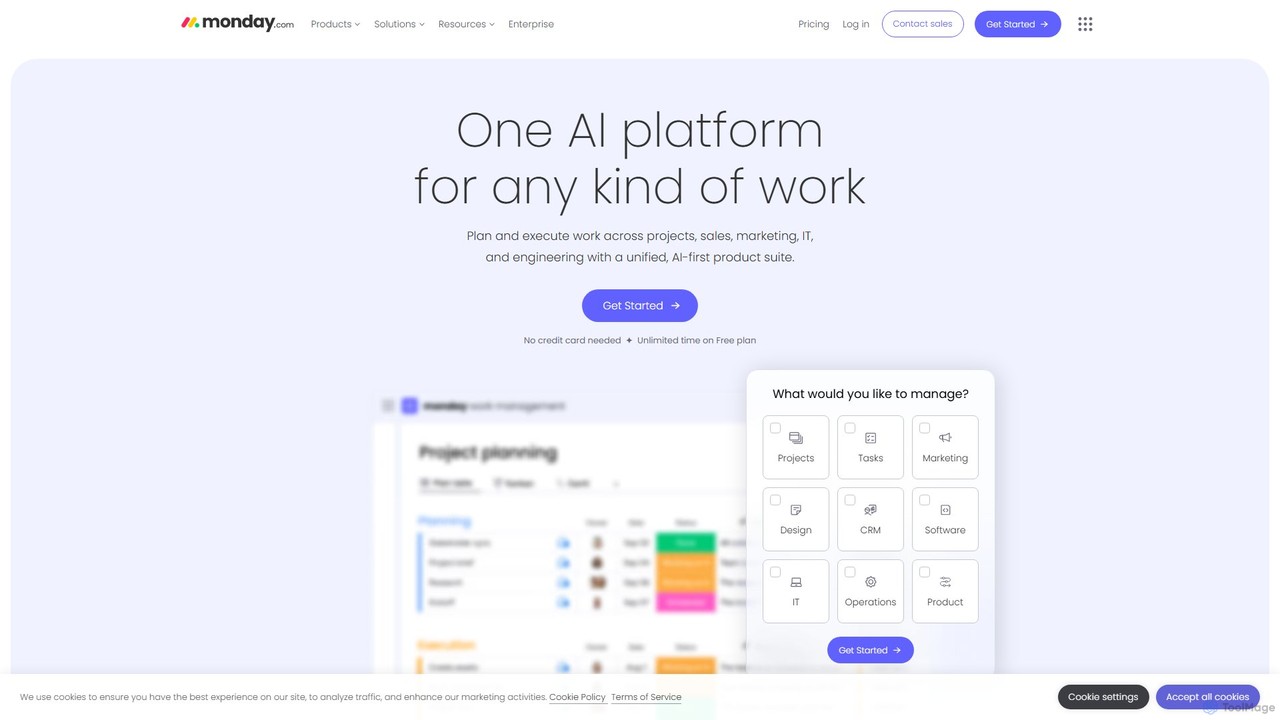
monday.com is a comprehensive Work Operating System (Work OS) that unifies all aspects of work into a single, collaborative platform. It leverages AI to automate tasks, streamline workflows, and provide data-driven insights for teams in project management, sales, marketing, IT, and more, enhancing productivity and visibility.

Preview

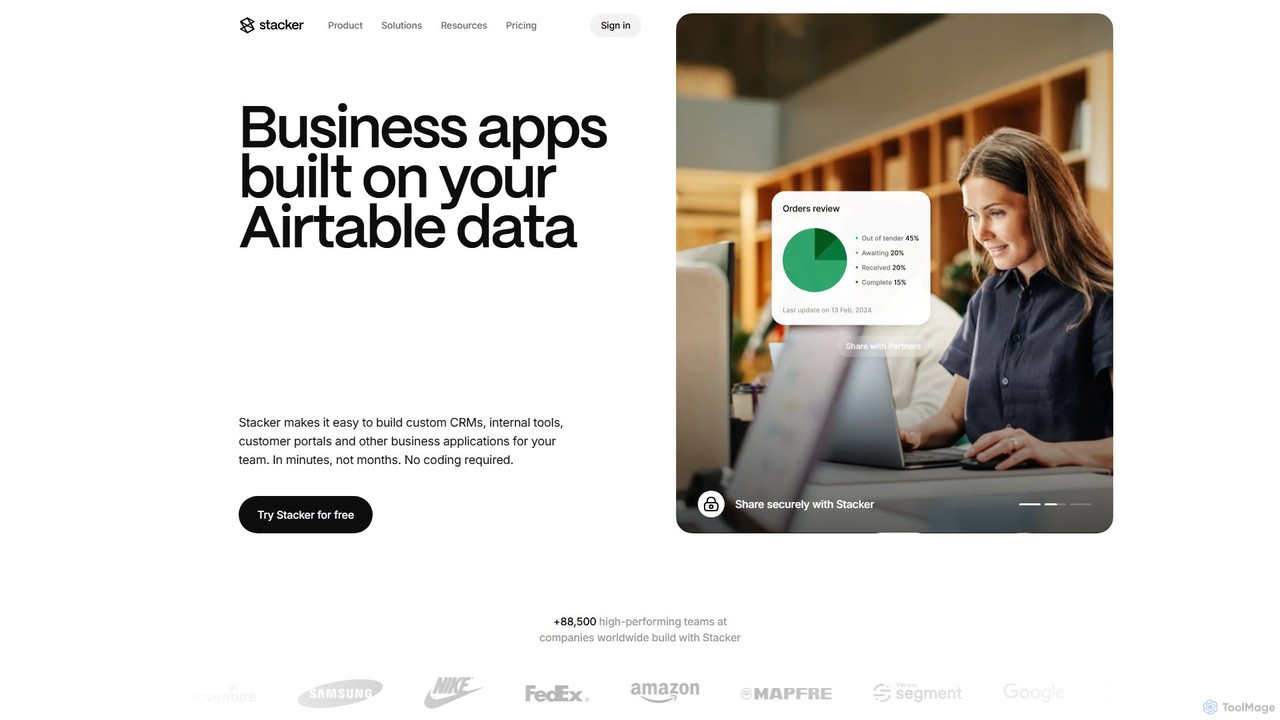
Stacker Product overview

Stacker is a no-code platform that allows you to build custom business applications, such as CRMs, internal tools, and customer portals, directly from your data in Airtable or Google Sheets. Empower your team with software that perfectly fits your unique workflows, without writing a single line of code.

Preview

Quick facts

Compare product focus, pricing models and audiences. Highlighted rows indicate different listed information; unknown pricing does not mean free.

monday.com VS Stacker — Quick facts
Quick factsmonday.comStacker
Pricing modelFreemiumFreemium
Product typeWebWeb
Primary focusCrmCrm
Audience and rolesNo data availableNo data available
CategoriesCrm · Marketing Automation · Project Management · Task ManagementCrm · Database · No Code Platform · Project Management
AddedAug 7, 2025Aug 8, 2025
UpdatedNov 19, 2026Nov 19, 2026

Features, usage and use cases

Explore the listed product descriptions, features and workflows. Taxonomy labels alone are not feature evaluations.

monday.com

monday.com is a powerful, flexible Work Operating System (Work OS) where teams can create and shape the workflows they need to plan, run, and track their processes, projects, and everyday work. As a unified, AI-first product suite, it's designed to eliminate departmental silos and connect teams in a single, collaborative space. Trusted by over 245,000 customers, from startups to global enterprises like Canva and Zippo, monday.com adapts to any business need, empowering teams to achieve more, faster.

The platform is built on a foundation of no-code/low-code building blocks, allowing anyone to create custom applications and work management tools. At its core, monday.com uses highly visual and intuitive boards to manage everything from simple task lists to complex, multi-stage projects. With the integration of powerful AI capabilities, the platform automates routine tasks, generates valuable insights, and accelerates decision-making, transforming the way teams operate.

How to use monday.com

Getting started with monday.com is a straightforward process designed for quick adoption:

  1. Select a Product: Begin by choosing a specialized product tailored to your needs, such as monday work management, monday sales CRM, monday dev, or monday service.
  2. Create a Board: Use one of over 200 pre-built templates or start from scratch to build a board. Boards are the central place to organize your work, whether it's projects, clients, or internal processes.
  3. Customize Columns: Add and customize various column types (e.g., status, date, people, formula) to structure your data precisely as you need it.
  4. Visualize Your Work: Switch between multiple views like Kanban, Gantt, Calendar, Chart, and Timeline to visualize progress, dependencies, and workloads in the most effective way for your team.
  5. Build Dashboards: Aggregate data from multiple boards into a single, high-level dashboard. Use over 50 widgets to create real-time, visually stunning reports that track KPIs and progress at a glance.
  6. Automate Repetitive Tasks: Set up no-code automation recipes to handle routine work, such as sending notifications, creating tasks, or moving items between groups based on triggers.
  7. Leverage AI: Utilize the built-in AI assistant to generate tasks from text, write and rephrase emails, create complex formulas, summarize content, and analyze risks, freeing up your team for more strategic work.
  8. Integrate and Extend: Connect monday.com with hundreds of popular tools like Slack, Google Workspace, Jira, and Salesforce to create a unified work hub. Use the open API to build custom solutions.

Core Features of monday.com

  • AI Assistant: An integrated AI partner that automates task creation, generates content (emails, summaries), provides formula suggestions, and helps structure complex projects.
  • Customizable Workflows: A no-code/low-code framework that allows teams to build and automate workflows tailored to their exact processes.
  • Integrated Product Suite: Offers specialized products including monday work management, monday sales CRM, monday dev, and monday service to cater to the specific needs of different departments.
  • Advanced Dashboards & Reporting: Create real-time, customizable dashboards that pull data from multiple boards, featuring over 50 widgets for comprehensive data visualization.
  • Multiple Data Views: Includes Kanban, Gantt, Timeline, Calendar, Chart, and Workload views, allowing teams to manage and perceive their work from different perspectives.
  • Extensive Integrations & Apps Marketplace: Seamlessly connect with hundreds of external tools and expand functionality with apps from the monday.com marketplace.
  • monday workdocs: Collaborative, real-time documents that can embed live data from your boards, turning text and ideas into actionable workflows.
  • Enterprise-Grade Security & Scalability: Features robust security protocols (ISO/IEC 27001, SOC 2 Type II), granular permissions, and a powerful database (mondayDB) built to handle complex workflows at scale.

Use Cases for monday.com

monday.com's flexibility allows it to be used across virtually any department or industry:

  • Project Management: Plan, execute, and monitor projects of any scale. Manage resources, track budgets, and use Gantt charts to visualize timelines and dependencies. AI can help identify potential risks.
  • CRM & Sales: Manage the entire customer lifecycle, from lead capturing and pipeline management to post-sales activities. AI can automate outreach and data entry.
  • Software Development: Streamline agile workflows with sprint management, product roadmaps, and bug tracking. AI can help categorize bugs and prioritize tasks.
  • Marketing & Creative: Plan marketing campaigns, manage content calendars, track performance, and streamline creative requests and digital asset management.
  • IT & Operations: Run an efficient IT service desk, manage tickets, track SLAs, and handle operational requests for facilities, finance, and more. AI can provide instant response suggestions.
  • HR & Recruiting: Manage the entire recruitment pipeline, onboard new hires, conduct engagement surveys, and process HR requests. AI can assist with CV data extraction.

Advantages of monday.com

  • Unified Platform: Breaks down departmental silos by providing a single, collaborative workspace for all teams.
  • Extreme Flexibility: The no-code/low-code platform is highly customizable to fit the unique needs of any team, workflow, or industry.
  • Intuitive and User-Friendly: Designed for easy adoption, enabling teams to get up and running quickly with minimal training.
  • Productivity and Efficiency: AI and automation features significantly reduce manual work, freeing up teams to focus on strategic, high-impact activities.
  • Data-Driven Decision Making: Powerful and easy-to-create dashboards provide real-time, actionable insights, enabling better business decisions.
  • Scalability: The platform is built to grow with your business, supporting everything from small teams to large enterprises with complex needs.

Pricing and Plans

monday.com offers a freemium model with several tiers to fit different team sizes and needs. A 14-day free trial of the Pro plan is available.

  • Free Plan: $0 forever for up to 2 users. Includes up to 3 boards, unlimited docs, 200+ templates, and iOS & Android apps. Ideal for individuals.
  • Basic Plan: Designed for managing all team's work in one place. Includes unlimited free viewers, unlimited items, 5GB file storage, and a dashboard based on 1 board.
  • Standard Plan: The most popular choice for collaboration and optimization. Includes features from Basic, plus Timeline & Gantt views, guest access, automations (250 actions/month), integrations (250 actions/month), and dashboards combining up to 5 boards.
  • Pro Plan: Best for streamlining complex workflows. Includes features from Standard, plus private boards, time tracking, formula columns, more automations & integrations (25,000 actions/month each), and dashboards combining up to 20 boards.
  • Enterprise Plan: Tailored for large organizations needing enterprise-grade features. Includes everything in Pro, plus enterprise-scale automations & integrations, multi-level permissions, advanced security and governance, advanced reporting, and dashboards combining up to 50 boards. Pricing is available upon contacting sales.

Special discounted plans are also available for non-profit organizations.

Stacker

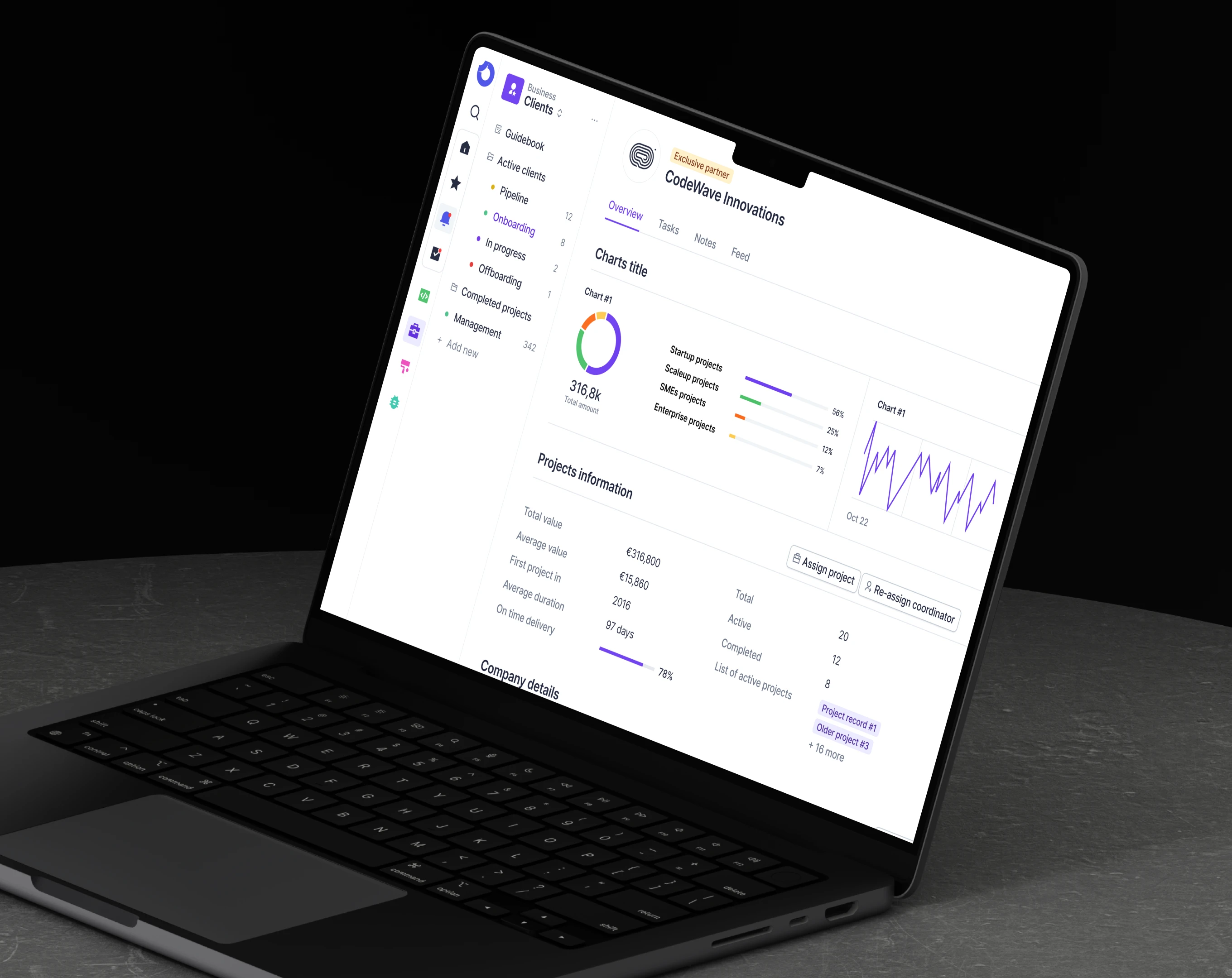
Stacker is a powerful no-code application builder designed to transform your spreadsheets and databases into fully functional, interactive business applications. It empowers teams to create custom software solutions like CRMs, customer portals, internal tools, and project management dashboards in minutes, not months. By connecting directly to your existing data sources such as Airtable, Google Sheets, or using its own Stacker Tables, it ensures that your app is always up-to-date and serves as a single source of truth for your operations. Trusted by over 88,500 teams at companies like TED, Zapier, and Segment, Stacker provides an intuitive way to build software that is as unique as your business, enhancing productivity and collaboration.

How to use Stacker

Using Stacker is a straightforward process designed for users of all technical levels. First, you connect your data source, which can be an existing Airtable base, a Google Sheet, or you can start fresh with Stacker's built-in tables. Once your data is connected, Stacker automatically generates a basic app. From there, you can customize the interface using the drag-and-drop builder. You can choose different layouts like lists, Kanban boards, or detailed views. Next, you configure user permissions to control who can see and edit what data, ensuring security and proper access levels for team members, clients, or partners. You can enhance functionality by adding action buttons to create custom workflows, such as approving requests or updating statuses. Finally, you can brand your app with a custom domain and CSS, and then publish it to share with your users.

Core Features of Stacker

  • No-Code App Builder: Create custom applications with an intuitive drag-and-drop interface without any coding knowledge.
  • Data Integration: Seamlessly connect to Airtable, Google Sheets, and other data sources, or use the built-in Stacker Tables.
  • Customizable Layouts: Design your app's interface with various views, including lists, cards, tables, Kanban boards, and inbox views.
  • Granular Permissions: Set up detailed user roles and permissions to control data access for internal teams and external users.
  • External Portals: Build secure, branded portals for customers, partners, or contractors to interact with your data.
  • Workflow Automation: Create custom action buttons to automate processes like approvals, status updates, and notifications.
  • Real-Time Collaboration: Enable teams to work together with features like comments, notifications, and live data updates.
  • Custom Branding: Personalize your apps with custom domains, logos, colors, and custom CSS for a fully branded experience.

Use Cases for Stacker

Stacker's flexibility makes it suitable for a wide range of applications. For example, TED uses Stacker to manage their entire fellowship application program, saving each team member about 8 hours per week. Zapier utilizes it to manage individual development budgets for their team. Segment powers a self-serve portal for its startup program. Other common use cases include:

  • Flexible CRM: Build a CRM that perfectly matches your sales process.
  • Customer Portals: Allow customers to log in, view their data, track orders, and submit requests.
  • Work Management: Create project trackers, task managers, and team collaboration hubs.
  • Process Tracking: Manage internal workflows like ticket systems, approval processes, and work orders seamlessly.
  • Partner Hubs: Share data and collaborate securely with external partners.

Advantages of Stacker

The primary advantage of Stacker is its ability to empower non-technical users to build the exact software they need, eliminating reliance on expensive development resources and off-the-shelf solutions that don't quite fit. This leads to rapid iteration and deployment, allowing businesses to adapt their tools as their processes evolve. It centralizes data, creating a single source of truth and eliminating scattered spreadsheets. The platform is built for scale, offering enterprise-grade security and performance, making it a reliable choice for businesses of all sizes.

Pricing and Plans

Stacker offers a 30-day free trial to test all features. Its pricing is structured into several tiers, typically billed monthly or annually (with a 12% discount for annual billing).
Starter Plan: Starting at $59/month, this plan is for small teams and includes 1 app, 5 collaborator seats, and up to 10,000 records.
Plus Plan: Starting at $149/month, this plan is for growing teams and includes 3 apps, 10 collaborator seats, 50,000 records, and additional features like Kanban & Inbox views.
Pro Plan: Starting at $290/month, this plan is for larger teams with complex needs. It includes unlimited apps, 20 collaborator seats, 100,000 records, advanced permissions, and custom branding options like custom domain and CSS.
Enterprise plans are also available for organizations with more extensive requirements.

Positioning

Their taxonomy shows where the products overlap and where each one has a more distinct focus. Unknown fields are shown explicitly and are never filled with assumptions.

Categories

Shared
CrmProject Management
Only monday.com
Marketing AutomationTask Management
Only Stacker
DatabaseNo Code Platform

Tags

Shared
CRMno-codeworkflow automation
Only monday.com
agile developmentdata visualizationmarketing managementproject managementsales pipelinetask managementteam collaborationwork os
Only Stacker
airtableapp builderbusiness applicationcustomer portaldatabaseinternal tools

Audience and roles

Shared
No listed items
Only monday.com
No listed items
Only Stacker
No listed items

Traffic comparison

Traffic is shown on the same scale so differences in market visibility are not visually understated.

How to interpret the traffic data

Both charts share the same months and vertical scale. Each tool identifies its latest reporting month; missing months are left blank, not counted as zero. Regional and source visit counts are estimates calculated from the reported shares.

monday.com monthly traffic:

Latest traffic · 2026-05

Monthly visits
35.4M
Avg. visit duration
9:16
Pages per visit
7
Bounce rate
32.6%
Data updated 2026-06-15

Monthly traffic trend

  • 2025-09: 40.2M
  • 2026-01: 39M
  • 2026-02: 36.5M
  • 2026-03: 39.3M
  • 2026-04: 36.7M
  • 2026-05: 35.4M

Top regions

Top 5 countries/regions
Country/regionPercentageEstimated visits
🇺🇸United States62.28%22M
🇧🇷Brazil10.95%3.9M
🇬🇧United Kingdom10.28%3.6M
🇦🇺Australia9.37%3.3M
🇵🇭Philippines7.12%2.5M

Traffic sources

Source typePercentageEstimated visits
Direct88.42%31.3M
Email6.79%2.4M
Referral4.79%1.7M

Search keywords

airtableasanaclickupmondaymonday com

Stacker monthly traffic:

Latest traffic · 2026-05

Monthly visits
93.4K
Avg. visit duration
3:34
Pages per visit
5.83
Bounce rate
35.83%
Data updated 2026-06-15

Monthly traffic trend

  • 2025-09: 144.3K
  • 2026-01: 97.8K
  • 2026-02: 83.1K
  • 2026-03: 110.7K
  • 2026-04: 85.5K
  • 2026-05: 93.4K

Top regions

Top 5 countries/regions
Country/regionPercentageEstimated visits
🇬🇧United Kingdom47.39%44.2K
🇪🇬Egypt33.77%31.5K
🇺🇸United States10.69%10K
🇳🇬Nigeria4.77%4.5K
🇻🇪Venezuela3.38%3.2K

Traffic sources

Source typePercentageEstimated visits
Direct86.33%80.6K
Referral9.9%9.2K
Email3.77%3.5K

Search keywords

flixrstackerstacker ai agentsstackerhqstackerhq login

Community signals

Ratings, comments, favorites, and likes are community signals—not a substitute for product fit.

monday.com

Rating
No data available
Comments
0
Favorites
196
Likes
185

Stacker

Rating
No data available
Comments
0
Favorites
188
Likes
180

monday.com vs Stacker · Comparison FAQ

What do monday.com and Stacker have in common?
Both tools are listed under Crm、Project Management. These categories indicate overlapping use cases; compare their detailed descriptions for workflows, capabilities and limitations.
Are monday.com and Stacker free?
Listed pricing models: monday.com — Freemium; Stacker — Freemium. Missing pricing is not proof of a free plan, and freemium does not mean every feature is free. Check official sites for current plans, limits and trials.
How should I choose between monday.com and Stacker?
The primary listed category is Crm for monday.com, and Crm for Stacker. Compare features, steps and use cases, then verify pricing, data permissions and deployment needs. This page does not include hands-on testing and does not declare a winner from traffic or tags.

Sources and comparison methodology

This page is assembled from ToolMage product listings, taxonomy, traffic statistics and on-site user feedback. It is not a hands-on test or an independent review.
  • Feature and plan descriptions reflect information in the listings, not real-time guarantees. Verify pricing, quotas, availability and privacy terms on the official sites.
  • Traffic uses the reporting months shown. Missing statistics do not mean zero visits, and different periods do not establish growth or superiority. Regional and source visit counts are estimates based on shares.
  • Different tags indicate differences in the listings, not proof that the other product lacks a capability. Ratings, favorites and visits are not used to declare a winner.

Related comparisons