ToolMage
Sign in

AI TOOL COMPARISON

Paperspace vs thundercompute

What is the difference, and which fits your workflow? Compare features, usage, pricing models and traffic side by side.

Jump to key differences

Product overview

Paperspace Product overview

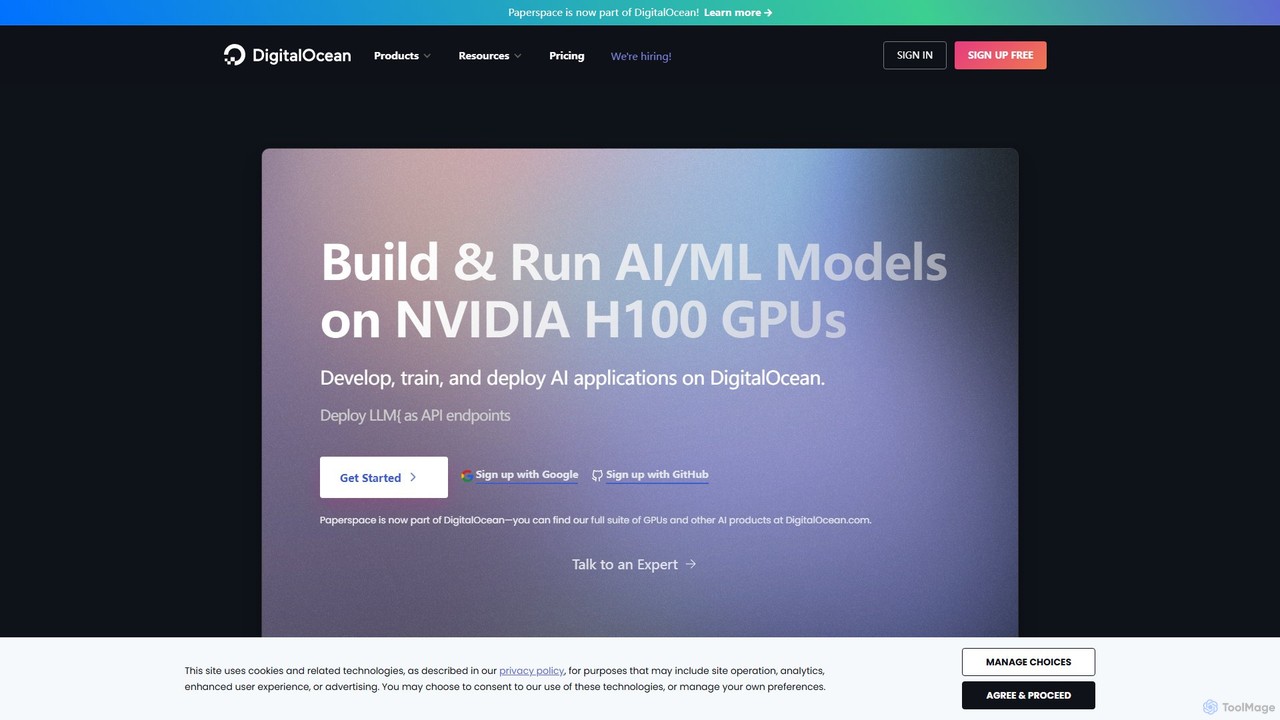
Paperspace is a high-performance cloud computing platform designed for AI and Machine Learning. It provides effortless access to powerful cloud GPUs, managed Jupyter notebooks, and a complete MLOps platform (Gradient) to build, train, and deploy models. Ideal for developers, data scientists, and enterprises looking to accelerate their AI workflows without the complexity of managing infrastructure.

Preview

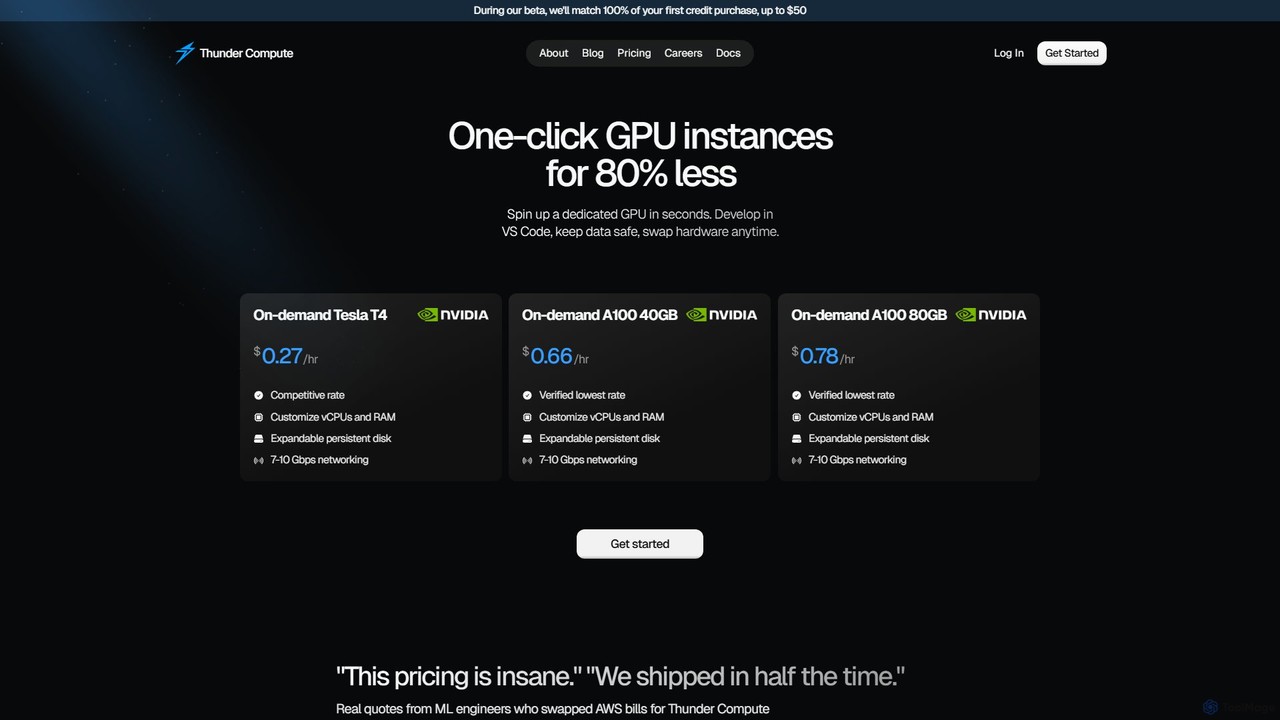
thundercompute Product overview

Thunder Compute offers an ultra-low-cost GPU cloud platform designed for AI and machine learning developers. It provides on-demand GPU instances like the NVIDIA A100 and T4 at prices up to 80% lower than major cloud providers. With features like one-click setup, VS Code integration, and seamless scalability, it dramatically simplifies the development workflow, from prototyping to production, allowing developers to focus on building models rather than managing infrastructure.

Preview

Quick facts

Compare product focus, pricing models and audiences. Highlighted rows indicate different listed information; unknown pricing does not mean free.

Paperspace VS thundercompute — Quick facts
Quick factsPaperspacethundercompute
Pricing modelFreemiumPaid
Product typeWebWeb
Primary focusMachine LearningMachine Learning
Audience and rolesNo data availableNo data available
CategoriesMachine Learning · Cloud Computing · DevelopmentMachine Learning · Cloud Computing · Development
AddedAug 1, 2025Aug 13, 2025
UpdatedNov 19, 2026Nov 19, 2026

Features, usage and use cases

Explore the listed product descriptions, features and workflows. Taxonomy labels alone are not feature evaluations.

Paperspace

Paperspace, now part of DigitalOcean, is a leading cloud computing and AI development platform that radically simplifies access to accelerated computing infrastructure. It is engineered to empower individual developers, researchers, and large enterprises to build, train, and deploy machine learning models of any scale and complexity. The platform is built on the Paperspace Stack, which consists of two main products: Core and Gradient, providing a seamless and powerful environment for any AI-driven task.

How to use Paperspace

Getting started with Paperspace is designed to be quick and intuitive, allowing users to go from signup to a running machine in seconds.

  1. Sign Up: Create an account on the Paperspace website. You can start with a Free plan to explore the platform.
  2. Choose a Product: Decide between 'Gradient' for a managed MLOps experience or 'Core' for a fully configurable cloud GPU machine.
  3. For Gradient Notebooks: Select a pre-configured runtime environment with popular frameworks like PyTorch or TensorFlow. Choose an instance type, including free GPU options for smaller tasks, and launch your notebook with a single click. You can then start coding directly in the web-based IDE.
  4. For Core Machines: Select a template, such as the 'ML in a Box' image which comes pre-installed with major ML frameworks, CUDA drivers, and libraries. Choose your desired GPU from the extensive catalog, including powerful options like NVIDIA H100s. Configure storage and networking, and launch your virtual machine. You can then connect to it via SSH with full root access.
  5. Scale and Collaborate: Easily scale your resources up or down as needed. For team projects, invite collaborators, manage permissions, and share resources within a team workspace.

Core Features of Paperspace

  • Extensive GPU Selection: Access one of the largest catalogs of cloud GPUs, including the latest NVIDIA GPUs like the H100 and A100, suitable for any workload from research to production.
  • Gradient MLOps Platform: An end-to-end platform for the entire machine learning lifecycle. It includes 1-click Jupyter notebooks, experiment tracking, workflow automation, and model deployment capabilities.
  • Fully Managed Virtual Machines (Core): Get powerful, dedicated GPU virtual machines with full root access. These machines are pre-configured with everything needed for ML development, eliminating complex setup.
  • Pre-configured Environments: The 'ML in a Box' template and various notebook runtimes come pre-installed with all major ML frameworks (TensorFlow, PyTorch, etc.), CUDA drivers, and common libraries, enabling you to start working immediately.
  • Effortless Scalability & Powerful API: Instantly scale compute resources up or down. A robust API allows for programmatic management of machines, storage, and networks, enabling automation and integration.
  • Team Collaboration: Create teams, invite members, set permissions, and share projects and resources. Fork public projects or create private ones for secure collaboration.
  • High-Speed Networking: Instances are equipped with lightning-fast networking (up to 10 Gbps backend), crucial for distributed training and handling large datasets.
  • Containerized Environments: Notebooks are built on Docker containers, ensuring fast startup times, portability, and reproducibility of environments.

Use Cases for Paperspace

Paperspace is versatile and caters to a wide range of computationally intensive tasks:

  • Machine Learning & Deep Learning: Training complex neural networks for computer vision, natural language processing, and other AI domains.
  • Data Science & Research: Running large-scale data analysis, simulations, and experiments in a powerful, reproducible environment.
  • AI Application Development & Deployment: Building and deploying AI-powered applications with scalable backend infrastructure.
  • High-Performance Computing (HPC): Executing demanding scientific and engineering computations that require significant parallel processing power.
  • Remote Development: Using powerful cloud machines as a full-fledged remote development environment, accessible from anywhere.

Advantages of Paperspace

Paperspace offers significant advantages over traditional cloud providers and on-premise solutions:

  • Cost-Effectiveness: Save up to 70% on compute costs compared to major public clouds. With per-second billing and no long-term commitments, you only pay for what you use.
  • Simplicity and Ease of Use: The platform abstracts away the complexity of infrastructure management, allowing users to focus on their core work instead of DevOps.
  • Speed and Agility: Go from signup to training a model in seconds. Fast instance startup times and pre-configured environments accelerate the entire development lifecycle.
  • Flexibility: A wide range of instance types and a no-commitment model allow you to easily switch configurations to find the perfect balance of cost and performance.

Pricing and Plans

Paperspace offers a flexible, freemium pricing model designed for individuals and teams of all sizes. The core cost is based on compute utilization, supplemented by a monthly subscription for advanced features.

  • Free Plan: $0/month. Ideal for beginners and learners, includes 5GB of storage and access to basic instances, including free GPUs (subject to availability).
  • Pro Plan: $8/month + utilization costs. Designed for individual ML/AI engineers and data scientists. Includes 15GB of storage, private projects, and priority access to faster free GPUs.
  • Growth Plan: $39/month + utilization costs. Suited for teams, research groups, and startups. Offers 50GB of storage, high-end instances, and expert support.
  • Enterprise Plan: Custom pricing. For large organizations that require hosting on their own infrastructure, unlimited usage, and dedicated support.

Compute usage is billed on-demand, often per second, ensuring you pay only for the resources you consume.

thundercompute

Thunder Compute is a revolutionary GPU cloud platform engineered to provide developers, data scientists, and AI-first startups with powerful, affordable, and easy-to-use GPU instances. The platform's core mission is to democratize access to high-performance computing by offering industry-leading GPUs, such as the NVIDIA A100 and Tesla T4, at prices that are up to 80% lower than traditional cloud providers like AWS. This significant cost reduction empowers users to innovate without the financial constraints typically associated with GPU-intensive tasks.

Designed with the developer experience in mind, Thunder Compute streamlines the entire machine learning lifecycle. It eliminates common infrastructure headaches, allowing users to launch fully configured GPU instances in just one click. This simplified approach means no more wrestling with SSH keys, complex CUDA installations, or dependency management. The platform is built for speed and efficiency, enabling teams to ship products faster and iterate on their models more quickly.

How to use thundercompute

Getting started with Thunder Compute is designed to be straightforward and fast, taking as little as 60 seconds to launch an instance:

  1. Sign Up: Create an account on the Thunder Compute website. During the beta period, new users can benefit from a 100% credit match on their first purchase, up to $50.
  2. Choose an Instance: Select your desired GPU from the available options, including the cost-effective Tesla T4 for general tasks or the powerful A100 (40GB/80GB) for demanding training and fine-tuning jobs.
  3. Customize Specs: Tailor the instance to your specific needs by customizing the number of vCPUs, the amount of RAM, and the size of the expandable persistent disk.
  4. Launch: Launch your instance with a single click. The environment comes pre-configured with CUDA and other essential tools.
  5. Connect via VS Code: For an integrated development experience, use the Thunder Compute VS Code extension to connect to your persistent environment directly from your editor. This allows for seamless coding, debugging, and iteration.
  6. Use Templates: Accelerate your setup using pre-built instance templates for common applications like Ollama, Comfy-ui, and more.
  7. Scale as Needed: Easily scale your resources up or down. Switch from a low-cost prototyping instance to a high-performance production instance with a single button click, ensuring you only pay for the power you need.

Core Features of thundercompute

  • Ultra-Low-Cost GPUs: Access on-demand NVIDIA T4, A100, and H100 GPUs at prices significantly lower than the competition, making development on high-end hardware financially viable.
  • One-Click Scalability: Effortlessly change instance specifications, switch between GPU types, or add storage at any time to match your project's evolving requirements.
  • Seamless VS Code Integration: A dedicated extension allows developers to connect to and manage their cloud environment directly within VS Code, enhancing productivity and streamlining workflows.
  • Simplified Setup: Environments are pre-configured with necessary drivers like CUDA and simplified dependency management, removing technical barriers and saving setup time.
  • Instance Templates: Quickly deploy common AI/ML tools and frameworks like Ollama and Comfy-ui using ready-made templates.
  • Prototyping & Production Modes: Choose between a highly affordable 'Prototyping' mode for development and a stable, high-performance 'Production' mode for deployment, optimizing both cost and reliability.
  • Persistent Storage and Snapshots: Utilize expandable persistent disk storage for your data and create compressed snapshots of your environment for backup or replication.

Use Cases for thundercompute

Thunder Compute is ideal for a wide range of GPU-intensive applications:

  • Machine Learning Model Training: Train complex deep learning models on powerful A100 or H100 GPUs without incurring massive costs.
  • Fine-Tuning LLMs: Bootstrapped startups and researchers can continuously run fine-tuning jobs on large language models around the clock.
  • AI Application Prototyping: Develop and iterate on AI-powered applications, using affordable GPUs from the very first day of the project.
  • Academic and PhD Research: Researchers can accelerate their experiments and meet paper deadlines without being constrained by limited university hardware resources.
  • Inference Serving: Deploy models for inference at a low cost, making AI-driven features more economical to operate.
  • Data Science Consultancies: Provide clients with cost-effective data science solutions by leveraging Thunder Compute's affordable infrastructure.

Advantages of thundercompute

The primary advantage of Thunder Compute is its disruptive pricing, which makes high-performance GPU computing accessible to a broader audience. This leads to several key benefits:

  • Massive Cost Savings: With pricing up to 80% lower than AWS, companies and individuals can significantly reduce their cloud spending.
  • Enhanced Developer Productivity: By simplifying infrastructure management and integrating with tools like VS Code, developers can focus on what they do best: building and training models.
  • Unprecedented Flexibility: The ability to scale resources and switch between modes on the fly provides ultimate control over performance and cost.
  • Accelerated Time-to-Market: Faster setup and iteration cycles mean that AI products and research can be completed and shipped in a fraction of the time.

Pricing and Plans

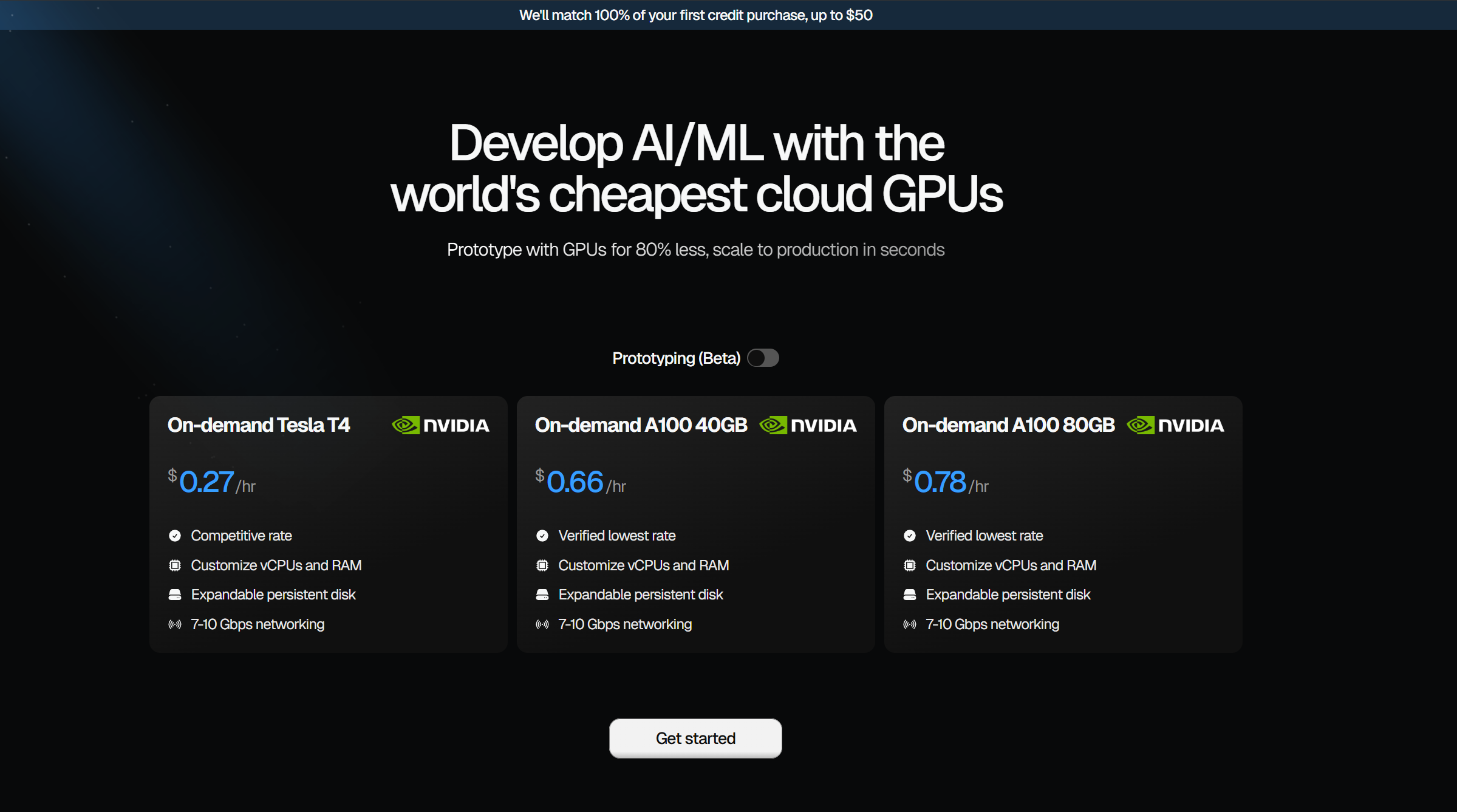
Thunder Compute operates on a transparent, pay-as-you-go pricing model with no hidden fees. The rates are divided into Prototyping and Production modes.

  • On-demand Tesla T4: Starting at $0.27/hr
  • On-demand A100 (40GB): Starting at $0.66/hr
  • On-demand A100 (80GB): Starting at $0.78/hr
  • On-demand H100: Starting at $1.47/hr

Add-ons:

  • Persistent Disk: $0.15 /GB/month
  • Snapshots (Compressed): $0.075 /GB/month
  • Additional vCPUs: $0.06 /vCPU/hr (includes 8GB RAM per vCPU)

A beta promotion offers a 100% match on the first credit purchase up to $50, providing even greater value for new users.

Positioning

Their taxonomy shows where the products overlap and where each one has a more distinct focus. Unknown fields are shown explicitly and are never filled with assumptions.

Categories

Shared
Machine LearningCloud ComputingDevelopment
Only Paperspace
No listed items
Only thundercompute
No listed items

Tags

Shared
AI developmentcloud computingdeep learningmachine learning
Only Paperspace
cloud GPUdata sciencejupyter notebookMLOpsNVIDIAvirtual machine
Only thundercompute
A100AWS alternativedeveloper toolsfine-tuningGPUH100infrastructuremodel trainingT4

Audience and roles

Shared
No listed items
Only Paperspace
No listed items
Only thundercompute
No listed items

Traffic comparison

Traffic is shown on the same scale so differences in market visibility are not visually understated.

How to interpret the traffic data

Both charts share the same months and vertical scale. Each tool identifies its latest reporting month; missing months are left blank, not counted as zero. Regional and source visit counts are estimates calculated from the reported shares.

Paperspace monthly traffic:

Latest traffic · 2026-05

Monthly visits
282.2K
Avg. visit duration
5:23
Pages per visit
6.45
Bounce rate
31.55%
Data updated 2026-06-15

Monthly traffic trend

  • 2025-09: 265K
  • 2026-01: 263.2K
  • 2026-02: 249.9K
  • 2026-03: 258.1K
  • 2026-04: 281.4K
  • 2026-05: 282.2K

Top regions

Top 5 countries/regions
Country/regionPercentageEstimated visits
🇯🇵Japan48.97%138.2K
🇺🇸United States34.07%96.2K
🇻🇳Vietnam7.57%21.4K
🇲🇽Mexico5.88%16.6K
🇮🇳India3.51%9.9K

Traffic sources

Source typePercentageEstimated visits
Direct92.36%260.7K
Referral5.51%15.6K
Email2.13%6K

Search keywords

gpu cloudpaperspacepaperspace.compaperspace corepaperspace gradient

thundercompute monthly traffic:

Latest traffic · 2026-05

Monthly visits
94.8K
Avg. visit duration
2:08
Pages per visit
3.08
Bounce rate
39.88%
Data updated 2026-06-15

Monthly traffic trend

  • 2025-09: 28.6K
  • 2026-01: 40.3K
  • 2026-02: 35.5K
  • 2026-03: 63.4K
  • 2026-04: 87.5K
  • 2026-05: 94.8K

Top regions

Top 5 countries/regions
Country/regionPercentageEstimated visits
🇺🇸United States64.58%61.2K
🇩🇪Germany14.67%13.9K
🇮🇳India12.57%11.9K
🇨🇦Canada4.15%3.9K
🇳🇬Nigeria4.03%3.8K

Traffic sources

Source typePercentageEstimated visits
Direct89.44%84.7K
Referral8.39%8K
Email2.17%2.1K

Search keywords

nvidia inception programrunpodthunder computethundercomputethunder compute authentication not found

Community signals

Ratings, comments, favorites, and likes are community signals—not a substitute for product fit.

Paperspace

Rating
No data available
Comments
0
Favorites
232
Likes
224

thundercompute

Rating
No data available
Comments
0
Favorites
182
Likes
219

Paperspace vs thundercompute · Comparison FAQ

What do Paperspace and thundercompute have in common?
Both tools are listed under Machine Learning、Cloud Computing、Development. These categories indicate overlapping use cases; compare their detailed descriptions for workflows, capabilities and limitations.
Are Paperspace and thundercompute free?
Listed pricing models: Paperspace — Freemium; thundercompute — Paid. Missing pricing is not proof of a free plan, and freemium does not mean every feature is free. Check official sites for current plans, limits and trials.
How should I choose between Paperspace and thundercompute?
The primary listed category is Machine Learning for Paperspace, and Machine Learning for thundercompute. Compare features, steps and use cases, then verify pricing, data permissions and deployment needs. This page does not include hands-on testing and does not declare a winner from traffic or tags.

Sources and comparison methodology

This page is assembled from ToolMage product listings, taxonomy, traffic statistics and on-site user feedback. It is not a hands-on test or an independent review.
  • Feature and plan descriptions reflect information in the listings, not real-time guarantees. Verify pricing, quotas, availability and privacy terms on the official sites.
  • Traffic uses the reporting months shown. Missing statistics do not mean zero visits, and different periods do not establish growth or superiority. Regional and source visit counts are estimates based on shares.
  • Different tags indicate differences in the listings, not proof that the other product lacks a capability. Ratings, favorites and visits are not used to declare a winner.

Related comparisons