ToolMage
Sign in

AI TOOL COMPARISON

Parseflow vs VisionParser

What is the difference, and which fits your workflow? Compare features, usage, pricing models and traffic side by side.

Jump to key differences

Product overview

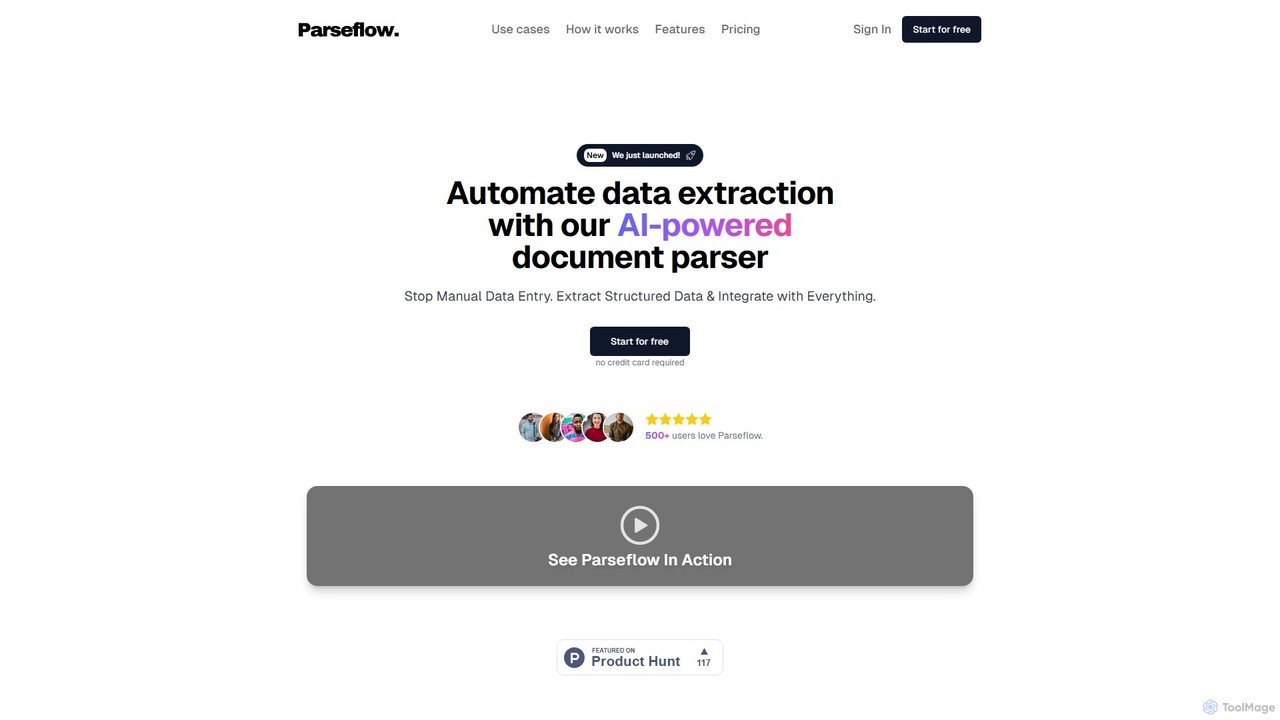
Parseflow Product overview

Parseflow is an AI-powered platform for automated data extraction from various documents like invoices, receipts, contracts, and resumes. It uses advanced OCR and NLP to parse structured and unstructured data, helping businesses streamline workflows, reduce manual entry, and lower operational costs.

Preview

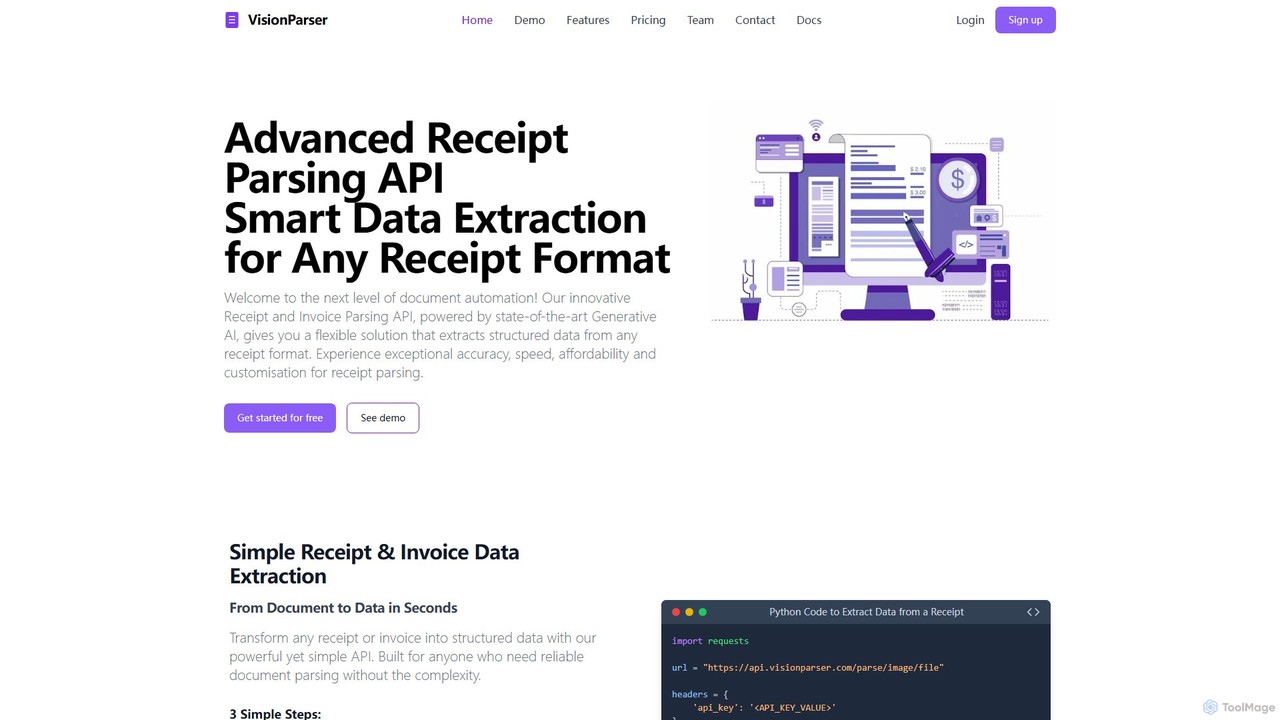
VisionParser Product overview

VisionParser is an advanced API powered by Generative AI for high-accuracy receipt and invoice parsing. It transforms any document format, including digital and physical copies, into structured JSON data in seconds. Designed for developers and businesses, it offers customizable, affordable, and scalable solutions for automating expense management, accounting, and data analytics.

Preview

Quick facts

Compare product focus, pricing models and audiences. Highlighted rows indicate different listed information; unknown pricing does not mean free.

Parseflow VS VisionParser — Quick facts
Quick factsParseflowVisionParser
Pricing modelFreemiumFreemium
Product typeWebWeb
Primary focusData ExtractionApi
Audience and rolesNo data availableNo data available
CategoriesData Extraction · Api · Accounting · Document ProcessingApi · Accounting · Document Processing
AddedAug 16, 2025Aug 8, 2025
UpdatedNov 19, 2026Nov 19, 2026

Features, usage and use cases

Explore the listed product descriptions, features and workflows. Taxonomy labels alone are not feature evaluations.

Parseflow

Parseflow is an advanced intelligent document processing (IDP) platform designed to automate data extraction from a wide array of documents. By leveraging cutting-edge AI, Optical Character Recognition (OCR), and Natural Language Processing (NLP), Parseflow transforms unstructured or semi-structured information from documents into clean, structured, and actionable data. This eliminates the need for tedious and error-prone manual data entry, allowing businesses to enhance efficiency, reduce operational costs, and accelerate their digital transformation journey. The platform is capable of handling everything from printed invoices and contracts to handwritten notes and complex forms, making it a versatile solution for various industries.

How to use Parseflow

Using Parseflow is a straightforward process designed for simplicity and power:

  1. Sign Up & Set Up: Create an account on the Parseflow website. Depending on your needs, you can start with a free plan or choose a subscription. No complex setup is required to begin.
  2. Upload Documents: Upload your documents to the platform. You can upload files individually or in bulk. Parseflow supports various formats, including PDF, JPG, PNG, and TIFF. Documents can also be sent via email or integrated directly through the API.
  3. AI-Powered Parsing: Once uploaded, Parseflow's AI engine automatically processes the documents. It identifies the document type, scans the content, and extracts key data points using pre-trained models for common documents like invoices, receipts, and purchase orders. For unique document types, custom models can be configured.
  4. Review and Validate: The extracted data is presented in a user-friendly interface alongside the original document for easy verification. Users can quickly review the key-value pairs, tables, and other extracted information to ensure accuracy. Any necessary corrections can be made on the spot.
  5. Export and Integrate: After validation, the structured data can be exported in various formats such as JSON, CSV, or XML. For complete automation, you can use the Parseflow API to seamlessly integrate the extracted data into your existing business systems, such as ERPs, CRMs, accounting software, or databases.

Core Features of Parseflow

  • AI-Powered Data Extraction: Utilizes sophisticated machine learning and OCR to accurately capture data from diverse document layouts.
  • Broad Document Support: Capable of processing a wide range of documents including invoices, purchase orders, receipts, contracts, bank statements, CVs/resumes, and order forms.
  • Handwriting Recognition: Advanced OCR technology that can accurately read and digitize handwritten text, a feature often missing in other tools.
  • Structured Data Output: Converts messy, unstructured data into a clean, structured format (e.g., JSON, CSV, XML) ready for use in other applications.
  • Robust API for Integration: Offers a powerful and well-documented REST API for developers to build custom integrations and automate end-to-end workflows.
  • Pre-trained Models: Comes with ready-to-use models for common document types, allowing for immediate implementation without lengthy training periods.
  • Scalability and Performance: Built to handle high volumes of documents, ensuring reliable performance for both small businesses and large enterprises.

Use Cases for Parseflow

Parseflow is a versatile tool applicable across many departments and industries:

  • Finance and Accounting: Automate accounts payable by extracting data from supplier invoices, matching them with purchase orders, and feeding the data into accounting systems. Digitize expense receipts for faster employee reimbursement.
  • Human Resources: Streamline recruitment by automatically parsing resumes and CVs to extract candidate information like contact details, work experience, and skills, populating applicant tracking systems (ATS) instantly.
  • Legal and Compliance: Analyze contracts and legal agreements to extract key information such as party names, effective dates, renewal terms, and specific clauses for better contract lifecycle management.
  • Logistics and Supply Chain: Process shipping documents, bills of lading, and purchase orders to track goods, verify deliveries, and manage inventory more efficiently.
  • Retail and E-commerce: Automate the processing of order forms and customer receipts to streamline order fulfillment and customer service.

Advantages of Parseflow

Implementing Parseflow provides significant competitive advantages:

  • Increased Efficiency: Drastically reduces document processing time from minutes or hours to mere seconds.
  • Significant Cost Reduction: Lowers operational costs by minimizing manual labor, reducing the need for temporary staff, and eliminating costly data entry errors.
  • Superior Accuracy: AI-driven extraction minimizes human error, leading to higher quality, more reliable data for decision-making.
  • Enhanced Employee Productivity: Frees up valuable employees from repetitive, low-value tasks, allowing them to focus on more strategic, customer-facing, and analytical work.
  • Seamless Automation: The powerful API enables end-to-end workflow automation, connecting document intake directly to your core business applications.

Pricing and Plans

Parseflow offers a flexible pricing structure to suit different business needs. While specific details should be confirmed on their official website, a typical model includes:

  • Free Plan: A free tier or trial that allows users to process a limited number of documents per month, ideal for testing the platform's capabilities or for very light usage.
  • Professional Plan: A subscription-based plan designed for small to medium-sized businesses, offering a higher volume of document processing, access to standard features, and email support.
  • Enterprise Plan: A custom-priced plan for large organizations with high-volume needs. This plan typically includes unlimited document processing, advanced features like custom model training, dedicated support, and premium integration assistance.

VisionParser

VisionParser offers a next-generation solution for document automation through its innovative Receipt and Invoice Parsing API. Powered by state-of-the-art Generative AI and advanced OCR technology, this platform provides a flexible and powerful way to extract structured data from any receipt or invoice format. It is engineered to deliver exceptional accuracy, speed, and affordability, making it an ideal choice for businesses of all sizes looking to streamline their data extraction workflows. Whether you're dealing with high-quality digital PDFs, faded thermal prints, or even handwritten receipts, VisionParser's AI is designed to handle challenging conditions and diverse layouts with ease.

The platform is built with developers in mind, offering a simple yet powerful REST API that can be integrated into any system with just a few lines of code. It supports a wide range of file formats, including JPEG, PNG, and PDF, and can process both digital and physical documents. The core of VisionParser's technology lies in its ability to intelligently recognize layouts, enhance image quality, and understand context, which significantly minimizes errors and eliminates the hallucinations often associated with generic AI models. This ensures reliable and consistent data extraction for critical business processes.

How to use VisionParser

Integrating and using VisionParser is a straightforward, three-step process designed for simplicity and efficiency:

  1. Integrate the API: Start by signing up for a free trial to get your API key. Integration is seamless with comprehensive documentation and SDKs for popular languages like Python, JavaScript, Java, and PHP. You can embed the API into your existing application or workflow with minimal effort.
  2. Send Your Document: Upload your receipt or invoice file (JPEG, PNG, or PDF) to the API endpoint. You can send documents individually or in batches for high-volume processing. The system is built to handle various qualities, from clear digital files to creased or poorly lit photos of physical receipts.
  3. Receive Structured Data: In a matter of seconds (typically 6-7 seconds per document), the API processes the document and returns clean, structured data in JSON format. The output includes detailed fields with confidence scores, such as merchant information, transaction totals, tax amounts, dates, and a complete breakdown of all product line items.

Core Features of VisionParser

  • Generative AI-Powered Parsing: Leverages advanced Generative AI for market-leading precision in data extraction, minimizing errors and handling complex document structures.
  • Broad Document Support: Processes a wide variety of receipt and invoice types, including digital formats (PDFs, emails, e-commerce) and physical formats (thermal, cash register, handwritten), even in poor conditions like faded ink or folds.
  • Comprehensive Data Extraction: Captures all essential data fields, including merchant name and address, transaction date and time, total amount, tax, currency, and detailed product line items (name, quantity, unit price, total price).
  • Developer-Friendly API: Offers a simple REST API with easy integration, comprehensive documentation, and SDKs for major programming languages.
  • Customization and Flexibility: Provides options for custom field extraction rules, flexible output formats (JSON, CSV, XML), and dedicated processing queues to match specific business workflows.
  • High-Performance and Reliability: Guarantees 99.99% uptime with a robust and scalable infrastructure, ensuring uninterrupted service for your operations.
  • Top-Tier Security: Employs industry-standard encryption and strict security protocols to safeguard your data, ensuring full compliance with international standards.

Use Cases for VisionParser

VisionParser is a versatile tool perfect for a range of applications across different industries:

  • Expense Management Automation: Automatically capture and categorize expenses from receipts, eliminating manual data entry for employees and finance teams.
  • Accounting Software Integration: Seamlessly feed structured invoice and receipt data into accounting platforms like QuickBooks, Xero, or SAP for faster reconciliation and bookkeeping.
  • li>Loyalty Program Data Capture: Extract purchase data from receipts to track customer behavior, manage loyalty points, and offer personalized rewards.
  • Market Research & Analytics: Aggregate product-level data from thousands of receipts to analyze consumer trends, pricing strategies, and competitor performance.
  • Tax Compliance & Reporting: Simplify tax preparation by accurately extracting all necessary financial data from receipts and invoices, ensuring compliance and audit readiness.

Advantages of VisionParser

VisionParser stands out from the competition with several key advantages:

  • Incredible Accuracy: The custom-built combination of GenAI and OCR ensures over 95% accuracy for standard fields, reducing costly errors.
  • Unbeatable Affordability: Offers premium OCR capabilities at a budget-friendly price, making it one of the most economical choices on the market.
  • Tailored Solutions: Welcomes customization requests to adapt the platform to unique business needs, a flexibility not often found in other services.
  • Rock-Solid Reliability: With a 99.99% uptime guarantee, businesses can trust VisionParser for mission-critical operations.
  • Ease of Integration: Designed for developers, the API can be integrated in hours, not weeks, accelerating time-to-value.

Pricing and Plans

VisionParser offers a flexible pricing structure to suit businesses of all sizes, starting with a generous free trial.

  • Free Trial: Get started with 100 free scans for 30 days. No credit card is required.
  • Basic Plan: Ideal for small projects, priced at $15/month for 500 scans. Additional scans are $0.03 each.
  • Pro Plan: Great for growing businesses, priced at $100/month for 5,000 scans. Additional scans are $0.02 each. Includes priority email support.
  • Business Plan: Best value for high-volume needs, priced at $200/month for 20,000 scans. Additional scans are $0.01 each. Includes priority queue access and dedicated support.

Positioning

Their taxonomy shows where the products overlap and where each one has a more distinct focus. Unknown fields are shown explicitly and are never filled with assumptions.

Categories

Shared
ApiAccountingDocument Processing
Only Parseflow
Data Extraction
Only VisionParser
No listed items

Tags

Shared
APIdata extractionOCRreceipt scanner
Only Parseflow
contract analysisdata entry automationdocument parsinghandwriting recognitionIDPintelligent document processinginvoice automation
Only VisionParser
accountingdocument automationexpense managementgenerative AIinvoice OCRJSON

Audience and roles

Shared
No listed items
Only Parseflow
No listed items
Only VisionParser
No listed items

Traffic comparison

Traffic is shown on the same scale so differences in market visibility are not visually understated.

How to interpret the traffic data

Both charts share the same months and vertical scale. Each tool identifies its latest reporting month; missing months are left blank, not counted as zero. Regional and source visit counts are estimates calculated from the reported shares.

Parseflow

No data available

VisionParser monthly traffic:

Latest traffic · 2026-05

Monthly visits
531
Avg. visit duration
0:00
Pages per visit
1.01
Bounce rate
38.43%
Data updated 2026-06-15

Monthly traffic trend

  • 2025-09: 494
  • 2026-01: 0
  • 2026-02: 35
  • 2026-03: 1.1K
  • 2026-04: 1.1K
  • 2026-05: 531

Top regions

Top 5 countries/regions
Country/regionPercentageEstimated visits
🇹🇭Thailand100%531

Search keywords

ai ocr vs traditional ocrnext gen ai ocrocr library vs ocr ai

Community signals

Ratings, comments, favorites, and likes are community signals—not a substitute for product fit.

Parseflow

Rating
No data available
Comments
0
Favorites
217
Likes
205

VisionParser

Rating
No data available
Comments
0
Favorites
182
Likes
174

Parseflow vs VisionParser · Comparison FAQ

What do Parseflow and VisionParser have in common?
Both tools are listed under Api、Accounting、Document Processing. These categories indicate overlapping use cases; compare their detailed descriptions for workflows, capabilities and limitations.
Are Parseflow and VisionParser free?
Listed pricing models: Parseflow — Freemium; VisionParser — Freemium. Missing pricing is not proof of a free plan, and freemium does not mean every feature is free. Check official sites for current plans, limits and trials.
How should I choose between Parseflow and VisionParser?
The primary listed category is Data Extraction for Parseflow, and Api for VisionParser. Compare features, steps and use cases, then verify pricing, data permissions and deployment needs. This page does not include hands-on testing and does not declare a winner from traffic or tags.

Sources and comparison methodology

This page is assembled from ToolMage product listings, taxonomy, traffic statistics and on-site user feedback. It is not a hands-on test or an independent review.

  • Feature and plan descriptions reflect information in the listings, not real-time guarantees. Verify pricing, quotas, availability and privacy terms on the official sites.
  • Traffic uses the reporting months shown. Missing statistics do not mean zero visits, and different periods do not establish growth or superiority. Regional and source visit counts are estimates based on shares.
  • Different tags indicate differences in the listings, not proof that the other product lacks a capability. Ratings, favorites and visits are not used to declare a winner.

Related comparisons