ToolMage
Sign in

AI TOOL COMPARISON

TaskAGI vs ZeroWork

What is the difference, and which fits your workflow? Compare features, usage, pricing models and traffic side by side.

Jump to key differences

Product overview

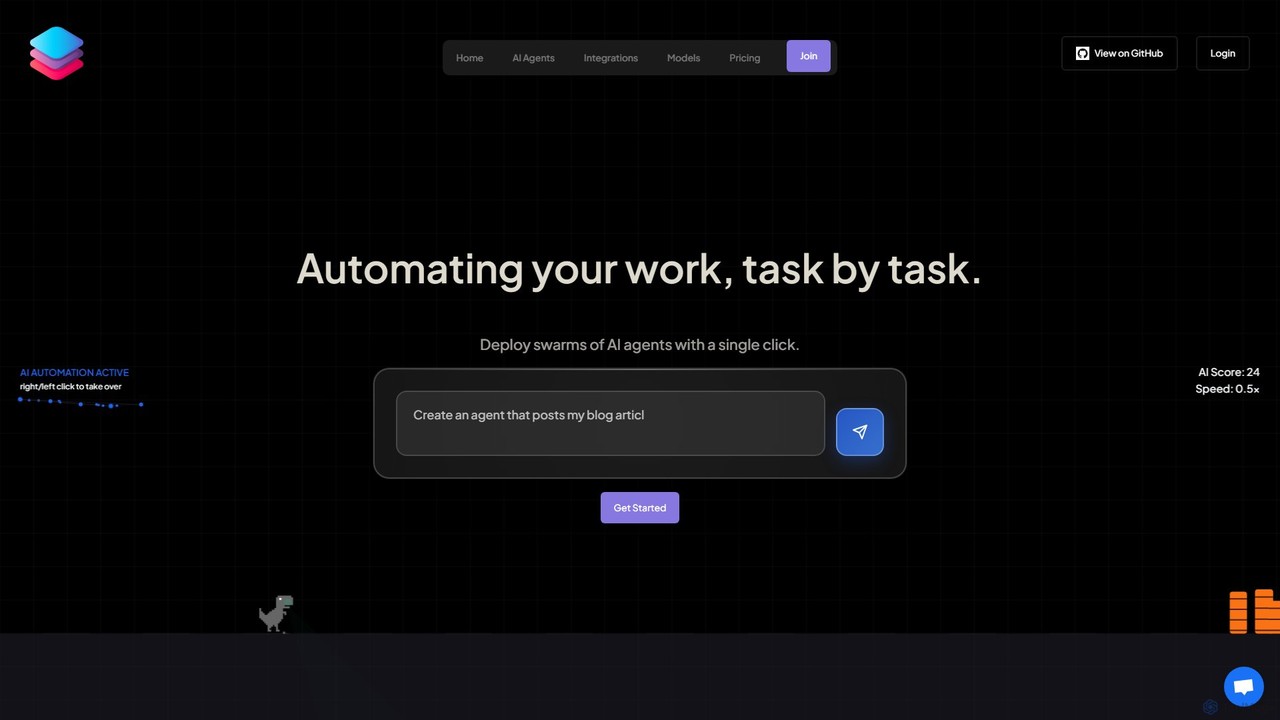
TaskAGI Product overview

TaskAGI is a powerful no-code platform for building, testing, and deploying AI agents to automate complex workflows. With an intuitive drag-and-drop builder, users can connect various applications and AI models like OpenAI, Gemini, and Claude. It offers pre-built agents for tasks like customer support, marketing, and content creation, alongside specialized services like HyperVoice for realistic text-to-speech and HyperVideo for automated video generation.

Preview

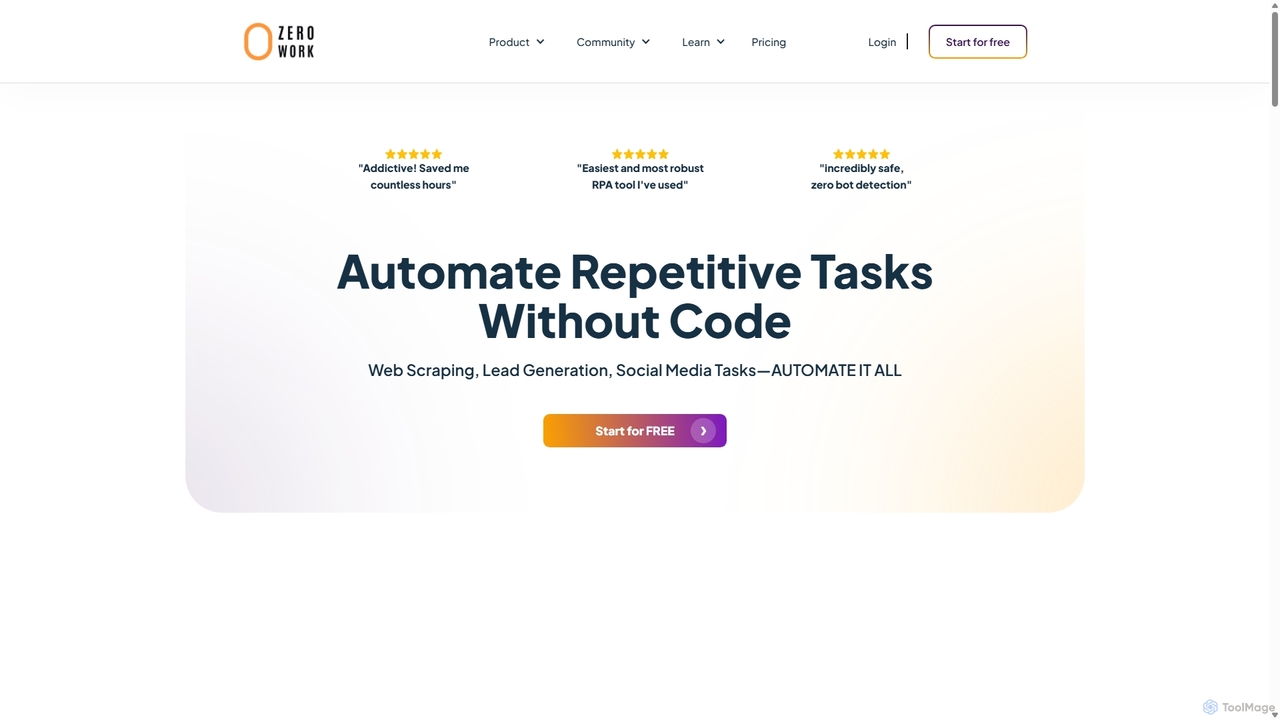
ZeroWork Product overview

A no-code Robotic Process Automation (RPA) tool to automate any repetitive web task. Build "TaskBots" with a visual drag-and-drop interface to scrape data, generate leads, manage social media, and more. Integrates AI for content generation and features robust anti-bot detection to ensure account safety.

Preview

Quick facts

Compare product focus, pricing models and audiences. Highlighted rows indicate different listed information; unknown pricing does not mean free.

TaskAGI VS ZeroWork — Quick facts
Quick factsTaskAGIZeroWork
Pricing modelPaidFreemium
Product typeWebWeb
Primary focusGenerative AiNo Code
Audience and rolesNo data availableBusiness Owner · Data Analyst · Freelancer · Growth Hacker · Marketing Manager · Recruiter · Sales Representative · Social Media Manager
CategoriesGenerative Ai · Virtual Assistant · No Code · Social Media Marketing · AutomationNo Code · Social Media Marketing · Automation · Lead Generation
AddedAug 4, 2025Sep 23, 2025
UpdatedNov 19, 2026Nov 19, 2026

Features, usage and use cases

Explore the listed product descriptions, features and workflows. Taxonomy labels alone are not feature evaluations.

TaskAGI

TaskAGI is a comprehensive automation platform designed to empower users to build, test, and deploy powerful AI agents with ease. At its core, TaskAGI aims to automate work, task by task, by providing a visual, no-code environment where users can create sophisticated workflows. By deploying 'swarms' of AI agents, businesses and individuals can streamline operations, enhance productivity, and unlock new capabilities without writing a single line of code.

The platform is built around an intuitive drag-and-drop workflow builder that allows users to connect various nodes, representing different applications, AI models, and logical steps. This visual approach makes it simple to design complex processes, from automating customer support calls to managing a full content marketing pipeline. TaskAGI integrates with a vast ecosystem of tools, including leading AI models from OpenAI, Google (Gemini, Imagen), and Anthropic (Claude), as well as popular automation services like n8n, Zapier, and Make. This extensive connectivity ensures that users can automate almost any digital task imaginable.

How to use TaskAGI

Using TaskAGI is a straightforward, three-step process designed for both technical and non-technical users:

  1. Design & Configure: Begin by visually mapping out your automation needs on the canvas. You select from a wide range of integrations and configure each node to define your agent's specific tasks and logic. This could involve setting up a trigger, like a new entry in a Google Sheet, or defining the AI model to use for text generation.
  2. Build & Test: Use the intuitive drag-and-drop builder to connect the configured nodes and create your workflow. As you build, you can test the agent's execution in real-time to ensure every step functions as expected. The visual interface provides clear feedback on the status of each operation.
  3. Deploy & Iterate: Once you are satisfied with your agent's performance, you can launch it with a single click. TaskAGI allows you to monitor your agent's performance, gather insights from its operations, and easily refine the workflow as your needs evolve.

Core Features of TaskAGI

  • Visual Workflow Builder: An intuitive drag-and-drop interface for creating complex automations without any coding knowledge.
  • Pre-built AI Agents: A library of ready-to-deploy agents for common use cases like AI Call Support, Reddit Marketing, and Content Automation, allowing for instant setup.
  • Extensive Integrations: Seamlessly connect with leading AI models (OpenAI, Gemini, Anthropic), automation platforms (n8n, Zapier, Make), communication tools (Twilio, Telegram), and business applications (Shopify, WordPress, WHMCS).
  • HyperVoice & HyperVideo: Proprietary services for generating hyper-realistic, context-aware text-to-speech and voice cloning, as well as creating unlimited short-form UGC-style videos for social media and ads.
  • Multi-Modal AI Generation: Access to state-of-the-art models for generating text, high-quality images (Imagen 4, SDXL, Midjourney), and video (Kling, Google VEO, Luma).
  • Advanced Data Scraping: Integrated scrapers for major platforms like TikTok, Instagram, Twitter, LinkedIn, and Facebook Ads Library to extract valuable data for market research and lead generation.
  • Full API Access: A robust API allows developers to integrate TaskAGI's powerful automation and generation capabilities directly into their own applications and services.

Use Cases for TaskAGI

TaskAGI is versatile and can be applied across various industries and functions:

  • Marketing Automation: Automate social media engagement on Reddit, create and publish blog posts from keywords, generate marketing videos for TikTok and Instagram, and run personalized email outreach campaigns.
  • Customer Service Automation: Deploy AI-powered call center agents that can handle customer inquiries 24/7, provide instant support based on a knowledge base, and reduce operational costs.
  • Content Creation Pipeline: Build a fully automated content engine that pulls topics from Google Sheets, uses AI to write high-quality articles, generates accompanying images, and publishes them to WordPress or Ghost.
  • E-commerce Management: Connect to Shopify to automate order confirmations via voice call, manage product listings, and track customer data.
  • Business Intelligence & Lead Generation: Scrape lead data from Apollo.io or LinkedIn, monitor competitors' ads on Facebook, and track brand mentions across social media.

Advantages of TaskAGI

TaskAGI offers several key advantages:

  • Accessibility: The no-code approach makes sophisticated AI automation accessible to everyone, regardless of their technical background.
  • All-in-One Solution: It consolidates workflow automation, AI model access, proprietary media generation, and data scraping into a single, unified platform.
  • Scalability: The platform is designed to grow with you, offering plans for individuals, small teams, and large businesses with features like team collaboration.
  • Flexibility and Customization: With a massive library of integrations, users can build highly tailored workflows to meet their unique needs.
  • Speed and Efficiency: Rapidly deploy AI agents with one-click functionality, dramatically reducing the time and cost associated with traditional development.

Pricing and Plans

TaskAGI offers clear, tiered pricing with no setup fees and the flexibility to cancel, upgrade, or downgrade at any time.

  • Personal Plan: $35/month. This plan is perfect for individuals and small teams, offering the ability to build & deploy up to 5 AI Agents, access to pre-built agents, 300 minutes of HyperVoice, $35 in AI credits, and full API access.
  • Business Plan: $99/month. Designed for scaling automation, this popular plan includes everything in Personal, plus an increased allowance of 1000 HyperVoice minutes, $99 in AI credits, priority support, and access to upcoming features like advanced analytics and team collaboration.

ZeroWork

ZeroWork is a powerful no-code Robotic Process Automation (RPA) platform designed to automate any repetitive task you perform on the web. It empowers agencies, businesses, and freelancers to build custom automation workflows, called "TaskBots," without writing a single line of code. Through an intuitive visual drag-and-drop interface, users can automate complex processes like web scraping, lead generation, social media management, and data entry, saving countless hours of manual effort and significantly boosting productivity.

The platform operates through a lightweight desktop agent (available for Windows, Mac, and Linux) that runs tasks locally on your computer, ensuring data privacy and security. This architecture also provides generous limits, including unlimited runtime and parallel runs, which sets it apart from many cloud-based automation tools. With its native ChatGPT integration, ZeroWork allows you to infuse AI into any step of your automation, from generating personalized social media comments to drafting unique replies to messages.

How to use ZeroWork

Getting started with ZeroWork is a straightforward process designed for users of all technical levels:

  1. Sign Up and Install: Create an account on the ZeroWork website and download the lightweight desktop agent for your operating system (Windows, Mac, or Linux). This agent runs in the background to execute your automations.
  2. Build a TaskBot: Access the web-based creator dashboard. Here, you use the visual drag-and-drop builder to map out your workflow. You can add actions like 'Open URL', 'Click Element', 'Type Text', 'Scrape Data', and 'Ask ChatGPT'.
  3. Configure and Test: Set up specific parameters for each step, such as what data to extract or what text to input. You can test your TaskBot within the creator to ensure it runs smoothly.
  4. Schedule and Run: Once your TaskBot is ready, you can run it manually or schedule it to run automatically. Scheduling options range from every 5 minutes to daily, depending on your plan.
  5. Integrate with Other Tools: Use webhooks to trigger your TaskBots from external applications like Zapier, Make, or Pabbly, creating a fully integrated and automated ecosystem.

Core Features of ZeroWork

  • No-Code Visual Builder: An intuitive drag-and-drop interface that makes building complex automations simple and accessible to everyone.
  • Comprehensive Web Scraping: Extract data from any website, including Google Maps, social media platforms (LinkedIn, Instagram, Facebook), and e-commerce sites like Amazon. It automatically handles duplicates and saves data to CSV, Google Sheets, or native tables.
  • AI Integration: Natively integrated with ChatGPT to generate content, personalize messages, create comments, and automate replies at any stage of your workflow.
  • Robust Anti-Bot Detection: Advanced built-in features to prevent bot detection, account bans, and spam filtering. It simulates human behavior, ensuring your automations run safely and reliably.
  • Data Enrichment & Transformation: Enhance scraped data by enriching profiles with details like job titles, locations, and emails. Transform data by filtering, splitting text, and using conditions or Regex for advanced manipulation.
  • Web Interaction Automation: Go beyond scraping to automate actions like sending DMs, liking posts, filling out forms, and posting content on platforms like WordPress.
  • Flexible Scheduling & Triggers: Run TaskBots on a schedule (as frequently as every 5 minutes) or trigger them on-demand via webhooks from other services.
  • Multi-Account Management: Built for agencies and power users, it supports fingerprint obfuscation and proxy setups to manage multiple accounts securely.

Use Cases for ZeroWork

ZeroWork is versatile and can be applied across various business functions:

  • Sales & Lead Generation: Automate the entire sales funnel—from scraping potential leads on LinkedIn to enriching their data, qualifying them based on specific criteria, engaging with them through AI-powered comments, sending personalized DMs, and following up automatically.
  • Social Media Marketing: Schedule and auto-post AI-generated content across multiple platforms. Automate engagement by liking posts, sending welcome DMs to new followers, and replying to comments with AI.
  • Data Collection & Research: Scrape product information from e-commerce sites for competitor analysis, gather real estate listings, or collect contact information from online directories.
  • Recruitment: Automate the process of finding candidates by scraping profiles from professional networks, filtering them based on skills and experience, and initiating outreach.
  • E-commerce Management: Monitor competitor pricing, update product listings, and automate order processing tasks.

Advantages of ZeroWork

ZeroWork stands out from other automation tools with several key advantages:

  • Automate Anything: Unlike tools limited to specific integrations, ZeroWork can automate any website by simulating human actions.
  • Safety and Reliability: Its superior anti-bot detection and anti-ban safeguards make it one of the safest tools for social media automation.
  • Generous Usage Limits: The desktop agent model allows for unlimited runtime, API calls, and parallel runs, offering incredible value compared to credit-based cloud platforms.
  • User-Friendly: Despite its power, it's designed to be easy to learn, with excellent documentation, video tutorials, and a supportive community on Discord.
  • Privacy-Focused: All data processing happens on your local machine, ensuring your sensitive information remains private.

Pricing and Plans

ZeroWork offers a 14-day free trial and several subscription plans to fit different needs. All plans include unlimited runtime, unlimited parallel runs, and community support.

  • Starter Plan: Starting at $15/month (billed annually). Includes up to 20 TaskBots and daily scheduling.
  • Pro Plan: Starting at $37/month (billed annually). Includes up to 75 TaskBots, hourly scheduling, and webhook triggers to connect with apps like Zapier.
  • Business Plan: Starting at $75/month (billed annually). Includes unlimited TaskBots, scheduling every 5 minutes, and priority email support.
  • Enterprise Plan: Custom pricing for large teams, offering a custom SLA, a dedicated success manager, and team training.

Positioning

Their taxonomy shows where the products overlap and where each one has a more distinct focus. Unknown fields are shown explicitly and are never filled with assumptions.

Categories

Shared
No CodeSocial Media MarketingAutomation
Only TaskAGI
Generative AiVirtual Assistant
Only ZeroWork
Lead Generation

Tags

Shared
no-codeworkflow automation
Only TaskAGI
ai agentsAPI integrationbusiness automationcustomer support AIdrag and dropmarketing automationn8ntext to speechvideo generationZapier
Only ZeroWork
automationbrowser automationchatgptdata extractionlead generationRPAsocial media automationweb scraping

Audience and roles

Shared
No listed items
Only TaskAGI
No listed items
Only ZeroWork
Business OwnerData AnalystFreelancerGrowth HackerMarketing ManagerRecruiterSales RepresentativeSocial Media Manager

Traffic comparison

Traffic is shown on the same scale so differences in market visibility are not visually understated.

How to interpret the traffic data

Both charts share the same months and vertical scale. Each tool identifies its latest reporting month; missing months are left blank, not counted as zero. Regional and source visit counts are estimates calculated from the reported shares.

TaskAGI monthly traffic:

Latest traffic · 2026-05

Monthly visits
53.2K
Avg. visit duration
0:40
Pages per visit
4.07
Bounce rate
34.36%
Data updated 2026-06-15

Monthly traffic trend

  • 2025-09: 10.6K
  • 2026-01: 13.7K
  • 2026-02: 14.7K
  • 2026-03: 28.6K
  • 2026-04: 40.5K
  • 2026-05: 53.2K

Top regions

Top 5 countries/regions
Country/regionPercentageEstimated visits
🇺🇸United States46.64%24.8K
🇮🇳India22.06%11.7K
🇳🇬Nigeria13.57%7.2K
🇬🇧United Kingdom9.18%4.9K
🇻🇳Vietnam8.55%4.6K

Traffic sources

Source typePercentageEstimated visits
Direct92.12%49K
Referral7.88%4.2K

Search keywords

convert female voice into maleglitch robot voice generatorrobot voice generatortiktok voice generatorvoice changer dramativ deep free recording

ZeroWork monthly traffic:

Latest traffic · 2026-05

Monthly visits
12.9K
Avg. visit duration
0:34
Pages per visit
2.48
Bounce rate
36.9%
Data updated 2026-06-15

Monthly traffic trend

  • 2025-09: 13.8K
  • 2026-01: 16K
  • 2026-02: 13K
  • 2026-03: 9.7K
  • 2026-04: 12.2K
  • 2026-05: 12.9K

Top regions

Top 5 countries/regions
Country/regionPercentageEstimated visits
🇺🇸United States69.32%8.9K
🇮🇳India11.59%1.5K
🇯🇵Japan10.68%1.4K
🇳🇱Netherlands8.16%1.1K
🇦🇹Austria0.25%32

Traffic sources

Source typePercentageEstimated visits
Direct100%12.9K

Search keywords

what are the triggers taht you can use in zeroworkwhich cookie do i need to add to zeroworkzero workzeroworkzerowork taskbot builder

Community signals

Ratings, comments, favorites, and likes are community signals—not a substitute for product fit.

TaskAGI

Rating
No data available
Comments
0
Favorites
218
Likes
180

ZeroWork

Rating
No data available
Comments
0
Favorites
194
Likes
183

TaskAGI vs ZeroWork · Comparison FAQ

What do TaskAGI and ZeroWork have in common?
Both tools are listed under No Code、Social Media Marketing、Automation. These categories indicate overlapping use cases; compare their detailed descriptions for workflows, capabilities and limitations.
Are TaskAGI and ZeroWork free?
Listed pricing models: TaskAGI — Paid; ZeroWork — Freemium. Missing pricing is not proof of a free plan, and freemium does not mean every feature is free. Check official sites for current plans, limits and trials.
How should I choose between TaskAGI and ZeroWork?
The primary listed category is Generative Ai for TaskAGI, and No Code for ZeroWork. Compare features, steps and use cases, then verify pricing, data permissions and deployment needs. This page does not include hands-on testing and does not declare a winner from traffic or tags.

Sources and comparison methodology

This page is assembled from ToolMage product listings, taxonomy, traffic statistics and on-site user feedback. It is not a hands-on test or an independent review.

  • Feature and plan descriptions reflect information in the listings, not real-time guarantees. Verify pricing, quotas, availability and privacy terms on the official sites.
  • Traffic uses the reporting months shown. Missing statistics do not mean zero visits, and different periods do not establish growth or superiority. Regional and source visit counts are estimates based on shares.
  • Different tags indicate differences in the listings, not proof that the other product lacks a capability. Ratings, favorites and visits are not used to declare a winner.

Related comparisons