ToolMage
Sign in

AI TOOL COMPARISON

thinkstack vs Visor.ai

What is the difference, and which fits your workflow? Compare features, usage, pricing models and traffic side by side.

Jump to key differences

Product overview

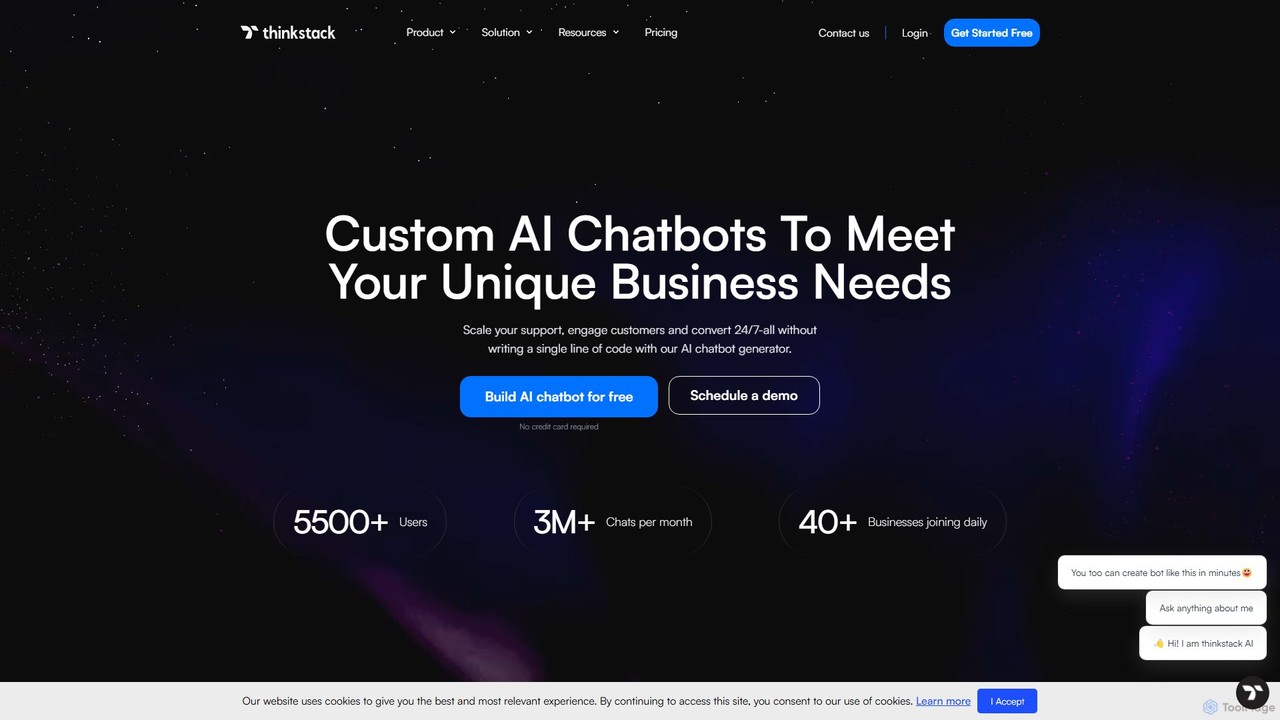
thinkstack Product overview

thinkstack is a no-code AI platform for creating custom AI agents and chatbots. Train them on your unique business data to automate customer support, scale engagement, and generate leads 24/7. Easily embed your AI chatbot on any website, app, or social platform and integrate with tools like Zapier, CRMs, and APIs without writing a single line of code.

Preview

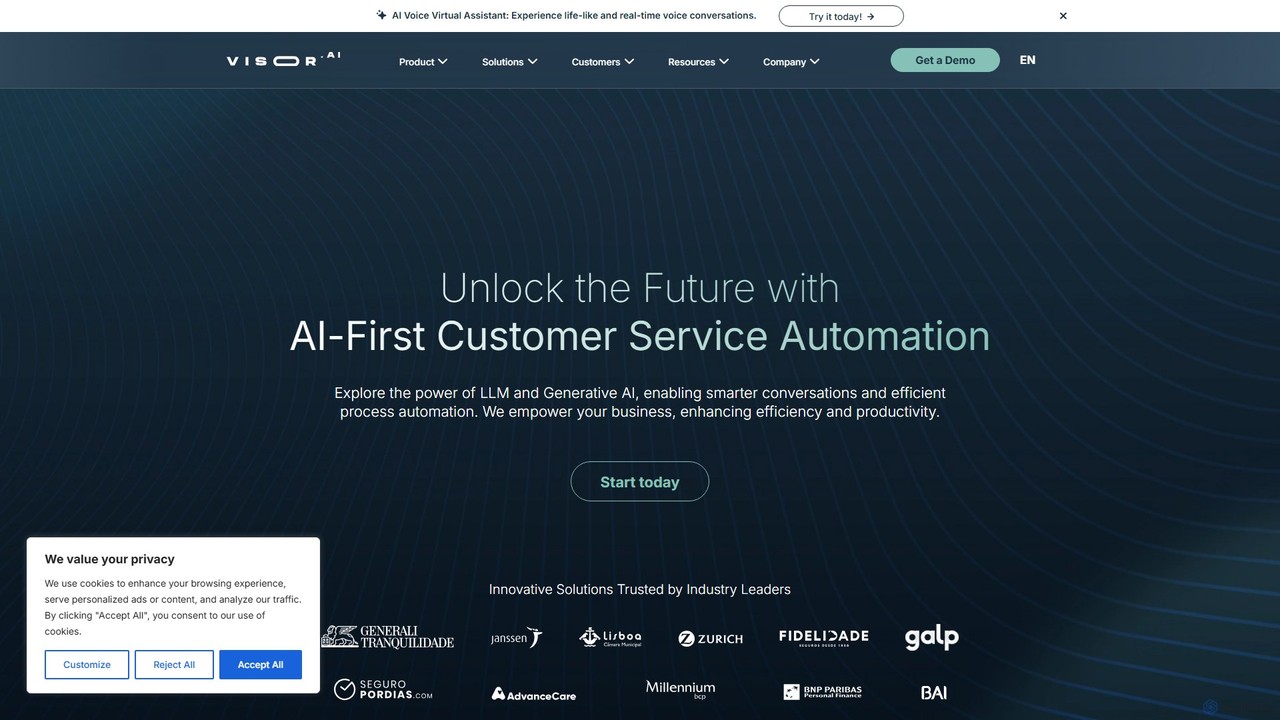
Visor.ai Product overview

Visor.ai is a no-code, omnichannel conversational AI platform designed to automate customer service. It leverages Machine Learning and NLP to build intelligent chatbots that can handle up to 80% of customer interactions on websites, WhatsApp, Messenger, and more, improving satisfaction and optimizing operational costs.

Preview

Quick facts

Compare product focus, pricing models and audiences. Highlighted rows indicate different listed information; unknown pricing does not mean free.

thinkstack VS Visor.ai — Quick facts
Quick factsthinkstackVisor.ai
Pricing modelFreemiumPaid
Product typeWebWeb
Primary focusChatbotChatbot
Audience and rolesNo data availableNo data available
CategoriesChatbot · No Code · Lead Generation · AutomationChatbot · No Code · Lead Generation · Automation
AddedAug 16, 2025Aug 2, 2025
UpdatedNov 19, 2026Nov 19, 2026

Features, usage and use cases

Explore the listed product descriptions, features and workflows. Taxonomy labels alone are not feature evaluations.

thinkstack

thinkstack is a powerful, no-code AI agent and chatbot generator designed to eliminate operational friction for businesses. It empowers teams to build, train, and deploy sophisticated AI chatbots tailored to their specific needs, enhancing customer interactions and streamlining internal workflows. By leveraging advanced large language models like GPT-4o, thinkstack allows you to automate conversations, provide 24/7 support, and drive conversions without requiring any coding expertise. The platform is built to scale with your business, from lean startups to large enterprises, helping you deliver exceptional customer experiences while saving time and resources.

The core philosophy behind thinkstack is to bridge the gap between customer expectations and a business's operational capabilities. It achieves this by providing an intuitive platform where you can train your AI on a wide range of proprietary data sources. This includes website URLs, documents (PDF, DOCX, MD), CSV files, Q&A pairs, and even your Notion workspace. This deep customization ensures that the chatbot's responses are accurate, relevant, and perfectly aligned with your brand's voice and knowledge base.

How to use thinkstack

Getting started with thinkstack is a straightforward, multi-step process designed for simplicity and speed:

  1. Set Up Your AI Agent: Begin by creating and customizing your AI agent within the thinkstack dashboard. Define its persona, objectives, and rules. You can create different agents for various tasks, such as a support agent for FAQs or a sales agent for lead qualification.
  2. Train with Your Data: Equip your AI chatbot with knowledge by uploading your data. You can connect it to URLs, upload files, import CSVs, or sync with your Notion workspace. The platform processes this information to build a comprehensive knowledge base for the bot.
  3. Customize and Brand: Tailor the chatbot's appearance to match your brand identity. Adjust colors, logos, welcome messages, and the overall tone of the conversation to ensure a seamless user experience that feels like a natural extension of your brand.
  4. Configure Actions and Integrations: Enhance your chatbot's capabilities by setting up automations and integrations. Connect it to your CRM, external APIs, or use the Zapier integration to trigger multi-step workflows, such as capturing leads, creating support tickets, or sending notifications.
  5. Deploy Anywhere: Once your chatbot is ready, thinkstack provides a simple embed code. Copy and paste this code into your website's HTML, CMS (like WordPress, Shopify, Wix), or even your Android/iOS application. You can choose from various display modes like a bubble, bar, or iframe to best suit your interface.

Core Features of thinkstack

  • No-Code Chatbot Generator: An intuitive, user-friendly interface to build and manage AI chatbots without any programming skills.
  • Custom Data Training: Train your AI on URLs, PDFs, DOCX, CSVs, Q&A inputs, and Notion workspaces for highly contextual responses.
  • Agentic Workflows: Create multi-step automations that can perform tasks sequentially, such as gathering information, validating it, and sending it to other systems.
  • Seamless Integrations: Connect with essential business tools like Zapier, Slack, CRMs, and any service with a REST API.
  • Human Handoff: Smoothly transition conversations from the AI bot to a human agent when a personal touch is required for complex or sensitive issues.
  • Multi-Platform Deployment: Embed your chatbot on any website builder (Wix, Shopify, Webflow, etc.), custom websites, and mobile apps (Android/iOS).
  • Advanced Analytics & Insights: Monitor performance with metrics on conversation trends, sentiment analysis, and AI-tagged topics to continuously improve your strategy.
  • Brand Customization: Fully customize the chatbot's appearance, voice, and personality to align with your brand.
  • Multi-Lingual Support: Engage with a global audience by conversing in over 90 languages.
  • AI-Powered Forms: Collect user data through interactive, conversational forms that feel natural and engaging.
  • Enterprise-Grade Security: Features fully encrypted communication, GDPR compliance, and user-controlled data protection.

Use Cases for thinkstack

thinkstack is versatile and provides tailored solutions across various industries:

  • E-Commerce: Boost sales with personalized product recommendations, 24/7 customer support, order tracking, and post-purchase feedback collection.
  • Healthcare: Improve patient engagement with 24/7 appointment booking, medication reminders, insurance verification, and secure post-treatment follow-ups.
  • Banking: Provide secure and efficient services like account balance inquiries, loan application assistance, fraud alerts, and customer feedback surveys.
  • Hospitality: Enhance the guest experience with an AI concierge for booking assistance, personalized recommendations, real-time support, and loyalty program automation.
  • SaaS: Streamline user support with automated onboarding guidance, feature explanations, demo scheduling, and instant answers to product questions.
  • Retail: Drive engagement and sales with personalized shopping assistance, store location information, and loyalty program support.

Advantages of thinkstack

thinkstack offers a significant competitive edge by transforming how businesses interact with their customers. It allows you to scale your support and sales operations without proportionally increasing headcount. The 24/7 availability ensures no customer query or lead is missed, regardless of time zones. By automating repetitive tasks, it frees up your human agents to focus on high-value, strategic initiatives. The platform's deep integration capabilities create a unified, frictionless workflow across your entire tech stack, while robust analytics provide the data-driven insights needed for continuous optimization and growth.

Pricing and Plans

thinkstack offers a flexible, freemium pricing model to suit businesses of all sizes.

  • Free Plan: $0/month. Includes 1 chatbot, 50 message credits/month, training on documents and links, and basic analytics. Ideal for individuals and small projects.
  • Basic Plan: $16/month. Includes 1 chatbot, 3,000 message credits/month, 12M characters per bot, and expanded training options.
  • Pro Plan: $90/month. Includes 5 chatbots, 15,000 message credits/month, advanced integrations (Zapier, Slack, WhatsApp), human handoff, sentiment analysis, and team management features.
  • Ultra Plan: $299/month. Includes 10 chatbots, unlimited messages (via your own OpenAI key after 30k credits), 10 team members, and all advanced features for scaling businesses.

Annual subscriptions are available with a discount, offering 2 months for free.

Visor.ai

Visor.ai is a sophisticated conversational AI platform engineered to revolutionize customer service through intelligent automation. It empowers businesses to create and manage powerful virtual assistants without needing any programming skills. By utilizing cutting-edge technologies like Machine Learning, Deep Learning, and Natural Language Processing (NLP), Visor.ai's chatbots can understand user intent, maintain natural conversations, and provide accurate, instant responses. The platform is designed to be fully managed by customer service teams, granting them complete autonomy from IT departments and enabling rapid innovation.

The core mission of Visor.ai is to help companies automate a significant portion of their customer interactions—up to 80%—across a multitude of digital channels. This not only leads to substantial cost optimization but also dramatically improves customer satisfaction by providing 24/7/365 support and eliminating wait times. The platform offers deep analytics, allowing businesses to understand customer behavior, gather feedback, and continuously improve their products and services.

How to use Visor.ai

Getting started with Visor.ai is a streamlined, four-step process designed for efficiency and success:

  1. Setup: The process begins by building a comprehensive Knowledge Base. Visor.ai's algorithms are fed with your existing FAQs, interaction histories, and other relevant documents. This initial data trains the AI to understand your business context and answer questions accurately from day one.
  2. Test: Once the initial setup is complete, the chatbot is tested with a select group of beta testers. This phase is crucial for fine-tuning the responses, optimizing the user experience, and ensuring the bot's performance meets your standards. The Visor.ai team provides support throughout this stage.
  3. Deploy: After successful testing, the virtual assistant is ready for launch. You can deploy it across your chosen channels, including your website (public or authenticated areas), Facebook Messenger, WhatsApp, or even within your native mobile app.
  4. Enhance: The journey doesn't end at deployment. Using the intuitive AI Studio, your team can continuously monitor conversations, analyze performance metrics, and enhance the chatbot's knowledge base. This ensures the solution evolves and improves over time, consistently delivering high-quality support.

Core Features of Visor.ai

  • No-Code Platform: An intuitive interface that allows non-technical teams to build, manage, and optimize chatbots without writing a single line of code.
  • Omnichannel Support: Engage with customers on their preferred platforms, including Website, WhatsApp, Facebook Messenger, Email, and custom Apps, all from a single platform.
  • Advanced AI Engine: Utilizes NLP and Machine Learning for superior intent and entity recognition, enabling more complex and natural conversations.
  • AI Studio: A powerful dashboard for managing the knowledge base, defining synonyms, analyzing bot performance, and refining answers for continuous improvement.
  • Human-Agent Handover: Seamlessly transfer complex or sensitive conversations to human agents, with the full chat history provided for context.
  • Robust Integrations: Easily connect with your existing systems (CRM, ERP, etc.) via a Conversational API, SFTP, and other methods. Supports Single Sign-On (SSO) for secure access.
  • Speech & Document Capabilities: Supports speech-to-text and text-to-speech for voice commands, as well as document sharing within the chat.
  • Enterprise-Grade Security: Ensures data protection with GDPR compliance and offers options like a Virtual Private Cloud (VPC) for maximum security.

Use Cases for Visor.ai

Visor.ai is versatile and can be applied across various industries and departments:

  • Customer Support: Automate responses to frequently asked questions, provide 24/7 support, and reduce agent workload, leading to faster resolution times.
  • Banking & Finance: Assist users with balance inquiries, transaction history, card blocking, and applications in a secure, authenticated environment.
  • Insurance: Handle policy inquiries, claim status updates, and quote generation, streamlining processes for both customers and agents.
  • E-commerce & Retail: Help customers with order tracking, product information, return policies, and personalized recommendations.
  • Internal Support (HR/IT): Deploy an internal chatbot to answer employee questions about company policies, IT issues, or HR procedures.

Advantages of Visor.ai

Visor.ai offers a competitive edge by providing a solution that is both powerful and user-friendly. Key advantages include a significant reduction in operational costs, a marked increase in customer satisfaction and loyalty through instant support, and the empowerment of customer service teams with full control over their automation tools. The platform's scalability allows businesses to start small and expand their automation efforts as they grow, ensuring a future-proof investment in their customer experience strategy.

Pricing and Plans

Visor.ai provides customized pricing plans tailored to the unique needs of each business. The pricing structure typically depends on factors such as the volume of monthly interactions, the number of channels deployed, and the complexity of integrations. To receive a detailed proposal and a personalized quote, businesses are encouraged to contact the Visor.ai sales team for a consultation and platform demo.

Positioning

Their taxonomy shows where the products overlap and where each one has a more distinct focus. Unknown fields are shown explicitly and are never filled with assumptions.

Categories

Shared
ChatbotNo CodeLead GenerationAutomation
Only thinkstack
No listed items
Only Visor.ai
No listed items

Tags

Shared
automationchatbotcustomer supportlead generationno-code
Only thinkstack
AI agentbusinessgpt-4integrationwebsite builderZapier
Only Visor.ai
conversational AIcustomer servicemachine learningNLPomnichannelvirtual assistant

Audience and roles

Shared
No listed items
Only thinkstack
No listed items
Only Visor.ai
No listed items

Traffic comparison

Traffic is shown on the same scale so differences in market visibility are not visually understated.

How to interpret the traffic data

Both charts share the same months and vertical scale. Each tool identifies its latest reporting month; missing months are left blank, not counted as zero. Regional and source visit counts are estimates calculated from the reported shares.

thinkstack monthly traffic:

Latest traffic · 2026-05

Monthly visits
25.3K
Avg. visit duration
0:21
Pages per visit
2.99
Bounce rate
37.95%
Data updated 2026-06-15

Monthly traffic trend

  • 2025-09: 46.6K
  • 2026-01: 52.8K
  • 2026-02: 30K
  • 2026-03: 24.3K
  • 2026-04: 23.1K
  • 2026-05: 25.3K

Top regions

Top 5 countries/regions
Country/regionPercentageEstimated visits
🇺🇸United States43.85%11.1K
🇳🇬Nigeria20.23%5.1K
🇷🇺Russia17.05%4.3K
🇮🇳India11.45%2.9K
🇧🇷Brazil7.42%1.9K

Search keywords

ai enterprise saas sales cycle run by agentschatbot local smbthink stackthinkstackwhats the nest ai model?

Visor.ai monthly traffic:

Latest traffic · 2026-05

Monthly visits
3.6K
Avg. visit duration
0:00
Pages per visit
1.09
Bounce rate
38.55%
Data updated 2026-06-15

Monthly traffic trend

  • 2025-09: 6.4K
  • 2026-01: 7.7K
  • 2026-02: 4.7K
  • 2026-03: 5.5K
  • 2026-04: 8.1K
  • 2026-05: 3.6K

Top regions

Top 5 countries/regions
Country/regionPercentageEstimated visits
🇵🇹Portugal37.85%1.4K
🇮🇳India35.91%1.3K
🇧🇷Brazil26.24%953

Search keywords

ai visorvisiro ai toolvisorvisor aivisro ai

Community signals

Ratings, comments, favorites, and likes are community signals—not a substitute for product fit.

thinkstack

Rating
No data available
Comments
0
Favorites
188
Likes
167

Visor.ai

Rating
No data available
Comments
0
Favorites
177
Likes
175

thinkstack vs Visor.ai · Comparison FAQ

What do thinkstack and Visor.ai have in common?
Both tools are listed under Chatbot、No Code、Lead Generation、Automation. These categories indicate overlapping use cases; compare their detailed descriptions for workflows, capabilities and limitations.
Are thinkstack and Visor.ai free?
Listed pricing models: thinkstack — Freemium; Visor.ai — Paid. Missing pricing is not proof of a free plan, and freemium does not mean every feature is free. Check official sites for current plans, limits and trials.
How should I choose between thinkstack and Visor.ai?
The primary listed category is Chatbot for thinkstack, and Chatbot for Visor.ai. Compare features, steps and use cases, then verify pricing, data permissions and deployment needs. This page does not include hands-on testing and does not declare a winner from traffic or tags.

Sources and comparison methodology

This page is assembled from ToolMage product listings, taxonomy, traffic statistics and on-site user feedback. It is not a hands-on test or an independent review.

  • Feature and plan descriptions reflect information in the listings, not real-time guarantees. Verify pricing, quotas, availability and privacy terms on the official sites.
  • Traffic uses the reporting months shown. Missing statistics do not mean zero visits, and different periods do not establish growth or superiority. Regional and source visit counts are estimates based on shares.
  • Different tags indicate differences in the listings, not proof that the other product lacks a capability. Ratings, favorites and visits are not used to declare a winner.

Related comparisons