Asseter
Asseter is an AI-powered Digital Asset Management (DAM) platform for CG artists and creative teams. It organizes and …
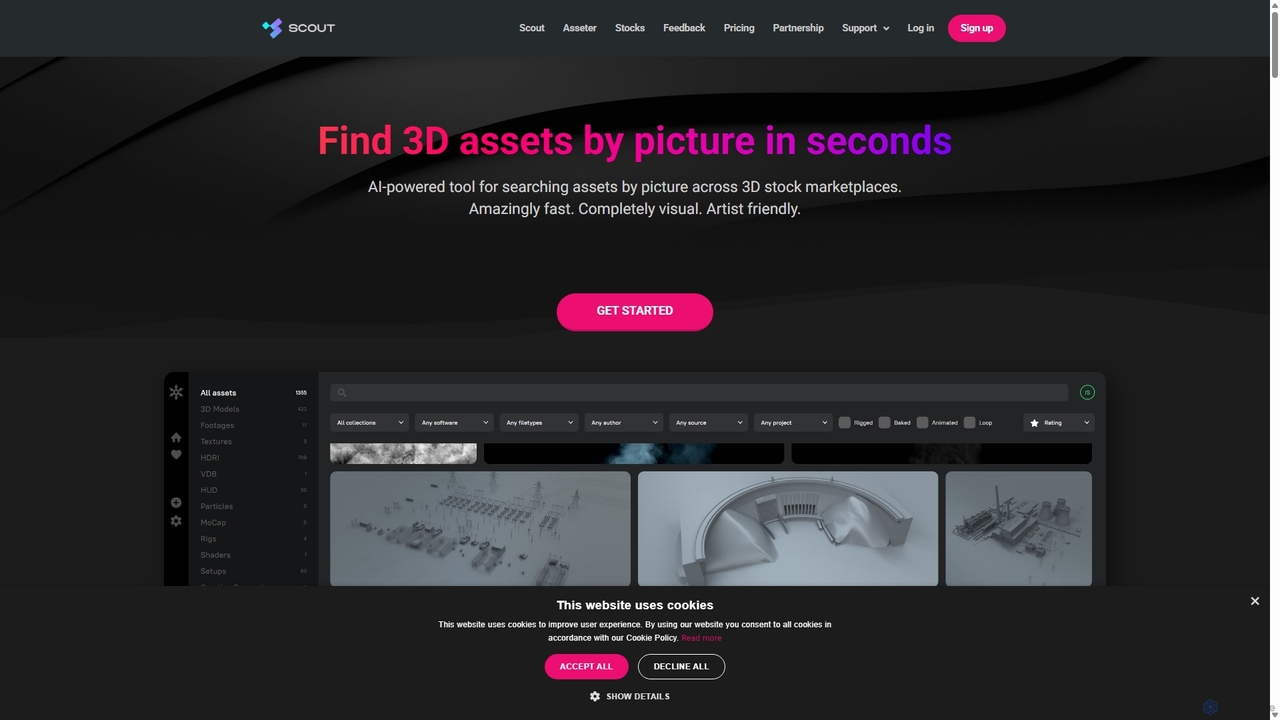
Asseter is an AI-powered Digital Asset Management (DAM) platform for CG artists and creative teams. It organizes and categorizes 3D models and media, featuring deep DCC software integration. It includes Scout, a unique visual search engine that finds 3D assets from stock marketplaces using just a picture, dramatically speeding up creative workflows.
About Asset Management
AI-powered Asset Management tools for 3D & Animation are specialized solutions designed to intelligently organize, track, and optimize the vast array of digital assets used in 3D production workflows. Leveraging artificial intelligence, these platforms automate tasks like metadata tagging, content categorization, and intelligent search, significantly streamlining the handling of 3D models, textures, animations, rigs, and scenes. They empower creative teams to efficiently manage complex projects, reduce search times, and ensure asset consistency across various stages of development.
Core Features
- Automated Metadata Tagging: AI algorithms automatically analyze 3D assets to extract and apply relevant metadata, such as object type, material, poly count, and usage context.
- Intelligent Search & Retrieval: Enables semantic and visual search capabilities, allowing artists to quickly find specific assets based on descriptions, visual similarity, or project context.
- Version Control & Dependency Tracking: Manages multiple iterations of assets and tracks their dependencies within complex scenes or projects, preventing data loss and ensuring consistency.
- Quality Assurance & Compliance: AI can identify potential issues like missing textures, incorrect scaling, or non-compliant asset specifications, ensuring high standards before integration.
- Cross-Platform Integration: Seamlessly connects with popular 3D digital content creation (DCC) tools, game engines, and project management systems for a unified workflow.
Applicable Scenarios
These tools are indispensable for large-scale 3D productions, including game development studios managing thousands of character models and environments, visual effects (VFX) houses handling complex scene assets, and architectural visualization firms organizing extensive libraries of building components and materials. They also benefit product design teams needing to track numerous design iterations and material variations.
How to Choose
When selecting an AI Asset Management tool for 3D & Animation, consider its integration capabilities with your existing DCC software and game engines, the sophistication of its AI tagging and search features, and its scalability to handle your project's asset volume. Evaluate its version control system, security protocols, and the clarity of its user interface. Additionally, assess the pricing model and the level of technical support offered to ensure it aligns with your team's budget and expertise.
Asset ManagementUse Cases
Automated Game Asset Categorization
A game development studio with thousands of 3D models, textures, and audio files uses AI asset management to automatically categorize and tag new assets upon import. This allows artists and designers to quickly locate specific assets like "sci-fi weapon, low-poly, PBR texture" without manual sorting, drastically reducing search time and improving content pipeline efficiency.
Intelligent Search for VFX Textures
A VFX artist working on a film needs a specific type of "grungy concrete texture with water stains" for a scene. Instead of manually browsing folders, they use the AI asset manager's intelligent search, which understands natural language queries and visual similarity, to instantly retrieve relevant textures from the studio's vast library, accelerating scene development.
Version Control for Architectural Visualization Projects
An architectural visualization firm collaborates on a large building project, with multiple designers creating and modifying 3D models of facades, interiors, and landscaping. The AI asset management tool automatically tracks all versions of each model, highlights changes, and manages dependencies, ensuring everyone works with the latest approved assets and preventing conflicts.
Dependency Tracking for Animation Rigs
An animation studio manages complex character rigs with numerous linked components (meshes, skeletons, blend shapes). The AI asset manager automatically maps these dependencies, alerting animators if a linked asset is missing or outdated, and ensuring that any changes to a core component are propagated correctly across all dependent animations and scenes.
Quality Assurance for Product Design Assets
A product design team frequently updates 3D models for new product iterations and marketing materials. They use AI asset management to automatically scan new models for common issues like non-manifold geometry, incorrect material assignments, or excessive poly counts, ensuring all assets meet technical and visual quality standards before final rendering or manufacturing.
Cross-Studio Asset Sharing and Collaboration
Multiple external studios are collaborating on a large animated series, requiring seamless sharing of character models, environments, and props. An AI asset management platform facilitates secure, controlled sharing of approved assets, automatically handling format conversions where necessary, and providing a centralized hub for all collaborators to access and contribute to the project's digital library.