
Free
Popular Ai Agents AI tools include Linkgo, Gabber, and Viberia, helping you work more efficiently.
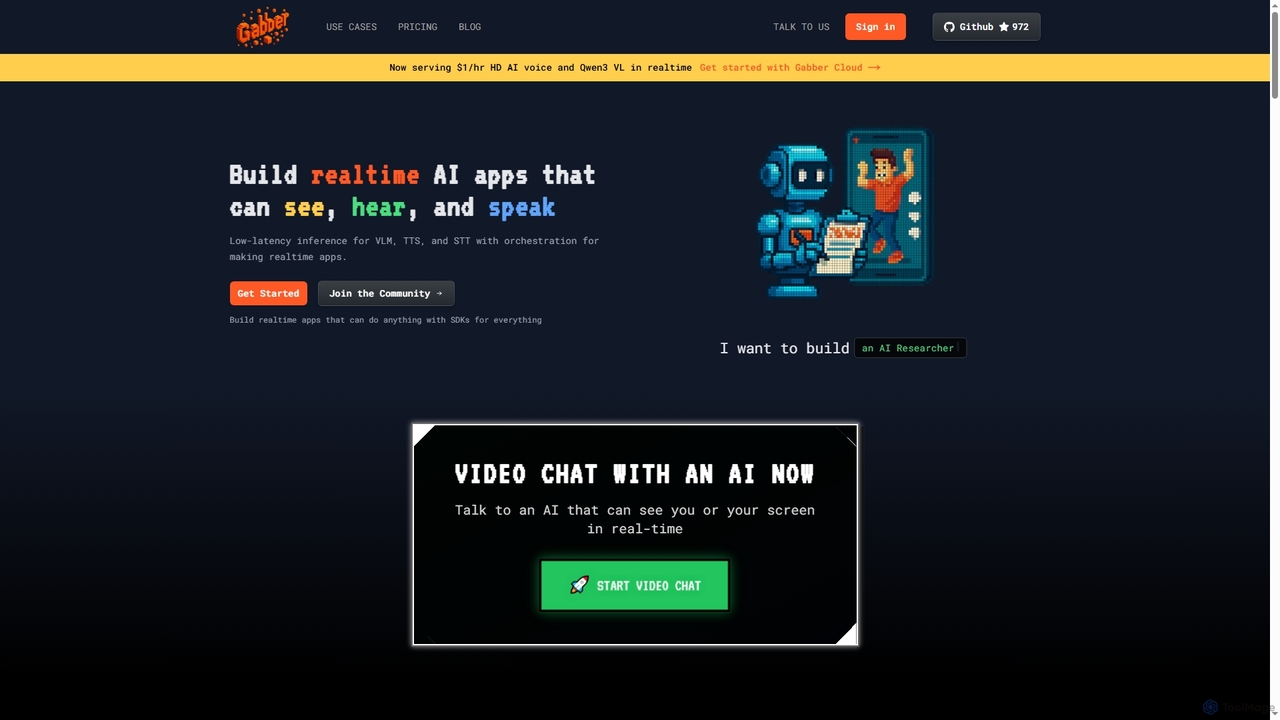
Gabber is a powerful platform for building real-time, multimodal AI applications that can see, hear, and speak. It offers low-latency inference for Vision Language Models (VLM), Text-to-Speech (TTS), and Speech-to-Text (STT), coupled with a graph-based orchestration system for rapid development and deployment.
Conversational AiAI Agents are a class of AI-powered tools designed to autonomously understand goals, make decisions, and execute multi-step tasks across various digital environments. These tools leverage Large Language Models (LLMs) and planning algorithms to interpret user requests, interact with applications, and adapt their actions to achieve a specific outcome. They function as proactive digital assistants, capable of handling complex workflows like market research, software testing, or personal task management without direct human intervention for each step. Unlike simple automation scripts, AI Agents can reason, learn from interactions, and handle unexpected situations.
AI Agents are utilized by developers for automating code generation and debugging, by marketers for conducting in-depth competitor analysis, and by business analysts for data gathering and report synthesis. Individuals also use them as powerful personal assistants to manage schedules, plan travel, and automate online routines.
When selecting an AI Agent, consider the complexity of tasks you need to automate. Evaluate its integration capabilities with your existing tools and platforms. Assess the level of autonomy and control offered, ensuring it aligns with your operational requirements. Finally, review the security protocols for handling sensitive data and credentials, as the agent will often interact with private accounts and information.
A marketing strategist needs to compile a comprehensive report on the top three competitors for an upcoming product launch. Instead of spending days manually browsing websites, news articles, and social media, they instruct an AI Agent with the goal: 'Analyze competitors X, Y, and Z, focusing on their product features, pricing, and recent marketing campaigns. Synthesize the findings into a summary report.' The agent autonomously navigates the web, extracts relevant data, identifies key trends, and compiles a structured document, delivering it to the strategist's inbox. This process reduces research time from days to hours.
A consultant needs to plan a multi-city business trip across Europe. They provide an AI Agent with constraints and preferences: 'Book a 7-day trip from New York to London, then Paris, ending in Berlin. Find flights with morning departures, book 4-star hotels near city centers with Wi-Fi, and add all confirmations to my Google Calendar.' The agent interacts with airline and hotel booking APIs, compares options based on the criteria, performs the bookings using stored payment information, and creates calendar events with all relevant details like flight numbers and hotel addresses. This automates a task that would typically require hours of coordination.
A software developer wants to streamline their testing and deployment workflow. They configure an AI Agent to monitor their code repository. When new code is pushed, the agent's task is to: '1. Run the full suite of unit and integration tests. 2. If all tests pass, deploy the code to the staging server. 3. If any test fails, create a detailed bug report in Jira, assign it to the developer, and post a notification in the team's Slack channel.' The agent interacts with GitHub, the testing framework, the deployment server, Jira's API, and Slack's API to execute this entire workflow autonomously, allowing the developer to focus on writing code rather than managing processes.
An executive wants a personalized daily briefing every morning. They set up an AI Agent with the recurring task: 'At 7 AM daily, check my calendar for today's meetings, scan top news headlines in the tech industry, review the performance of my stock portfolio, and check the weather forecast. Compile all this into a single email summary and send it to me.' The agent integrates with Google Calendar, news APIs, a stock market data provider, and a weather service. It gathers, filters, and formats the information into a concise, easy-to-read brief, providing a customized intelligence report to start the day efficiently.
An e-commerce store owner struggles with keeping popular items in stock. They deploy an AI Agent to manage inventory. The agent's instructions are: 'Continuously monitor stock levels for all products. When the stock of any item drops below 20 units, automatically generate a purchase order for 100 units from the primary supplier's portal. If the primary supplier is out of stock, check with the secondary supplier. Once the order is confirmed, update the 'expected restock' date on the product page.' This agent prevents stockouts, automates the reordering process, and keeps customers informed, directly improving sales and customer satisfaction.
A recruiter for a tech company needs to find qualified candidates for a 'Senior Python Developer' role. They task an AI Agent to: 'Search LinkedIn, GitHub, and developer forums for profiles matching these criteria: 5+ years of Python experience, experience with Django, and located in North America. For each qualified profile, extract their contact information, summarize their experience, and add them to our applicant tracking system (ATS) with a 'Sourced' tag.' The agent automates the time-consuming sourcing phase, building a pipeline of potential candidates and allowing the recruiter to focus on engagement and interviews.
An AI Agent is an autonomous software program that can perceive its environment, make decisions, and take actions to achieve specific goals. Unlike traditional programs that follow predefined instructions, AI Agents use artificial intelligence, particularly large language models, to understand high-level commands, plan multi-step tasks, and interact with various digital tools and platforms. They essentially act as independent problem-solvers that can automate complex workflows on a user's behalf.
Choosing the right AI Agent involves evaluating several key factors based on your needs:
The primary difference lies in their purpose and capability. A chatbot is designed for conversation; its main function is to understand user queries and provide information or answers within a relatively defined scope. They are typically reactive. An AI Agent, on the other hand, is designed for action. It goes beyond conversation to autonomously execute complex, multi-step tasks across different applications to achieve a goal. Agents are proactive planners and executors, while chatbots are conversational interfaces.
AI Agents can perform a wide range of digital tasks, from simple to highly complex. Common examples include:
Security is a critical consideration for AI Agents, as they often require access to personal accounts, files, and sensitive information to perform tasks. Reputable AI Agent tools implement various security measures, such as data encryption, secure credential management (like OAuth or dedicated vaults), and strict access controls. However, it is essential for users to choose trusted providers, review their privacy policies, and understand what data the agent will access. It is also good practice to grant agents only the minimum permissions necessary to complete their tasks.