Best of the Year 2 results Ai For Kids AI Tools

Popular AI tools in the Ai For Kids field include Super Teacher、Brainlox, etc., helping you quickly improve efficiency.

Brainlox

Brainlox

Brainlox is an AI-powered educational platform designed to make learning to code an engaging and personalized experience. It …

3.2K
Super Teacher

Super Teacher

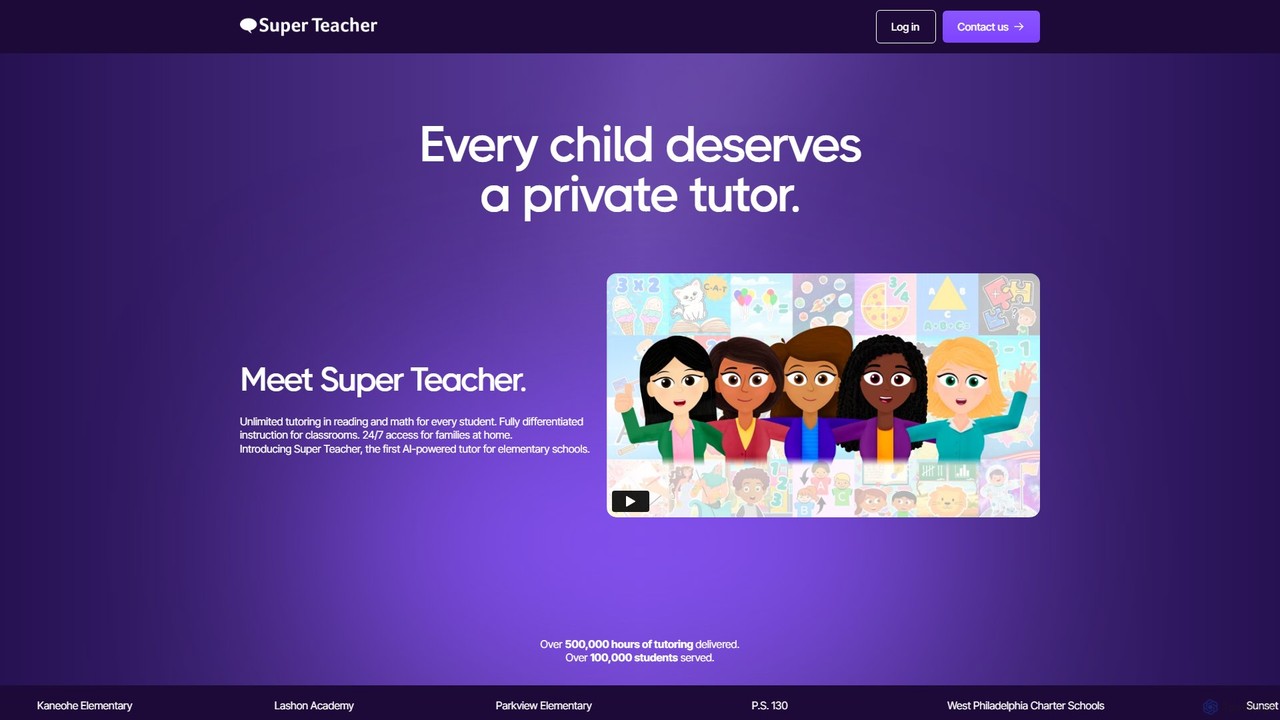
Super Teacher is an AI-powered tutor designed for elementary schools, providing unlimited, personalized tutoring in reading and math. …

10.1K

About Ai For Kids

AI for Kids tools are a category of software and applications that leverage artificial intelligence to create interactive, personalized, and educational experiences for children. These tools often use technologies like natural language processing (NLP), machine learning, and computer vision to adapt content to a child's individual learning pace and style. Their primary value lies in making learning subjects like coding, math, and languages more engaging and effective, while fostering creativity and critical thinking skills in a safe, controlled environment. They transform passive learning into an active, exploratory journey.

Core Features

  • Personalized Learning Paths: The AI assesses a child's skill level and automatically adjusts the difficulty and content of lessons or games.
  • Interactive Storytelling & Creation: AI algorithms help children co-create stories, generate artwork, or compose music based on their inputs.
  • Gamified Educational Content: Core learning concepts in subjects like math, science, and coding are presented as fun, interactive games and challenges.
  • Safe & Moderated Environments: Built-in content filters, parental controls, and privacy protections ensure a child-safe experience.
  • Instant Feedback & Guidance: AI tutors provide real-time hints, corrections, and encouragement as a child works through problems or projects.

Use Cases

AI for Kids tools are primarily used in home and school settings. Parents use them for supplemental education, homework help, and as a productive form of screen time. In classrooms, teachers integrate these tools as digital assistants to provide individualized instruction and make lessons more dynamic. They are particularly effective for introducing foundational STEM concepts, such as logic and programming, in an accessible and enjoyable way from an early age.

How to Choose

When selecting an AI tool for a child, prioritize age-appropriateness, ensuring the interface and content match the child's developmental stage. Evaluate the educational value by checking if it aligns with established curricula and promotes genuine learning, not just memorization. Scrutinize the safety and privacy features, looking for clear data policies and robust parental controls. Finally, consider the engagement factor; a good tool should be fun and motivating enough to hold a child's interest over time.

Ai For KidsUse Cases

1

Learning to Code with an AI Tutor

A 10-year-old student interested in video games uses an AI-powered coding platform to learn Python. The platform presents challenges as a series of quests in a fantasy world. When the student gets stuck on a function, the AI tutor doesn't give the answer directly. Instead, it asks guiding questions like, 'What kind of loop could you use to repeat this action?' and provides visual examples of similar code. This interactive feedback helps the student understand the logic behind the code, rather than just copying a solution, accelerating their learning curve and building problem-solving confidence.

2

Creating Interactive AI-Generated Stories

A parent and their 7-year-old child use an AI storytelling app to create a bedtime story. They start by providing a prompt: 'A brave squirrel who wants to fly to the moon.' The AI generates the first paragraph and then offers three choices for what happens next. The child chooses an option, and the AI continues the narrative, incorporating their decision. It even generates illustrations in a cartoon style to match the story's events. This process turns reading into an interactive and creative activity, enhancing the child's imagination and comprehension skills.

3

Practicing a New Language with an AI Pal

An 8-year-old is learning Spanish at school and uses an AI language app at home to practice. The app features an animated character, an 'AI Pal,' that engages the child in simple conversations. The child can speak into the device's microphone, and the AI uses speech recognition to understand them. If the child makes a pronunciation mistake, the AI Pal gently corrects them and repeats the word correctly. It introduces new vocabulary through fun mini-games, like a virtual scavenger hunt, making language practice feel less like a chore and more like playing with a friend.

4

Solving Math Problems through Gamification

A 9-year-old struggling with fractions uses an AI-powered math game. The game sets challenges in the context of running a virtual pizza shop, where the child must correctly calculate fractions to fulfill customer orders. The AI adapts the difficulty in real-time; if the child answers several questions correctly, it introduces more complex fractions. If they struggle, it provides visual aids, breaking down the problem into simpler steps. This personalized, game-based approach helps demystify a difficult subject and improves the child's math skills and confidence without the pressure of a traditional test.

5

AI-Assisted Drawing and Animation

A 6-year-old loves to draw but gets frustrated when their creations don't look like what they imagine. They use an AI drawing app where they can sketch a simple shape, like a circle with two triangles on top, and type 'cat'. The AI interprets the sketch and the text prompt, transforming the basic drawing into a polished, cartoon-style cat. The child can then color it and even use an AI feature to animate it, making the cat wave its tail. This encourages artistic exploration by bridging the gap between a child's imagination and their developing motor skills.

6

Exploring Science with a Virtual Lab Assistant

In a classroom setting, a teacher uses an AI-powered virtual science lab to demonstrate chemical reactions that would be too dangerous for students to perform physically. Students can interact with the simulation on their tablets, guided by an AI lab assistant. They can mix different virtual chemicals and observe the results. The AI assistant explains the scientific principles behind each reaction in simple, age-appropriate terms and quizzes them to check for understanding. This provides a safe, interactive, and scalable way to teach complex scientific concepts, making science education more accessible and engaging.

Ai For KidsFrequently Asked Questions