Best of the Year 1 results Ai Imaging AI Tools

Popular AI tools in the Ai Imaging field include Aihairtransplant, etc., helping you quickly improve efficiency.

Aihairtransplant

Aihairtransplant

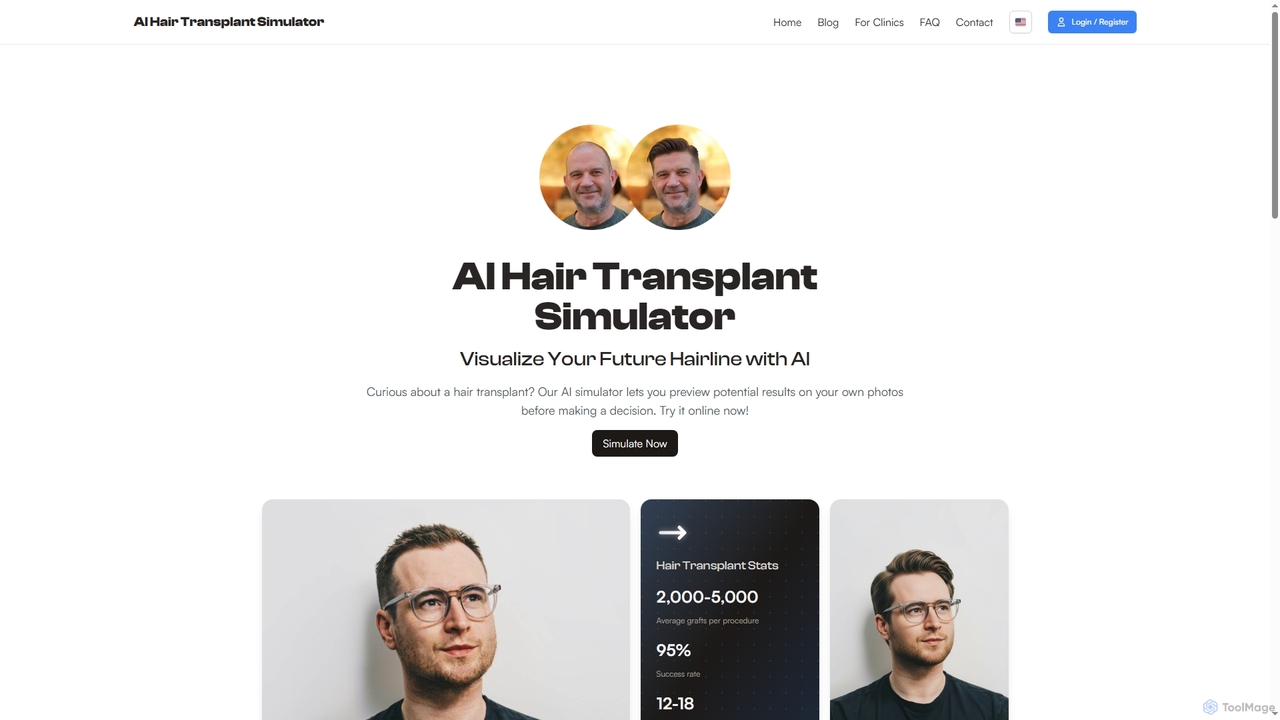
Aihairtransplant is an AI-powered simulator that allows individuals to visualize potential hair transplant results on their own photos. …

3.1K

About Ai Imaging

AI Imaging tools are AI-powered software solutions that create, modify, or analyze visual content using advanced algorithms. These tools leverage deep learning models to understand and manipulate images, enabling users to generate realistic graphics, enhance existing photos, or extract insights from visual data. They are invaluable for creative professionals, marketers, and researchers seeking to automate visual tasks and push the boundaries of digital artistry. AI Imaging streamlines workflows and opens new possibilities for visual content creation.

Core Features

  • Generative AI: Creating novel images, illustrations, or art from text descriptions (prompts) or existing visual inputs.
  • Image Enhancement: Improving image quality through upscaling resolution, denoising, color correction, and sharpening details.
  • Background Removal & Editing: Automatically detecting and removing image backgrounds, or seamlessly editing specific elements within an image.
  • Style Transfer: Applying artistic styles from one image to another, transforming photos into paintings or other aesthetic forms.
  • Object Recognition & Manipulation: Identifying objects within images and allowing for their selective modification, addition, or removal.

Applicable Scenarios

AI Imaging tools are widely adopted across various sectors. Marketing and advertising agencies use them to rapidly generate diverse campaign visuals and product mockups. E-commerce businesses leverage AI for consistent product photography, background removal, and virtual try-ons. Game developers and concept artists utilize these tools for quick iteration on character designs, environments, and textures, accelerating the creative process.

How to Choose

When selecting an AI Imaging tool, consider the primary use case: generation, editing, or analysis. Evaluate the output quality and fidelity, especially for professional applications. Assess the ease of use and user interface, as well as integration capabilities with existing design software or platforms. Finally, compare pricing models, available features, and the community support or learning resources provided by the vendor to ensure it meets your specific needs and budget.

Ai ImagingUse Cases

1

Generate Marketing Campaign Visuals

Marketing teams can utilize AI Imaging tools to rapidly produce diverse visual assets for advertising campaigns. By inputting text prompts describing desired themes, products, or styles, they can generate multiple banner ads, social media graphics, or website hero images in minutes. This significantly accelerates content creation cycles, allowing for more A/B testing and personalized visual content without extensive design resources.

2

Enhance E-commerce Product Photography

E-commerce businesses can leverage AI Imaging to automatically enhance product photos, ensuring consistency and high quality across their online stores. Tools can remove backgrounds, adjust lighting, correct colors, and even generate lifestyle mockups from simple product shots. This saves significant time and cost compared to traditional photography and editing, leading to more appealing product listings and improved conversion rates.

3

Create Concept Art for Games and Films

Game developers and film production artists can use AI Imaging to rapidly generate concept art and visual development assets. By providing text prompts or rough sketches, artists can explore countless variations of characters, environments, props, and mood boards in a fraction of the time it would take manually. This accelerates the pre-production phase, allowing for more creative exploration and faster decision-making in visual design.

4

Restore and Colorize Old Photographs

Individuals and archivists can utilize AI Imaging tools to breathe new life into old or damaged photographs. AI algorithms can automatically repair scratches, remove dust, enhance faded details, and even accurately colorize black-and-white images. This preserves historical memories and makes vintage photos more accessible and engaging for modern audiences, without requiring extensive manual retouching skills.

5

Automate Social Media Content Creation

Social media managers and content creators can streamline their workflow by using AI Imaging to generate engaging visuals for various platforms. From creating unique post images based on trending topics to resizing and optimizing existing graphics for different aspect ratios, AI tools significantly reduce the manual effort involved. This enables consistent posting schedules and a higher volume of visually appealing content, boosting audience engagement.

6

Scientific Image Analysis and Visualization

Researchers and scientists in fields like medicine, biology, and astronomy use AI Imaging for advanced analysis and visualization of complex data. AI can identify patterns, segment objects, quantify features, and enhance details in medical scans, microscopic images, or satellite data. This capability accelerates discovery, aids in diagnosis, and provides clearer insights from vast amounts of visual scientific information, often surpassing human observational limits.

Ai ImagingFrequently Asked Questions