ToolMage
Sign in

Best 1 Gpu Rental AI tools for Ai Infrastructure

Popular Gpu Rental AI tools in Ai Infrastructure include Vast.ai, helping you work more efficiently.

Vast.ai
Paid

Vast.ai

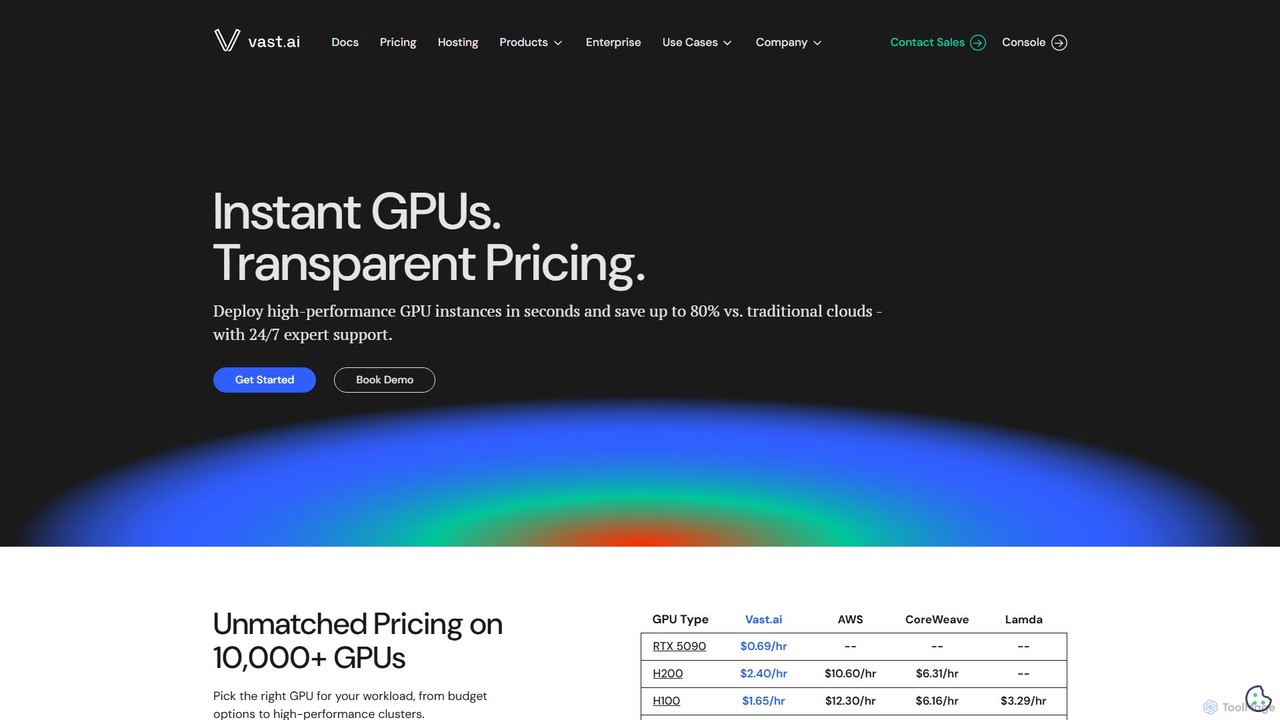
Vast.ai is a leading GPU cloud platform offering on-demand access to a vast network of GPUs for AI and machine learning workloads. It provides developers and enterprises with high-performance computing at significantly lower costs—up to 80% less than traditional cloud providers—through a transparent, pay-as-you-go marketplace.

Gpu Rental
Visits 1.4MFavorites 129Likes 126

About Gpu Rental

GPU Rental services provide on-demand access to high-performance Graphics Processing Units (GPUs) via the cloud. These platforms allow users to rent powerful computing resources for specific periods, eliminating the high upfront cost and maintenance of owning physical hardware. This model is crucial for computationally intensive tasks such as training large AI models, running complex scientific simulations, and rendering high-fidelity graphics. Users benefit from the flexibility to scale resources up or down based on project needs, paying only for the compute time they use.

Core Features

  • Wide GPU Selection: Access to a diverse range of GPUs, from consumer-grade models to data center powerhouses like the NVIDIA A100 or H100.
  • On-Demand Provisioning: Ability to instantly launch and shut down GPU instances as needed, providing maximum flexibility.
  • Pre-configured Environments: Ready-to-use software stacks with popular AI frameworks like PyTorch, TensorFlow, and CUDA pre-installed.
  • Scalable Clusters: Capability to easily scale from a single GPU to a multi-GPU cluster for distributed training and large-scale tasks.
  • Pay-As-You-Go Pricing: Flexible billing models, including hourly rates and spot instances, that optimize costs for variable workloads.

Use Cases

GPU rental is primarily used by AI/ML developers, data scientists, and researchers for model training and inference. It is also essential for VFX artists, animators, and game developers who require significant rendering power. Additionally, academic and scientific researchers leverage these services for complex simulations in fields like physics, biology, and finance.

How to Choose

When selecting a GPU rental service, first consider the specific GPU models available and whether they meet your performance requirements. Evaluate the pricing structure—compare hourly on-demand rates with cheaper, but interruptible, spot instances. Assess the ease of use, including the availability of pre-configured environments and API access. Finally, consider network performance, such as data transfer speeds and storage options, especially when working with large datasets.

Gpu Rental use cases

1

Accelerating AI Model Training

A data science team at a startup is developing a large language model. Instead of investing hundreds of thousands of dollars in an on-premise GPU server, they use a GPU rental service to access a cluster of 8 NVIDIA H100 GPUs. They upload their dataset and use a pre-configured PyTorch environment to begin training immediately. This approach reduces their training time from months to just under two weeks, allowing them to iterate on their model architecture much faster and bring their product to market sooner.

2

High-Fidelity 3D Rendering for VFX

A freelance 3D artist is working on a short animated film with a tight deadline. The final rendering process requires immense computational power that their personal workstation cannot provide in time. They rent a high-end NVIDIA RTX 4090 instance for 48 hours over a weekend. By offloading the rendering task to the powerful cloud GPU, they complete the entire sequence in two days instead of the projected two weeks, meeting the client's deadline and delivering a high-quality product without a major hardware investment.

3

Scientific Research and Complex Simulations

A university research lab is conducting molecular dynamics simulations to study protein folding. These simulations are computationally expensive and require parallel processing capabilities. The lab rents a multi-GPU server on an hourly basis to run their simulations. This allows them to test multiple hypotheses in parallel and obtain results in days rather than months. The pay-as-you-go model fits perfectly within their limited research grant budget, providing access to supercomputing power without the cost of ownership.

4

Fine-Tuning Open-Source AI Models

A developer wants to build a specialized chatbot for the legal industry by fine-tuning an open-source model like Llama 3. The fine-tuning process requires a GPU with significant VRAM. The developer rents a single NVIDIA A100 GPU for a week. They use the provided Jupyter Notebook environment to load the model, prepare their custom dataset, and run the fine-tuning script. This cost-effective approach allows them to create a powerful, domain-specific AI tool without needing to purchase enterprise-grade hardware for a one-off project.

5

Large-Scale Data Processing and Analytics

A financial analyst needs to process terabytes of historical stock market data to backtest a new trading algorithm. Using traditional CPU-based methods would take weeks. Instead, they rent a GPU instance and use libraries like RAPIDS, which leverage CUDA to accelerate data science workflows. The GPU's parallel processing capabilities reduce the data processing time to a matter of hours, enabling the analyst to run more extensive tests and refine their algorithm with greater confidence and speed.

6

Game Development and Performance Testing

An indie game development studio is preparing to launch their new title. They need to test the game's performance across a wide range of hardware, including various NVIDIA and AMD GPUs, which they don't own physically. They use a GPU rental platform to spin up virtual machines with different GPU configurations. This allows their QA team to efficiently identify performance bottlenecks, test graphics settings, and ensure a smooth player experience on diverse hardware, all without the expense and complexity of maintaining a physical hardware lab.

Gpu Rental FAQ

What is GPU Rental?

GPU Rental is a cloud computing service that allows users to rent access to powerful Graphics Processing Units (GPUs) on an on-demand basis. Instead of buying expensive hardware, you can pay for compute time as needed. These services are ideal for tasks like AI model training, scientific simulation, and 3D rendering, providing access to the latest hardware with flexible, scalable, and cost-effective pricing models.

Why should I rent a GPU instead of buying one?

Renting a GPU offers several advantages over buying one. Firstly, it's more cost-effective for short-term or intermittent needs, avoiding a large upfront investment. Secondly, it provides immediate access to a wide variety of the latest and most powerful GPUs, which might be expensive or difficult to purchase. Lastly, renting eliminates maintenance, power, and cooling costs, and allows you to easily scale up to multiple GPUs for larger projects.

How to choose the right GPU rental service?

To choose the right service, consider these factors:

  • GPU Availability: Ensure the service offers the specific GPU models you need (e.g., NVIDIA A100 for training, RTX series for rendering).
  • Pricing Model: Compare on-demand hourly rates, reserved instances for longer projects, and cheaper (but interruptible) spot instances.
  • Software Environment: Check for pre-configured environments with necessary drivers, CUDA, and AI frameworks like PyTorch or TensorFlow to save setup time.
  • Network and Storage: Evaluate data transfer speeds and storage costs, as these can significantly impact your project's overall cost and efficiency.
What's the difference between GPU rental and using a major cloud provider like AWS or GCP?

While major cloud providers like AWS, GCP, and Azure offer GPU instances, specialized GPU rental services often provide a more streamlined experience for GPU-intensive tasks. Key differences can include simpler pricing, easier setup with pre-configured machine learning environments, and access to a wider or more specific range of GPU hardware. Major cloud providers offer a broader ecosystem of services, which can be more complex, whereas specialized services focus on making GPU computing as accessible and efficient as possible.

What kind of tasks are best suited for GPU rental?

GPU rental is best for computationally intensive, parallelizable tasks. This includes:

  • AI and Machine Learning: Training deep neural networks, large language models, and computer vision models.
  • 3D Rendering: Creating photorealistic images and animations for film, architecture, and product design.
  • Scientific Computing: Running simulations in fields like computational fluid dynamics, molecular modeling, and financial analysis.
  • Data Processing: Accelerating large-scale data analysis and ETL (Extract, Transform, Load) processes using libraries like RAPIDS.