ToolMage
Sign in

Best 1 Vision Ai AI tools for Ai Infrastructure

Popular Vision Ai AI tools in Ai Infrastructure include Oosto, helping you work more efficiently.

Oosto
Paid

Oosto

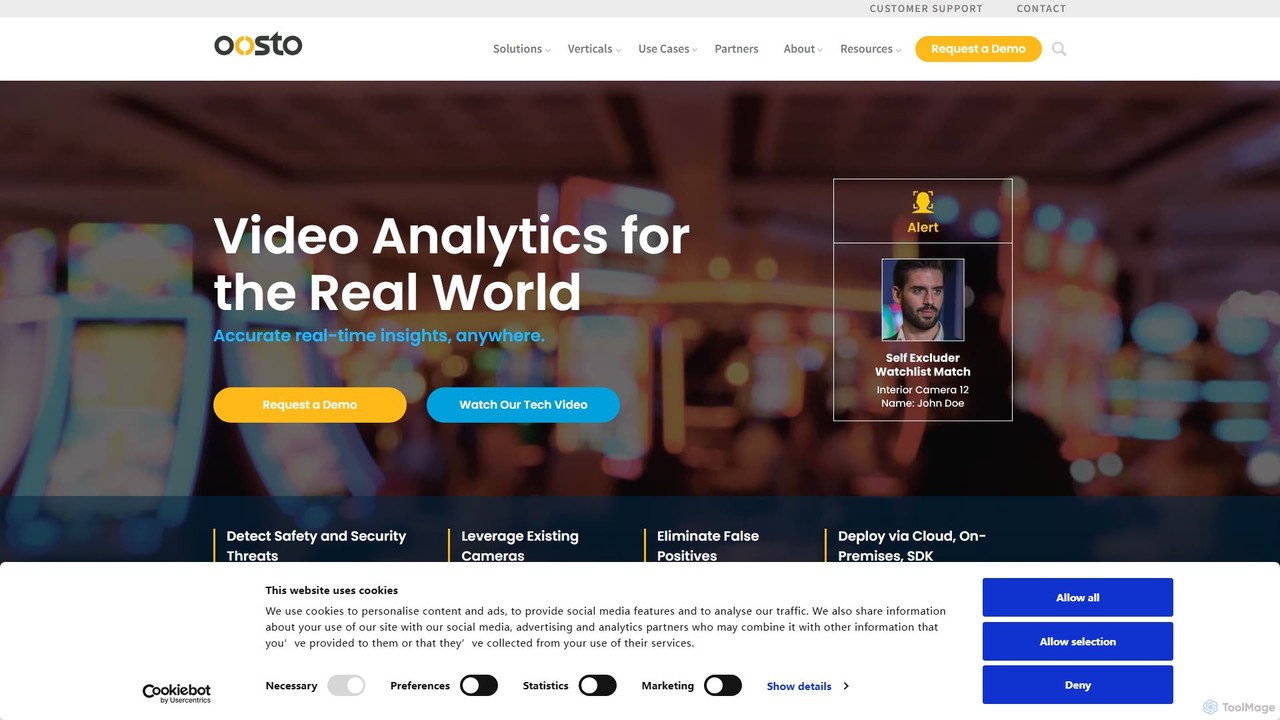
Oosto (formerly AnyVision) is a leading Vision AI platform specializing in real-time facial recognition and video analytics for enterprise security. It enhances physical security by identifying persons of interest, automating access control, and providing actionable operational intelligence from existing video streams.

Vision Ai
Visits 9.3KFavorites 131Likes 132

About Vision Ai

Vision AI tools are a specialized category of AI that enables machines to interpret and understand visual information from images and videos. These tools leverage deep learning models, such as Convolutional Neural Networks (CNNs), to analyze visual data at a granular level. They empower applications to recognize objects, identify people, read text, and comprehend complex scenes, transforming raw pixels into actionable insights. As a core component of the AI Infrastructure, Vision AI provides the essential building blocks for developing intelligent systems that can see and interact with the physical world.

Core Features

  • Object Detection: Identifies and locates multiple objects within an image or video frame.
  • Image Classification: Assigns a specific category or label to an entire image based on its content.
  • Optical Character Recognition (OCR): Extracts printed or handwritten text from images and documents.
  • Facial Recognition: Detects, analyzes, and verifies human faces for identification or attribute analysis.
  • Image Segmentation: Partitions an image into pixel-level segments to isolate specific objects or areas.

Use Cases

Vision AI is widely adopted across various industries. In manufacturing, it automates quality control by detecting product defects on assembly lines. Retailers use it for automated inventory management and in-store analytics. In healthcare, it assists in analyzing medical images like X-rays and MRIs to identify anomalies. It is also the foundational technology for autonomous vehicles and advanced surveillance systems.

How to Choose

When selecting a Vision AI tool, consider the specific task requirements, such as the required accuracy and processing speed (latency). Evaluate the range of pre-trained models available and the ease of fine-tuning them with your own data. Assess the integration options, including API availability and SDK support. Finally, analyze the pricing model—whether it's based on API calls, processing time, or a subscription—to ensure it aligns with your budget and usage scale.

Vision Ai use cases

1

Automated Quality Control in Manufacturing

A quality assurance manager on a manufacturing line uses a Vision AI system to automate defect detection. Cameras positioned along the assembly line capture high-resolution images of each product. The Vision AI model, trained to identify imperfections like scratches, cracks, or misalignments, analyzes these images in real-time. When a defect is detected, the system automatically flags the item and diverts it for review or removal. This process significantly increases inspection speed and accuracy compared to manual checks, reducing waste and ensuring higher product quality.

2

Automated Data Extraction from Documents

An accounts payable clerk uses a Vision AI tool with Optical Character Recognition (OCR) to streamline invoice processing. Instead of manually entering data, the clerk uploads scanned invoices or PDFs to the system. The AI automatically identifies and extracts key information such as invoice number, vendor name, date, and line-item details. The extracted data is then validated and populated directly into the accounting software. This automation eliminates tedious data entry, reduces human error, and accelerates the entire payment cycle, allowing the team to focus on more strategic tasks.

3

Retail Shelf Monitoring and Inventory Analysis

A retail store manager implements a Vision AI system to monitor shelf availability in real-time. Cameras installed in the aisles continuously capture images of the shelves. The AI analyzes these images to detect out-of-stock items, misplaced products, and incorrect price tags. When an issue is identified, an alert is sent to a store associate's mobile device with the exact location and problem description. This allows for rapid restocking and correction, improving the customer shopping experience and preventing lost sales due to empty shelves.

4

Assisting Medical Diagnosis with Image Analysis

A radiologist uses a Vision AI-powered software to assist in the analysis of medical scans like MRIs or CT scans. The AI model, trained on a vast dataset of annotated medical images, can quickly highlight potential anomalies, such as tumors or fractures, that may be subtle or difficult for the human eye to detect. The software provides a 'second opinion' by flagging regions of interest for the radiologist's review. This doesn't replace the expert's judgment but acts as a powerful tool to enhance diagnostic accuracy, reduce review time, and prioritize critical cases.

5

Enhancing Security with Smart Surveillance

A security operations center for a large corporate campus uses a Vision AI-powered surveillance system. Instead of security personnel manually monitoring hundreds of camera feeds, the AI system analyzes the video streams in real-time. It can automatically detect unauthorized access in restricted areas, identify specific individuals on a watchlist, recognize abandoned objects, and flag unusual crowd behavior. When a potential threat is detected, the system sends an immediate alert to security staff with relevant video clips, enabling a faster and more effective response.

6

Powering Autonomous Vehicle Perception

An automotive engineer working on an Advanced Driver-Assistance System (ADAS) integrates Vision AI APIs to process real-time data from the vehicle's cameras. The system uses object detection to identify and track pedestrians, cyclists, other vehicles, and traffic signs. Lane detection algorithms help keep the vehicle centered in its lane. By fusing this visual data with information from other sensors like radar and LiDAR, the system can make critical decisions for features like adaptive cruise control, automatic emergency braking, and lane-keeping assist, forming the foundation for autonomous driving.

Vision Ai FAQ

What is Vision AI?

Vision AI, also known as Computer Vision, is a field of artificial intelligence that trains computers to interpret and understand the visual world. Using digital images from cameras and videos, Vision AI models can accurately identify and classify objects, then react to what they 'see'. It's the technology that enables machines to perform tasks like object detection, facial recognition, and optical character recognition (OCR), essentially giving them a human-like ability to process visual information.

How to choose the right Vision AI tool?

Choosing the right Vision AI tool depends on your specific needs. Consider the following factors:

  • Task Specificity: Does the tool offer pre-trained models for your specific task (e.g., license plate recognition) or do you need to train a custom model?
  • Accuracy and Performance: Evaluate the model's accuracy metrics and processing speed (latency). Some applications require real-time analysis, while others can tolerate delays.
  • Integration and Scalability: Check for well-documented APIs and SDKs for easy integration. Ensure the platform can scale to handle your expected volume of images or video streams.
  • Cost: Understand the pricing model. Is it per API call, per image, or a monthly subscription? Calculate the total cost of ownership based on your projected usage.
What's the difference between Vision AI and general AI Infrastructure?

Vision AI is a specific application layer that sits on top of general AI Infrastructure. Think of it this way:

  • AI Infrastructure is the foundation. It includes the hardware (like GPUs), cloud computing resources, data storage, and MLOps platforms needed to build, train, and deploy any AI model. It's the 'how'.
  • Vision AI is a specialized set of tools and pre-trained models built on that infrastructure, designed specifically for visual tasks. It provides ready-to-use APIs for things like object detection or OCR, so developers don't have to build models from scratch. It's the 'what' for visual problems.

In short, you use AI Infrastructure to create a Vision AI solution.

What are the main capabilities of Vision AI?

Vision AI tools offer a range of powerful capabilities to analyze visual data. The most common ones include:

  • Image Classification: Identifying what an entire image is about and assigning it a label (e.g., 'cat', 'car', 'beach').
  • Object Detection: Finding specific objects within an image and drawing a bounding box around them (e.g., locating all cars in a street photo).
  • Optical Character Recognition (OCR): Reading and extracting text from images, such as from a scanned document or a street sign.
  • Facial Recognition: Detecting human faces and analyzing their attributes, or matching them against a database for identification.
  • Image Segmentation: Classifying every single pixel in an image to understand exactly where objects are, their shape, and what is background.
Who can benefit from using Vision AI tools?

A wide range of professionals and industries can benefit from Vision AI. Key users include:

  • Developers and Engineers: Who integrate Vision AI APIs into applications for features like image search, content moderation, or augmented reality.
  • Data Scientists: Who build and train custom computer vision models for highly specific tasks that pre-trained models can't handle.
  • Businesses in Retail and Manufacturing: Who use it to automate processes like inventory management, quality control, and workplace safety monitoring.
  • Healthcare Professionals: Who leverage it as an assistive tool for analyzing medical imagery to improve diagnostic speed and accuracy.
  • Security and Law Enforcement: Who use it for surveillance, facial recognition, and forensic analysis.