AI Web Test Aitida
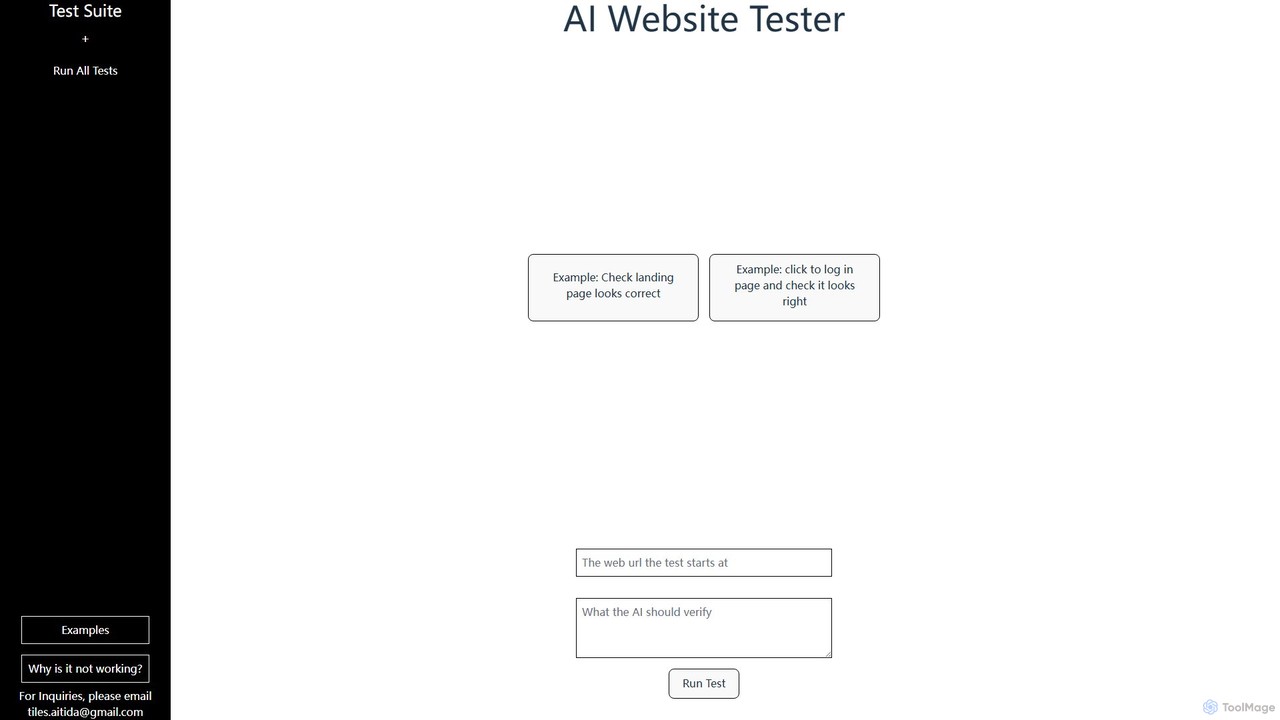
AI Web Test Aitida is an AI-powered platform for automated website testing. It simplifies quality assurance by allowing …
AI Web Test Aitida is an AI-powered platform for automated website testing. It simplifies quality assurance by allowing users to create, run, and manage complex test suites using natural language. The tool specializes in visual regression and end-to-end user flow testing, helping teams catch bugs faster and ensure a flawless user experience across all browsers and devices.
About Quality Assurance
AI Quality Assurance (QA) tools are a class of software that leverages machine learning to automate and enhance the software testing process. These tools go beyond traditional script-based automation by intelligently analyzing code, predicting potential defects, and generating optimized test cases. They significantly accelerate release cycles, improve software reliability, and allow QA teams to focus on more complex, strategic testing. AI-powered analysis can identify subtle bugs, visual inconsistencies, and performance bottlenecks that are often missed by manual checks.
Core Features
- Intelligent Test Case Generation: Automatically creates relevant and high-coverage test cases by analyzing application requirements and code changes.
- Visual Regression Testing: Uses AI to compare UI screenshots and detect unintended visual changes, such as layout shifts or color errors.
- Self-Healing Test Scripts: Automatically adapts and updates test scripts when the application's UI or underlying code changes, reducing maintenance overhead.
- Predictive Defect Analysis: Analyzes historical data to predict which areas of the codebase are most likely to contain bugs, helping prioritize testing efforts.
- Automated Bug Triage: Groups similar bug reports, identifies duplicates, and helps prioritize them based on severity and impact.
Use Cases
AI QA tools are widely used in agile and DevOps environments, particularly in sectors like SaaS, e-commerce, and mobile app development. They are essential for teams implementing Continuous Integration/Continuous Deployment (CI/CD) pipelines to get rapid feedback on code quality. QA engineers, developers, and DevOps teams use them to automate regression testing, API validation, and cross-browser compatibility checks.
How to Choose
When selecting an AI QA tool, consider its integration capabilities with your existing CI/CD pipeline (e.g., Jenkins, GitLab) and bug tracking systems (e.g., Jira). Evaluate its support for your specific technology stack, including programming languages and frameworks. Assess the scope of testing it offers (UI, API, performance) and its ease of use—whether it's a low-code platform for manual testers or a code-intensive framework for automation engineers.
Quality AssuranceUse Cases
Automating Visual Regression Testing for E-commerce Sites
A front-end development team for a large e-commerce platform needs to ensure that UI updates do not introduce visual bugs across thousands of product pages and multiple devices. Manually checking every page is impractical. They use an AI QA tool to automatically crawl the website before and after a deployment. The tool captures screenshots and uses computer vision to compare them against a baseline, flagging any pixel-level discrepancies, from misaligned buttons to incorrect font rendering. This process reduces manual testing time by over 90% and catches subtle UI errors that could impact user experience and conversion rates.
Optimizing CI/CD Pipelines with Predictive Test Selection
A DevOps team manages a CI/CD pipeline where the full regression test suite takes several hours to run, creating a bottleneck for developers. They integrate an AI QA tool that analyzes the code changes in each new commit. Based on historical data and code dependencies, the AI predicts which specific tests are most likely to be affected by the changes. Instead of running the entire suite, the pipeline executes only this targeted, high-impact subset of tests. This reduces the testing feedback loop from hours to minutes, increasing developer productivity and accelerating the delivery of new features without compromising quality assurance.
Intelligent Test Case Generation for New Features
A QA team is tasked with testing a complex new module in a financial software application. Manually creating comprehensive test cases to cover all user flows and edge cases would take weeks. They use an AI QA tool that analyzes the feature's requirements documents and user stories. The AI model understands the logic and generates a suite of test cases, including positive scenarios, negative tests (e.g., invalid inputs), and boundary condition tests. This not only saves significant time but also improves test coverage by identifying scenarios the human team might have overlooked, leading to a more robust and reliable feature release.
Automated API Testing and Validation in Microservices
A backend team develops a system based on a microservices architecture, with hundreds of interdependent APIs. Manually testing each API endpoint after a change is error-prone and slow. They employ an AI QA tool that automatically discovers API endpoints from documentation or network traffic. The tool learns the expected request/response structures and generates tests to validate data schemas, check for error codes, and measure response times. It can also create complex integration tests that simulate user journeys across multiple services. This ensures API reliability, prevents breaking changes, and accelerates the development of distributed systems.
Reducing Test Maintenance with Self-Healing Scripts
An automation engineer in a fast-paced agile team spends a significant amount of time fixing broken test scripts caused by frequent UI changes. They adopt an AI QA tool with self-healing capabilities. When a UI element's identifier (like an ID or XPath) is changed by a developer, the tool doesn't just fail the test. Instead, its AI analyzes the page, identifies the element based on other attributes (like text, position, or visual appearance), and automatically updates the script with the new identifier. This drastically reduces the maintenance burden, allowing the engineer to focus on creating new tests rather than constantly repairing old ones, thus keeping the automation suite reliable.
Generating Realistic Test Data for Secure Testing
A QA engineer needs to test the performance and functionality of a new database feature for a healthcare application. Using real patient data is not an option due to privacy regulations like HIPAA. Manually creating large, realistic datasets is complex and time-consuming. The engineer uses an AI QA tool that analyzes the database schema and existing (anonymized) data patterns. The AI then generates a large volume of synthetic data that maintains statistical properties and referential integrity, mimicking real-world usage. This enables thorough, safe, and compliant testing of database operations without compromising sensitive user information.