FlashcardX
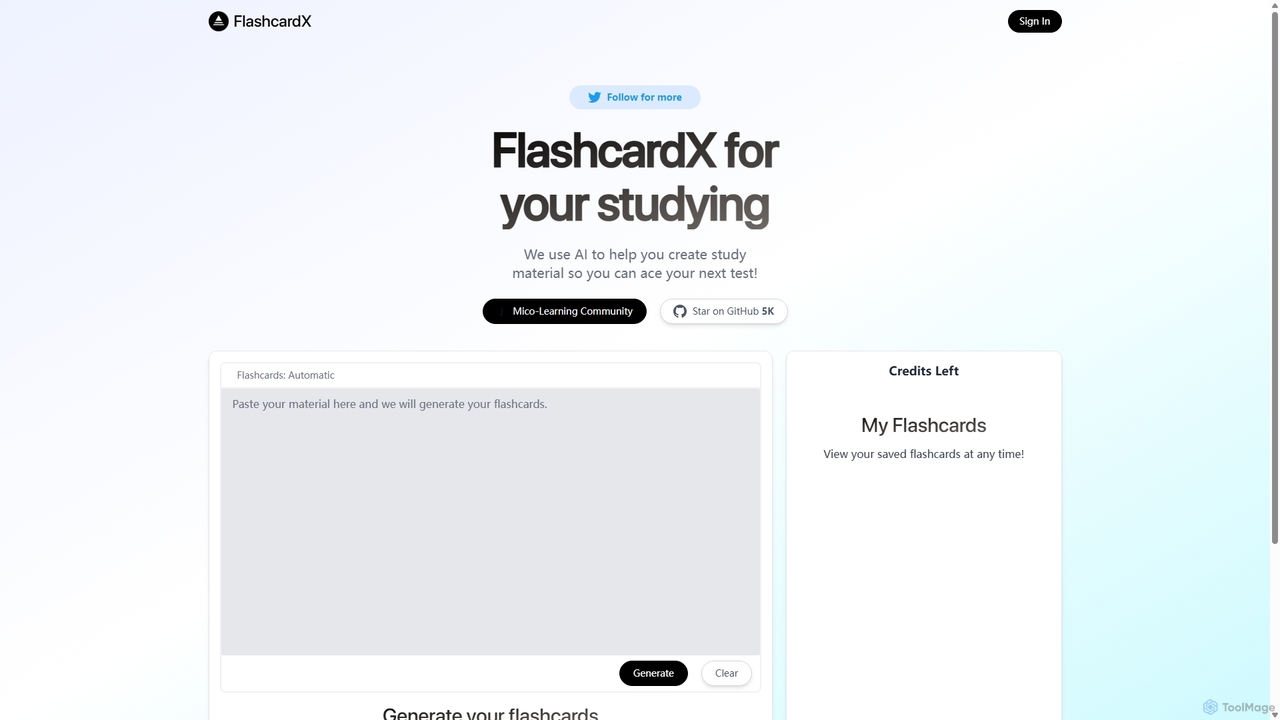
FlashcardX is an AI-powered study tool that automates the creation of flashcards. Simply paste text from articles, textbooks, …
FlashcardX is an AI-powered study tool that automates the creation of flashcards. Simply paste text from articles, textbooks, or notes, and our AI will instantly generate key vocabulary and concept cards. It's designed to make studying more efficient, engaging, and effective for students, professionals, and lifelong learners.
About Text Extraction
Text Extraction tools are AI-powered utilities designed to automatically identify and convert text from images, scanned documents, and PDFs into editable, searchable digital formats. These tools leverage advanced Optical Character Recognition (OCR) technology, enhanced by machine learning to understand complex layouts, various fonts, and even handwriting. Their primary value lies in automating data entry, digitizing physical archives, and making information within unstructured sources fully accessible and usable.
Core Features
- Image-to-Text Conversion: Extracts text directly from image files like JPG, PNG, and screenshots with high accuracy.
- PDF & Document Processing: Converts entire scanned PDFs and documents into searchable text files, preserving the original layout.
- Table and Layout Recognition: Intelligently identifies and extracts data from tables, columns, and forms, maintaining the structural integrity.
- Handwriting Recognition: Transcribes handwritten notes, letters, and form fields into digital text.
- Multi-Language Support: Recognizes and processes text from a wide array of different languages and scripts.
Use Cases
Text Extraction tools are widely used across various sectors. In finance, they automate invoice and receipt processing. Legal professionals use them to digitize case files and contracts for quick searching. Researchers and academics extract data from papers and historical documents, while businesses use them to capture information from customer feedback forms and business cards.
How to Choose
When selecting a Text Extraction tool, consider the following: accuracy rate for your specific document types, the range of supported languages, and its ability to handle complex layouts like tables. Also, evaluate the supported input/output formats (e.g., PDF, JSON, TXT) and whether an API is available for integration with your existing workflows.
Text ExtractionUse Cases
Automate Invoice Data Entry
An accounts payable specialist in a medium-sized enterprise receives dozens of invoices daily in PDF and image formats. Instead of manually typing invoice numbers, dates, vendor details, and line items into their accounting software, they use a Text Extraction tool. The tool automatically scans each invoice, accurately extracts the required fields using layout recognition, and outputs the data in a structured format like JSON. This process reduces data entry time by over 80% and minimizes human error, allowing the specialist to focus on payment verification and financial analysis.
Digitize Legal Archives for Research
A paralegal at a law firm is tasked with finding precedents from case files dating back 30 years, which only exist as scanned paper documents. Manually reading through thousands of pages is impractical. By using a Text Extraction tool, the entire archive of scanned PDFs is processed in bulk. The tool converts every document into a fully searchable text file. The paralegal can now instantly search for specific keywords, case numbers, or judge names across the entire archive, locating relevant documents in minutes instead of days.
Extract Data from Academic Papers
A university researcher is conducting a meta-analysis and needs to compile data from tables in over 100 different PDF research articles. Manually copying and pasting this data is tedious and prone to errors. They use an AI Text Extraction tool with advanced table recognition. The tool accurately identifies the table structures within each PDF, extracts the rows and columns, and exports the data into a single, clean CSV file. This allows the researcher to immediately begin their statistical analysis, saving weeks of manual data transcription.
Transcribe Handwritten Meeting Notes
A project team captures brainstorming ideas and action items on a physical whiteboard during a workshop. After the session, a team member takes a photo of the whiteboard. Instead of manually retyping all the notes, they upload the image to a Text Extraction tool with handwriting recognition capabilities. The tool converts the messy handwriting into clean, editable digital text. This text is then easily copied into their project management software or shared as meeting minutes, ensuring no ideas are lost and tasks are assigned promptly.
Extract Text from Images for Accessibility
A web content manager needs to ensure their company's blog and social media posts are accessible to users with visual impairments. Many posts include infographics and images containing important text. They use a Text Extraction tool to quickly pull the text from these images. This extracted text is then used to create descriptive alt-text for each image. This practice not only improves compliance with accessibility standards (like WCAG) but also enhances SEO, as search engines can now index the text content within the images.
Capture Customer Data from Scanned Forms
A marketing company collects feedback through paper surveys at live events. To analyze the results, they need to digitize hundreds of completed forms. A marketing assistant uses a Text Extraction tool to scan and process the forms. The tool not only converts the printed questions but also uses handwriting recognition to transcribe the participants' written answers. The data is exported to a spreadsheet, ready for quantitative and qualitative analysis. This automates a previously manual and time-consuming process, enabling faster insights into customer sentiment.