Lindra
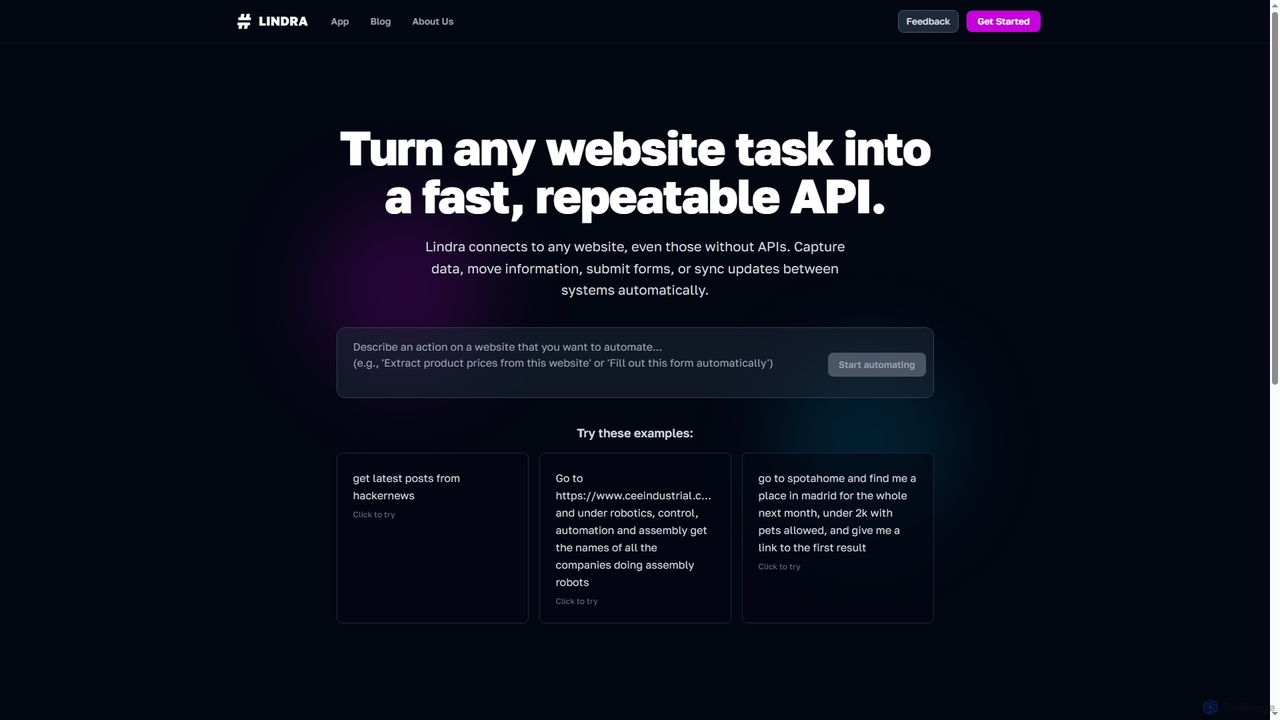
Lindra transforms any website task into a fast, repeatable API, enabling automated data capture, information movement, form submissions, …
Lindra transforms any website task into a fast, repeatable API, enabling automated data capture, information movement, form submissions, and system synchronization. It connects to websites even without existing APIs, democratizing web automation with intuitive, no-code interfaces. Ideal for businesses and power users seeking to program the web effortlessly.
About No Code
No Code tools are a category of platforms that empower users to build applications, websites, and automated workflows without writing any traditional code. These tools primarily leverage visual interfaces, drag-and-drop functionalities, and pre-built components, significantly democratizing software development and accelerating the creation of digital solutions, including those that interact with APIs. They enable rapid prototyping, business process automation, and the quick deployment of functional products, making technology accessible to non-developers.
Core Features
- Visual Development Interface: Intuitive drag-and-drop editors for designing user interfaces and defining logic.
- Pre-built Templates & Components: Ready-to-use modules and templates for common application types and functionalities.
- Workflow Automation: Tools to define and automate multi-step processes and data flows without coding.
- Database & Data Management: Integrated or easily connectable databases for storing and managing application data.
- Integrations & API Connectivity: Seamless connections with popular third-party services and the ability to consume or expose APIs.
Applicable Scenarios
No Code tools are ideal for entrepreneurs launching Minimum Viable Products (MVPs), small businesses building custom internal tools like CRM or project management systems, and marketing teams creating landing pages or automating lead generation. They also serve product managers who need to quickly prototype new features or business analysts looking to integrate data across various platforms without relying on extensive development resources.
How to Choose
When selecting a No Code platform, consider its ease of use and learning curve, the breadth of its pre-built components and templates, and its integration capabilities with your existing tech stack. Evaluate its scalability to ensure it can grow with your needs, assess the pricing model for long-term viability, and check for community support and available learning resources. Finally, ensure it meets your specific security and compliance requirements.

No CodeUse Cases
Rapidly Build Internal Management Tools
Small businesses and startups often need custom tools for CRM, project management, or inventory tracking but lack dedicated development teams. No Code platforms allow non-technical founders or operations managers to visually design and deploy these internal applications quickly. By dragging and dropping components and defining simple logic, they can create functional systems in days, significantly reducing costs and time-to-market compared to traditional development.
Automate Marketing & Customer Interaction
Marketing professionals can leverage No Code tools to create dynamic landing pages, automate email marketing sequences, or build simple chatbots for customer support without needing a developer. This enables them to quickly test campaigns, personalize customer journeys, and respond to market changes. For instance, a marketer can integrate a form builder with an email service and a CRM to automate lead capture and nurturing, saving hours of manual work.
Launch Minimum Viable Products (MVPs)
Entrepreneurs and product managers can use No Code platforms to quickly build and launch functional MVPs to validate business ideas and gather early user feedback. Instead of spending months and significant capital on custom development, they can create a working prototype with core features in weeks. This agile approach allows for faster iteration and reduces the risk associated with new product development, enabling them to test market demand before committing extensive resources.
Integrate Multi-platform Data & Workflows
Business analysts and operations teams often deal with data scattered across various SaaS applications (e.g., CRM, ERP, marketing automation). No Code integration tools allow them to connect these disparate systems and automate data flow without writing complex API code. For example, they can set up a workflow to automatically transfer new customer data from a sales platform to a marketing tool and then to a customer support system, ensuring data consistency and reducing manual data entry errors.
Create Custom Data Dashboards & Reports
Managers and data analysts often need custom dashboards to visualize key performance indicators (KPIs) from various sources, but traditional BI tools can be complex. No Code platforms enable them to pull data from different databases or APIs, transform it, and display it in personalized, interactive dashboards without coding. This empowers them to gain insights faster, monitor business health in real-time, and make data-driven decisions more efficiently, without relying on IT departments for every report.
Build Online Forms & Data Collection Systems
Researchers, HR professionals, or event organizers frequently need to collect information efficiently. No Code tools provide intuitive drag-and-drop interfaces to build sophisticated online forms, surveys, and data collection systems. These can include conditional logic, integrations with spreadsheets or databases, and automated email notifications. This allows them to gather specific data from respondents, streamline registration processes, and automate follow-ups, saving significant administrative time and ensuring data accuracy.