ToolMage
Sign in

Best 1 No Code AI tools for Api Generation

Popular No Code AI tools in Api Generation include Lindra, helping you work more efficiently.

Freemium

Lindra

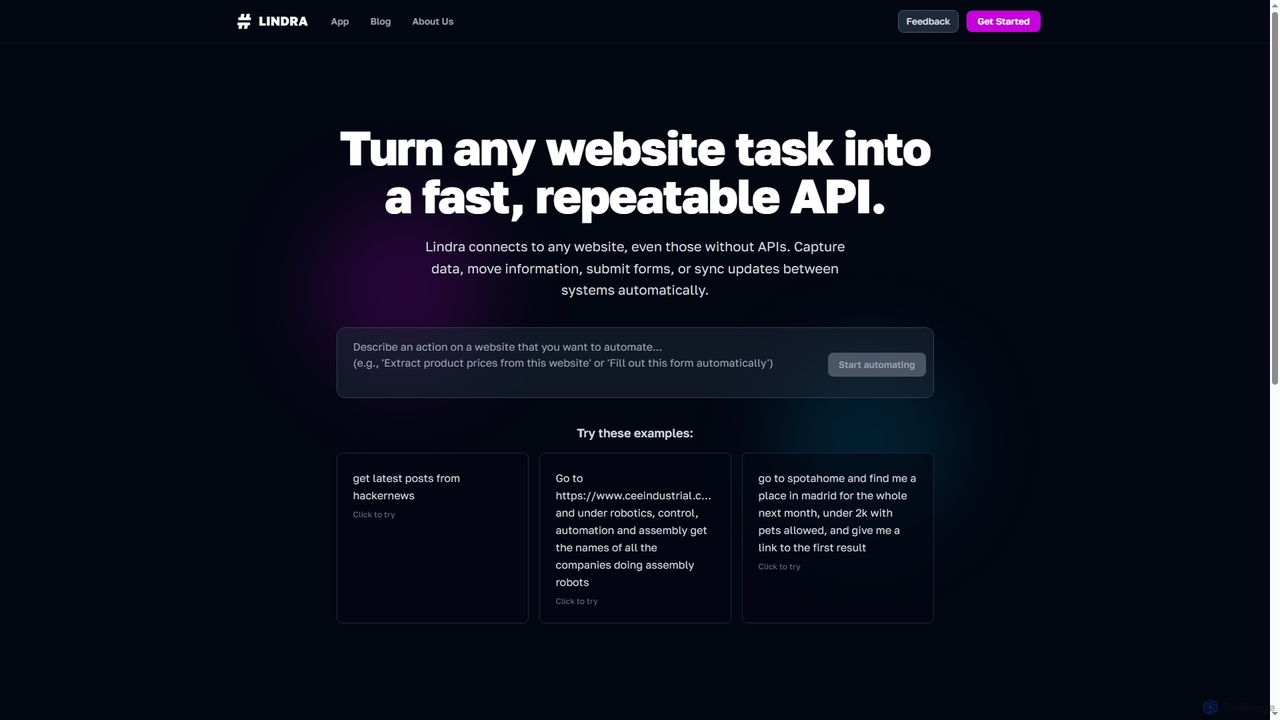
Lindra transforms any website task into a fast, repeatable API, enabling automated data capture, information movement, form submissions, and system synchronization. It connects to websites even without existing APIs, democratizing web automation with intuitive, no-code interfaces. Ideal for businesses and power users seeking to program the web effortlessly.

No Code
Visits 3.5KFavorites 142Likes 121

About No Code

No Code tools are a category of platforms that empower users to build applications, websites, and automated workflows without writing any traditional code. These tools primarily leverage visual interfaces, drag-and-drop functionalities, and pre-built components, significantly democratizing software development and accelerating the creation of digital solutions, including those that interact with APIs. They enable rapid prototyping, business process automation, and the quick deployment of functional products, making technology accessible to non-developers.

Core Features

  • Visual Development Interface: Intuitive drag-and-drop editors for designing user interfaces and defining logic.
  • Pre-built Templates & Components: Ready-to-use modules and templates for common application types and functionalities.
  • Workflow Automation: Tools to define and automate multi-step processes and data flows without coding.
  • Database & Data Management: Integrated or easily connectable databases for storing and managing application data.
  • Integrations & API Connectivity: Seamless connections with popular third-party services and the ability to consume or expose APIs.

Applicable Scenarios

No Code tools are ideal for entrepreneurs launching Minimum Viable Products (MVPs), small businesses building custom internal tools like CRM or project management systems, and marketing teams creating landing pages or automating lead generation. They also serve product managers who need to quickly prototype new features or business analysts looking to integrate data across various platforms without relying on extensive development resources.

How to Choose

When selecting a No Code platform, consider its ease of use and learning curve, the breadth of its pre-built components and templates, and its integration capabilities with your existing tech stack. Evaluate its scalability to ensure it can grow with your needs, assess the pricing model for long-term viability, and check for community support and available learning resources. Finally, ensure it meets your specific security and compliance requirements.

Featured tool rankings

No Code use cases

1

Rapidly Build Internal Management Tools

Small businesses and startups often need custom tools for CRM, project management, or inventory tracking but lack dedicated development teams. No Code platforms allow non-technical founders or operations managers to visually design and deploy these internal applications quickly. By dragging and dropping components and defining simple logic, they can create functional systems in days, significantly reducing costs and time-to-market compared to traditional development.

2

Automate Marketing & Customer Interaction

Marketing professionals can leverage No Code tools to create dynamic landing pages, automate email marketing sequences, or build simple chatbots for customer support without needing a developer. This enables them to quickly test campaigns, personalize customer journeys, and respond to market changes. For instance, a marketer can integrate a form builder with an email service and a CRM to automate lead capture and nurturing, saving hours of manual work.

3

Launch Minimum Viable Products (MVPs)

Entrepreneurs and product managers can use No Code platforms to quickly build and launch functional MVPs to validate business ideas and gather early user feedback. Instead of spending months and significant capital on custom development, they can create a working prototype with core features in weeks. This agile approach allows for faster iteration and reduces the risk associated with new product development, enabling them to test market demand before committing extensive resources.

4

Integrate Multi-platform Data & Workflows

Business analysts and operations teams often deal with data scattered across various SaaS applications (e.g., CRM, ERP, marketing automation). No Code integration tools allow them to connect these disparate systems and automate data flow without writing complex API code. For example, they can set up a workflow to automatically transfer new customer data from a sales platform to a marketing tool and then to a customer support system, ensuring data consistency and reducing manual data entry errors.

5

Create Custom Data Dashboards & Reports

Managers and data analysts often need custom dashboards to visualize key performance indicators (KPIs) from various sources, but traditional BI tools can be complex. No Code platforms enable them to pull data from different databases or APIs, transform it, and display it in personalized, interactive dashboards without coding. This empowers them to gain insights faster, monitor business health in real-time, and make data-driven decisions more efficiently, without relying on IT departments for every report.

6

Build Online Forms & Data Collection Systems

Researchers, HR professionals, or event organizers frequently need to collect information efficiently. No Code tools provide intuitive drag-and-drop interfaces to build sophisticated online forms, surveys, and data collection systems. These can include conditional logic, integrations with spreadsheets or databases, and automated email notifications. This allows them to gather specific data from respondents, streamline registration processes, and automate follow-ups, saving significant administrative time and ensuring data accuracy.

No Code FAQ

What is No Code development?

No Code development is an approach to building software applications, websites, and automated workflows without writing any programming code. It relies on visual development environments with drag-and-drop interfaces, pre-built templates, and configurable components. This method democratizes software creation, allowing individuals with little to no technical background, such as business users, marketers, and entrepreneurs, to develop functional digital solutions quickly and efficiently, often integrating with existing APIs.

How do No Code tools differ from traditional programming?

The primary difference lies in the method of creation. Traditional programming requires writing code line by line, demanding specialized skills and often more time. No Code tools, conversely, use visual builders and pre-built modules, allowing users to assemble applications like building blocks. This makes development faster and more accessible to non-developers. While traditional programming offers ultimate flexibility and customization, No Code excels in speed, ease of use, and cost-effectiveness for standard applications, often leveraging APIs for extended functionality.

Who benefits most from using No Code tools?

No Code tools primarily benefit non-technical users, including entrepreneurs, small business owners, marketers, product managers, and operations teams. They empower these individuals to build and automate solutions tailored to their specific needs without relying on developers, thus accelerating innovation and reducing IT bottlenecks. Developers can also benefit by using No Code for rapid prototyping or building internal tools, freeing up time for more complex coding tasks. Essentially, anyone looking to quickly bring an idea to life or automate a process without deep coding knowledge can benefit.

What are the main limitations of No Code platforms?

While powerful, No Code platforms do have limitations. They may offer less flexibility and customization compared to custom-coded solutions, making it challenging to implement highly unique or complex functionalities. Scalability can sometimes be a concern for extremely high-traffic or data-intensive applications. Users are also often dependent on the platform's ecosystem for integrations and features, which can lead to vendor lock-in. Additionally, debugging complex workflows can sometimes be less straightforward than with traditional code, and performance might vary.

How do No Code tools facilitate API integration?

No Code tools simplify API integration by providing visual connectors and pre-built integrations for popular services. Instead of writing code to interact with an API, users can often select an API from a marketplace, configure its parameters through a user-friendly interface, and map data fields using drag-and-drop. This allows non-developers to automate data exchange between different applications, build custom front-ends for existing APIs, or create workflows that trigger actions based on API responses, significantly accelerating the development of interconnected digital ecosystems.

How to choose the right No Code platform?

Selecting the right No Code platform involves evaluating several key factors. First, consider your specific project needs: what kind of application or automation do you want to build? Look for platforms that offer the necessary features, templates, and integrations. Assess the platform's ease of use and the learning curve for your team. Review its scalability and performance capabilities to ensure it can handle future growth. Finally, compare pricing models, community support, and available learning resources to find a solution that aligns with your budget and long-term objectives.