Apple Best in category 1 results Ecosystem AI Tool

Popular AI tools in the Ecosystem field of Apple include TellMe, etc., helping you quickly improve efficiency.

TellMe

TellMe

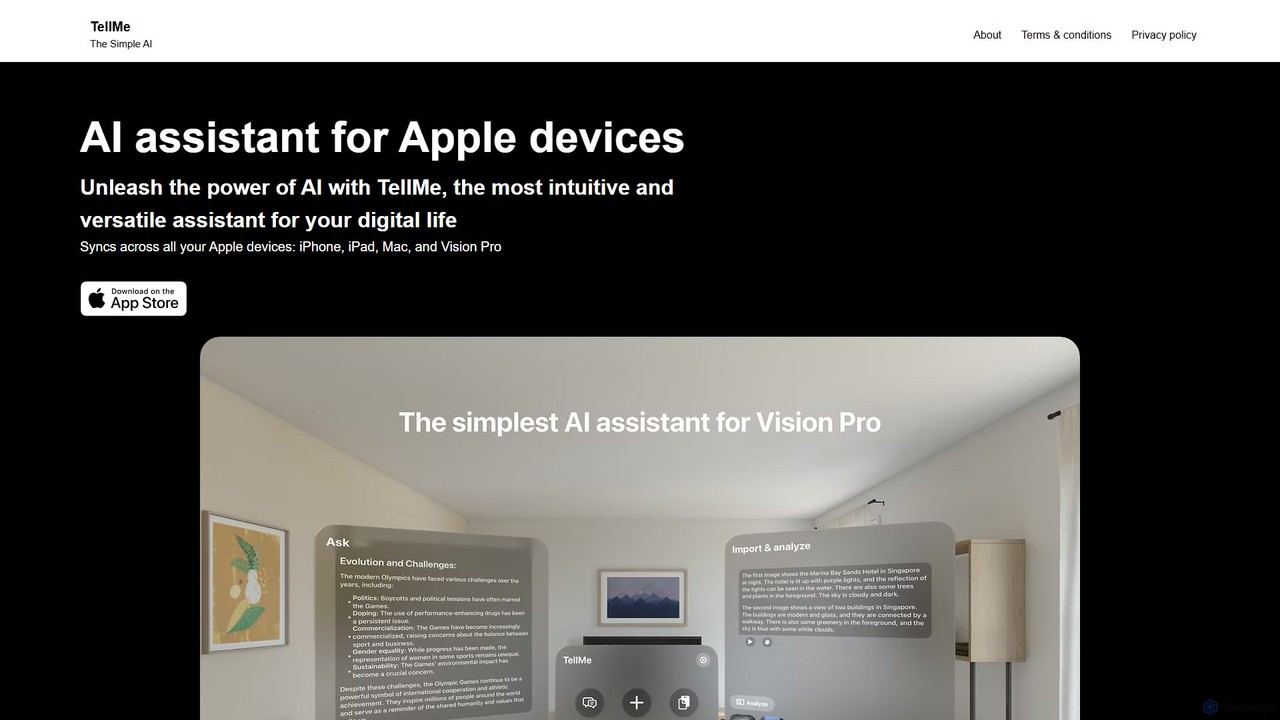
TellMe is an intelligent AI assistant designed exclusively for the Apple ecosystem. It offers seamless synchronization across iPhone, …

2.4K

About Ecosystem

Apple Ecosystem AI tools are applications specifically designed to integrate seamlessly and perform optimally within Apple's hardware and software environment. These tools leverage unique Apple technologies like the Neural Engine on Apple Silicon, Core ML, and Metal to deliver fast, efficient on-device processing. Their primary value lies in providing a cohesive, cross-device experience, allowing users to work fluidly across Mac, iPhone, and iPad. This focus on native integration also enhances data privacy and security by minimizing reliance on cloud servers.

Core Features

  • Deep System Integration: Natively interacts with macOS and iOS features like Siri Shortcuts, Spotlight search, and the Files app for a unified workflow.
  • Cross-Device Continuity & Sync: Utilizes iCloud to seamlessly sync data and states, allowing users to start a task on one Apple device and continue on another.
  • Hardware Acceleration: Optimized to use Apple Silicon's Neural Engine and GPUs for high-speed, power-efficient AI model execution directly on the device.
  • Privacy-First Architecture: Prioritizes on-device processing, ensuring sensitive user data remains private and secure on the user's own hardware.

Use Cases

These tools are ideal for creative professionals, developers, and knowledge workers deeply invested in the Apple ecosystem. For instance, a video editor can use an AI tool on their MacBook Pro that leverages the M3 chip for rapid video analysis, with project files syncing instantly to their iPad for review. Similarly, a writer can use an AI-powered text editor that offers the same features and synced documents across their Mac, iPad, and iPhone.

How to Choose

When selecting an Apple Ecosystem AI tool, first verify its compatibility across all your devices (Mac, iPhone, iPad). Assess the level of integration with native Apple services like iCloud, Calendar, and Siri. Prioritize applications explicitly optimized for Apple Silicon for superior performance and battery life. Finally, consider the purchase model—many are available as a one-time purchase or a universal subscription that covers all platforms.

EcosystemUse Cases

1

Seamless Creative Workflow for Designers

A graphic designer uses an AI-powered image editing app on their MacBook Pro to batch-process a hundred product photos, automatically removing backgrounds and enhancing colors. Thanks to iCloud sync, the edited images are instantly available in the same app on their iPad. They can then use their Apple Pencil to make final touch-ups on the iPad before AirDropping the finished assets directly to a client's iPhone during a meeting. This entire process is fluid, with no manual file transfers, leveraging the strengths of each device within a unified ecosystem.

2

Automated Meeting Summaries for Professionals

A consultant records a client meeting on their iPhone using an AI transcription app. The app, leveraging on-device processing for privacy, transcribes the conversation in real-time. Immediately after the meeting, an AI-generated summary with key action items is ready. This summary and the full transcript automatically sync via iCloud and are accessible on their Mac. Back at the office, they can quickly copy the action items from the Mac app into their project management tool, saving significant time on manual note-taking and processing.

3

Intelligent Code Assistance for Developers

A developer working on a macOS application in Xcode uses an AI code completion tool that is deeply integrated into the IDE. The tool, optimized for Apple Silicon, provides context-aware suggestions for Swift and SwiftUI, running locally on the Mac for maximum speed and code privacy. When they switch to their iPad to review a UI component, the same AI assistant is available in a compatible code editor, providing consistent suggestions and access to project-wide context synced via iCloud. This ensures a coherent and efficient coding experience across devices.

4

Unified Research and Note-Taking for Students

A university student uses an AI-powered research app on their Mac to organize academic papers. The app automatically extracts key findings and generates summaries. All notes and summaries are synced via iCloud. While in the library with just their iPad, they can access all their research, ask the AI assistant questions about the papers, and draft an essay outline. Later, on their iPhone while commuting, they can review flashcards automatically created by the AI from their notes, making study time productive across all their Apple devices.

5

AI-Powered Personal Organization via Siri

A busy professional uses an AI task manager that integrates deeply with Siri and Shortcuts. By saying "Hey Siri, add a task to plan the Q3 marketing report using my project template," the AI tool not only creates the task but also automatically populates it with sub-tasks based on a predefined template. This command works identically on their iPhone, Apple Watch, or Mac. The tasks, deadlines, and notes are all synced, providing a centralized and voice-activated organizational system that seamlessly fits into their multi-device Apple workflow.

6

On-the-Go Content Creation with AI Video Editing

A travel vlogger shoots 4K video clips on their iPhone 15 Pro. They use an AI video editing app on their iPad Pro, which leverages the M-series chip to quickly analyze footage, identify the best takes, and automatically create a rough cut synchronized to music. The project syncs via iCloud. Later, they open the same project on their MacBook Pro to perform detailed color grading and add complex effects, benefiting from the larger screen and precise controls. The ability to start editing on a portable device and finish on a powerful workstation without friction is a key advantage of the Apple ecosystem.

EcosystemFrequently Asked Questions