Best of the Year 1 results Apple AI Tools

Popular AI tools in the Apple field include TellMe, etc., helping you quickly improve efficiency.

TellMe

TellMe

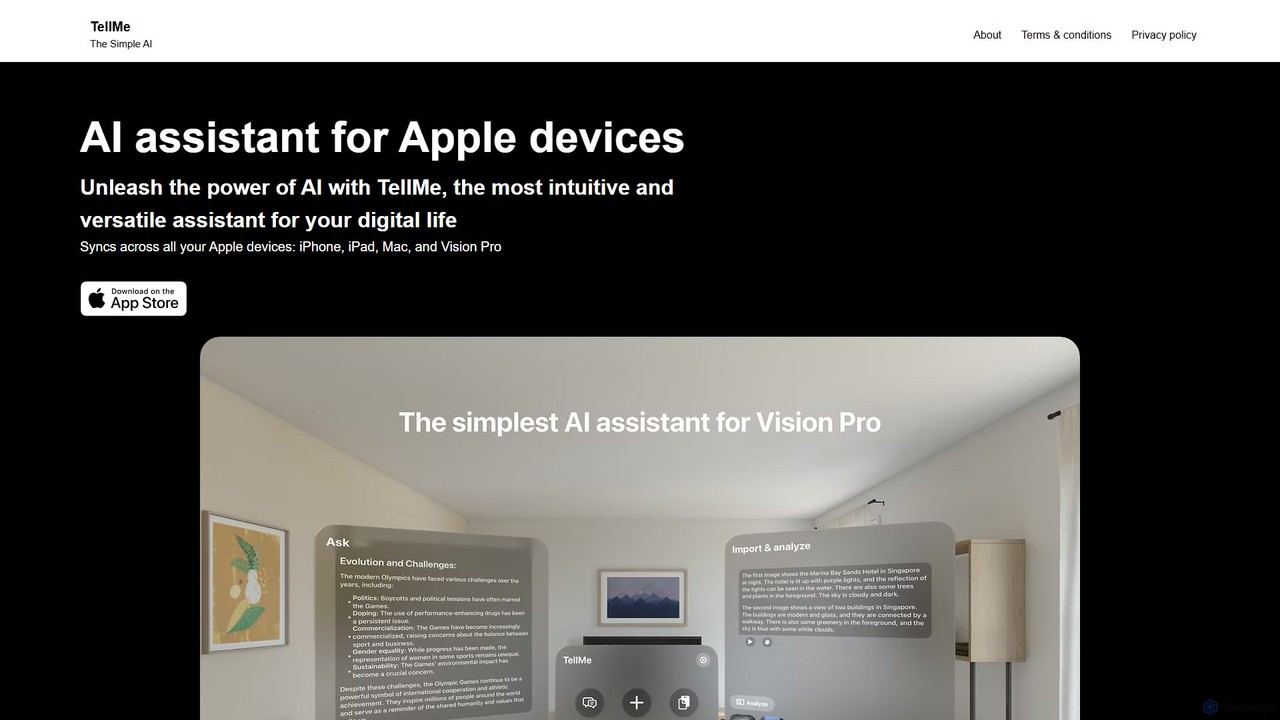
TellMe is an intelligent AI assistant designed exclusively for the Apple ecosystem. It offers seamless synchronization across iPhone, …

2.3K

About Apple

Apple AI tools are a category of AI-powered applications and services specifically designed for the Apple ecosystem. These tools leverage Apple's robust hardware, operating systems like iOS and macOS, and proprietary machine learning frameworks such as Core ML and Metal Performance Shaders. They aim to deliver enhanced intelligence, performance, and seamless integration across Apple devices, offering users a superior and optimized AI experience. From intelligent photo organization to advanced on-device processing, Apple AI tools harness the power of the Neural Engine for efficient and private AI computations.

Core Features

  • On-device AI Processing: Utilizes Apple's Neural Engine for fast, private, and efficient AI computations directly on devices like iPhone, iPad, and Mac.
  • Core ML Integration: Enables developers to integrate trained machine learning models into their apps, benefiting from optimized performance and low power consumption.
  • SiriKit & Shortcuts Automation: Extends AI capabilities through voice commands and custom workflows, allowing apps to interact intelligently with Siri and system-level shortcuts.
  • Privacy-Preserving AI: Designed with user privacy at its core, often processing sensitive data locally without sending it to cloud servers.
  • Seamless Ecosystem Integration: Offers consistent AI experiences and data synchronization across various Apple devices, from iPhone to Apple Watch and Mac.

Use Cases

Apple AI tools are widely adopted by developers building intelligent applications for iOS and macOS, as well as by users seeking enhanced productivity and creative capabilities within their Apple devices. They are crucial for creating apps that offer personalized experiences, advanced media processing, and efficient on-device data analysis.

How to Choose

When selecting Apple AI tools, consider the specific Apple platform (iOS, macOS, etc.) you are targeting, the required level of on-device processing versus cloud integration, and compatibility with Apple's latest frameworks like Core ML. Evaluate the tool's privacy features, performance optimization for Apple hardware, and ease of integration into your existing Apple-centric workflows.

AppleUse Cases

1

Enhanced Photo & Video Editing on iOS

Content creators use AI tools on iPhone/iPad to automatically enhance image quality, remove objects, or apply intelligent filters, leveraging Core ML for fast on-device processing. This allows graphic designers and social media managers to quickly refine visuals, saving hours of manual editing and ensuring high-quality output directly from their mobile devices.

2

Intelligent Document Scanning & OCR for Mac

Professionals utilize macOS AI apps to scan documents, accurately extract text using optical character recognition (OCR), and organize files, benefiting from local processing for sensitive data. Legal professionals and administrative staff can digitize contracts and reports, ensuring data privacy and efficient searchability without relying on cloud services, streamlining their document management workflows.

3

Personalized Health & Fitness Tracking with Apple Watch

Developers integrate AI models with HealthKit data on Apple Watch to provide personalized insights into user activity, sleep patterns, and workout performance, offering proactive health recommendations. Fitness coaches and health app developers leverage this to create highly tailored wellness programs, helping users achieve their health goals with data-driven, on-wrist guidance.

4

Siri-Enabled Productivity Automation

Business users create custom Siri Shortcuts on their Apple devices to automate complex workflows, such as generating meeting summaries or drafting emails, by integrating AI-powered apps. This empowers executives and administrative assistants to streamline repetitive tasks, enhancing efficiency and allowing them to focus on more strategic initiatives through voice-activated commands.

5

Augmented Reality (AR) Experiences on iPhone/iPad

Game developers and educators build immersive AR applications that use Apple's ARKit and AI for real-time object recognition, environmental understanding, and interactive virtual content overlay. This allows them to create engaging educational tools or interactive games where virtual elements seamlessly blend with the real world, enhancing user engagement and learning outcomes.

6

On-Device Natural Language Processing for Privacy

Enterprises deploy custom AI models on Apple devices for sensitive data analysis, like sentiment analysis of customer feedback or secure message classification, ensuring data privacy by keeping processing local. Healthcare providers and financial institutions can analyze confidential patient notes or transaction data securely, complying with strict regulations and protecting user information from cloud exposure.

AppleFrequently Asked Questions