ToolMage
Sign in

Best 1 Digital Asset Management AI tools for Asset Management

Popular Digital Asset Management AI tools in Asset Management include Pixelbin, helping you work more efficiently.

Pixelbin
Freemium

Pixelbin

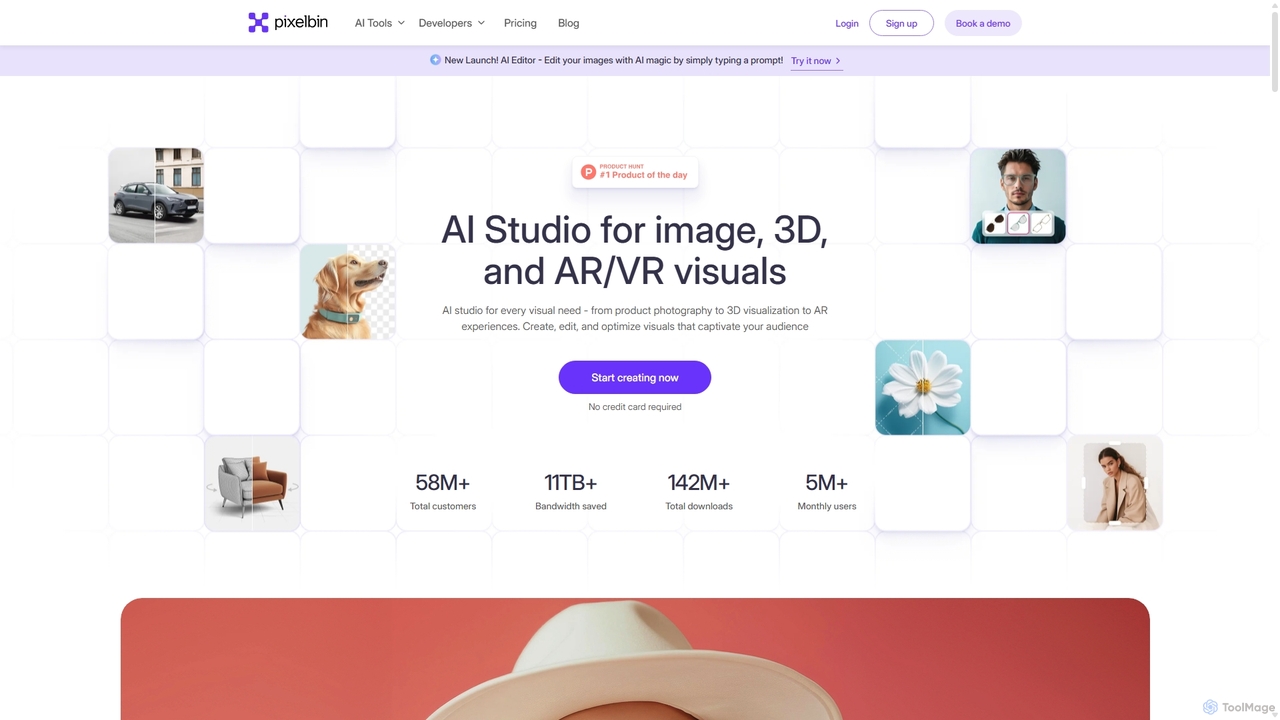
Pixelbin is a comprehensive AI-powered platform for visual asset management and real-time image transformation. It offers a suite of tools including an AI editor, background remover, image upscaler, and watermark remover, alongside a robust Digital Asset Management (DAM) system and a smart CDN. Designed for developers, marketers, and e-commerce businesses, Pixelbin streamlines the entire visual content lifecycle from creation and storage to optimization and delivery, ensuring high-quality visuals and faster performance.

Digital Asset Management
Visits 2.7MFavorites 137Likes 137

About Digital Asset Management

Digital Asset Management (DAM) tools are AI-powered platforms designed to centralize, organize, and manage an organization's vast collection of digital content. They leverage artificial intelligence for automated tagging, content recognition, and intelligent search, transforming how businesses handle their creative and media assets. This enables efficient storage, retrieval, and distribution of images, videos, audio files, and documents, streamlining workflows for marketing, design, and content teams. Unlike generic cloud storage, DAM systems provide rich metadata management, version control, and granular access permissions, ensuring brand consistency and compliance.

Core Features

  • Automated Tagging & Metadata: AI automatically analyzes content (images, videos) to generate relevant tags and metadata, simplifying organization and search.
  • Intelligent Search & Retrieval: Advanced AI-driven search capabilities allow users to quickly find specific assets using natural language queries or visual similarity.
  • Version Control & History: Tracks all changes to digital assets, allowing users to revert to previous versions and maintain a clear audit trail.
  • Access Control & Permissions: Manages who can view, edit, or share assets, ensuring security and compliance across teams and external partners.
  • Workflow Automation: Automates asset approval processes, content distribution, and integration with other creative and marketing tools.

Applicable Scenarios

Marketing teams centralize brand assets, campaign visuals, and video ads, ensuring all channels use the latest, brand-compliant assets. Content creators store, categorize, and quickly retrieve large volumes of images, videos, and audio for faster production. E-commerce businesses organize and distribute product media to multiple sales platforms, maintaining consistent representation.

How to Choose

Evaluate the depth of AI features like automated tagging and smart search. Check for seamless integration with existing design tools, marketing platforms, and CMS. Consider scalability, storage costs, and performance for future asset growth. Prioritize intuitive user experience, robust version control, and flexible permission management for diverse team needs.

Digital Asset Management use cases

1

Streamlining Marketing Content Management

Marketing teams utilize Digital Asset Management (DAM) tools to centralize all brand assets, campaign visuals, and video advertisements. AI-powered tagging ensures that assets are easily searchable by campaign, product, or theme, allowing for rapid deployment across social media, email campaigns, and websites. This approach maintains brand consistency, reduces content duplication, and significantly accelerates the time-to-market for new campaigns.

2

Accelerating Creative Workflow for Designers

Graphic designers and video editors leverage DAM systems for quick access to approved brand elements, stock footage, and project files. Robust version control prevents accidental overwrites and facilitates collaborative editing, while AI-driven content recognition helps locate specific visual elements or audio clips. This integration significantly speeds up design and editing cycles, allowing creative teams to focus more on innovation.

3

Ensuring Brand Consistency Across Channels

Large enterprises and global brands employ DAM to enforce strict brand guidelines by providing a single source of truth for logos, fonts, and approved imagery. Granular access controls ensure that only authorized and up-to-date assets are used by internal teams and external agencies worldwide. This protects brand integrity, minimizes compliance risks, and ensures a unified brand message across all communication channels.

4

Efficient Product Media Distribution for E-commerce

E-commerce businesses manage thousands of product images, videos, and 3D models within a DAM system. Automated metadata generation, such as product ID, color, and size, facilitates easy categorization and seamless distribution to various online marketplaces, product pages, and advertising platforms. This ensures accurate and consistent product representation, enhancing the customer experience and reducing manual data entry errors.

5

Archiving and Retrieving Historical Media for Publishers

Publishing houses, news organizations, and media archives use DAM to store and manage vast libraries of articles, photos, and videos. AI-powered content analysis helps categorize historical content by topic, date, or event, making it simple for journalists, researchers, and content creators to quickly retrieve relevant assets for new stories, documentaries, or educational materials, preserving valuable institutional knowledge.

6

Collaborative Asset Management for Agencies

Advertising and creative agencies utilize DAM to manage client assets, project files, and campaign deliverables. Features like shared workspaces, customizable approval workflows, and integrated comment sections enable seamless collaboration between internal teams and clients. This ensures projects stay on track, feedback is integrated efficiently, and final deliverables meet client expectations, improving overall project management and client satisfaction.

Digital Asset Management FAQ

What are Digital Asset Management (DAM) tools?

Digital Asset Management (DAM) tools are AI-powered platforms designed to centralize, organize, and manage an organization's vast collection of digital content. They leverage AI for automated tagging, content recognition, and intelligent search, transforming how businesses handle creative and media assets like images, videos, and documents. This enables efficient storage, retrieval, and distribution, streamlining workflows for marketing, design, and content teams, ensuring brand consistency and compliance.

How do Digital Asset Management (DAM) tools differ from cloud storage?

While cloud storage primarily offers file storage and basic sharing, DAM tools provide specialized functionalities for managing digital assets. DAM systems offer rich metadata management, AI-powered automated tagging, advanced search capabilities, version control, granular access permissions, and workflow automation. Cloud storage is more general-purpose, lacking the specific features needed for organizing, distributing, and ensuring the brand compliance of creative assets. DAM is built for the entire content lifecycle management.

What are the key benefits of using AI in Digital Asset Management?

AI significantly enhances DAM by automating tedious tasks like tagging, categorization, and metadata generation, saving considerable time and effort. AI-powered intelligent search allows users to find assets quickly using natural language queries, visual similarity, or even by recognizing objects and faces within media. Furthermore, AI can help enforce brand guidelines by identifying off-brand assets or ensuring correct usage, improving overall content governance and reducing risks.

Who typically uses Digital Asset Management (DAM) tools?

DAM tools are essential for any organization that deals with a large volume of digital content. This includes marketing teams, creative agencies, content creators, graphic designers, video producers, e-commerce businesses, publishers, and large enterprises. They are used to manage brand assets, product media, marketing collateral, educational materials, and archival content, ensuring efficient access, distribution, and brand consistency across various departments and channels.

What should I consider when choosing a Digital Asset Management (DAM) solution?

When selecting a DAM solution, evaluate the depth of its AI features, such as automated tagging, content recognition, and smart search, ensuring they align with your specific needs. Check for seamless integration with your existing creative tools (e.g., Adobe Creative Suite), marketing platforms (e.g., CMS, CRM), and e-commerce systems. Consider the system's scalability, storage capacity, performance, and cost for future asset growth. Also, prioritize an intuitive user interface, robust version control, and flexible access control features to manage different user roles and external collaborators effectively.